Comparisons
Eyebrow Threading Salon Booking Software: 2026 Guide
Compare eyebrow threading salon booking software by pricing, walk-in queues, staff rules, reminders, payments, and AI to find the right fit for your salon.
 Watch · 20s
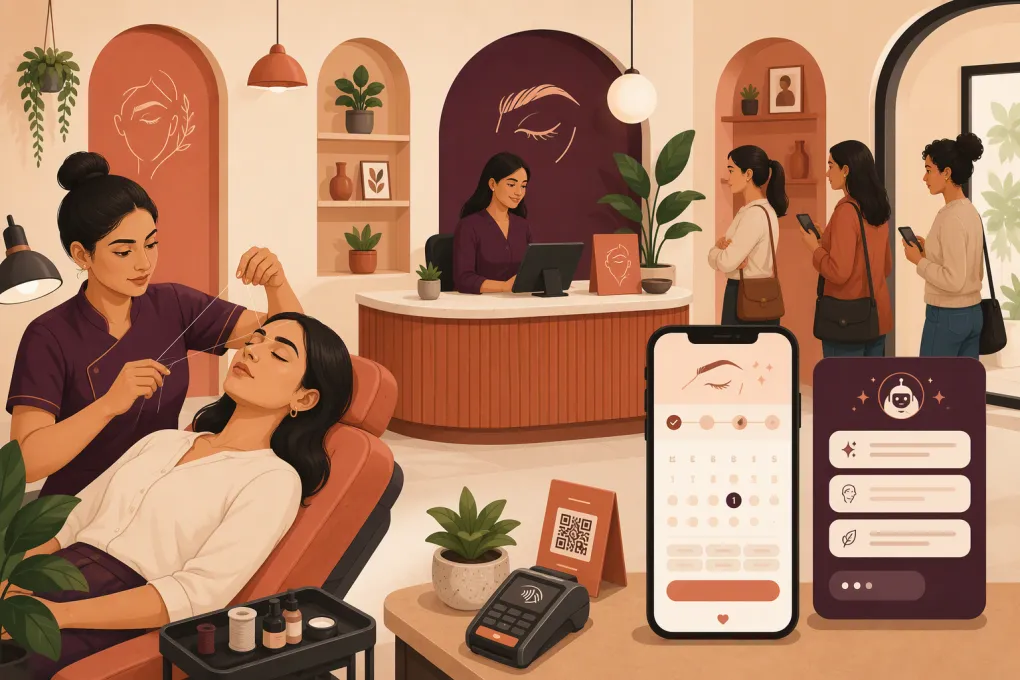
Eyebrow threading salons need more than an online calendar. A workable system must coordinate short services, unpredictable walk-ins, artist eligibility, add-ons that change appointment length, and clients who expect an immediate answer when they call or message.
The wrong setup creates overlapping appointments and long waits. The right eyebrow threading salon booking software gives the desk a reliable view of who is scheduled, who is waiting, which artist can perform each service, and what should happen next.
This guide compares the leading options, including their published starting prices, practical limitations, and suitability for different threading salon models. Prices and plan structures can change, so treat the figures below as a buying shortlist rather than a substitute for a written vendor quote.
What makes threading salon scheduling different?
Threading businesses often combine appointments with walk-in traffic. Services may be brief, but their duration is not always consistent.
For example, a first-time brow client may require a longer consultation than a returning client. Full-face threading takes longer than brows alone. Adding upper-lip threading or tinting changes the chair time. An artist may also need a short reset period before serving the next customer.
Your software should account for five threading-specific requirements.
1. Queue logic, not just open time slots
A walk-in queue should record arrival time, requested service, preferred artist, artist eligibility, and estimated wait. It should also prevent the desk from assigning a walk-in to time that is needed for an upcoming appointment.
Most mainstream salon platforms let staff add a same-day appointment. That is not necessarily a true walk-in queue. A dedicated queue should help determine who is next while preserving artist and service rules.
2. Variable service timing
Look for duration controls at the service level and, ideally, the provider level. One artist may complete a brow service faster than another, while a new employee may need a larger buffer.
The system should also extend the booking automatically when a client combines services. Staff should not have to calculate whether brows, lip, and tinting will fit into a standard slot.
3. Artist eligibility
Not every employee should appear as available for every service. Eligibility rules are particularly important when only selected staff perform tinting, lamination, waxing, or specialized brow services.
Test whether an administrator can assign services to qualified artists without creating duplicate service menus.
4. Consent and patch-test workflows
Threading itself may not require the same intake process as a chemical service, but tinting or lamination can introduce separate consent, contraindication, and patch-test procedures.
Software should let you attach the correct form to the correct service, timestamp completion, and prevent staff from treating an incomplete form as complete. Whether a patch test is appropriate depends on the product instructions, applicable rules, and salon policy.
5. Configurable rebooking cadence
A useful system lets the salon send different rebooking prompts based on service history instead of blasting every client on the same schedule. Brow-threading reminders, tint follow-ups, and lapsed-client campaigns may require different timing.
The cadence should be editable, suppressible after a client books, and limited to customers who have consented to the relevant communication channel.
See how Fitty can respond to threading inquiries while your artists are with clients →
Eyebrow threading salon booking software comparison
The prices below reflect publicly advertised US starting prices commonly associated with these products at the time of writing. Billing frequency, employee count, payment processing, messaging, add-ons, and promotional terms can change the actual cost.
| Platform | Public starting price | Booking and client workflows | Walk-in handling | Automation and AI | Important limitations | Best fit |
|---|---|---|---|---|---|---|
| WTF Go + Fitty | No public standard price; request a quote | Booking, lead management, follow-up, customer communication, and operational workflows | Can support a configured intake and routing process; confirm whether your desired visual queue and estimated-wait workflow is included | Fitty can answer configured questions, respond to leads, follow up, and direct customers into supported booking or payment workflows | Pricing is not publicly standardized. Results depend on setup, connected systems, approved knowledge, escalation rules, and staff oversight. Confirm salon-specific POS, forms, payroll, and marketplace requirements | Salons that lose inquiries by phone or message and want booking connected to automated lead response |
| Fresha | Independent plan has been publicly listed at $19.95 per month; team pricing has been listed per bookable team member | Beauty-focused booking, client profiles, forms, payments, marketing, and marketplace discovery | Staff can create same-day bookings; do not assume this provides a dedicated first-in, first-out walk-in queue | Automated reminders and marketing tools; not positioned primarily as a conversational AI receptionist | Marketplace-acquired clients and optional features may carry separate charges. Per-team-member pricing can grow with headcount | Independent artists and salons that value consumer marketplace exposure |
| Vagaro | Public pricing has started at $30 per month for one bookable calendar, with additional calendars increasing cost | Scheduling, forms, SOAP-style notes, memberships, packages, payroll-related tools, payments, marketing, and marketplace exposure | Supports same-day appointment entry and waitlist-related workflows; test whether its flow matches an active lobby queue | Automated reminders, campaigns, and business communication tools | Add-ons can materially increase monthly cost, and its broad feature set requires more setup than a basic scheduler | Established threading salons needing broad salon administration |
| Square Appointments | Free plan available for one location; paid plans have been publicly listed from $29 per location per month | Online booking, staff calendars, reminders, customer records, deposits, and tight integration with Square POS | Staff can add walk-ins as immediate or same-day appointments, but a specialized walk-in queue is not its core strength | Scheduling and reminder automation; limited compared with a dedicated AI lead agent | Advanced features require paid plans. Complex service eligibility, forms, and multi-location controls should be tested carefully | Small salons already using Square for checkout and retail sales |
| GlossGenius | Standard plan has been publicly listed from $24 per month, with higher tiers offering additional features | Beauty-focused booking, payments, client management, forms, marketing, and branded booking tools | Suitable for manually adding same-day clients; not generally selected for sophisticated lobby queue management | Automated confirmations, reminders, and marketing features | Strongest for independent beauty professionals and smaller teams; complex multi-location controls may be less suitable | Solo brow artists and boutique studios prioritizing a polished client experience |
| Booksy Biz | Base subscription has been publicly listed at $29.99 per month, with added staff typically increasing cost | Scheduling, client records, payments, marketing, business tools, and Booksy marketplace visibility | Can accept and manually enter same-day bookings; validate queue order and wait-estimation requirements during a demo | Reminders, promotions, and client communication tools | Marketplace promotion programs can introduce additional costs. It is not a substitute for a configurable conversational receptionist | Salons that want booking plus consumer discovery |
Published price is only one cost component. Ask for a written estimate covering payment processing, text messages, additional staff, forms, marketing, marketplace fees, hardware, onboarding, and data migration.
Score each platform with a weighted rubric
A weighted score prevents an attractive booking page or low entry price from overshadowing operational gaps. Use a 1-to-5 score for each category, multiply it by the weight, and total the results.
| Evaluation category | Weight | What to test |
|---|---|---|
| Appointment and walk-in control | 25% | Add three walk-ins while protecting appointments due within the next 30 minutes |
| Service duration and artist eligibility | 15% | Combine brows, lip, and tinting, then restrict tinting to qualified staff |
| Client communication and lead response | 15% | Send an after-hours question, reschedule, and follow-up request |
| Payments and checkout | 10% | Add a service at checkout, apply a deposit, process a tip, and issue a partial refund |
| Forms, consent, and service records | 10% | Assign a tint form, record completion, and control staff access |
| Rebooking and retention | 10% | Trigger a service-specific reminder and suppress it after booking |
| Reporting and multi-location controls | 10% | Compare service, provider, and location performance while limiting employee permissions |
| Cost, migration, and support | 5% | Calculate the first-year operating cost and request a sample export |
Change the weights to match your model. A walk-in-heavy mall location might assign 35% to queue management. An appointment-led brow studio may put more weight on deposits, forms, and automated rebooking.
Best choice by threading salon type
Solo brow artist
Start with GlossGenius, Square Appointments, or Fresha. All three offer accessible booking and payment workflows without requiring an enterprise implementation.
Choose Square if you already use its POS. Consider GlossGenius for a beauty-focused client experience. Consider Fresha when marketplace discovery is part of your acquisition strategy, but model the full cost of marketplace-generated business.
High-volume walk-in salon
Prioritize the queue demonstration over every other feature. Many systems can enter a walk-in, but fewer can display queue order, account for artist eligibility, update estimated waits, and protect near-term reservations.
Vagaro is worth evaluating because of its broad operational toolset, but require the salesperson to demonstrate your exact lobby flow. If none of the products provides the queue behavior you need, assess whether a separate queue tool can connect without forcing staff to enter customers twice.
Appointment-led brow and beauty studio
Vagaro, GlossGenius, and Fresha deserve consideration when the menu includes tinting, lamination, waxing, packages, or forms. Compare how each platform attaches intake requirements to individual services and handles add-on duration.
Multi-location operator
Evaluate centralized permissions, reporting, service menus, customer deduplication, and location-specific pricing. Vagaro is a reasonable conventional salon-software candidate. WTF Go is relevant when the larger problem is fragmented lead response and follow-up across locations, but operators should verify detailed salon workflows and integration coverage before selecting it.
Salon missing calls and messages
A standard scheduler works when clients reach the booking page. It does less when someone calls after closing or asks whether a particular artist accepts walk-ins today.
Fitty can handle approved questions and move leads into configured next steps, including supported booking and follow-up workflows. It should not be treated as unsupervised authority for complaints, refunds, adverse reactions, policy exceptions, or uncertain service advice. Those cases need clear escalation to a person.
Review how WTF Go configures Fitty for lead response, booking, and human escalation →
How to test the finalists
Run the same scenarios in every demo:
- A walk-in wants brows and lip but has no artist preference.
- A booked client arrives late while two walk-ins are waiting.
- Only one available artist is eligible to perform tinting.
- A client adds tinting, but the required form or patch-test record is missing.
- An after-hours lead asks about price, availability, and parking.
- A returning client needs a rebooking reminder based on the last completed service.
- A manager moves an employee between locations without exposing unnecessary customer data.
For AI-assisted communication, inspect the approved knowledge source, conversation logs, correction process, escalation triggers, and failure behavior. Test ambiguous questions and outdated information. A responsible setup should hand uncertain or sensitive cases to staff rather than inventing an answer.
Finally, request a sample customer export and a complete written quote. Confirm who owns the phone number, booking URL, client records, message history, and payment relationships if you leave.
The best eyebrow threading salon booking software is not necessarily the platform with the longest feature list. It is the one that keeps the queue accurate, assigns qualified artists, protects appointment capacity, captures required consent, and makes it easy for clients to return.
Frequently asked questions
What is the best booking software for a walk-in threading salon?
Choose based on demonstrated queue behavior, not a generic claim of walk-in support. Test queue order, artist eligibility, estimated waits, and protection for upcoming appointments before signing.
How much does eyebrow threading salon software cost?
Entry plans range from free scheduling products to paid subscriptions priced by location, calendar, or staff member. Payment processing, messaging, marketplace fees, marketing, hardware, and add-ons can raise the total cost.
Can salon software manage patch tests and consent forms for tinting?
Some platforms can attach digital forms to specific services and store completion records. Confirm that the system supports your product instructions, salon policy, access controls, and applicable state or local requirements.
Can an AI receptionist safely book threading appointments?
It can handle approved questions and configured booking workflows, but it needs accurate business information, integration testing, conversation monitoring, and human escalation for exceptions or sensitive issues.
Should rebooking reminders be the same for every brow client?
No. Configure cadence by completed service and client consent, then suppress reminders when the client has already booked or opted out.
Keep reading

Run your gym on autopilot with WTF Go
Fitty — your AI receptionist — answers calls and DMs, fills classes, follows up with every lead, and collects dues while you coach.