Comparisons
Dance Studio Substitute Teacher Management Software Guide
Compare dance studio substitute teacher management software by alerts, skill matching, integrations, pricing sources, and fit for small or multi-site teams.
 Watch · 20s
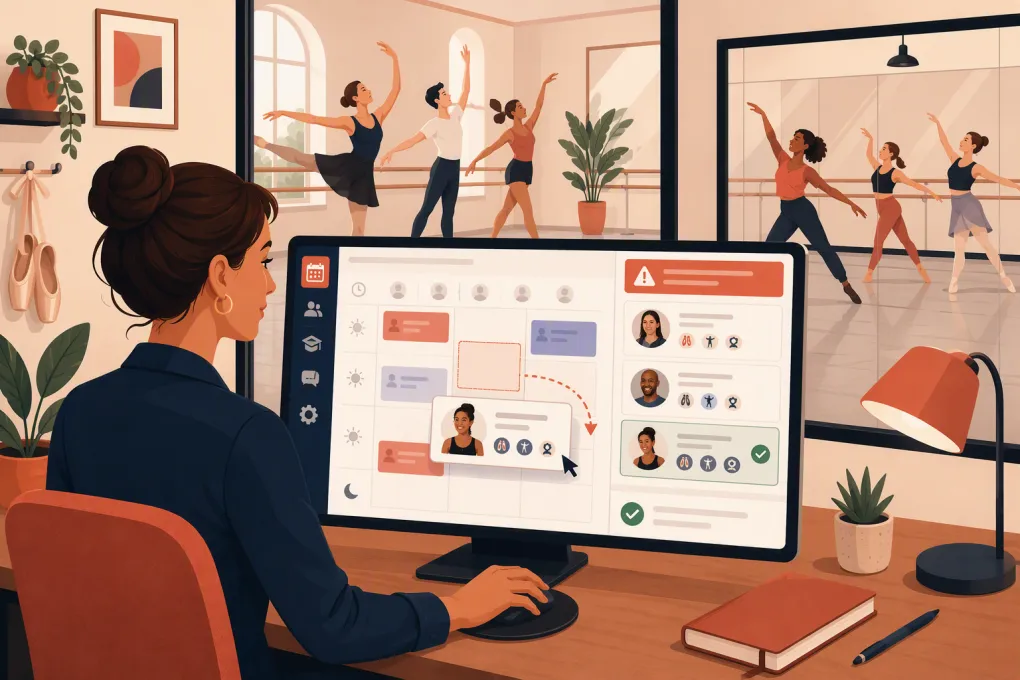
A substitute-teacher problem is not solved by putting instructor names on a calendar. When a teacher calls out, the studio needs to identify qualified replacements, notify the right people, record an acceptance, update the working schedule and give the substitute enough context to teach the class.
Most dance management platforms handle class enrollment, tuition and attendance well. Fewer provide a native marketplace for offering an uncovered shift to eligible instructors. That distinction matters: assigning a substitute manually is not the same as managing substitute coverage.
This guide compares publicly documented product capabilities rather than treating every scheduling feature as equivalent. Vendor packaging changes, so pricing links below point to each vendor’s current source of record. Where a vendor does not publicly document a feature, the table says so instead of assuming it exists.
A staffing emergency can also pull the front desk away from prospective students and families. See how Fitty keeps answering dance studio inquiries and booking trials while your team fixes coverage →. Fitty complements staff scheduling; it is not presented here as a native substitute-dispatch tool.
The short answer: which option fits which studio?
For most studios, the practical answer is a two-system setup: keep dance management software as the source of truth for classes and students, then use workforce scheduling software for availability, open shifts and staff acceptance.
- Small, single-location studio: Homebase is the most accessible starting point when the main needs are availability, open-shift coverage and team communication. Its limitation is that dance qualifications are not the center of its scheduling model.
- Studio retaining Jackrabbit Dance or DanceStudio-Pro: Add When I Work if you need a straightforward open-shift workflow. Continue using the dance platform for enrollment, rosters and family records.
- Multi-location studio or a team with stricter qualification rules: Deputy is the strongest option in this comparison because its scheduling model supports work areas, training requirements and open-shift offers. Student records still remain in the dance platform.
- Studio with fewer callouts and a very small faculty: Your existing dance platform plus a documented manual coverage process may be sufficient. Do not add another system unless missed messages or conflicting records have become a recurring problem.
- Studio whose front desk stops responding whenever staffing changes: Pair the chosen scheduling tool with WTF Go and Fitty to keep lead response, trial booking, follow-up and dues collection operating separately from staff dispatch.
Product comparison: confirmed capabilities and limitations
“Schedule synchronization” in this table means the accepted substitute appears on the workforce schedule. It does not mean the instructor automatically changes inside a separate dance management platform. None of the products below should be assumed to provide a native, two-way synchronization with every dance platform.
| Product | Substitute alerts and acceptance | Qualification matching | Permissions | Schedule result | Integration requirement | Pricing source | Best fit |
|---|---|---|---|---|---|---|---|
| Deputy | Native open-shift offers can be sent to eligible team members, who can claim available work | Supports work areas and training requirements that can restrict who may work in an area | Manager and employee access controls are built into the workforce platform | Accepted work becomes part of the Deputy schedule | Dance classes, rosters and instructor changes generally remain in the dance platform unless a supported integration or custom workflow is implemented | Deputy pricing | Multi-location studios and operators that need stronger eligibility controls |
| When I Work | Native OpenShifts and shift-swap workflows let eligible employees view and claim available shifts | Positions can narrow which employees are eligible; it is not a dance credential-management system | Scheduler, manager and employee roles control scheduling actions | Claimed shifts update the When I Work schedule | Plan on maintaining the class instructor in the dance platform unless you establish an integration | When I Work pricing | Studios keeping their current dance software but needing cleaner coverage dispatch |
| Homebase | Native open shifts, availability and shift-trade or coverage workflows support basic replacement scheduling | No dance-specific qualification engine is documented; operators must use roles, departments or internal policy to screen substitutes | Employee and manager permissions support normal schedule administration | Approved coverage is reflected in the Homebase schedule | Student, class and billing records remain in the dance platform; duplicate instructor updates may be necessary | Homebase pricing | Small, single-location teams prioritizing simplicity |
| Jackrabbit Dance | Public product materials focus on class scheduling and staff administration, not an employee open-shift marketplace with claim-based acceptance | Dance-specific class and instructor records provide useful context, but automated substitute matching is not documented as a core workflow | Staff Portal access and administrative permissions support controlled studio access | An authorized user can maintain instructor and class records in the studio system | Pair with a workforce scheduler if instructors need alerts, availability collection and claim-based coverage | Jackrabbit pricing | Studios that need dance enrollment, billing and class administration as the system of record |
| DanceStudio-Pro | Class and teacher administration are native; a workforce-style open-shift marketplace is not documented as a primary product function | Teacher and class data can guide a manager, but automated eligibility matching is not documented as a core dispatch feature | Staff access is available within the studio management environment | Staff can maintain the operational class assignment in the dance platform | Add workforce scheduling when manual calls and group messages no longer scale | DanceStudio-Pro pricing | Dance businesses prioritizing registration, tuition and family administration |
| WTF Go with Fitty | Fitty handles lead and customer conversations, not native teacher open-shift bidding | Not a substitute qualification-matching tool | Operational access should be configured around each team’s responsibilities | Keeps booking and customer workflows moving; staff coverage belongs in the selected scheduler | Use alongside dance and workforce systems based on the studio’s operating design | WTF Go | Studios that want staffing incidents to stop interrupting lead response and collections |
The key conclusion is straightforward: Deputy, When I Work and Homebase provide the native coverage workflows. Jackrabbit Dance and DanceStudio-Pro provide the dance-business records. WTF Go and Fitty protect customer-facing operations while coverage is being resolved. These are complementary jobs, not interchangeable feature sets.
What the leading options actually do
Deputy: best for qualification-sensitive or multi-location coverage
Deputy is the strongest candidate when a substitute cannot be chosen based on availability alone. Its scheduling structure supports work areas and training requirements, allowing an operator to limit who can work in a defined area. A studio could use work areas for categories such as ballet, preschool, competition team or front desk, provided the configuration is kept current.
Its open-shift workflow gives employees a defined way to receive and claim available work. That creates a better audit trail than a group text and reduces the chance that two teachers believe they accepted the same class.
The limitation is domain fit. Deputy does not replace dance enrollment, family billing, recital administration or student attendance records. A manager may still need to update the assigned instructor in the dance platform after coverage is accepted. Review Deputy’s employee scheduling overview and current pricing before implementation.
When I Work: best add-on for an existing dance platform
When I Work is a practical choice when the studio already likes its dance management system but needs formal availability and open-shift handling. Its OpenShifts workflow lets schedulers publish unassigned work for eligible employees to claim. Positions can be used to segment instructors, although studios with extensive certification or training-expiration requirements may find Deputy’s model more suitable.
The main operational risk is maintaining two schedules. When an instructor claims coverage in When I Work, someone must ensure the class record in Jackrabbit, DanceStudio-Pro or another dance platform also reflects the change. Assign that responsibility explicitly rather than assuming an integration will do it.
The vendor documents scheduling capabilities in its employee scheduling product materials, while current packaging is listed on its pricing page.
Homebase: best starting point for a small studio
Homebase combines employee scheduling, availability and team communication in a format aimed at smaller businesses. It can replace the spreadsheet-and-group-text process without requiring the studio to rebuild enrollment or billing operations.
Its weakness for dance businesses is qualification depth. A studio still needs a controlled list showing who is approved for pointe, acro, preschool, advanced levels or other restricted classes. Roles or departments can help organize the team, but they should not be treated as a complete credentialing system without a deliberate process behind them.
Homebase is a good fit when the substitute pool is small and management already knows the faculty. It becomes less convincing when several locations, disciplines and expiring qualifications must be considered simultaneously. See the vendor’s scheduling feature page for its documented workflow.
Jackrabbit Dance and DanceStudio-Pro: systems of record, not dispatch leaders
These platforms remain relevant because the substitute ultimately needs the correct class, roster, room and attendance process. They are built around the dance business rather than generic employee shifts.
However, public product materials do not position either platform primarily as an open-shift dispatch system where qualified teachers receive an alert, claim a class and automatically become the accepted replacement. If that is the problem you are buying software to solve, retaining the dance platform and adding a workforce scheduler is more convincing than expecting class-assignment screens to behave like a shift marketplace.
The integration reality
Before buying, define which system owns each record:
- Dance platform: class catalog, enrollment, student roster, family account and attendance
- Workforce scheduler: teacher availability, open coverage request, acceptance and staff schedule
- Payroll or timekeeping system: approved hours and pay treatment
- WTF Go and Fitty: lead response, booking conversations, follow-up and dues collection
Without a documented direct integration, assume a human must update the instructor in the dance platform after a substitute accepts. Make that update part of the coverage checklist and assign it to the manager approving the replacement.
Avoid exposing student information in a workforce scheduling tool merely to make the handoff convenient. The shift description usually needs the class type, level, location, room and arrival instructions—not the full student record.
See how WTF Go separates lead response and customer follow-up from the staff scheduling workload →
A demo script that exposes weak products
Do not ask a salesperson whether the software “handles substitutes.” Give them a scenario and ask them to perform it:
- A ballet teacher reports an absence for tomorrow at 4:00 p.m.
- The replacement must be approved for that level and location.
- Only eligible instructors should receive the opening.
- One instructor accepts from a phone.
- Other instructors should see that the opening is no longer available.
- A manager approves or records the final assignment.
- The schedule shows who is now responsible for the class.
- The change is available for timekeeping or payroll review.
- The dance platform’s instructor record is updated through a demonstrated integration or an assigned manual step.
Also ask the vendor to show permissions, change history, notification delivery and what happens when nobody accepts. A polished calendar view is less important than an unambiguous exception process.
How to implement the system without creating duplicate chaos
Start with clean data. Build a structured instructor matrix containing disciplines, levels, age groups, approved locations, recurring availability and any required training. Do not bury those facts in free-form notes if the scheduler supports roles, positions, areas or training rules.
Then establish four operating rules:
- One manager owns every open coverage request.
- An assignment is not final until it is accepted and recorded in the designated scheduler.
- One named role updates the dance platform if synchronization is not automated.
- Substitutes receive only the student and class information required to teach safely.
Pilot the workflow with a planned absence before relying on it for an emergency. Test a declined offer, an unfilled class and a teacher qualified for one discipline but not another. Those exceptions reveal more than a successful demonstration.
Final recommendation
Choose Homebase for a small studio that needs a simple step up from spreadsheets and group messaging. Choose When I Work when you are retaining an established dance platform and primarily need open shifts, availability and acceptance tracking. Choose Deputy when multiple locations or stronger training-based eligibility make substitute selection more complex.
Keep Jackrabbit Dance or DanceStudio-Pro as the class and student system if either already serves the studio well; neither should be selected solely on the assumption that it replaces a dedicated coverage marketplace. Add WTF Go with Fitty when the broader problem is that staffing issues repeatedly interrupt inquiries, trial bookings, follow-up and collections.
The best setup is not necessarily one application. It is the smallest combination that gives you a reliable coverage record, an accurate class assignment and uninterrupted service to prospective and current families.
Frequently asked questions
What is dance studio substitute teacher management software?
It tracks instructor availability, sends coverage requests, records acceptance and updates the working staff schedule. A dance platform may hold the class record, while a workforce scheduler handles the actual coverage workflow.
Which substitute teacher software is best for a small dance studio?
Homebase is a practical starting point for a small, single-location team needing availability and open-shift coverage. Studios with more detailed qualification rules should also consider Deputy.
Can Jackrabbit Dance or DanceStudio-Pro dispatch substitute teachers?
Both support dance class and staff administration, but their public materials do not position them as dedicated open-shift marketplaces with qualification-based alerts and claim tracking. Many studios will need a workforce scheduler for that workflow.
Should I use Deputy or When I Work with my dance software?
Choose Deputy for more complex location, work-area or training requirements. Choose When I Work for a straightforward open-shift and availability layer alongside an existing dance management platform.
Does Fitty assign substitute dance teachers?
Fitty is an AI receptionist for lead response, booking, follow-up and dues collection, not a native teacher-dispatch system. It keeps customer-facing work moving while managers use their workforce scheduler to resolve coverage.
Keep reading



Run your gym on autopilot with WTF Go
Fitty — your AI receptionist — answers calls and DMs, fills classes, follows up with every lead, and collects dues while you coach.