Comparisons
Dance Studio Parent Portal Software: 2026 Buyer’s Guide
Compare dance studio parent portal software by family workflows, pricing, apps, integrations, support, and AI to choose the right system for your studio.
 Watch · 20s
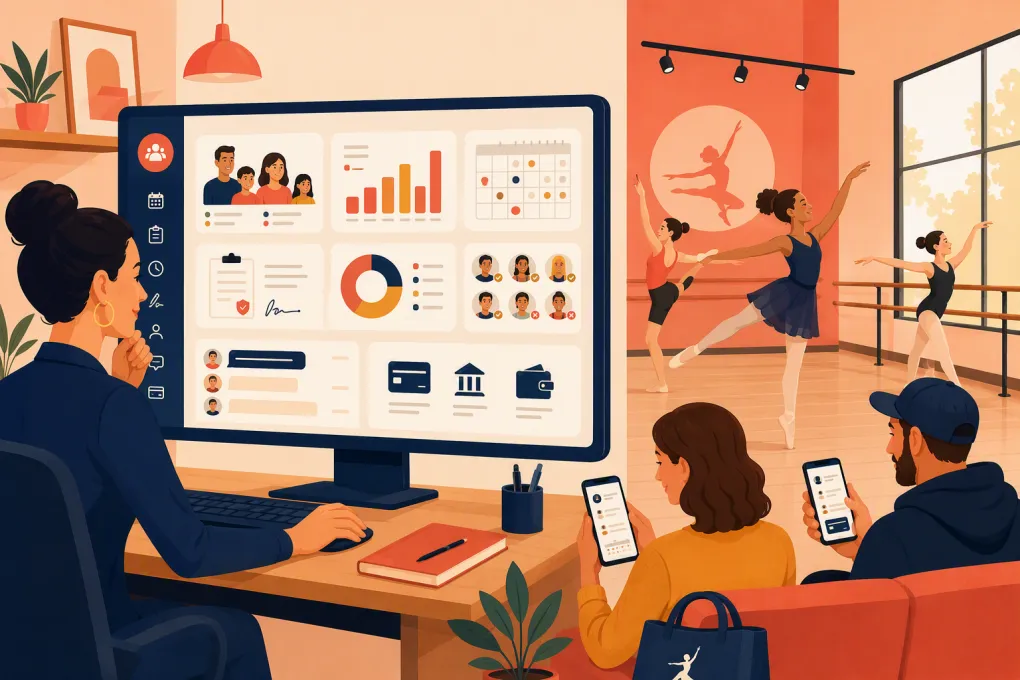
A dance studio parent portal has to work for two very different users. Families need a simple place to register, pay, sign forms, check schedules, and manage multiple dancers. Your staff needs accurate enrollment, attendance, billing, and communication records without re-entering every parent request.
That distinction matters because not every product described as “studio software” provides a complete parent portal. Some are dance-specific management platforms. Others focus on booking, CRM, payments, or AI-assisted communication. Buying the wrong category can leave important workflows split across systems.
This guide separates those categories and compares the operational details that product roundups often skip.
See how WTF Go and Fitty handle dance leads, bookings, follow-up, and dues conversations →
How this comparison was built
This is an editorial evaluation based on vendors’ publicly described product capabilities, help materials, pricing structures, app availability, and stated support options. It is not presented as a hands-on usability test, and no vendor supplied a paid placement, customer account, or private demonstration for this comparison.
Features, pricing, processor requirements, and contract terms change. Where a vendor does not publish a standardized term, the table says so rather than guessing. Before signing, require a live demonstration using your own registration, billing, and family-account scenarios.
We evaluated each option across six areas:
- Family-facing portal workflows
- Registration, attendance, and billing depth
- Mobile access
- Integrations and data portability
- Pricing, support, and contract transparency
- Lead response and automation
The baseline: what a complete parent portal must cover
For most dance schools, a true parent portal should support more than online booking. Look for:
- Household accounts containing multiple dancers
- Parent or guardian contact management
- Class registration and enrollment status
- Age, level, capacity, and prerequisite controls
- Waitlists and transfer workflows
- Digital waivers and policy acknowledgments
- Attendance or absence information
- Family balances, charges, credits, and payment history
- Stored payment methods and recurring billing
- Schedule and studio communications
- Self-service profile and payment updates
WTF Go should not automatically be treated as a like-for-like replacement for every dance-specific portal in this comparison. Its documented differentiation is Fitty: an AI receptionist that answers leads, books classes, follows up, and supports dues collection around the clock. Those capabilities address inquiry handling and revenue follow-through.
They do not, by themselves, establish support for specialized dance records such as household hierarchies, recital fees, costume tracking, waivers, attendance, waitlists, or detailed family ledgers. A studio considering WTF Go as its primary system should request a workflow demonstration for each required portal function. It may also be considered alongside an existing dance administration platform when the main gap is lead response and follow-up.
Dance studio parent portal feature comparison
The table distinguishes full dance administration products from broader business and communication platforms.
| Platform | Household portal and billing | Registration, waitlists, waivers, attendance | Mobile availability | Automation and AI | Practical limitation |
|---|---|---|---|---|---|
| WTF Go with Fitty | Booking, payment conversations, CRM, and business operations are central; specialized household accounts and detailed dance-family ledgers are not established here | Fitty can answer leads, book classes, follow up, and assist with dues collection; do not assume dance-specific waivers, waitlists, attendance, or recital workflows without a demo | Web-based access; ask whether a dedicated parent-facing app is required for your rollout | AI receptionist handles configured inquiries and follow-up 24/7 | Not proven here as a complete dance-specific parent portal; may be a primary platform or complementary automation layer depending on demonstrated workflows |
| Jackrabbit Dance | Dance-focused family accounts, online registration, tuition processing, transaction records, and parent self-service | Supports class enrollment, waitlists, e-signatures or policy acknowledgments, and attendance management | Mobile-responsive parent access; staff tools are also designed for mobile use | Strong administrative automation and messaging, but not primarily positioned as a conversational AI receptionist | Broad feature set creates setup and training work; operators still need to design billing rules, permissions, and communication processes |
| DanceStudio-Pro | Parent accounts, online registration, billing, autopay, balances, and family-facing account management | Dance-specific enrollment, waitlist, waiver, attendance, recital, and related administration features | Offers parent-facing mobile access, including a dedicated parent app | Includes messaging and workflow automation; AI scope is not equivalent to a dedicated 24/7 receptionist unless specifically included in the selected product | Feature breadth can produce a denser interface and more configuration than a basic scheduler |
| The Studio Director | Customer portal, registration, account balances, online payments, and recurring billing | Supports class scheduling, enrollment, waitlists, electronic agreements, and attendance workflows | Browser-based mobile access is available; dedicated app capabilities should be separated from mobile web access during selection | Focuses on studio administration and communication rather than AI-led sales conversations | Less centered on conversational lead qualification and after-hours booking than an AI-first platform |
| Mindbody | Customer profiles, booking, memberships, packages, payments, and account management | Strong class and appointment booking; dance-specific household, recital, costume, and competition processes are not its main design focus | Widely used consumer mobile app; branded app options are available in some packages | Marketing, messaging, and automation capabilities depend on package and add-ons | Strong wellness marketplace and scheduling reach, but dance schools may need workarounds for specialized family and recital administration |
What Fitty’s capabilities do—and do not—mean
Fitty can respond to leads using the business information and workflows configured in WTF Go, move prospects toward an available booking, follow up, and conduct dues-related outreach. That can prevent routine inquiries from sitting unanswered after office hours.
It should not be described as independently determining a dancer’s technical level or making an instructor judgment. A safe workflow is to let Fitty explain published age ranges, prerequisites, schedules, and trial options, then route placement decisions to staff when instructor approval is required.
Likewise, dues collection means outreach and payment follow-through. It is not automatically the same as maintaining a dance-specific family ledger with costume charges, sibling allocations, credits, recital expenses, and split-household responsibilities.
Pricing, integrations, support, and contract comparison
Exact totals depend on enrollment, payment volume, add-ons, implementation, and messaging usage. The useful comparison is how each vendor structures and discloses those costs.
| Platform | Pricing model and availability | Integrations and exports | Support channels | Contract considerations |
|---|---|---|---|---|
| WTF Go with Fitty | Contact WTF Go for current package pricing and the scope of included AI usage, communications, payments, and onboarding | Integration needs should be mapped against the studio’s website, payment processor, accounting system, and any existing dance platform; require a sample export before purchase | Direct onboarding and support details are provided during the sales process | Request written terms for AI usage, messaging charges, payment processing, data ownership, cancellation, and migration assistance |
| Jackrabbit Dance | Uses a published subscription structure tied to active student volume; payment processing and optional services can affect total cost | Provides accounting and partner integrations plus reporting and data exports; verify the exact accounting, marketing, and payment connection you use | Vendor-provided help resources, training, and customer support are part of the offering | Review how active students are counted, processor obligations, optional service charges, cancellation terms, and export access |
| DanceStudio-Pro | Publishes subscription plans generally organized by studio size or active students; optional products and payment services may add cost | Offers a connected product ecosystem, reporting, exports, and third-party connection options | Help documentation, training resources, and vendor support are available | Check plan thresholds, app or messaging costs, payment requirements, data export format, and whether optional services carry separate terms |
| The Studio Director | Current pricing is provided through the vendor’s sales process rather than represented here as a fixed universal price | Supports payment, reporting, and studio administration connections; its integration ecosystem is narrower than a broad wellness marketplace | Provides implementation resources and customer support through vendor channels | Obtain the subscription term, implementation scope, processing agreement, renewal language, and cancellation process in writing |
| Mindbody | Package-based pricing is sold through the vendor; selected plans, locations, branded products, marketing tools, and processing affect total cost | Large wellness integration marketplace and API ecosystem, with accounting, marketing, access-control, and other categories represented | Offers an online support center and vendor support; service level can depend on plan or arrangement | Review per-location costs, add-ons, processing terms, implementation, renewal, branded-app fees, and data-export procedures |
“Supports integrations” is not specific enough for a purchase decision. List the systems you already use, then require the vendor to identify whether each connection is native, API-based, middleware-based, export-only, or unavailable. Those approaches have different costs and failure points.
Run the same workflow test with every vendor
A feature checklist cannot show whether parents will understand the portal. Use a repeatable acceptance test during every demonstration.
Test 1: One household, two dancers
Create one guardian account with two children. Register each child for a different class, apply any sibling rule, sign required documents, and pay from a phone.
Record:
- Number of screens and repeated fields
- Whether eligibility rules work automatically
- How the final amount is explained
- Whether each charge reaches the correct family ledger
Test 2: A full class and waitlist
Attempt to register for a class at capacity. The system should explain that the class is full, offer the correct waitlist path, record the request, and define what happens when a place opens.
Do not accept a demonstration that stops at “the system supports waitlists.” Ask the vendor to show promotion, parent notification, acceptance deadlines, and billing.
Test 3: A failed recurring payment
Trigger or simulate a declined payment. Check the staff alert, parent message, retry logic, card-update experience, ledger entry, and escalation process.
This is also a useful Fitty scenario. The relevant question is whether automated outreach can help the parent complete payment while preserving an accurate record in the system responsible for the balance.
See how Fitty supports follow-up and dues conversations without waiting for front-desk hours →
Test 4: An after-hours inquiry
Submit a question such as: “My child is nine, has one year of ballet, and can attend Tuesdays. What should we book?”
A portal may only display a class list. An AI receptionist can explain published options and book an appropriate trial when the rules are clear. It should escalate the conversation when placement requires an instructor’s assessment.
Test 5: Migration and export
Give the vendor a sample set containing:
- Two guardians and two dancers
- Current enrollments
- An account credit
- An unpaid charge
- A signed waiver
- Attendance history
- Communication consent fields
Ask which records can be imported, which must be entered manually, and what will not migrate. Then request a sample export showing how those same records would be returned if you leave.
Never assume saved card credentials can move between platforms or processors. Payment-token portability depends on the processors and their procedures, not just the studio software.
Choosing the right category
Choose a dance-specific platform when household billing, attendance, waitlists, waivers, recitals, costumes, and multi-student administration are the central requirements.
Consider a broader platform when your business combines dance with fitness classes, appointments, memberships, or wellness services and needs one customer experience across those categories.
Consider WTF Go and Fitty when the operational gap is unanswered leads, slow booking follow-up, inconsistent outreach, or dues conversations that stop when staff leave. If you also need a complete dance parent portal, require WTF Go to demonstrate every core workflow or define how it will work with the system that remains your system of record.
The best choice is not the product with the longest feature list. It is the one that completes your real family workflows, produces reliable financial records, gives you usable data, and removes work rather than moving it to another screen.
Frequently asked questions
What is dance studio parent portal software?
It is the family-facing component of studio management software. It typically lets guardians manage dancers, registrations, schedules, forms, balances, payments, and studio communications.
Is WTF Go a complete replacement for dance-specific parent portal software?
That depends on the workflows demonstrated for your studio. Fitty is designed for lead response, booking, follow-up, and dues collection, but studios should separately verify household accounts, waivers, attendance, waitlists, and detailed family-ledger requirements.
How should I compare dance studio software pricing?
Compare the total cost for your enrollment and locations, including subscriptions, payment processing, messaging, mobile apps, implementation, add-ons, and migration. Also review renewal and cancellation terms rather than comparing only the advertised base price.
Do dance studios need a dedicated parent mobile app?
Not always. A well-designed mobile portal may be sufficient, but a dedicated app can improve access to schedules, messages, and account tools. Test the exact parent workflow on a phone before deciding.
What should be included in a software migration test?
Test household relationships, enrollments, balances, credits, waivers, attendance, consent fields, and payment arrangements. Request both a sample import and a sample export so you understand data portability in both directions.
Keep reading



Run your gym on autopilot with WTF Go
Fitty — your AI receptionist — answers calls and DMs, fills classes, follows up with every lead, and collects dues while you coach.