Comparisons
Dance Studio Autopay Billing Software: 2026 Buyer's Guide
Compare dance studio autopay billing software for ACH, retries, fees, reporting, compliance, migration, and AI follow-up with practical demo tests included.
 Watch · 20s
Autopay should reduce collection work, not replace it with declined-card queues, unclear family balances, payout mismatches, and awkward conversations at the front desk.
The right dance studio autopay billing software connects enrollment, family accounts, tuition rules, payment authorization, failed-payment recovery, reporting, and communication. The wrong system processes recurring charges but leaves your staff to reconcile everything around them.
Before booking demos, document how your studio bills today: monthly tuition, term installments, hours-based pricing, sibling discounts, recital fees, costumes, competition charges, private lessons, and mid-cycle enrollment. Vendors should demonstrate those exact scenarios—not a generic membership sale.
See how WTF Go approaches billing, booking, and dues follow-up in one operating system →
Research method and disclosure
Research note: updated October 11, 2026. This comparison uses publicly available vendor product and pricing pages, linked below, plus standard payment-operations criteria. Public pages rarely disclose every processing term. ACH availability, account-updater services, retry logic, reserves, chargeback fees, token portability, and contract terms may depend on location, plan, processor, or underwriting.
Official starting points:
- WTF Go
- DanceStudio-Pro
- Jackrabbit Dance
- Mindbody business pricing
- Mindbody payments
- WellnessLiving pricing
WTF Go publishes this article. Descriptions of WTF Go and Fitty are therefore first-party positioning, not an independent product review. Where a payment capability is not clearly established in public materials, the table says to verify it rather than treating silence as support.
Dance studio autopay software comparison
Payment terms can change and are often supplied only during sales or underwriting. Get all material answers in the order form, merchant agreement, data-processing agreement, or support documentation—not only in a sales call.
| Platform | Recurring billing and studio fit | ACH, retries, and account updater | Processor, fees, and contract | Exports and token portability | Best-fit consideration |
|---|---|---|---|---|---|
| WTF Go with Fitty | First-party positioning combines scheduling, customer records, payments, communication, and AI-assisted dues follow-up | Public site does not establish every ACH, retry, or updater detail; require written confirmation for your proposed setup | Processing partner, rates, term, cancellation, reserves, and chargeback fees should be confirmed in the quote | Confirm transaction exports, customer exports, and whether the proposed processor supports secure token transfer | Studios wanting billing tied to lead response, booking, follow-up, and front-desk automation |
| DanceStudio-Pro | Dance-focused platform with enrollment, family accounts, tuition, autopay, and studio administration | Autopay is part of the product offering; confirm ACH eligibility, retry controls, updater availability, and related fees for your account | Software and payment-processing economics should be evaluated separately; obtain the merchant terms and current pricing in writing | Ask for sample family, ledger, transaction, and enrollment exports; token transfer depends on payment-provider cooperation | Dance schools prioritizing specialized tuition and family workflows |
| Jackrabbit Dance | Established class-management platform covering registration, family accounts, billing, attendance, and reporting | Integrated electronic payments are offered; verify supported tenders, retry behavior, updater service, and ACH return handling | Confirm current software charges separately from processing rates, PCI-related fees, disputes, and termination provisions | Test standard report exports and request a written token-portability answer before signing | Studios with detailed class, enrollment, and household-account requirements |
| Mindbody | Broad booking, memberships, appointments, payments, and consumer-facing wellness tools | Integrated payments and recurring billing are core offerings; ACH or bank-debit support can vary by market and workflow, so verify rather than assume | Pricing is generally sales-led; request the complete software, processing, hardware, add-on, contract, and cancellation schedule | Confirm access to client, sales, payment, and payout exports; ask whether tokens can move to another processor | Dance or movement studios operating more like boutique fitness and wellness businesses |
| WellnessLiving | Scheduling, memberships, payments, client management, marketing, and multi-location functions | Recurring payment workflows are offered; confirm ACH, retries, updater coverage, return fees, and failed-payment controls | Obtain current plan, processing, add-on, hardware, contract, and termination terms directly | Request sample exports and written clarification on payment-token migration | Hybrid dance, fitness, and wellness operators seeking a broad management suite |
A vendor’s inability to answer a question does not necessarily mean the feature is absent. It does mean you should not build your billing plan around it until the answer is documented.
Verify the complete payment workflow
ACH and card processing
Ask the vendor to identify precisely which payment methods families can save and which processor settles the funds. For ACH, verify:
- Whether ACH is available for recurring tuition, one-time payments, or both
- Verification method and authorization requirements
- Settlement timing and payout reporting
- ACH return codes, return fees, and staff notifications
- Whether a returned ACH payment can trigger an automated follow-up
- Whether retries are automatic, configurable, or manual
For cards, ask whether an account-updater service automatically refreshes participating expired or replaced cards. Also determine who pays for that service and whether it applies to every card network.
Failed-payment recovery
A useful recovery workflow should mark the failure, notify the responsible adult, provide a secure update link, retry under defined rules, and stop reminders after resolution.
During the demo, intentionally decline a test payment. Require the vendor to show:
- What the parent sees.
- What staff see on the family account.
- How a payment method is updated.
- Whether the system retries and on what schedule.
- How a promised payment arrangement suppresses automation.
- Where messages and payment attempts are recorded.
Fitty is positioned by WTF Go as an AI receptionist and agent that can assist with follow-up and dues collection. That is different from a scheduled email, but it still needs operational controls. Ask how identity is verified, which account details the agent can disclose, when it hands off to staff, and how every interaction is logged.
Ask WTF Go to demonstrate a failed tuition payment from decline through resolution →
Put payment compliance on the demo agenda
Software does not eliminate the studio’s compliance responsibilities. Have your attorney, payment provider, and compliance advisers review your specific setup.
Ask each vendor these questions:
PCI and access controls
- Which party is the merchant of record?
- Which PCI responsibilities remain with the studio?
- Do hosted forms or tokenized fields keep raw card data out of your system?
- Can staff ever view full payment credentials?
- Are permissions role-based for refunds, credits, exports, and billing changes?
- Is there an audit log showing who changed a balance or issued a refund?
Authorization and data retention
- How is recurring-payment consent captured and stored?
- Can the authorization be retrieved if a family disputes a charge?
- How are amount or schedule changes communicated?
- How can a parent revoke authorization without deleting the enrollment record?
- How long are authorizations, transaction records, messages, and audit logs retained?
- What data can the studio export after termination?
Returns, disputes, and refunds
- Who receives ACH return and chargeback notices?
- What deadlines and evidence requirements apply?
- Can staff attach attendance, enrollment, policy acceptance, and communication records?
- Are full and partial refunds supported?
- Can refunds be restricted by role and traced in an audit log?
- How are dispute fees, reversals, and refunds represented in payout reports?
Do not collect card or bank details by email, text, or an unapproved form. Families should update payment information through a secure, processor-supported flow.
Demand reporting that reconciles to the bank
A dashboard total is not enough. Your bookkeeper needs to connect student charges to processor payouts and accounting records.
Request sample reports for:
- Deposit reconciliation: gross payments, refunds, disputes, processing deductions, adjustments, and net deposit
- Payout matching: processor payout ID, settlement date, bank date, and transactions included
- Aging balances: current, overdue, family, program, location, and responsible payer
- Failed payments: decline date, reason category, retry status, amount, and resolution
- Revenue by program: tuition and fees by class, team, camp, private lesson, or location
- Deferred or prepaid tuition: if your accounting process requires it
- Accounting exports: CSV or integration output with dates, payment types, categories, taxes, and reference IDs
- Refund and chargeback logs: original payment, adjustment, staff user, and resulting payout impact
Give the vendor a sample payout and ask them to reconcile it live. Pass only if your bookkeeper can trace the net bank deposit without manually combining unrelated reports.
Use weighted scoring and pass/fail gates
Score each platform consistently instead of choosing the smoothest presentation.
| Category | Suggested weight |
|---|---|
| Tuition and family-account fit | 20% |
| Processing methods and total economics | 15% |
| Failure recovery and collections | 15% |
| Reporting and reconciliation | 15% |
| Security and compliance controls | 10% |
| Migration and data portability | 10% |
| Communication and automation | 10% |
| Support, contract, and implementation | 5% |
Score each category from 1 to 5, multiply by its weight, and record the evidence source. Adjust the weights before demos if, for example, ACH or multi-location reporting is mandatory.
Set these pass/fail gates regardless of score:
- Your real tuition model can be configured without an external spreadsheet.
- A failed payment can be traced from decline to resolution.
- Net payouts can be reconciled to individual transactions.
- Recurring-payment authorization is retrievable.
- Customer, balance, and transaction data can be exported.
- All processing and termination terms are provided in writing.
- The vendor gives a written answer on token portability.
Use this copyable CSV header as a comparison worksheet:
Vendor,Criterion,Weight,Score 1-5,Weighted Score,Pass-Fail,Evidence URL or Document,Open Question,Owner,Due DateRun five realistic demo tests
Provide anonymized scenarios in advance and control the demo account yourself:
- Enroll two siblings, apply a family discount, charge registration now, and schedule tuition later.
- Move one dancer mid-month and show the resulting proration or credit before posting it.
- Decline an autopay transaction, update the card, retry it, and produce the failure report.
- Process a partial refund and reconcile it to the next payout.
- Export balances, transactions, customers, and revenue by program in usable files.
Record the number of manual steps, required permissions, unresolved workarounds, and reports used. A feature should not receive full credit because a salesperson says it exists; the workflow should be demonstrated or documented.
WTF Go is one option when you want billing connected to the conversations before and after a payment attempt. Evaluate it with the same gates as every other vendor, including ACH handling, reconciliation, contract terms, and portability.
Book a WTF Go walkthrough using your studio’s actual billing test cases →
Frequently asked questions
Does dance studio autopay software support ACH payments?
Some platforms and payment setups do, but availability, verification, settlement timing, returns, and fees vary. Require the vendor to confirm ACH support for recurring tuition in writing.
Can saved cards move to new dance studio software?
Sometimes a secure processor-to-processor token transfer is possible, but it is not guaranteed. Ask both providers about eligibility, cost, timing, and responsibility before signing.
What reports should dance studio billing software provide?
At minimum, require deposit reconciliation, payout matching, aging balances, failed payments, refunds, disputes, revenue by program, and transaction-level accounting exports.
Who is responsible for PCI compliance when using billing software?
Responsibility is shared across the studio, software provider, and payment processor. Ask the provider to document its role, your remaining obligations, and how hosted payment fields and tokenization reduce your scope.
How should a studio compare autopay processing fees?
Compare the complete cost schedule, including card and ACH rates, per-transaction charges, account-updater costs, returns, chargebacks, refunds, hardware, monthly fees, and termination terms.
Keep reading


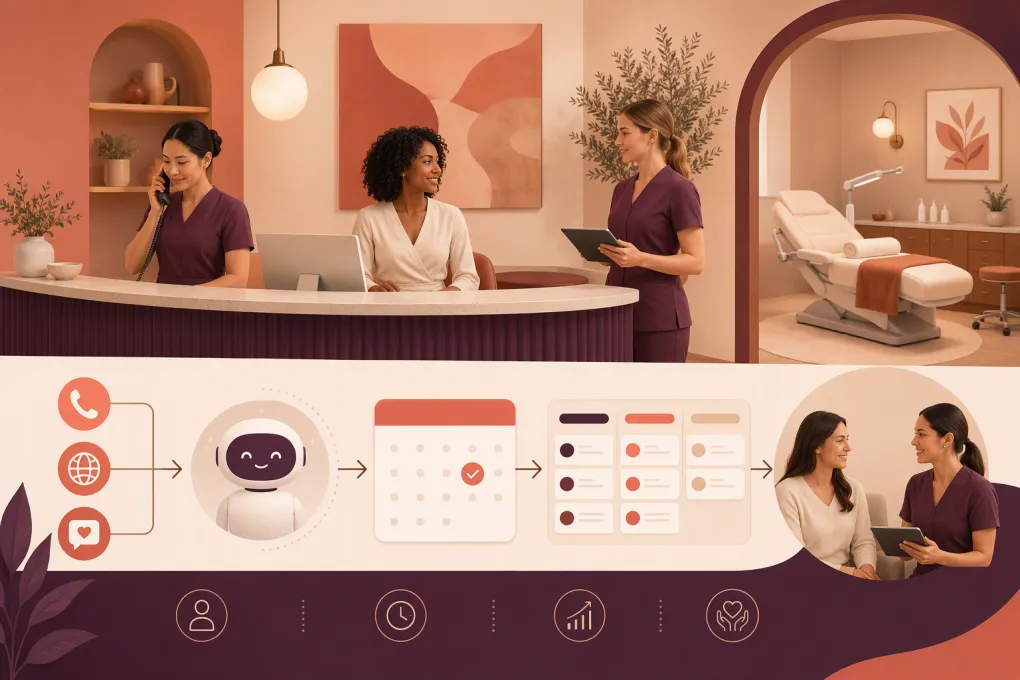
Run your gym on autopilot with WTF Go
Fitty — your AI receptionist — answers calls and DMs, fills classes, follows up with every lead, and collects dues while you coach.