Comparisons
Dance Fitness Studio Management Software: Buyer's Guide
Compare dance fitness studio management software for booking, billing, lead follow-up, instructor scheduling, and growth. Choose the best platform.
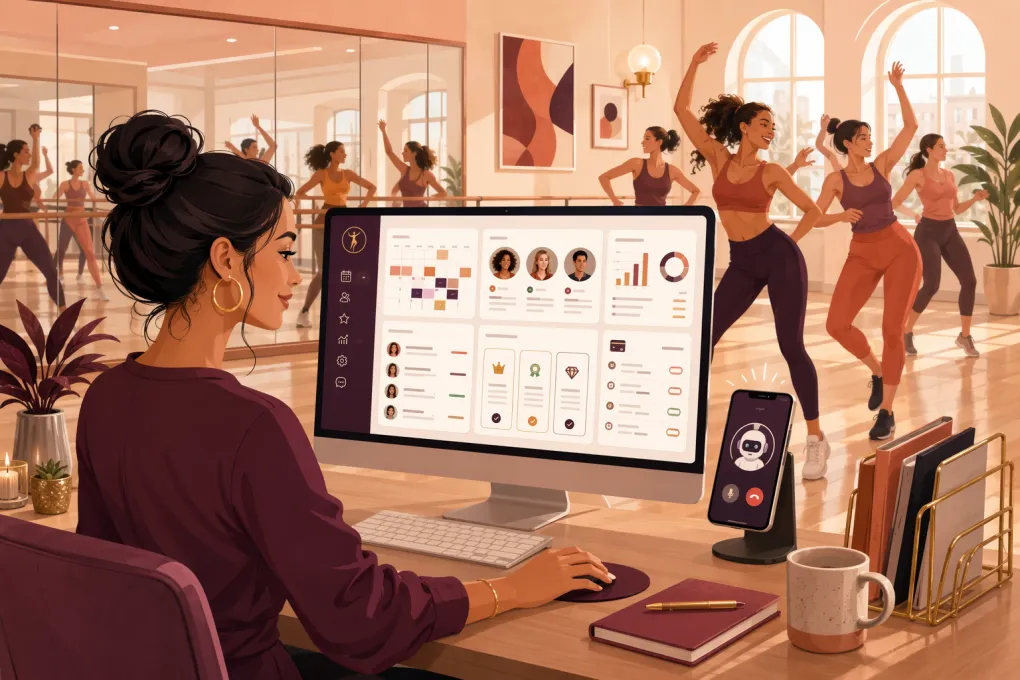 Watch · 20s
Running a dance fitness studio creates a specific kind of operational pressure. You need to fill recurring classes, manage instructors and substitutes, process memberships and class packs, convert trial students, handle waitlists, and answer questions from people who often call after work—while your team is teaching.
Generic booking software can put a calendar online. That is not the same as running the business. The right dance fitness studio management software should reduce front-desk work, protect revenue, and make it easier for a prospect to move from first question to first class.
This guide explains what to look for, where the major platforms differ, and how to evaluate them without getting distracted by a long feature list.
What dance fitness studios actually need from software
Dance fitness sits between traditional dance education and boutique fitness. A youth dance school may organize students by term, recital, age, and family account. A dance fitness studio is more likely to sell drop-ins, class packs, monthly memberships, intro offers, workshops, and private sessions.
Your software should match the way you sell and deliver classes. At minimum, it should handle:
- Recurring class schedules and one-time events
- Capacity limits, waitlists, cancellations, and no-show rules
- Memberships, class packs, drop-ins, trials, and recurring billing
- Instructor schedules, substitutions, and payroll reporting inputs
- Lead capture and follow-up
- Online waivers and client records
- Failed-payment recovery and account updates
- Reporting by class, instructor, offer, and location
- Mobile-friendly booking for clients
- Permission controls for owners, managers, and instructors
The bigger question is what happens between those functions. If a lead submits a form at night, does the system start a useful conversation? Can the person ask which class is beginner-friendly? Can they book without waiting for the front desk? When a payment fails, does your team get a task—or does the software help resolve it?
That operational gap is where studios lose prospects and spend unnecessary labor.
See how Fitty answers dance studio leads and books classes 24/7 →
Dance fitness studio management software comparison
No platform is right for every operator. Some products are designed for broad wellness marketplaces, some for boutique fitness, and others for recital-based dance schools. Pricing, feature packaging, and integrations can change, so verify current terms directly with each vendor before signing a contract.
| Platform | Core workflows and booking | Automation and AI | Multi-location and integrations | Pricing and migration considerations | Best fit |
|---|---|---|---|---|---|
| WTF Go + Fitty | Combines lead handling, class booking, customer management, payments, follow-up, and operating workflows | Fitty acts as an AI receptionist that answers leads, books classes, follows up, and collects dues around the clock | Built for independent and multi-location gyms, studios, spas, and wellness businesses; confirm required integrations and migration scope during evaluation | Confirm current package, payment terms, data import, and onboarding requirements directly | Operators who want to consolidate front-desk work and use an AI agent for revenue-facing conversations |
| Mindbody | Broad class and appointment scheduling, client management, payments, marketing options, and consumer discovery | Offers business automation and communication capabilities; evaluate which functions require specific packages or add-ons | Commonly used by multi-location wellness businesses and supports a large partner ecosystem | Packaging can vary by plan and additional services; migration complexity depends on data and integrations | Established studios that value a widely used wellness platform and marketplace exposure |
| WellnessLiving | Scheduling, memberships, payments, rewards, marketing, and client-facing booking tools | Includes automated marketing and client communication features; assess the depth of conversational handling needed | Supports multi-location operations and third-party connections, subject to plan and integration availability | Request a current quote and confirm onboarding, hardware, processing, and add-on terms | Studios seeking a broad business-management suite with retention and marketing tools |
| Glofox | Boutique fitness booking, memberships, payments, lead management, and branded client experiences | Provides sales and engagement automation; verify how lead conversations, calls, and payment follow-up are handled | Designed for fitness brands, including growing and multi-location operators | Pricing is generally evaluated through sales; confirm implementation, app, and migration scope | Boutique fitness studios and expanding brands prioritizing a fitness-specific member experience |
| Zen Planner | Membership management, scheduling, billing, attendance, and business reporting for fitness organizations | Supports communication and operational automation; evaluate requirements for AI-led conversations separately | Used by fitness businesses with common integration and payment needs; confirm multi-site configuration | Review current packaging, onboarding services, and payment processing terms | Studios that want established fitness membership and attendance workflows |
| Jackrabbit Dance | Strong dance-school administration, family accounts, class enrollment, tuition, recital, costume, and student workflows | Administrative automation is oriented toward dance-school operations rather than an AI receptionist model | Supports dance organizations with multiple classes and locations; integration needs should be checked directly | Published or quoted terms may depend on enrollment and selected services; migration should include family and student records | Traditional dance schools, especially youth programs with tuition and recital administration |
| Punchpass | Straightforward scheduling, passes, memberships, reservations, and attendance | Lighter automation than broader all-in-one sales and AI platforms | Often a simpler fit for independent studios; confirm integrations and location requirements | Typically easier to evaluate than enterprise-style platforms, but verify current tiers and limits | Small studios that want uncomplicated class and pass management without a large system |
The important distinction is not which platform has the most boxes checked. It is which one handles your highest-cost bottlenecks with the fewest workarounds.
Evaluate the complete lead-to-member workflow
Most software demos begin with the schedule. Your evaluation should begin one step earlier: when a prospect discovers the studio.
Build a test lead and walk through these scenarios:
- The lead asks whether a class is appropriate for a complete beginner.
- They want to know what to wear and where to park.
- They contact the studio after the last employee has left.
- They start booking but do not finish.
- They attend an intro class but do not purchase a membership.
- Their recurring payment later fails.
For each scenario, ask who takes the next action and how quickly it happens. If the answer is that a manager checks an inbox the next morning, the software has not removed the bottleneck. It has only recorded it.
Fitty is designed to take action inside that gap. It can respond to incoming leads, answer routine questions, book an eligible class, continue follow-up, and pursue outstanding dues. That gives prospects a faster path to the schedule while keeping instructors focused on instruction.
Explore an AI receptionist built for studio booking and follow-up →
Check booking and membership flexibility
Dance fitness pricing can become messy quickly. Before committing to a platform, recreate your real catalog rather than accepting a polished sample account.
Test whether the software can support:
- A first-class or intro offer with clear eligibility rules
- Drop-in purchases and multi-class packs
- Unlimited and limited monthly memberships
- Expiration dates and rollover rules
- Workshop or specialty-series registration
- Private lessons or appointments
- Member-only classes
- Guest passes and promotional codes
- Freezes, cancellations, and notice periods
- Late-cancel and no-show policies
Then book each option from a phone. Count the steps, inspect the confirmation message, and try to make a mistake. A booking flow that requires staff explanation will continue generating calls and abandoned purchases.
Also ask how pricing changes are handled for existing members. You need to know whether rates can be grandfathered, when new terms take effect, and what members see before their next charge.
Scrutinize billing and revenue controls
Recurring billing is not a set-it-and-forget-it feature. Operators need visibility into payment failures, expiring cards, account balances, refunds, chargebacks, freezes, and cancellations.
During a demo, ask the vendor to show—not simply describe—the following:
- The failed-payment queue
- Automatic retry settings
- Client notifications and payment-update links
- Staff tasks or escalation rules
- Refund and credit workflows
- Membership pause and termination records
- Settlement and transaction reporting
- Access controls for sensitive financial actions
Payment processing terms also deserve separate review. Ask about processing requirements, contract length, payout timing, supported payment methods, hardware, and the process for exporting transaction records. Do not compare subscription fees without considering the full operating arrangement.
If overdue dues currently depend on a manager making calls between classes, that is a strong use case for Fitty. The goal is not aggressive collection. It is consistent, professional outreach that gives the member a clear way to resolve the balance.
See how WTF Go helps studios follow up on unpaid dues →
Verify instructor and multi-location controls
Instructor management is often under-tested. Confirm that instructors can view their classes and rosters without seeing data they do not need. Managers should be able to arrange substitutions, track attendance, and export accurate information for compensation calculations.
For multi-location operators, test more than a location filter. Ask whether you can:
- Let members book across selected locations
- Apply different prices and policies by site
- Share or restrict class packs across locations
- Move instructors between schedules
- Compare performance using consistent reporting
- Manage central leads without creating duplicate profiles
- Give regional and location managers different permissions
A platform may technically support multiple locations while still forcing each site to operate as a separate database. Decide whether that structure fits your reporting, customer experience, and growth plans.
Plan migration before signing
Migration should be part of the buying decision, not an issue left for onboarding. Request a written inventory of what can be imported and what must be rebuilt.
Your migration plan should address:
- Active and inactive client profiles
- Membership status and renewal dates
- Remaining class-pack balances
- Signed waivers and notes
- Future reservations and waitlists
- Stored payment methods or secure payment-update procedures
- Outstanding balances and account credits
- Lead history and communication consent
- Instructor records and permissions
- Historical attendance and revenue reports
Before the final transfer, clean duplicate records and expired offers. Keep exports from the old system according to your legal, accounting, and operational requirements. Run a small test import, reconcile totals, and have staff complete real booking, payment, cancellation, and check-in scenarios before launch.
A practical software scorecard
Use a weighted scorecard so the decision reflects operations rather than demo quality. Assign the highest weight to the workflows that consume the most labor or lose the most revenue.
Useful categories include:
- Lead response and conversion
- Client booking experience
- Membership and billing controls
- Failed-payment recovery
- Instructor administration
- Reporting accuracy
- Multi-location management
- Data portability
- Integrations
- Staff training and support
- Contract and total operating cost
Have the owner, front-desk lead, and an instructor score the finalists independently. Any critical workflow that requires a spreadsheet, shared inbox, or manual reminder should be documented as an ongoing cost.
The best dance fitness studio management software is not merely a digital schedule. It should make the studio easier to buy from, easier to work in, and easier to manage without adding another layer of disconnected tools.
Frequently asked questions
What is dance fitness studio management software?
It is a platform for managing class schedules, reservations, memberships, payments, attendance, instructors, leads, and client communication for dance-based fitness businesses.
How is dance fitness software different from dance school software?
Dance fitness software usually emphasizes drop-ins, memberships, class packs, and recurring group classes. Traditional dance school software often focuses more heavily on family accounts, tuition, terms, recitals, costumes, and youth enrollment.
Can studio software follow up with new leads automatically?
Many platforms support automated messages, but the depth varies. WTF Go's Fitty is an AI receptionist designed to answer lead questions, book classes, continue follow-up, and collect dues 24/7.
What should I ask about when switching studio software?
Confirm how memberships, pack balances, future bookings, waivers, payment methods, account credits, lead records, and historical reports will be moved. Request a test import and reconcile the data before launch.
Should a small dance fitness studio use an all-in-one platform?
An all-in-one platform can reduce duplicate data and manual handoffs, but only if its core workflows fit the studio. Compare it against a simpler booking tool using your actual lead, billing, and scheduling processes.
Keep reading



Run your gym on autopilot with WTF Go
Fitty — your AI receptionist — answers calls and DMs, fills classes, follows up with every lead, and collects dues while you coach.