Comparisons
Cupping Therapy Clinic Management Software: Buyer's Guide
Compare cupping therapy clinic management software for booking, intake, reminders, payments, follow-up, and daily operations—without buying the wrong fit.
 Watch · 20s
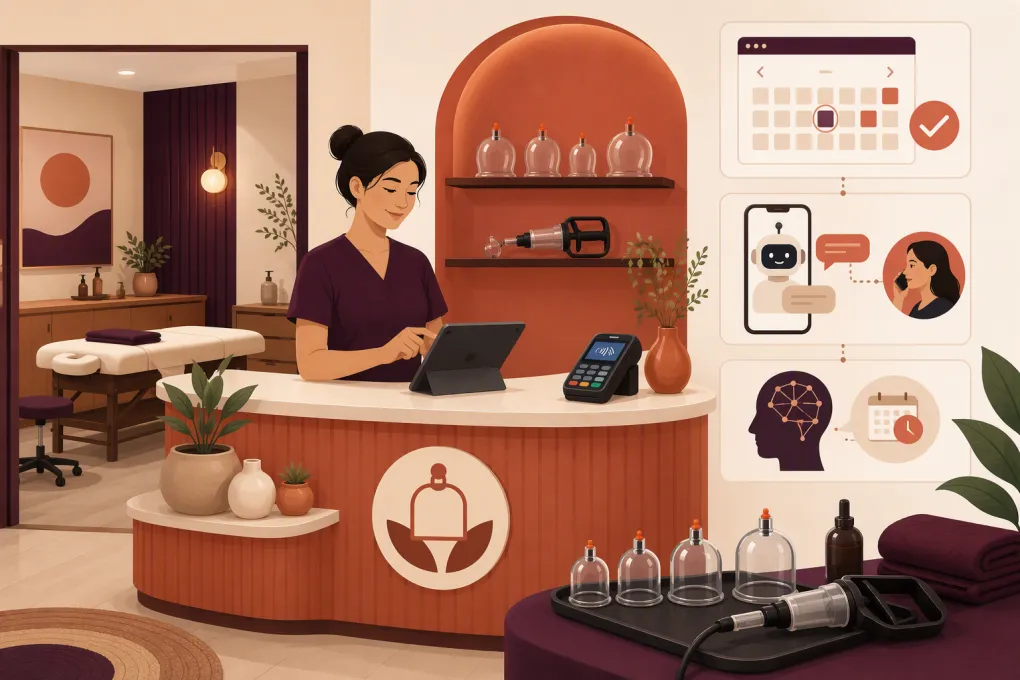
Running a cupping therapy clinic involves more than putting appointments on a calendar. You need to capture new inquiries, collect health information and consent, manage rooms and practitioners, document treatment, take payment, and bring clients back at the right time. If those jobs live across separate apps, spreadsheets, texts, and paper forms, small gaps quickly become lost bookings and extra administrative work.
The right cupping therapy clinic management software should create one reliable path from first inquiry to completed visit and follow-up. The harder part is deciding whether you need a clinically focused practice platform, a broader spa and wellness system, or an operating system with stronger lead response and automation.
Before sitting through demos, map the entire client journey. A product can look polished while leaving the most expensive gaps—especially unanswered calls, incomplete intake, weak follow-up, or disconnected payment records.
See how Fitty answers cupping inquiries and follows up around the clock →
What cupping therapy software should manage
A solo practitioner may be able to operate with a basic scheduler. A multi-practitioner clinic offering massage, acupuncture, recovery services, or memberships needs more control. At minimum, evaluate the following workflows.
Service and practitioner scheduling
Your scheduler should support more than appointment length. Look for:
- Different durations and prices for initial and returning visits
- Buffers for cleaning, documentation, and room turnover
- Practitioner availability and time off
- Room or treatment-table assignment
- Multiple locations, if applicable
- Deposits, cancellation rules, and card-on-file options
- Client self-booking with clear service descriptions
- Manual approval for services that require screening
Test whether the system prevents a room from being double-booked even when two practitioners appear available. Resource conflicts are easy to miss when a platform only checks staff calendars.
Intake, consent, and treatment records
Cupping can leave temporary marks and may not be appropriate for every client. Your intake workflow should help practitioners review relevant history, explain expected effects, and record informed consent before treatment.
Useful capabilities include:
- Custom health history and contraindication questions
- Digital signatures and timestamps
- Version control when consent language changes
- Practitioner notes and reusable templates
- Body charts or treatment-area documentation
- Secure file or image storage, if your clinic uses photos
- Role-based access to sensitive records
- Easy retrieval of prior treatment details
Do not assume that a digital form automatically satisfies your legal, licensing, privacy, or record-retention obligations. Requirements can vary by jurisdiction and by the services you provide. Have your forms and documentation process reviewed by an appropriate professional.
Lead response and conversion
Many platforms work well after a client books but do little before that point. That matters because prospective clients may call or message with basic questions before committing:
- What does cupping feel like?
- How long do marks usually remain?
- Which service should I book?
- Do you offer sports recovery sessions?
- Is there an opening after work?
- What should I do before my appointment?
Your system should capture the person’s contact information, answer approved non-clinical questions, offer the correct booking path, and follow up if the person does not schedule. It should also hand clinical questions to a qualified practitioner instead of improvising medical advice.
This is where Fitty, WTF Go’s AI receptionist and agent, is useful. Fitty can respond to leads, help book services, follow up, and collect dues 24/7. Clinics should configure clear boundaries so the AI handles administrative conversations while practitioners handle diagnosis, contraindications, treatment recommendations, and urgent concerns.
Cupping therapy clinic management software compared
There is no universal winner. The right choice depends on whether your clinic prioritizes clinical charting, consumer discovery, memberships, multi-service operations, or automated lead handling.
| Platform | Core strength | Booking and records | Automation and AI | Multi-location and growth | Pricing approach | Best fit and limitation |
|---|---|---|---|---|---|---|
| WTF Go with Fitty | Unified operations for gyms, studios, spas, and wellness businesses | Booking, client management, payments, and operational workflows; confirm that its clinical documentation setup matches your specific record requirements | Fitty answers leads, books, follows up, and helps collect dues 24/7 | Designed for operators managing recurring client relationships and growing locations | Contact WTF Go for current packaging and scope | Strong for wellness-oriented clinics that lose leads or spend heavily on front-desk follow-up; clinics with complex medical charting should verify requirements carefully |
| Jane | Health and wellness practice administration | Online booking, scheduling, charting, intake forms, payments, and practitioner-focused workflows | Reminders and administrative automation; not primarily positioned as an AI receptionist | Supports group practices and multiple disciplines | Subscription structure generally varies with practice needs; verify current US plans | Strong for documentation-heavy allied health practices; lead nurturing and sales automation may require additional processes or tools |
| Cliniko | Straightforward practice management for allied health clinics | Scheduling, treatment notes, forms, reminders, payments, and patient records | Workflow reminders and integrations rather than a built-in sales-focused AI agent | Suitable for solo and group clinics, including practices operating across locations | Published subscription model generally scales by practitioner count; check current terms | Strong for clean clinical administration; less focused on spa-style memberships, consumer marketplaces, or aggressive lead conversion |
| Vagaro | Broad appointment, marketplace, and commerce tools for beauty, fitness, and wellness businesses | Online booking, forms, payments, point of sale, memberships, packages, and service management | Marketing and communication features are available, with some capabilities depending on plan or add-ons | Supports individual businesses and multi-location operations | Base subscription plus optional features may affect total cost | Strong for consumer-facing wellness and spa operations; assess whether its clinical notes and privacy controls fit your documentation needs |
| Mindbody | Large fitness and wellness software ecosystem with consumer discovery | Scheduling, classes, appointments, memberships, payments, and marketing tools | Business automation and marketing capabilities vary by package | Commonly considered by established and multi-location wellness operators | Quote-based packaging is common; confirm included features and implementation costs | Strong for businesses combining classes, memberships, and appointments; may be more platform than a small treatment-only clinic needs |
Product capabilities and packaging change. Use this table to build a shortlist, then require each vendor to demonstrate your real workflows with your services, staff structure, forms, and locations.
Explore how WTF Go combines booking, payments, follow-up, and Fitty in one operating system →
How to choose the right system
Start with your operating model
A clinical practice and a wellness studio may both offer cupping, but they do not necessarily need the same software.
Choose a clinically focused platform when detailed treatment notes, practitioner documentation, care plans, or other healthcare workflows dominate the operation.
Choose a spa or wellness platform when online discovery, packages, memberships, retail, tipping, and a broad service menu are central.
Choose an automation-led operating system when your biggest leak is between inquiry and booking, or when front-desk staff spend too much time answering repetitive questions, chasing unbooked leads, and collecting recurring payments.
Some clinics may use a primary practice record plus separate automation. If you take this route, define which system owns each type of data. Duplicate client profiles and conflicting appointment statuses create more work than they save.
Run a workflow-based demo
Do not let the vendor control the entire demo. Give them realistic tasks and watch each one from start to finish:
- A new client calls after hours and asks about an initial cupping session.
- The client receives the right booking link and chooses a practitioner.
- The system collects a deposit and sends intake and consent forms.
- The practitioner reviews the form before the visit.
- The client reschedules without creating a duplicate record.
- The practitioner documents treatment and recommended follow-up.
- The client receives aftercare instructions and a rebooking prompt.
- A manager can report on lead source, completed visits, cancellations, and unpaid balances.
If the vendor cannot demonstrate a critical step, ask whether it requires an integration, manual work, a higher plan, or custom configuration.
Examine the full cost, not just the subscription
Software cost can include more than the advertised platform fee. Ask about:
- Setup, onboarding, and data migration
- Additional practitioners or locations
- Forms, messaging, marketing, and AI features
- Payment processing requirements
- Branded apps or booking pages
- Phone numbers and call usage
- Training and support
- Contract length and cancellation terms
- Data export fees or restrictions
Request the full pricing structure in writing based on your current team and expected growth. A low entry price is not useful if essential workflows sit behind several add-ons.
Privacy, security, and AI guardrails
Cupping clinics may collect health information even when they are not structured like conventional medical practices. Before signing a contract, ask the vendor about:
- Encryption in transit and at rest
- User permissions and practitioner access
- Audit history for record changes
- Backups and service continuity
- Data ownership and export formats
- Record deletion and retention controls
- Security incident procedures
- Whether a Business Associate Agreement is available when required
- How SMS, calls, recordings, and AI-generated conversation data are stored
If an AI receptionist is involved, establish an approved knowledge base. It can explain hours, prices, service categories, parking, preparation instructions, and booking policies. It should not diagnose conditions, promise outcomes, determine whether treatment is medically safe, or manage emergencies. Build clear escalation rules for clinical questions and urgent language.
See how Fitty can cover administrative questions without adding another front-desk shift →
Plan the migration before committing
Migration quality can determine whether the rollout succeeds. Inventory the information you need to carry over:
- Active and inactive client profiles
- Future appointments
- Intake and consent documents
- Treatment notes and attachments
- Packages, memberships, credits, and gift cards
- Outstanding balances
- Practitioner schedules
- Service names, durations, prices, and buffers
- Communication preferences and consent status
Ask for a sample export from your current system and a sample import into the new one. Confirm how duplicates are handled and whether historical notes remain searchable. Keep read-only access to the previous system when practical until records and balances have been validated.
Train staff by role rather than showing everyone every feature. Reception staff need inquiry, booking, payment, and escalation workflows. Practitioners need forms, notes, schedules, and follow-up. Owners need reporting, permissions, and exception handling.
The practical buying decision
Cupping therapy clinic management software should remove handoffs, not simply digitize them. A strong system makes it easy for a prospective client to get an answer, choose the right service, complete required forms, pay, receive treatment, and return—all without staff repeatedly moving information between tools.
Jane and Cliniko deserve consideration when clinical administration and practitioner records are the priority. Vagaro and Mindbody are relevant when cupping is part of a larger spa, fitness, membership, or marketplace-driven business. WTF Go is particularly relevant when you want booking and business operations connected to an AI receptionist that keeps working after the front desk closes.
Choose based on the workflow your clinic must execute every day, the records you are responsible for protecting, and the revenue opportunities currently falling through the cracks.
Frequently asked questions
What features should cupping therapy clinic management software include?
Look for online booking, practitioner and room scheduling, digital intake and consent, treatment notes, reminders, payments, follow-up, reporting, and secure data controls. Lead capture and after-hours response are also important if many clients call before booking.
Can cupping clinic software handle consent forms and treatment notes?
Many practice-focused platforms offer customizable forms, signatures, and clinical notes, but capabilities vary. Verify version history, timestamps, access controls, attachments, and data export during the demo.
Is an AI receptionist appropriate for a cupping clinic?
Yes, for administrative work such as answering approved FAQs, capturing leads, booking, reminders, and payment follow-up. Clinical screening, diagnosis, urgent concerns, and treatment recommendations should be escalated to qualified staff.
Should a cupping clinic choose spa software or medical practice software?
Choose practice software if clinical documentation drives the business. Choose spa or wellness software if packages, memberships, retail, and consumer booking matter more; clinics with both needs should compare workflows carefully.
How should I compare cupping therapy software prices?
Compare the total cost for your practitioners, locations, messaging, forms, AI, payment processing, onboarding, migration, and support. Ask vendors to identify required add-ons and contract terms in writing.
Keep reading



Run your gym on autopilot with WTF Go
Fitty — your AI receptionist — answers calls and DMs, fills classes, follows up with every lead, and collects dues while you coach.