Comparisons
Cryotherapy Membership Management Software Buying Guide
Compare cryotherapy membership management software by booking, billing, waivers, packages, automation, and multi-location tools before you choose a system.
 Watch · 20s
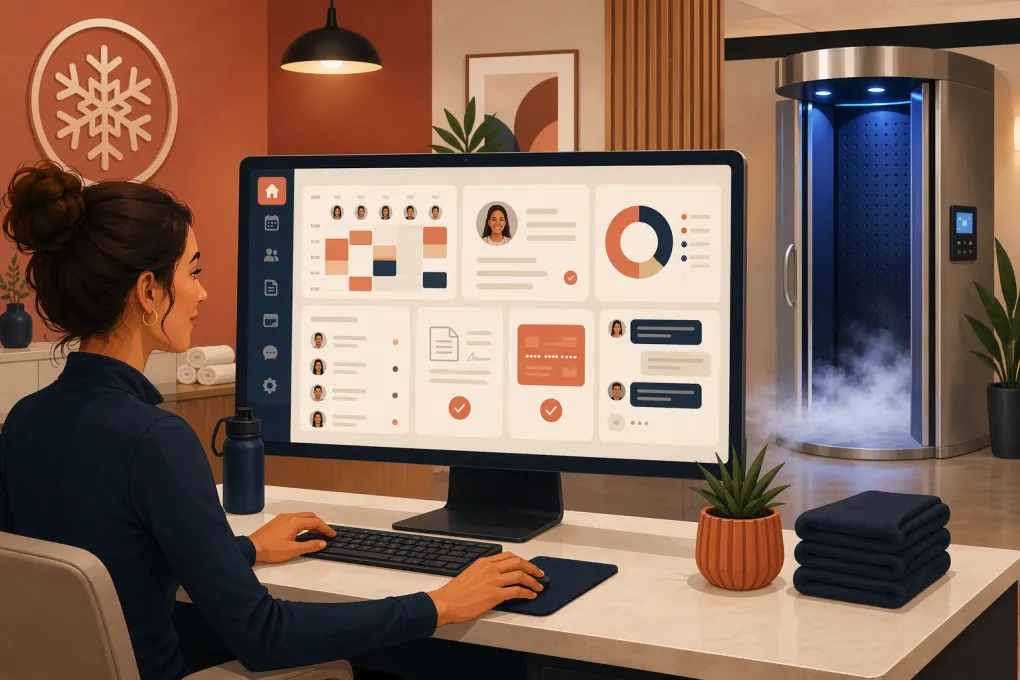
Cryotherapy membership management software should do more than put appointments on a calendar. It needs to manage recurring plans, session credits, waivers, payment failures, lead follow-up, room or chamber availability, and the customer communication surrounding every visit.
That combination is where many cryotherapy operators run into trouble. A basic scheduler may handle appointments but not membership credits. A general CRM may track leads but not prevent double-booking. A payment tool may collect monthly dues but leave the front desk manually reconciling visits, freezes, and failed charges.
The right system connects those workflows. The goal is not simply to buy more software. It is to reduce the number of handoffs where leads, appointments, payments, and member requests get lost.
See how WTF Go and Fitty handle cryotherapy inquiries, follow-up, bookings, and dues →
What cryotherapy software needs to manage
Before comparing vendors, document how your operation actually works. Whole-body cryotherapy, localized treatments, compression, red light therapy, infrared sauna, and recovery add-ons can create different scheduling and billing requirements.
A useful platform should support the following areas.
Recurring memberships and session credits
Cryotherapy businesses commonly sell a mix of recurring memberships, prepaid packages, single sessions, introductory offers, and add-ons. Your software should clearly define:
- How many sessions a member receives per billing cycle
- Whether unused sessions expire, roll over, or are forfeited
- Which services each credit can purchase
- Whether members can share or transfer credits
- How upgrades, downgrades, pauses, and cancellations take effect
- What happens to booking access after a failed payment
Test these rules during a demo. Do not settle for a verbal promise that the system “supports memberships.” Ask the vendor to build one of your real plans and process it from enrollment through renewal.
Appointment and resource scheduling
A cryotherapy appointment can require more than an available staff member. It may also require a specific chamber, room, or piece of equipment.
Look for resource-based scheduling that can prevent the same equipment from being assigned to two appointments. You should also be able to configure service duration, cleanup or turnover buffers, operating hours, staff permissions, and location-specific availability.
Customer self-booking matters, but so does operational control. Decide whether members can book with an overdue balance, how far ahead they can schedule, and what cancellation or no-show rules apply.
Waivers, forms, and consent records
Digital forms should be attached to the correct customer profile and available to staff before the appointment. At minimum, evaluate whether the system can record:
- The form or waiver version accepted
- Date and time of acceptance
- Required signatures or acknowledgments
- Expiration and renewal requirements
- Staff notes and relevant customer flags
Software does not determine whether your waiver language, intake process, or recordkeeping meets applicable legal and regulatory requirements. Have qualified counsel review those policies. If you collect protected medical information or operate within a clinical setting, ask each vendor specific questions about security, access controls, data handling, and any compliance obligations that apply to your business.
Lead response and follow-up
Cryotherapy prospects often have practical questions before they book: what to wear, how long a session takes, whether an introductory offer is available, or how a membership works. Slow or inconsistent responses create leakage before the first appointment.
Your software should capture the inquiry, preserve the conversation, prompt the next action, and make booking easy. Automated follow-up is especially valuable after hours and when front-desk staff are helping customers on-site.
Cryotherapy membership management software comparison
There is no universal best platform. The right choice depends on your service mix, number of locations, staffing model, reporting needs, and appetite for implementation complexity.
| Platform | Core workflows | Booking and billing | Automation or AI | Multi-location fit | Pricing approach | Best fit and limitations |
|---|---|---|---|---|---|---|
| WTF Go | Lead management, customer communication, memberships, operations, and collections in one platform | Built around fitness and wellness booking, recurring relationships, and payment workflows | Fitty answers leads, supports booking conversations, follows up, and helps collect dues 24/7 | Relevant to independent and multi-location operators; confirm your location, permissions, and reporting structure during the demo | Check current plans and implementation scope directly | Strong fit for operators prioritizing fast lead response and less front-desk follow-up. Confirm specialized equipment scheduling, forms, and any required integrations for your workflow. |
| Mindbody | Established fitness and wellness management ecosystem with scheduling, client management, memberships, marketing, and marketplace exposure | Supports appointments, classes, packages, memberships, and payment processing | Offers marketing and communication automation; capabilities vary by plan and connected products | Commonly used by businesses with multiple locations, though configuration and reporting requirements should be tested | Plan and feature availability should be confirmed with sales | Broad ecosystem and consumer discovery are strengths. The platform can be more complex than a small, appointment-focused studio needs. |
| Vagaro | Scheduling, customer profiles, forms, memberships, packages, POS, and marketing tools for beauty and wellness businesses | Strong appointment-oriented feature set with online booking and recurring options | Includes communication and marketing tools; evaluate depth against your exact follow-up sequences | Multi-location capabilities are available; verify consolidated reporting and permissions | Published offers and add-ons can change, so review the full current cost | Practical option for appointment-led wellness businesses. Confirm resource scheduling and cryotherapy-specific membership rules during testing. |
| WellnessLiving | Scheduling, memberships, client management, marketing, rewards, and staff tools | Supports appointments, classes, recurring memberships, and client self-service | Includes automated communication and marketing features | Suitable for growing fitness and wellness businesses; test cross-location access and reporting | Pricing depends on the selected package and services | Broad member-engagement feature set. Operators should assess setup effort, payment workflows, and whether all required features sit in the chosen tier. |
| Zenoti | Enterprise-oriented spa, salon, medspa, and wellness operations, including CRM, inventory, POS, and reporting | Deep appointment, membership, package, and multi-site operational capabilities | Offers extensive marketing and operational automation | Particularly relevant to larger groups and complex multi-location operations | Generally evaluated through a sales process based on business scope | Strong for sophisticated organizations needing centralized control. It may be heavier than necessary for a single cryotherapy location with a simple service menu. |
A feature checklist narrows the field, but workflow testing should decide the winner. Ask every finalist to demonstrate the same scenarios using your rules, not a polished generic account.
Seven buying criteria that matter most
1. Can the software enforce your membership rules?
Give the vendor three real examples: your entry plan, your highest-usage plan, and a package or introductory offer. Ask the representative to show enrollment, credit issuance, redemption, renewal, a failed payment, a freeze, and cancellation.
If staff must maintain spreadsheets or manually adjust credits every month, the membership feature is not solving the problem.
2. Does it prevent scheduling conflicts?
Test simultaneous bookings involving the same chamber, room, or staff member. Include buffers and equipment downtime. If you operate multiple locations, verify whether resources and staff can be assigned by site without exposing the wrong availability to customers.
3. What happens when a lead contacts you after hours?
Submit a test inquiry outside normal operating hours. Measure the workflow, not just whether an automated message arrives.
Does the prospect get a useful answer? Can the conversation move toward the correct service or offer? Is the interaction saved to the customer record? Does staff know when human attention is needed?
Fitty is designed around this gap. It can answer inquiries, follow up, help move prospects toward booking, and pursue dues without requiring an employee to monitor every conversation.
See how Fitty can cover after-hours cryotherapy lead response →
4. How does the platform handle failed payments?
Ask what occurs when a recurring charge fails. A useful workflow should notify the member, provide a clear way to resolve the balance, track collection attempts, and show staff the account status.
Also determine whether booking privileges change automatically or require staff intervention. Whatever policy you choose, the system should apply it consistently.
5. Can you see the business across locations?
Multi-location operators need more than separate calendars. Look for centralized customer records, location-level permissions, consolidated reporting, transferable or restricted memberships, and clear revenue attribution.
Test what happens when a member buys at one location and books at another. Your written membership agreement, billing rules, software configuration, and staff training must all match.
6. Can you export your data?
Ask for a sample export before signing. Review whether you can retrieve customer records, membership status, visit history, future appointments, payment status, signed forms, and communication history in usable formats.
Also ask what happens to data access after cancellation. Portability matters during both migration and a future platform change.
7. What is the complete operating cost?
Do not compare only the advertised subscription. Request a written breakdown of implementation, migration, payment processing, messaging, forms, branded apps, additional locations, hardware, premium support, and optional automation.
Exact pricing changes and depends on configuration, so use your expected transaction and message volume when comparing proposals.
A practical implementation plan
Switching systems is an operations project, not an IT task. Assign one owner and use a staged checklist.
Clean the data first
Remove duplicate profiles, identify expired packages, document outstanding balances, and standardize service and membership names. Do not migrate years of inconsistent data without deciding what staff genuinely needs.
Build policies before automations
Write down your cancellation window, no-show response, credit expiration rules, freeze policy, booking restrictions, and failed-payment process. Automation scales whatever policy you configure—including a bad one.
Test complete customer journeys
Run test accounts through these paths:
- New lead to introductory booking
- Waiver completion to check-in
- Introductory session to recurring membership
- Credit redemption and renewal
- Failed payment and account recovery
- Freeze, downgrade, cancellation, and reactivation
- Cross-location booking, if applicable
Include front-desk employees in testing. They will find operational gaps that leadership misses.
Run a controlled launch
Choose a cutover date, communicate any member-facing changes, and keep a reconciliation record for active memberships, unused credits, future bookings, and unresolved balances. Avoid maintaining two live systems longer than necessary because duplicate records quickly become unreliable.
The bottom line
Cryotherapy membership management software should connect the full customer lifecycle: inquiry, booking, waiver, visit, membership, payment, follow-up, and renewal. The strongest option is the one that accurately supports your policies while removing repetitive work from the front desk.
WTF Go is worth evaluating if lead response, customer communication, recurring dues, and day-to-day wellness operations are currently split across multiple systems. Fitty adds an always-available AI agent to handle the conversations that otherwise wait until an employee is free.
Explore WTF Go for your cryotherapy membership operation →
Frequently asked questions
What is cryotherapy membership management software?
It is software used to manage customer profiles, recurring memberships, session credits, bookings, payments, forms, communications, and reporting for a cryotherapy business.
Can cryotherapy software manage both memberships and session packages?
Many wellness platforms support both, but rules for expiration, rollover, sharing, and service eligibility vary. Ask the vendor to configure and demonstrate your actual plans before buying.
Does cryotherapy booking software need equipment scheduling?
Yes, if appointments depend on a specific chamber, room, or device. Resource scheduling helps prevent conflicts that a staff-only calendar may not catch.
How should I compare cryotherapy software pricing?
Compare the complete cost, including subscriptions, locations, implementation, migration, payment processing, messaging, hardware, forms, support, and optional automation.
Can AI handle cryotherapy leads after hours?
An AI agent can answer common questions, follow up, and guide prospects toward booking when configured with accurate business information and clear escalation rules. Staff should still handle sensitive, clinical, or unusual questions.
Keep reading



Run your gym on autopilot with WTF Go
Fitty — your AI receptionist — answers calls and DMs, fills classes, follows up with every lead, and collects dues while you coach.