Comparisons
Cryotherapy Booking Software: A Practical Buyer’s Guide
Compare cryotherapy booking software for scheduling, memberships, waivers, payments, follow-up, and multi-location operations—without buying the wrong fit.
 Watch · 20s
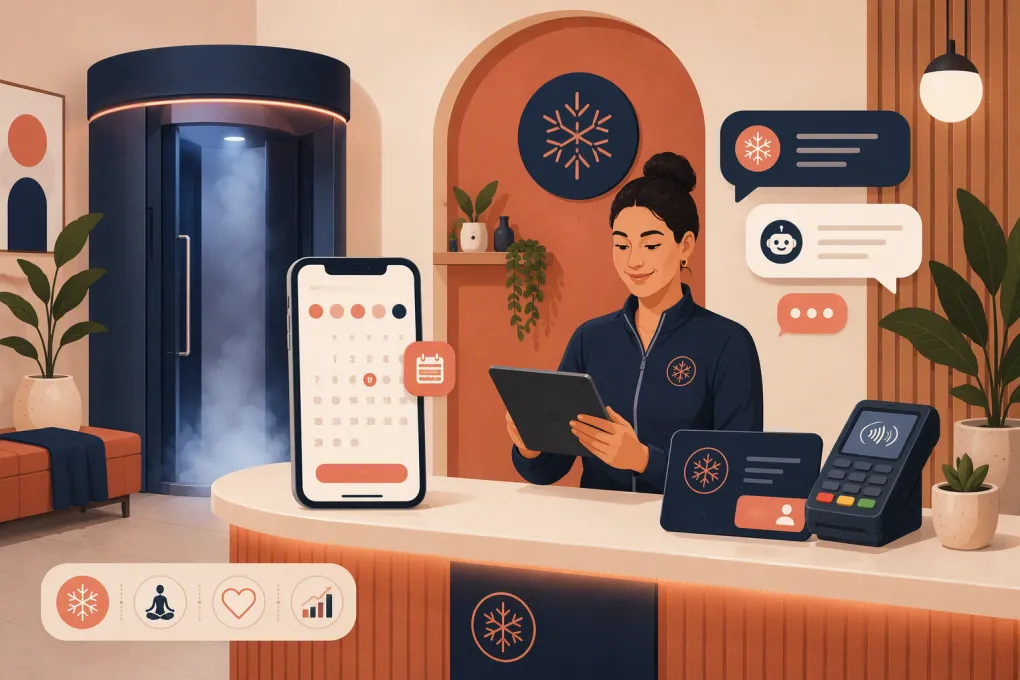
Cryotherapy booking software needs to do more than put appointments on a calendar. A working cryotherapy business may sell single sessions, recurring memberships, multi-session packages, recovery add-ons, and appointments that depend on specific rooms or equipment. Staff also need intake information before the client arrives—not while another customer waits at the front desk.
The wrong platform creates several disconnected systems: one for scheduling, another for waivers, another for payments, and a shared inbox where leads wait for someone to respond. Operators then spend time reconciling package balances, chasing failed payments, and answering the same preparation questions.
The right system connects the customer journey from first inquiry through booking, arrival, payment, follow-up, and renewal. It should also give management a reliable view of what is happening without requiring a spreadsheet cleanup every week.
See how WTF Go and Fitty can handle cryotherapy inquiries and booking follow-up →
What cryotherapy booking software should handle
Before comparing brands, document the workflows your business actually runs. A platform built for a solo appointment provider may look inexpensive until you add memberships, multiple chambers, front-desk permissions, and automated lead response.
Appointment and resource scheduling
Basic online booking is not enough. Look for controls covering:
- Appointment duration, cleanup time, and buffers
- Operating hours and staff availability
- Room, chamber, or equipment availability
- Capacity rules for individual and group services
- Booking lead times and cancellation windows
- Deposits, prepayment, and card-on-file requirements
- Add-ons such as compression, red light therapy, or assisted stretching
- Waitlists and cancellation notifications
Ask whether the system prevents a chamber from being assigned to two appointments at once. Staff schedules and equipment schedules are different constraints, and the software should account for both if your operation requires it.
The customer-facing flow should also work well on a phone. Test how many screens it takes to select a service, choose a time, complete required information, and pay. Every unnecessary step gives a prospective client another opportunity to abandon the booking.
Memberships, packages, and session balances
Cryotherapy centers often combine recurring access with prepaid sessions. Your software should distinguish among:
- Monthly memberships with a defined session allowance
- Unlimited plans subject to booking rules
- Introductory offers
- Packs that expire after a set period
- Household or shared plans
- Service-specific and cross-service credits
- Retail or account credits
Confirm how the platform handles upgrades, downgrades, pauses, cancellations, unused sessions, and failed recurring payments. These are operational rules, not minor billing details. If the system cannot enforce them consistently, the front desk will be forced to interpret membership terms manually.
Intake forms, waivers, and client notes
Clients may need to acknowledge studio policies, provide relevant intake information, or confirm that they have reviewed preparation and contraindication guidance. The booking system should let you send and track required forms before the appointment.
Look for version history, timestamps, required fields, secure access controls, and a clear way for staff to confirm completion. If your business is subject to healthcare privacy requirements, do not assume that ordinary spa software is sufficient. Ask the vendor directly about its security controls, data handling, and willingness to enter into any agreement your legal or compliance adviser says is required.
Software does not determine which disclosures, screening questions, or consent language your business should use. Have qualified counsel and relevant clinical professionals review those materials.
Automated communication and lead response
Confirmation and reminder messages are table stakes. The larger opportunity is responding before a prospect ever books.
A useful system should support workflows such as:
- A prospect asks whether cryotherapy is painful or what to wear.
- The business answers immediately using approved information.
- The prospect receives the correct booking option.
- An incomplete lead gets a follow-up instead of disappearing.
- A booked client receives preparation instructions and required forms.
- After the visit, the system prompts the next appropriate action.
Fitty, WTF Go’s AI receptionist, is designed to answer leads, support booking workflows, follow up, and help collect dues around the clock. That is especially useful when inquiries arrive after the front desk closes or while staff are assisting clients.
See how Fitty can turn after-hours cryotherapy questions into booked visits →
Payments and revenue controls
Evaluate more than the payment screen. Ask how the platform handles:
- Deposits and full prepayment
- Stored payment methods
- Recurring membership billing
- Failed-payment notifications and follow-up
- Refunds and account credits
- Discounts, promotions, and gift cards
- Taxes on services and retail products
- Staff permissions for refunds and price adjustments
- End-of-day reconciliation and transaction exports
Payment processing terms can materially affect the total cost of a platform. Review processing rates, chargeback procedures, payout timing, hardware requirements, and whether you can use another processor. Get the current terms directly from each vendor.
Cryotherapy booking software comparison
No single platform is best for every operator. A one-location recovery studio has different requirements from a multi-location wellness brand or medically supervised practice.
| Platform | Scheduling and client management | Memberships and payments | Automation and AI | Multi-location fit | Main limitation to examine | Best fit |
|---|---|---|---|---|---|---|
| WTF Go + Fitty | All-in-one workflows for gyms, studios, spas, leads, and bookings | Supports business operations involving memberships, payments, and dues follow-up | Fitty answers leads, assists booking, follows up, and collects dues 24/7 | Relevant to independent and multi-location operators | Confirm the exact integrations, migration scope, and configuration needed for your current stack | Operators wanting booking and front-desk communication in one operating system |
| Mindbody | Broad class and appointment scheduling with consumer marketplace exposure | Membership, package, payment, point-of-sale, and marketing capabilities | Offers automated communications; assess current AI features and packaging during a demo | Commonly considered by established wellness businesses and multiple locations | Product breadth, add-on requirements, contract terms, and administrative complexity should be reviewed | Businesses wanting a widely used wellness platform and marketplace presence |
| Vagaro | Appointment and class booking, forms, client profiles, and marketplace listing | Memberships, packages, payments, point of sale, and related add-ons | Messaging and marketing automation are available; confirm which functions cost extra | Can support multiple service providers and locations | Add-on costs and workflow depth may vary by configuration | Appointment-led wellness businesses seeking a broad feature set |
| Boulevard | Appointment scheduling and client experience tools oriented toward self-care businesses | Payments, memberships, forms, and point-of-sale capabilities | Client messaging and marketing tools are available; verify current automation scope | Built with growing, multi-location self-care brands in mind | Fit for cryotherapy-specific resource rules and total contract cost require validation | Premium spas and wellness brands prioritizing client experience |
| Zenoti | Extensive appointment, client, employee, and operational management | Memberships, packages, payments, inventory, and enterprise controls | Provides automation and customer engagement capabilities; confirm current AI modules | Strong orientation toward larger multi-location chains | Implementation effort and enterprise-level complexity may be excessive for a small studio | Larger spa, wellness, salon, and medspa organizations |
| Acuity Scheduling | Straightforward online appointment scheduling, intake forms, and calendar management | Supports payments, packages, subscriptions, and gift certificates depending on setup | Automated confirmations and reminders; less focused on AI-led front-desk operations | Better suited to simpler location structures | Not a full cryotherapy operating system; CRM, resource, membership, and reporting needs may require other tools | Solo operators or small studios with relatively simple scheduling |
Features, packaging, and pricing change. Treat this table as a shortlist, then verify current capabilities in a live demonstration and written proposal.
How to evaluate platforms without getting distracted by demos
A polished demonstration usually follows the vendor’s cleanest workflow. Your evaluation should follow your messiest real workflow.
Give each vendor the same scenarios:
Scenario 1: New-client conversion
Ask the vendor to show a new prospect asking a question after hours, selecting an introductory offer, completing intake, paying, and receiving preparation instructions. Then ask what happens if the prospect asks a question but does not book.
Scenario 2: Membership exception
Have the vendor demonstrate a member with an expired card, an unused credit, and a request to pause the plan. Check what staff can see, what is automated, and what requires manual action.
Scenario 3: Resource conflict
Try to book two services that require the same chamber or room. Confirm that the software blocks the conflict even when different staff members are available.
Scenario 4: Multi-location customer
If you operate more than one location, test whether a client can book elsewhere, use applicable credits, sign the correct location-specific forms, and appear once in consolidated reporting.
Scenario 5: Cancellation and rebooking
Cancel an appointment inside and outside the permitted window. Review the client notification, fee treatment, session-credit adjustment, waitlist behavior, and rebooking process.
Score each system on whether it completes these workflows natively, needs an integration, or requires staff intervention. A longer feature list does not compensate for a broken core workflow.
Questions to ask about implementation and migration
Changing systems affects future bookings, recurring billing, customer records, forms, staff access, and reporting. Get clear written answers before signing.
Ask vendors:
- Which client, membership, package, waiver, and appointment data can be imported?
- Who cleans and maps the source data?
- Can stored payment credentials move, or must clients provide them again?
- How are future recurring payments validated before launch?
- Will existing booking links and website pages need to change?
- What staff training and launch support are included?
- What happens to historical transaction reports?
- How can you export your data if you later leave?
- Which integrations are native, and which rely on third-party connectors?
- Are support, messaging, forms, hardware, or additional locations priced separately?
Run a test migration before the final cutover whenever possible. Compare active members, outstanding package balances, future appointments, and recurring billing schedules against the old system. Assign one person to approve discrepancies instead of letting every staff member improvise a fix.
Choose for the operation you want to run
The best cryotherapy booking software should reduce front-desk work without weakening control. It should make booking easy for clients, enforce your membership rules, protect chamber availability, capture required forms, and keep leads from going cold when staff are unavailable.
WTF Go is worth evaluating when the central problem is not merely scheduling—it is the gap between lead response, booking, follow-up, and payment collection. Fitty gives operators an AI receptionist inside a broader operating system rather than another disconnected inbox.
Explore WTF Go for cryotherapy scheduling, lead follow-up, and dues collection →
Frequently asked questions
What is cryotherapy booking software?
Cryotherapy booking software manages appointments, client records, memberships, packages, payments, forms, reminders, and staff or equipment availability for a cryotherapy business.
Can cryotherapy scheduling software manage chambers and rooms?
Some platforms support resource scheduling, but the depth varies. Ask the vendor to demonstrate how its system prevents two services from reserving the same chamber, room, or equipment.
Should cryotherapy clients pay when they book?
Prepayment or deposits can help enforce cancellation policies, but the right approach depends on your offer and client experience. Choose software that lets you apply different payment rules by service or membership type.
Does cryotherapy booking software include waivers?
Many platforms offer digital forms or waiver tools, sometimes as an add-on. Confirm version tracking, timestamps, secure storage, required completion, and whether the tools meet your legal and operational requirements.
How should I compare cryotherapy software pricing?
Compare the full cost, including subscriptions, locations, staff seats, messaging, forms, payment processing, hardware, integrations, onboarding, and migration—not just the advertised base fee.
Keep reading



Run your gym on autopilot with WTF Go
Fitty — your AI receptionist — answers calls and DMs, fills classes, follows up with every lead, and collects dues while you coach.