Comparisons
Cosmetic Injection Clinic Booking Software Buying Guide
Compare cosmetic injection clinic booking software by scheduling, intake, payments, reminders, AI follow-up, compliance, and multi-location operations.
 Watch · 20s
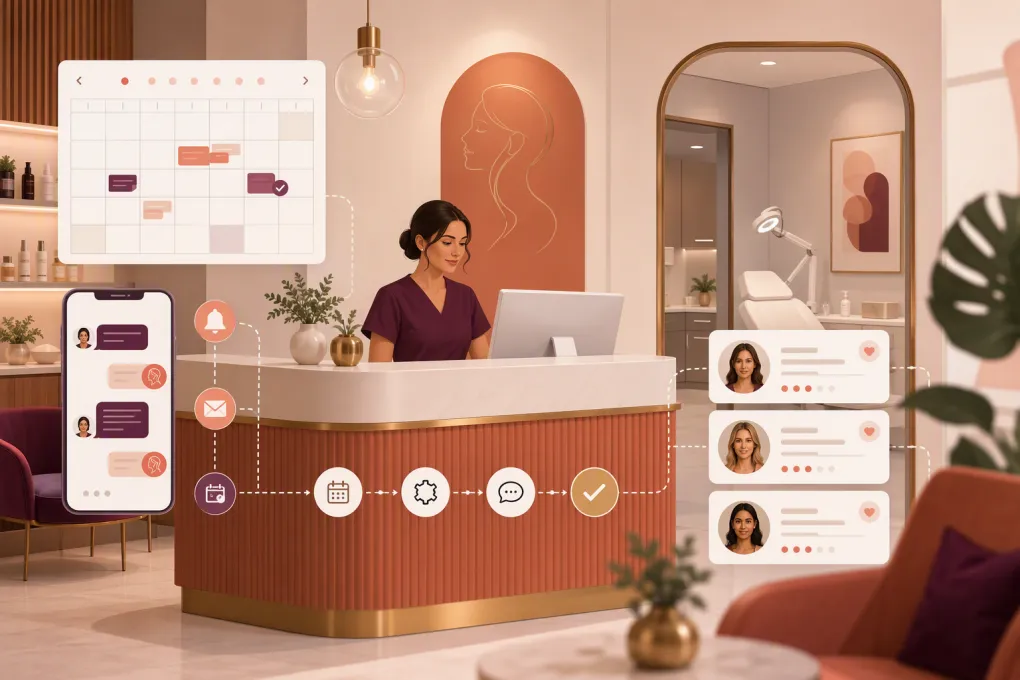
A cosmetic injection clinic does not have a simple appointment book. One booking may involve a new-patient consultation, treatment-specific timing, an assigned injector, room availability, deposits, intake forms, consent, follow-up, and clinical documentation.
That is why general salon scheduling software can look adequate during a demo but become restrictive once the clinic is busy. The right cosmetic injection clinic booking software must support both sides of the operation: converting inquiries into appointments and managing the clinical workflow responsibly.
Before comparing platforms, decide whether you need one system to handle everything or a front-office platform connected to a dedicated electronic medical record. That distinction will narrow the field quickly.
If leads currently reach voicemail, wait overnight for a text response, or require staff to answer the same pricing and availability questions repeatedly, see how Fitty handles booking conversations and follow-up for clinics →. Keep clinical advice and protected health information inside systems approved for those purposes.
What cosmetic injection clinics actually need from booking software
A clinic should evaluate software against real appointment workflows, not a long feature list. Start with the following requirements.
Service-, provider-, and resource-based scheduling
Your calendar should distinguish between consultations, first-time treatments, established-patient treatments, reviews, and corrective appointments. Look for controls covering:
- Appointment duration by service and provider
- Cleanup, documentation, or preparation buffers
- Injector qualifications and service eligibility
- Treatment-room or equipment availability
- New- versus returning-patient booking rules
- Deposits, cancellation windows, and rescheduling permissions
- Booking limits for services that require staff review
A generic calendar that lets every customer book every service can create operational and clinical problems. The clinic should control which treatments are directly bookable and which require a consultation first.
Intake, consent, charting, and photography
Booking is only the first step. Cosmetic injection providers may also need medical history, treatment consent, clinical notes, before-and-after photographs, product details, and follow-up documentation.
Ask whether each platform provides these features natively or connects to a clinical system that does. Do not assume a digital intake form is equivalent to an electronic medical record.
The software also needs appropriate access controls, auditability, data retention practices, and vendor agreements. A clinic subject to HIPAA should ask whether the vendor will sign a business associate agreement and which specific modules are covered. This is a compliance and legal review, not merely a sales question.
Deposits, packages, memberships, and payments
For the front desk, payment flexibility matters almost as much as scheduling. Useful capabilities include:
- Deposits collected during online booking
- Stored payment methods handled through a compliant processor
- Cancellation and no-show fee workflows
- Treatment packages and prepaid balances
- Recurring memberships
- Gift cards and account credits
- Refund and chargeback reporting
- Separate permissions for front-desk and management staff
Confirm how packages are redeemed, how unused balances appear in reports, and whether membership terms can be changed without manual account reconstruction.
Lead response and follow-up
Many prospective patients are not ready to choose a treatment when they first contact a clinic. They ask about availability, general pricing, consultation requirements, provider experience, or what to book.
A conventional scheduler waits for the prospect to select an appointment. An AI receptionist can continue the conversation, answer approved nonclinical questions, collect lead details, offer suitable appointment types, and follow up when the person stops responding.
The boundary matters: AI can support administrative booking, but it should not diagnose, recommend a medical treatment, assess complications, or replace clinician-directed triage.
Cosmetic injection clinic booking software compared
The following platforms serve different parts of the market. Product packaging and capabilities change, so verify current modules, integrations, contracts, and compliance terms directly with each vendor.
| Platform | Booking and front-office strengths | Clinical workflow depth | Automation and AI | Multi-location and reporting | Pricing approach and best fit |
|---|---|---|---|---|---|
| WTF Go with Fitty | Scheduling, lead handling, follow-up, payments, and operational workflows for spas and wellness businesses | Confirm how your required charting, consent, photography, and medical-record workflows will be handled; a dedicated clinical system may still be required | Fitty acts as an AI receptionist for approved questions, booking, lead follow-up, and dues collection | Designed for operators who want centralized business workflows; validate location permissions and reporting during the demo | Request current pricing. Best for clinics prioritizing faster lead response and less front-desk administration |
| Aesthetic Record | Online booking, patient management, payments, and aesthetics-focused practice tools | Strong aesthetics orientation, including clinical documentation and patient-record workflows | Offers patient communication and practice automation; assess the exact channels and AI functions available | Suitable for aesthetic practices; confirm enterprise controls for your location structure | Plans and modules vary. Best for clinics wanting an aesthetics-specific clinical and practice platform |
| PatientNow | Practice management, patient engagement, CRM, and scheduling capabilities | Built for aesthetic medicine and related medical practices, with broader clinical and patient-management functionality | Marketing and communication tools are available; review setup complexity and automation scope | Often considered by established or growing medical aesthetic organizations | Typically requires a tailored evaluation or quote. Best for clinics needing a broad medical-aesthetics platform |
| Boulevard | Polished appointment scheduling, client profiles, forms, messaging, POS, memberships, and self-booking | Useful client and form workflows, but clinics should verify whether separate clinical charting is needed | Strong front-office communication and workflow automation; confirm any AI capabilities by plan | Supports sophisticated service businesses and multi-location operations | Pricing depends on plan and add-ons. Best for experience-focused clinics with substantial appointment volume |
| Vagaro | Scheduling, marketplace exposure, payments, forms, memberships, and broad service-business tools | Can support intake and service records, but may not replace a medical aesthetics EMR | Includes marketing and communication features; depth depends on selected tools | Accessible to independent and growing multi-provider businesses | Generally sold through tiered plans and add-ons. Best for cost-conscious clinics wanting broad scheduling and POS features |
| Mindbody | Consumer marketplace, appointment and class booking, payments, marketing, and established wellness workflows | Primarily a wellness business platform rather than a clinical medical record | Marketing and messaging options are available; assess whether workflows fit consult-driven aesthetic sales | Well suited to multi-service and multi-location wellness brands | Plans vary by package and contract. Best when marketplace reach or combined fitness, wellness, and spa operations matter |
No platform wins every category. An injector-led clinic may place clinical charting first. A multi-location med spa with a large lead pipeline may care more about contact speed, consultation conversion, centralized reporting, and call coverage. Some operators will get the best result by connecting a clinical platform with a stronger customer-conversation layer.
How to run a useful software demo
Do not let the vendor control the entire demonstration. Bring several real scenarios and ask the salesperson to complete them live.
Test these five workflows
- A new lead contacts the clinic after hours. Can the system answer approved questions, capture consent to communicate, book a consultation, and notify the right team?
- A returning patient books the wrong appointment type. Can staff correct it without losing the deposit, forms, notes, or message history?
- An injector becomes unavailable. Can the clinic identify affected patients, reassign appointments, and send updates without exporting spreadsheets?
- A patient buys a package. Can staff see the balance, redemption history, expiration terms, refunds, and location restrictions?
- Management reviews performance. Can the software report on lead source, inquiry status, booked consultations, completed visits, cancellations, no-shows, and collected revenue?
Also ask to see the mobile experience. A booking flow that works on a desktop but becomes cumbersome on a phone will lose prospective patients.
Questions to ask about AI reception and messaging
AI can remove repetitive administrative work, but only when its boundaries are deliberate. Ask vendors:
- Which communication channels does the AI handle?
- Can the clinic approve its answers and prohibited topics?
- How does it escalate urgent, clinical, or uncertain questions?
- Can it recognize an existing patient without exposing sensitive information?
- Where are conversation transcripts stored?
- How are marketing consent and opt-out requests handled?
- Can follow-up stop automatically after a booking?
- What happens when the calendar, payment processor, or integration is unavailable?
For injection clinics, escalation is critical. Messages describing adverse symptoms or urgent concerns should be routed according to a clinician-approved protocol, not handled as ordinary sales conversations.
Build the buying decision around ownership cost
Subscription price is only one cost. Compare the operational burden of each option, including:
- Payment-processing terms
- Required add-ons and messaging charges
- Data migration and implementation work
- Staff training time
- Contract length and cancellation terms
- Integrations with accounting, payroll, marketing, or clinical systems
- Time spent manually responding to leads
- Duplicate entry between booking and charting platforms
- Support availability during clinic hours
Request a complete written proposal based on your provider count, locations, monthly message volume, required modules, and payment setup. Avoid comparing a basic advertised plan with a fully configured competitor quote.
A practical implementation plan
Once you select a platform, avoid moving every workflow at once. A controlled rollout is easier to audit and correct.
Start by documenting appointment types, durations, buffers, provider permissions, deposits, cancellation rules, and escalation paths. Then clean the customer database before migration. Duplicate profiles and inconsistent phone numbers will undermine automation.
Configure approved responses for common administrative questions, but have a qualified clinical and compliance reviewer define what the system must not answer. Test new-patient booking, rescheduling, payment failure, opt-out, urgent-message escalation, and staff handoff before launch.
Finally, monitor operational indicators such as response time, unworked leads, consultation bookings, cancellations, no-shows, follow-up completion, and outstanding balances. The goal is not simply to install software. It is to create a booking process that patients can navigate and staff can reliably manage.
If the weak point is the gap between an inquiry and a booked consultation, book a closer look at WTF Go and Fitty’s AI receptionist workflow →. For clinics with medical-record obligations, use the demo to define exactly how front-office automation will work alongside the approved clinical system.
Frequently asked questions
What is the best booking software for a cosmetic injection clinic?
The best option depends on whether the clinic needs an aesthetics-specific EMR, stronger lead conversion, multi-location controls, or a combination of systems. Test each platform against your actual consultation, treatment, payment, charting, and follow-up workflows.
Does cosmetic injection clinic booking software need to be HIPAA compliant?
If the software creates, receives, maintains, or transmits protected health information on behalf of a covered entity, HIPAA requirements may apply. Ask the vendor about safeguards, data boundaries, and whether it will sign a business associate agreement.
Can an AI receptionist book injectable consultations?
Yes, an AI receptionist can handle approved administrative questions, collect lead details, offer consultation times, and follow up. It should not diagnose conditions, recommend treatments, or independently manage urgent clinical concerns.
Should a clinic use separate booking and clinical-record systems?
Sometimes. A dedicated clinical system may provide stronger charting and consent workflows, while a separate operations platform may handle leads, booking, payments, and follow-up more effectively. The tradeoff is integration and possible duplicate entry.
What should be tested before switching booking software?
Test new and returning patient booking, deposits, forms, rescheduling, package redemption, staff permissions, messaging consent, clinical escalation, reporting, and data migration before going live.
Keep reading



Run your gym on autopilot with WTF Go
Fitty — your AI receptionist — answers calls and DMs, fills classes, follows up with every lead, and collects dues while you coach.