Comparisons
Chiropractic Clinic Scheduling Software Comparison Guide
Compare chiropractic clinic scheduling software by EHR fit, insurance workflows, pricing, implementation, support, automation, and practice type.
 Watch · 20s
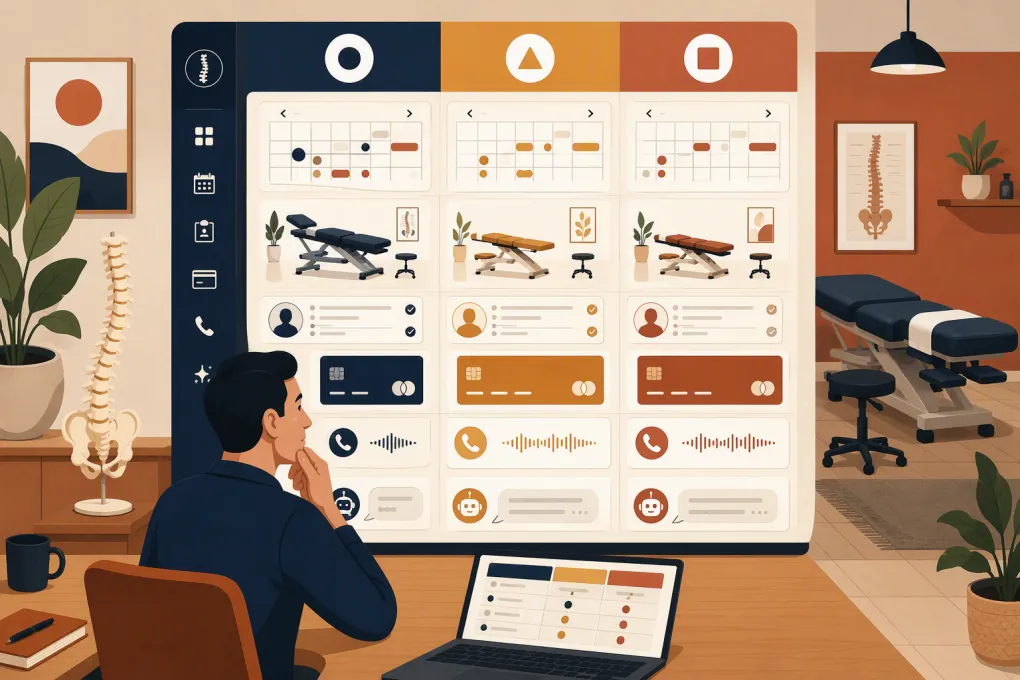
Chiropractic clinic scheduling software falls into three distinct categories: chiropractic-specific EHR systems, broader practice-management platforms, and add-on tools for booking and patient communication. Buying from the wrong category can leave a clinic paying for duplicate calendars, rebuilding billing workflows, or manually transferring patient information.
Start with the operational problem. A cash-pay solo practice may need straightforward online booking, forms, reminders, and payments. An insurance-based clinic may need chiropractic charting, claims, eligibility workflows, and reporting. A multi-provider practice must also coordinate providers, rooms, locations, permissions, and centralized reporting.
If your clinical system already works but calls and inquiries are being missed, replacing the EHR may be unnecessary. See how Fitty handles lead response, booking conversations, follow-up, and dues collection →. Fitty should be evaluated as an operational layer, not assumed to be a chiropractic EHR.
How these platforms were selected
This comparison includes products representing the main decisions a US chiropractic operator faces:
- ChiroTouch, zHealth, and EZBIS are chiropractic-focused systems.
- Jane supports chiropractic and other allied-health practices with scheduling and clinical workflows.
- AdvancedMD represents a broader medical EHR and revenue-cycle option.
- WTF Go with Fitty represents an add-on operating and AI receptionist layer rather than a clinical-record replacement.
The evaluation criteria are scheduling, charting, insurance support, payments, automation, multi-location use, implementation, customer support, pricing transparency, and intended use. Vendor websites and help centers are linked directly so operators can verify current plans and capabilities. Pricing and packaging can change; the linked vendor page and written order form should control any purchasing decision.
Requirements matrix: identify your buying lane first
| Clinic profile | Scheduling requirements | Clinical and financial requirements | Best-fit product category |
|---|---|---|---|
| Solo, cash-pay | Mobile booking, visit rules, reminders, recurring appointments, forms | Simple invoices, card collection, packages or memberships if used | Lightweight practice management or existing EHR plus a communication layer |
| Solo, insurance-based | New-patient visit controls, recurring care, cancellation management | Chiropractic notes, claims, payer workflows, documentation, payment posting | Chiropractic-specific EHR or medical practice platform |
| Multi-provider, cash-pay | Provider, room and location scheduling; permissions; centralized reporting | Provider production, packages, payments, role-based access | Multi-provider practice management, potentially with an AI receptionist layer |
| Multi-provider, insurance-based | Complex templates, resource scheduling, location transfers | EHR, claims, billing controls, audit trails, payer reporting | Chiropractic EHR or broader medical platform with implementation support |
| Replacing an EHR | Full schedule and patient-data migration | Chart migration, documentation templates, billing continuity, data retention | Clinical system with documented migration and onboarding |
| Keeping the current EHR | Reliable synchronization or a clearly separated booking workflow | No duplicate patient records; controlled handling of protected health information | Add-on automation only after integration, security, and BAA requirements are resolved |
This matrix prevents a common mistake: comparing a clinical platform and an AI receptionist as if they do the same job. They do not.
Chiropractic clinic scheduling software compared
| Platform | Scheduling and clinical scope | Automation and payments | Pricing and plan structure | Implementation and support | Best fit and principal limitation |
|---|---|---|---|---|---|
| ChiroTouch | Chiropractic-specific scheduling, charting, documentation, billing, and practice management | Patient communication and payment capabilities vary by selected package | ChiroTouch publishes package information through its pricing page; obtain a quote showing included modules, users, interfaces, training, and term length | More involved than installing a standalone calendar because clinical templates, billing, users, and data may require configuration. Review its support resources | Strong candidate for clinics replacing both chiropractic EHR and practice-management tools. Potentially more system than a small cash-pay clinic needs |
| zHealth | Chiropractic-oriented scheduling, documentation, billing, patient engagement, and administrative workflows | Offers communication and payment-related workflows within its platform; compare plan entitlements in writing | Review the vendor’s current pricing information and confirm which billing, messaging, forms, reporting, and onboarding services are included | Request a migration scope covering demographics, future appointments, charts, balances, and documents. Confirm training format and post-launch support channels | Worth evaluating for an integrated chiropractic workflow. Clinics should test documentation and billing against their actual payer processes |
| EZBIS | Chiropractic practice management with scheduling, clinical documentation, billing, and related modules | Automation depends on the modules and services purchased | Packaging is modular; use the official product and pricing information to identify required components and request a complete quote | Modular implementation requires careful scoping. Confirm database conversion, workstation or hosting requirements, training, upgrades, and support terms | Useful for clinics that want chiropractic-specific modules. Modular buying can make the total configuration harder to compare with bundled systems |
| Jane | Online booking, scheduling, intake, charting, payments, and patient communication for allied-health practices | Includes reminders, forms, payments, and administrative workflows; plan and regional availability matter | Jane publishes subscription tiers and add-ons on its pricing page. Compare practitioner limits, insurance features, storage, and add-on charges | Jane provides an extensive product guide and onboarding material. Migration depth depends on the source system and data type | Strong for usability and multidisciplinary clinics. US insurance-based chiropractors must verify that claims and billing workflows match their requirements |
| AdvancedMD | Medical scheduling, EHR, patient engagement, reporting, billing, and revenue-cycle services | Broad administrative and patient-engagement automation; payments and billing depend on contracted products | Pricing is generally sales-led and module-dependent. Request an itemized quote separating software, implementation, interfaces, clearinghouse costs, and services | Expect a structured implementation for EHR, billing, interfaces, permissions, and templates. Review support information and escalation terms | Better suited to clinics needing broad medical infrastructure or outsourced billing options. It may be unnecessarily complex for a simple cash-pay operation |
| WTF Go with Fitty | Operational platform with an AI agent that answers leads, supports booking, follows up, and collects dues; it is not presented as a chiropractic charting or claims system | Fitty is designed for conversational response and revenue-related follow-up rather than clinical documentation | Public plan-level pricing and chiropractic-specific packaging are not detailed on the main site; request written pricing, usage limits, onboarding fees, and cancellation terms | Implementation must define Fitty’s approved knowledge, booking destinations, escalation rules, payment scope, and system connections | Relevant when the current EHR works but lead response and front-desk coverage do not. It should not be treated as an EHR replacement or used for PHI until compliance requirements are documented |
What the pricing page does not tell you
A subscription amount is not the same as total operating cost. Require every vendor to itemize:
- Base subscription and contract term
- Charges for providers, locations, users, or appointment volume
- Claims, clearinghouse, eligibility, or electronic remittance costs
- Texting, phone, AI usage, or payment-processing charges
- Data conversion and implementation fees
- Training included before and after launch
- Interfaces, API access, and integration maintenance
- Premium support or dedicated account management
- Data export fees and procedures when leaving
Plan names are less useful than an entitlement sheet. Ask the vendor to mark each required workflow as included, paid add-on, third-party integration, custom work, or unavailable.
Fitty’s role—and the questions that require written answers
Fitty’s stated role is clear at a high level: answering leads, supporting bookings, following up, and collecting dues around the clock. That can address an important clinic bottleneck, especially when the front desk cannot answer every call while checking patients in.
However, the public WTF Go site does not provide enough chiropractic-specific technical documentation to assume the following:
- A native, two-way integration with a particular chiropractic EHR
- The exact appointment actions Fitty can perform in that EHR
- Whether it can take a deposit, collect an existing balance, or only handle configured dues workflows
- A documented HIPAA scope for chiropractic clinics
- Business associate agreement availability
- Which conversations or data are stored, where they are stored, and for how long
Those are procurement requirements, not minor implementation details. Before routing patient information through Fitty, request a written integration map, security documentation, data-retention policy, incident process, subcontractor information, and BAA position. If a BAA is required and unavailable, keep protected health information outside the workflow.
For booking, ask Fitty to demonstrate whether it can create, reschedule, and cancel the exact appointment types you use; enforce provider and location rules; avoid duplicate profiles; and transfer exceptions to staff. For collections, distinguish membership or dues collection from medical billing, insurance balances, copays, and patient statements.
Ask WTF Go to map Fitty against your current scheduler, booking rules, and compliance requirements →
Run a scenario-based software demonstration
Do not accept a feature tour. Give each vendor the same tasks and score the result.
- Book a new patient who needs an evaluation before any routine adjustment.
- Schedule recurring visits while respecting provider and room availability.
- Move an appointment to another provider or location without losing forms or notes.
- Fill a last-minute cancellation from a waitlist.
- Prevent a patient from choosing an inappropriate visit type.
- Submit a claim, post a payment, and correct an error if insurance is in scope.
- Respond to an after-hours lead and escalate a clinical question to a person.
- Export the patient, appointment, clinical, and financial data the clinic owns.
Score each task for completion, staff clicks, patient effort, manual re-entry, and exception handling. Then call support with a real pre-sales technical question. Response quality during procurement is useful evidence, though it does not guarantee post-sale service.
Migration and implementation checklist
Before signing, assign an owner for scheduling templates, clinical configuration, billing, data conversion, training, and acceptance testing. Your written implementation plan should cover:
- Data being converted and data remaining in the legacy system
- Duplicate-patient cleanup
- Appointment types, durations, buffers, and booking permissions
- Providers, rooms, equipment, locations, and staff roles
- Forms, consents, note templates, and retention requirements
- Reminder language and communication consent
- Payment accounts and reconciliation
- Claims and clearinghouse enrollment where applicable
- Integration failure alerts and manual fallback procedures
- Go-live support and measurable acceptance criteria
The best chiropractic clinic scheduling software is the one that resolves the clinic’s actual constraint without breaking a workflow that already works. Choose an EHR when records and billing need replacement. Choose practice-management software when scheduling and administration need one shared system. Add an AI receptionist when response coverage and follow-up are the gaps—and only after its integrations, permitted data, and compliance responsibilities are explicit.
Frequently asked questions
What is the best chiropractic clinic scheduling software for a cash-pay practice?
A cash-pay clinic should prioritize online booking, recurring appointments, forms, reminders, payments, and simple reporting. It may not need the claims and revenue-cycle complexity of a full medical platform.
Can chiropractic scheduling software replace an EHR?
Only if it includes the required charting, documentation, data retention, billing, and compliance workflows. A booking tool or AI receptionist does not automatically qualify as an EHR replacement.
How should clinics compare software pricing?
Compare the full written cost of subscriptions, users, locations, claims services, messaging, payment processing, implementation, migration, training, integrations, support, and data export—not just the advertised base price.
Can Fitty integrate with a chiropractic EHR?
WTF Go should provide a written integration map for the clinic’s specific EHR and scheduler. Do not assume two-way synchronization or particular booking actions unless they are demonstrated and included in the agreement.
Does an AI receptionist for a chiropractic clinic need a BAA?
A BAA may be required when a vendor handles protected health information on behalf of the clinic. Confirm the intended data flow and obtain appropriate legal or compliance guidance before implementation.
Keep reading



Run your gym on autopilot with WTF Go
Fitty — your AI receptionist — answers calls and DMs, fills classes, follows up with every lead, and collects dues while you coach.