Comparisons
Brow Studio Management Software: A Practical Buyer's Guide
Choose brow studio management software that handles booking, deposits, forms, follow-up, memberships, and payments without adding more daily admin work.
 Watch · 20s
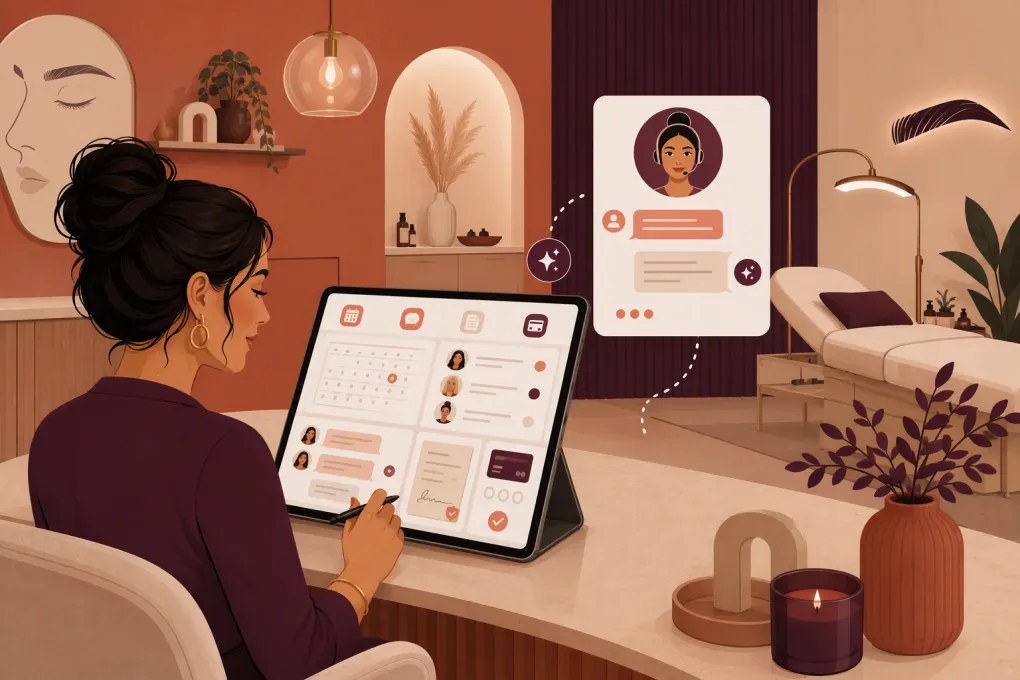
A missed message at 7:30 p.m. can become a missed brow appointment by morning. Prospects often contact several studios, existing clients need reminders and touch-ups, and artists need accurate service notes before anyone reaches for tweezers, wax, tint, or pigment.
Brow studio management software should control that operational chain—not merely display appointments on a calendar. The right platform helps your team respond to inquiries, protect appointment time, collect client information, process payments, and bring clients back without building a patchwork of disconnected tools.
The wrong platform creates duplicate entry, inconsistent follow-up, and a front desk that still has to monitor every channel manually.
See how WTF Go and Fitty can handle brow studio inquiries and follow-up →
What brow studio management software should actually do
Start with the complete client journey rather than a feature list. A typical journey may include:
- A prospect finds the studio through search, social media, a referral, or an advertisement.
- They ask about pricing, availability, healing, eligibility, or the difference between services.
- They select the correct service and artist.
- They accept policies, complete required forms, and pay a deposit if applicable.
- The studio sends preparation instructions and reminders.
- The artist reviews notes before the appointment.
- The client pays and receives aftercare information.
- The studio follows up and prompts the appropriate maintenance or touch-up booking.
A platform that handles only steps three and seven is not managing the studio. It is providing a calendar and a payment terminal.
Booking built around services, not generic time slots
Brow services are not interchangeable. A lamination, tint, wax, consultation, and permanent makeup session can require different durations, preparation, resources, and eligibility rules.
Look for the ability to configure:
- Service-specific durations and prices
- Cleanup or processing buffers
- Artist eligibility by service
- Add-ons that do not create scheduling conflicts
- Consultation requirements
- Deposits or card-on-file rules
- Cancellation and rescheduling windows
- Room, chair, or equipment availability when relevant
- Separate rules for new appointments and touch-ups
Test your most complicated booking path during a demo. Do not let the vendor demonstrate only a basic 30-minute appointment.
Deposits, policies, and no-show controls
A long appointment left empty is difficult to recover at the last minute. Your software should make policies visible before confirmation and support the payment workflow you use to protect reserved time.
Check whether the system can:
- Collect a fixed or service-based deposit
- Store a card securely through its payment provider
- Require policy acceptance
- Apply cancellation rules consistently
- Record refunds and credits clearly
- Restrict online rescheduling inside a defined window
- Send reminders through the channels your clients use
Software does not decide whether a policy is fair or enforceable. Have your terms reviewed for your location and apply them consistently.
Intake, consent, and service records
Client records are operational tools, not an address book. Artists may need access to allergies, contraindications, previous services, product notes, preferences, and signed acknowledgments.
For permanent makeup or other services involving additional health and consent considerations, confirm that the software supports the forms, retention practices, and access controls your business requires. Local rules can differ, so software features do not replace legal or licensing guidance.
Useful capabilities include digital forms, required fields, timestamps, internal notes, controlled staff permissions, and a clear history of appointments and purchases. If before-and-after images matter to your workflow, verify how images are stored, who can access them, and how client permission is documented.
Comparing brow studio software options
There is no universally best platform. A solo brow artist, a five-chair studio, and a multi-location beauty brand have different requirements. Product packaging also changes, so confirm current features and pricing directly with each vendor.
| Platform | Notable strengths | Automation and client communication | Multi-staff or multi-location fit | Important limitation to evaluate | Best fit |
|---|---|---|---|---|---|
| WTF Go | Unified operating system for gyms, studios, spas, and wellness businesses; combines operational workflows with lead handling | Fitty, its AI receptionist and agent, answers leads, follows up, helps with booking, and collects dues around the clock | Designed for independent and multi-location operators | Confirm your exact service, form, inventory, and resource-booking requirements during the demo | Studios that want software plus continuous lead response and follow-up |
| Vagaro | Broad beauty and wellness feature set covering scheduling, payments, client management, and business operations | Offers reminders, marketing, and client communication tools, with availability depending on the selected package | Supports businesses ranging from individual providers to larger operations | Its broad feature set can require careful configuration; review add-ons and total package cost | Studios wanting an established beauty and wellness platform |
| GlossGenius | Polished booking, payment, and client experience designed for beauty and wellness professionals | Includes client notifications and marketing capabilities | Supports teams, but businesses with complex location structures should validate controls and reporting | Confirm advanced resource, permission, and location requirements | Independent artists and smaller beauty teams prioritizing simplicity and presentation |
| Square Appointments | Straightforward scheduling tied closely to Square’s payment ecosystem | Provides confirmations and reminders; broader marketing may involve other Square products | Supports staff scheduling, with plan and feature differences to review | Specialized beauty workflows, detailed forms, or advanced CRM needs may require additional tools | Studios already using Square that want accessible scheduling and payments |
| Boulevard | Client-experience and operations platform built for appointment-based self-care businesses | Offers communication, booking, forms, marketing, and related workflow tools | Often considered by established teams and multi-location brands | Pricing and implementation require direct evaluation; may be more platform than a very small studio needs | Growing beauty businesses with structured front-desk operations |
| Mindbody | Extensive wellness booking ecosystem, consumer marketplace exposure, payments, and marketing capabilities | Provides automated communications and marketing options based on package | Established multi-location capabilities | Configuration, package selection, and operational complexity should be evaluated carefully | Larger wellness or beauty operators that value a broad ecosystem and marketplace |
Build your shortlist based on workflow fit, not brand recognition. Ask every vendor to demonstrate the same scenarios so you can make a direct comparison.
The overlooked requirement: lead response
Many operators compare calendars, reports, and payment rates while ignoring what happens before an appointment exists.
A prospective client may ask:
- Do you work with previously microbladed brows?
- How long should I wait before an event?
- Which artist performs a particular service?
- Is a consultation required?
- What appointments are available after work?
- What is your cancellation or touch-up policy?
If those questions sit unanswered until the next business day, a well-designed booking page cannot recover the conversation. Your system needs a defined path for inquiry capture, immediate answers, escalation, and follow-up.
Fitty is the AI receptionist and agent inside WTF Go. It is built to answer leads, help move them toward booking, follow up, and handle collection workflows 24/7. That makes it relevant to brow studios where inquiries arrive while artists are with clients or after the front desk has closed.
See how Fitty responds when your brow artists cannot pick up →
Automation should still have boundaries. Define which questions the agent can answer, when it should involve a person, and which medical, suitability, or complaint-related conversations require trained staff.
Retention should match the service cycle
A generic monthly newsletter is not a retention system. Follow-up should reflect what the client purchased and what should happen next.
Map automations for specific stages:
Before the visit
Send preparation instructions at a useful interval, not five minutes before the appointment. Include directions, parking details, policy reminders, and a way to ask questions.
Immediately after the visit
Send the correct aftercare information for the service. Avoid putting sensitive details into unsecured messages. Tell the client how to contact the studio if they have a concern.
After the expected recovery or evaluation period
Use a check-in where appropriate. This is also a chance to route a dissatisfied client to a person before automatically requesting a public review.
When maintenance is likely due
Create service-specific rebooking prompts rather than sending the same reminder to every client. A tint client and a permanent makeup client should not receive identical timing or language.
Your platform should let you pause, change, or suppress messages when circumstances require it. Blind automation is not good service.
Reporting that helps an owner make decisions
More dashboards do not automatically produce better management. Focus on reports tied to decisions you regularly make.
At minimum, you should be able to review:
- Appointments booked, completed, canceled, and marked as no-shows
- Revenue by service, provider, and location
- New versus returning clients
- Rebooking activity
- Deposits, balances, refunds, and outstanding amounts
- Lead source when reliably captured
- Staff utilization and available capacity
- Retail sales if products are part of the business
Ask how each metric is defined. For example, a future appointment created at checkout may be counted differently from a client who books later through a reminder. Consistent definitions matter more than an impressive chart.
How to evaluate software before signing
Run a short operational test with real scenarios. Include an owner, front-desk user, artist, and—if applicable—a location manager.
Ask the vendor to show you how to:
- Book a new client who needs a consultation first.
- Collect a deposit and policy acceptance.
- Reschedule inside and outside the allowed window.
- Prevent an artist from being booked for an unapproved service.
- Send the correct form and preparation instructions.
- Find a client’s previous notes without exposing unnecessary information.
- Follow up with an unanswered evening inquiry.
- Reconcile a refund, credit, or disputed balance.
- Report results by artist and location.
- Export client and transaction data if you leave the platform.
Also review onboarding, data migration, payment processing terms, user permissions, support availability, and contract conditions. Request a complete view of required fees and optional modules instead of comparing only the advertised entry price.
Plan the migration around client experience
Do not change systems the night before a full Saturday. Clean your data first, decide what historical information must move, and document which forms or policies need to be rebuilt.
A practical rollout includes:
- Exporting and securely preserving current data
- Removing obvious duplicate client profiles
- Testing services, durations, prices, deposits, and staff access
- Checking confirmation and reminder language
- Training staff on cancellations, refunds, notes, and escalation
- Running test bookings on desktop and mobile
- Verifying payment reconciliation before launch
- Monitoring inquiries and bookings closely during the first week
If lead handling is one of the reasons you are changing platforms, configure it before announcing the new booking experience. Otherwise, you can launch a cleaner calendar while leaving the same response gap in place.
Explore WTF Go for booking, operations, and 24/7 lead follow-up →
The best brow studio management software is the one your team can operate consistently and your clients can use without friction. Evaluate the full journey—from first question to repeat visit—and choose the system that removes handoffs rather than creating new ones.
Frequently asked questions
What is brow studio management software?
It is a platform for managing appointments, client records, forms, payments, communication, staff workflows, and reporting for a brow business. More complete systems also handle lead response and retention follow-up.
Should brow studios require deposits through their booking software?
Deposits can help protect reserved appointment time, especially for longer services. Your software should clearly display the policy, record the payment, and support consistent cancellation and refund handling.
Can brow studio software automate touch-up reminders?
Many platforms support automated reminders, but the level of service-specific control varies. Confirm that timing and messaging can be customized by service rather than applied to every client equally.
What should a multi-location brow studio prioritize?
Prioritize centralized reporting, location-level permissions, shared client records, service consistency, staff access controls, and location-specific booking rules. Test transfers, cross-location booking, and consolidated reporting before committing.
How does an AI receptionist help a brow studio?
An AI receptionist can respond to routine inquiries, assist with booking, follow up with leads, and handle approved payment or collection workflows when staff are busy or the studio is closed. Complex suitability, medical, or complaint questions should be escalated to a qualified person.
Keep reading



Run your gym on autopilot with WTF Go
Fitty — your AI receptionist — answers calls and DMs, fills classes, follows up with every lead, and collects dues while you coach.