AI & Automation
AI Receptionist Setup Checklist for Gyms: Operator Guide
Use this AI receptionist setup checklist for gyms to map calls, booking, follow-up, payments, escalation, testing, and launch without missed new leads.
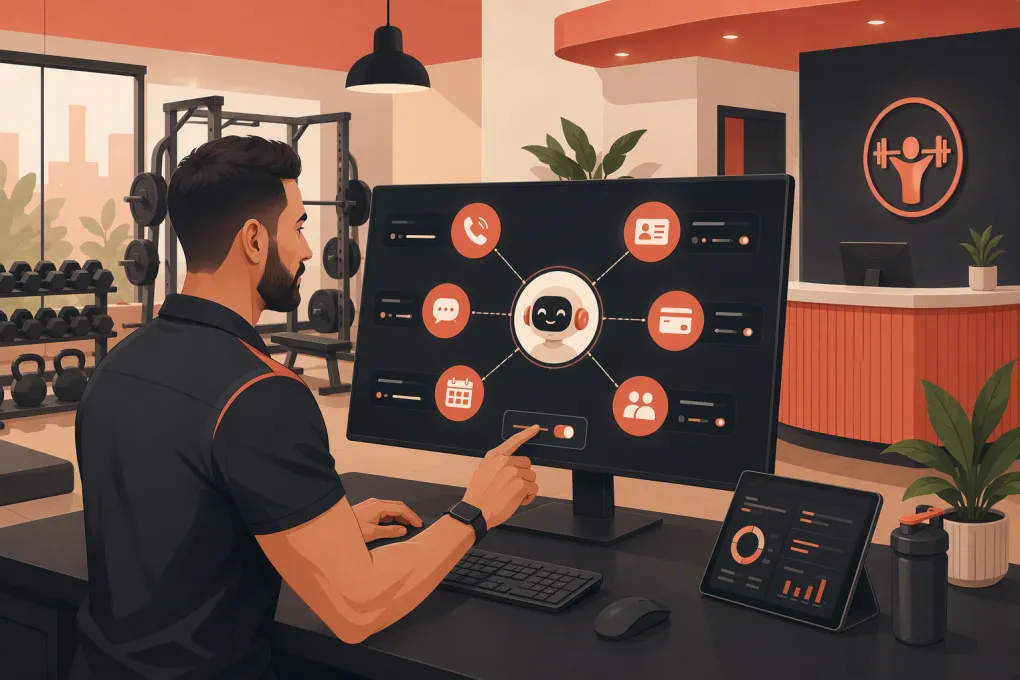 Watch · 20s
An AI receptionist should not be treated like a talking FAQ page. In a gym, studio, or wellness business, it sits directly inside revenue-critical workflows: answering prospects, recommending an offer, booking an intro, changing reservations, following up, and routing sensitive issues to staff.
That makes setup more important than the demo. A polished voice means little if the agent gives the wrong drop-in price, books an ineligible prospect, promises a refund, or sends every difficult conversation to a voicemail box nobody checks.
This AI receptionist setup checklist for gyms covers the operational decisions you need to make before launch, what to test, and how to improve the system after real conversations begin.
1. Define the AI receptionist’s job
Start with scope. Write down what the agent is allowed to do without staff approval and where its authority ends.
A practical first version usually handles a focused set of repeatable tasks:
- Answer inbound calls and messages
- Respond to common membership and service questions
- Capture lead details and goals
- Recommend the correct introductory offer
- Book, reschedule, or cancel eligible appointments
- Follow up with leads who have not booked
- Send confirmations, reminders, and preparation instructions
- Provide basic account or payment instructions
- Escalate exceptions to the right employee
Avoid launching every possible workflow at once. Refund disputes, medical questions, contract exceptions, serious complaints, and unusual account changes generally need human review.
For every workflow, define a successful outcome. A new-member call might end with a booked intro and complete contact record. A cancellation request might end with identity verification, a documented reason, and a task assigned to a manager—not an unauthorized cancellation.
See how Fitty handles gym calls, lead follow-up, and booking around the clock →
2. Map every communication entry point
List where conversations currently arrive. Do not configure only the main phone number while ignoring forms, missed calls, texts, and social inquiries.
Your channel inventory may include:
- Main business phone line
- Location-specific phone numbers
- Website contact and trial forms
- Website chat
- SMS inbox
- Google Business Profile calls or messages
- Facebook and Instagram leads
- Paid advertising forms
- Email inquiries
- Old leads already stored in your CRM
For each source, document what should happen next. Decide whether the AI answers immediately, starts a text conversation after a missed call, creates a staff task, or enters the lead into a follow-up sequence.
Also decide which system owns the contact record. Duplicate records create awkward conversations and unreliable reporting. Set matching rules around phone number and email, then determine how updated details will be written back to the member or lead profile.
3. Clean the information the AI will use
An AI receptionist needs an approved source of truth. Handing it an old website, scattered PDFs, and staff notes without review will reproduce existing inconsistencies faster.
Build a concise operating knowledge base covering:
Business basics
- Location names, addresses, and parking instructions
- Staffed hours versus class or appointment hours
- Phone, email, and escalation contacts
- Holiday closures and temporary schedule changes
- Accessibility and arrival information
Offers and eligibility
- Membership types and current introductory offers
- What is included in each offer
- Age, residency, experience, or new-client restrictions
- Expiration dates and usage limits
- Whether an offer is available online, in person, or by phone
Service policies
- Booking and cancellation windows
- Late-arrival and no-show rules
- Waitlist procedures
- Guest and drop-in policies
- Required equipment or clothing
- Freeze, cancellation, and refund request procedures
Assign an owner to each category. Pricing may belong to the general manager, schedule rules to the operations lead, and service instructions to department heads. Add a review date so outdated information does not remain live indefinitely.
4. Configure lead qualification and booking rules
The agent should gather enough information to place someone into the right next step without turning the call into an interrogation.
For a typical gym lead, useful questions include:
- What are you hoping to work on?
- Have you trained with this type of facility before?
- Which location works best?
- What days or times are realistic?
- Are there any offer-specific eligibility requirements to confirm?
Then define the booking logic. Specify:
- Which calendars the agent can access
- Appointment types it can book
- Staff, room, or equipment capacity rules
- Minimum notice and maximum advance-booking windows
- Buffers between appointments
- Whether prospects can choose a coach
- What happens when no suitable time is available
- Whether a card or deposit is required
- Confirmation and reminder timing
The AI should never invent availability. Booking needs to read from the live scheduling system and write the confirmed appointment back to the same operational record.
For classes, configure separate rules for capacity, waitlists, prerequisites, and first-visit requirements. For spas and appointment-based studios, include service duration, provider eligibility, room availability, and preparation instructions.
5. Write conversation guardrails, not rigid scripts
Word-for-word scripts often sound unnatural and break as soon as a prospect asks an unexpected question. Use structured conversation guidance instead.
Define:
- The preferred greeting and business identity
- A concise explanation that the caller is speaking with an AI assistant
- Brand tone and phrases to avoid
- Questions that must be asked before booking
- Approved descriptions of memberships and services
- Claims the agent must not make
- Topics that require immediate escalation
- How to handle uncertainty
A useful uncertainty rule is simple: if the approved information does not support an answer, the agent should say it needs staff confirmation, capture the question, and set a clear expectation for follow-up.
Do not instruct the AI to bluff, estimate a policy, or agree with a caller merely to keep the conversation moving.
6. Build follow-up sequences around intent
Not every lead needs the same sequence. Someone who asked for tonight’s class schedule is different from someone researching personal training for next month.
Create follow-up paths for common outcomes:
- New inquiry that did not book
- Missed inbound call
- Intro appointment booked
- Appointment canceled or rescheduled
- No-show
- Trial completed without joining
- Former member expressing renewed interest
- Payment issue requiring an account update
Each sequence needs a stop condition. Follow-up should end when the person books, opts out, becomes a member, asks for staff, or reaches another defined resolution.
Messages should reference the actual conversation and offer one clear action. Repeated generic prompts quickly feel disconnected from the prospect’s needs.
Explore how WTF Go and Fitty connect conversations, booking, and follow-up →
7. Set escalation and staff ownership
Escalation is a workflow, not a vague instruction to contact the front desk.
Create an escalation matrix that identifies:
| Situation | AI action | Human owner | Expected next step |
|---|---|---|---|
| Pricing or schedule question not in the knowledge base | Capture details and create a task | Sales or front desk | Confirm the answer and update the lead |
| Refund or contract dispute | Avoid making a commitment | General manager | Review the account and contact the member |
| Injury or medical concern | Avoid medical guidance | Qualified staff or manager | Follow the facility’s safety procedure |
| Angry caller or serious complaint | Acknowledge and prioritize handoff | Manager on duty | Review the transcript and respond |
| Booking system failure | Collect preferred times | Front desk | Book manually and confirm |
| Payment issue | Use only approved payment workflow | Billing owner | Resolve securely without exposing card data |
Specify how urgent cases are delivered: live transfer, staff SMS, task, email, or a combination. Include an after-hours route and a backup owner when the primary person is unavailable.
8. Review consent, privacy, and payment handling
Before activating calls or automated messages, review the laws, carrier rules, platform terms, and internal policies that apply to your business. Requirements can depend on channel, message type, location, and how consent was collected. Obtain legal advice where needed.
At minimum, verify that your setup covers:
- Disclosure that the person is interacting with an AI when appropriate
- Consent and opt-out handling for automated texts and calls
- Call-recording disclosures where required
- Access controls for member and lead information
- Data retention and transcript permissions
- Identity checks before discussing account details
- Secure payment links or compliant payment workflows
- A prohibition against placing full card details in messages or notes
Give staff only the access they need. Audit access when an employee changes roles or leaves the business.
9. Test the full journey before launch
Do not test only clean, cooperative conversations. Use a written test plan and include edge cases.
Core tests
- New prospect asks about pricing and books an intro
- Caller asks for a class that is full
- Existing member wants to reschedule
- Prospect is ineligible for a promotional offer
- Caller gives an incomplete email address or unclear name
- Two locations have different prices or policies
- No appointment is available at the requested time
- Booking platform is unavailable
- Caller changes topics halfway through the conversation
- Member asks for a refund or contract exception
- Caller requests a human
- Caller opts out of future messages
Check the entire record after each test. Confirm that contact details, source, notes, appointment status, consent, and staff tasks land in the correct system.
Use staff members who did not configure the agent as testers. They are more likely to expose assumptions the setup team missed.
10. Launch in stages and review real conversations
A controlled launch makes problems easier to isolate. Start with one location, one channel, or a limited set of call types. Keep staff available for escalations while the workflow settles.
Review conversations daily at first. Look for:
- Questions the knowledge base cannot answer
- Incorrect routing or location selection
- Prospects abandoning the conversation before booking
- Duplicate contacts or appointments
- Unnecessary escalations
- Promises outside approved policy
- Follow-up continuing after resolution
- Staff tasks without a clear owner
Track operational outcomes rather than conversation volume alone. Useful measures include inquiries resolved, qualified leads captured, appointments booked, show status, human handoffs, opt-outs, and unresolved tasks. Interpret these in context; a high handoff count may indicate either appropriate guardrails or a weak knowledge base.
Fitty is built for this operating model: it can answer leads, book classes, follow up, and support dues collection while keeping the workflow connected to the rest of the business. See how Fitty can be configured for your gym or studio →
Final pre-launch checklist
Before switching on your AI receptionist, confirm that:
- Its allowed tasks and prohibited actions are documented
- Every active phone, form, chat, and messaging source is mapped
- Pricing, offers, policies, hours, and locations are current
- Booking rules match actual staff and facility capacity
- Lead qualification questions are short and relevant
- Follow-up sequences have clear stop conditions
- Escalations have named owners and backup routes
- Consent, recording, privacy, and payment handling are reviewed
- Normal, difficult, and failure scenarios have been tested
- Contact records and appointments sync correctly
- Staff know how to receive and close escalated tasks
- Someone owns ongoing transcript review and knowledge updates
The best AI receptionist setup is not the one with the longest prompt. It is the one that reflects how your business actually sells, schedules, serves members, and handles exceptions—and keeps doing so when nobody is standing at the front desk.
Frequently asked questions
How long does it take to set up an AI receptionist for a gym?
Timing depends on the number of locations, channels, offers, booking rules, and integrations involved. A focused rollout for a few high-volume workflows is usually easier to validate than launching every use case at once.
Can an AI receptionist book gym classes and intro sessions?
Yes, if it has access to live availability and correctly configured rules for capacity, eligibility, notice periods, staff, and locations. Every confirmed booking should be written back to the scheduling system.
Should an AI receptionist tell callers that it is AI?
Transparent disclosure is a sound operating practice and may be required in some contexts. Review applicable laws, call-recording rules, channel requirements, and platform terms with qualified counsel.
What gym calls should always be escalated to a person?
Common examples include medical concerns, serious complaints, refund disputes, contract exceptions, unclear account changes, and any question not supported by approved business information.
Can Fitty follow up with leads after a missed call?
Yes. Fitty can support lead response and follow-up workflows alongside booking and other front-desk tasks, with rules for escalation and when messaging should stop.
Keep reading



Run your gym on autopilot with WTF Go
Fitty — your AI receptionist — answers calls and DMs, fills classes, follows up with every lead, and collects dues while you coach.