AI & Automation
AI Receptionist Implementation Checklist for Fitness Studios
Use this AI receptionist implementation checklist for fitness studios to plan booking, payments, escalation, testing, staff training, and a safer launch.
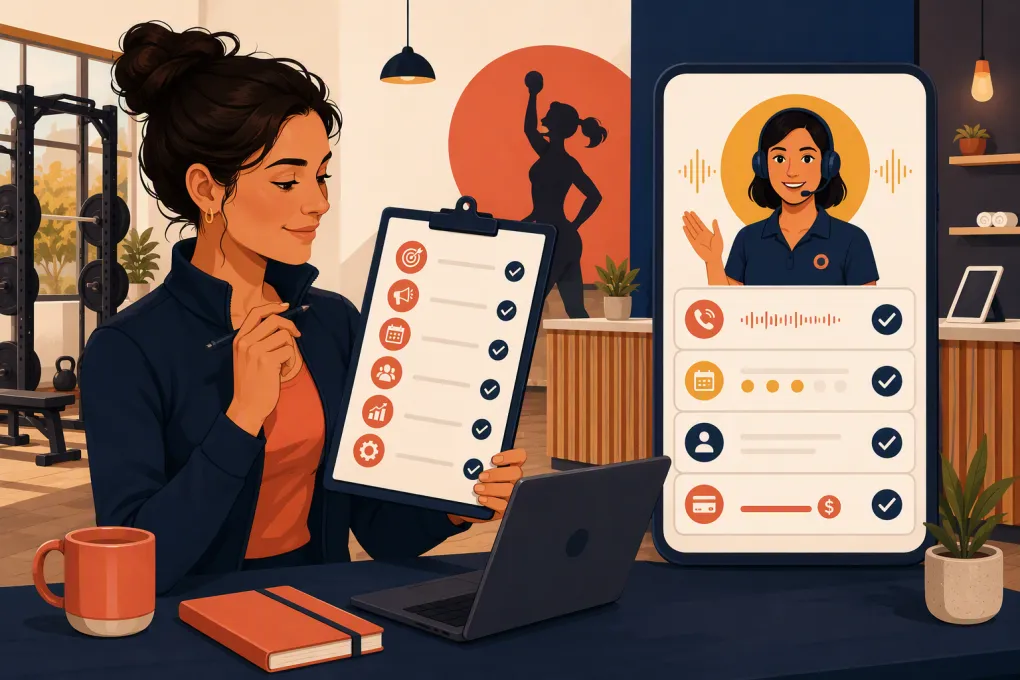 Watch · 20s
An AI receptionist can remove a major operational bottleneck from a fitness studio: leads and members no longer have to wait for someone at the front desk to answer a basic question, schedule a visit, or help with a payment issue.
But the software cannot fix an undefined process. If your booking rules, escalation paths, offers, and membership policies are unclear, automation will expose those gaps quickly. A successful launch starts with deciding exactly what the AI should handle, what it should never handle, and when a human needs to step in.
This AI receptionist implementation checklist for fitness studios covers the operational work required before, during, and after launch.
1. Define the jobs your AI receptionist will own
Start with workflows, not features. List the recurring conversations that currently reach your front desk, sales team, coaches, or personal phone.
Common fitness studio use cases include:
- Answering class, service, and facility questions
- Responding to new leads outside staffed hours
- Booking introductory sessions, tours, classes, or consultations
- Rescheduling or canceling eligible bookings
- Explaining trial offers and membership options
- Following up with leads who have not booked
- Reminding members about failed or overdue payments
- Routing sensitive or unusual requests to a person
Assign each workflow one of three labels:
- AI-owned: The AI can complete the task without approval.
- AI-assisted: The AI gathers information, then passes the case to staff.
- Human-only: The AI immediately routes or records the request.
Cancellation disputes, injury complaints, chargebacks, harassment reports, and requests involving contract exceptions should normally remain human-owned. The goal is not to automate every conversation. It is to automate predictable work without creating avoidable member friction.
See how Fitty handles leads, bookings, follow-up, and dues around the clock →
2. Document the source of truth for every answer
Your AI receptionist needs approved information. Do not make it infer policies from scattered web pages, old staff notes, or social media posts.
Build a central operating document that covers:
- Locations, hours, parking, and access instructions
- Class types, durations, capacity rules, and experience levels
- Appointment and service descriptions
- Introductory offers and eligibility requirements
- Membership and package options
- Booking, cancellation, and no-show policies
- Freeze and termination procedures
- Guest, age, childcare, and equipment rules
- Amenities and accessibility information
- Contact details and escalation paths
For each item, name an owner and record when it was last reviewed. If pricing or policies differ by location, label those differences explicitly.
Use exact operational language. “Cancel within the allowed window” is not enough. The AI needs to know where the applicable deadline is stored, whether it varies by service, and what action to take when the deadline has passed.
3. Clean up scheduling before connecting automation
Booking automation depends on the quality of your schedule configuration. Audit your classes, appointments, and staff calendars before allowing the AI to make changes.
Confirm booking rules
Check the following for every bookable service:
- Who is eligible to book
- How far in advance booking opens and closes
- Whether payment or an active membership is required
- Capacity and waitlist behavior
- Minimum age or prerequisite requirements
- Whether first-timers need a waiver or orientation
- Cancellation and no-show restrictions
- Which staff members or rooms can deliver the service
Remove duplicate, expired, or internal-only appointment types. Use customer-facing names that a caller would recognize.
Map the complete booking path
A booking is not complete merely because a calendar slot was selected. Define what should happen next:
- Identify or create the customer record.
- Confirm location, service, date, and time.
- Verify eligibility or required payment.
- Complete the booking in the system of record.
- Send confirmation and arrival instructions.
- Trigger reminders or pre-visit forms.
- Notify staff when preparation is required.
Test each path for both a new lead and an existing member. They often require different information and permissions.
4. Design lead qualification and follow-up
Decide what the AI needs to learn before recommending a next step. Keep qualification short enough that the lead can reach a booking without feeling interrogated.
Useful questions may include:
- Which location is most convenient?
- What type of training or service are you looking for?
- Are you new to this type of workout?
- What days or times usually work?
- Would you like to book a class, tour, or consultation?
Then define the next-best action for each common answer. A beginner may need an intro session, while an experienced visitor may be ready for a class. Someone asking about injury rehabilitation may need a staff callback rather than an automated recommendation.
Create a follow-up sequence for leads who ask questions but do not book. Specify the timing, channel, stopping conditions, and staff handoff. Follow-up should stop when the person books, opts out, becomes ineligible, or asks to speak with a person.
5. Set firm payment boundaries
Payment conversations require tighter controls than general FAQs. Determine which actions your AI receptionist may take and how payment information will be handled.
Possible approved actions include:
- Explaining an outstanding balance
- Sending a secure payment link
- Reminding a member to update a failed payment method
- Confirming whether an account restriction remains
- Routing billing disputes to an authorized employee
The AI should not invent discounts, waive balances, reinterpret a contract, or promise a refund unless you have deliberately created an approved workflow for that action.
Avoid collecting sensitive card details in an ordinary conversation. Use your approved payment processor and secure checkout flow. Review the vendor’s security, data-handling, retention, and access controls with the people responsible for your business systems.
See how WTF Go connects AI-led conversations with booking and dues workflows →
6. Build escalation rules that staff can actually follow
“Contact the front desk” is not an escalation plan. Specify where the request goes, what information is included, who owns it, and how quickly it should be reviewed.
Create escalation categories such as:
- Urgent safety or facility issue
- Billing dispute or refund request
- Membership contract exception
- Injury or medical concern
- Complaint about staff or another member
- Accessibility accommodation
- Technical booking failure
- High-intent sales lead requesting a person
For each category, document:
- The responsible role or team
- Primary and backup contact methods
- Staffed hours
- Expected response window
- Required conversation summary
- What the AI should tell the customer while they wait
Do not let the AI diagnose injuries, provide medical advice, or minimize a safety concern. It should clearly direct emergencies to appropriate emergency services and escalate non-emergency concerns according to your policy.
7. Configure voice, permissions, and disclosures
Your AI receptionist should sound like your studio without pretending to be a specific employee. Give it clear style rules: concise answers, plain language, no aggressive sales pressure, and no promises outside approved policy.
Decide how it identifies itself. Customers should understand when they are interacting with an automated system and how to reach a person.
Also configure role-based permissions. The receptionist may need access to availability and customer records, but it should receive only the access required for approved workflows. Document who can change prompts, policies, integrations, escalation rules, and payment settings.
Review applicable requirements for call recording, messaging consent, marketing communications, privacy, and record retention with qualified advisers. Requirements can depend on the customer’s location, the communication channel, and how the information is used.
8. Run a structured pre-launch test
Do not test only the ideal path. Build a test sheet with realistic and difficult scenarios.
Include cases such as:
- A new lead wants tonight’s beginner class
- A member tries to cancel after the cutoff
- The requested class is full
- Two locations offer different prices or schedules
- A parent asks about age restrictions
- A customer gives an incomplete or ambiguous answer
- A failed payment blocks a booking
- A member disputes a charge
- The scheduling system is unavailable
- A customer repeatedly asks for a person
- A customer opts out of follow-up
- A caller mentions an injury or emergency
For every test, verify the answer, system action, customer record, confirmation, follow-up, and escalation. Check that the AI does not claim a booking succeeded when the booking system failed.
Have front-desk staff, coaches, managers, and someone unfamiliar with the configuration test it. Each group will notice different gaps.
9. Launch in phases
A phased launch limits operational risk and gives your team time to improve the underlying rules.
A practical sequence is:
- FAQs and message capture
- New-lead qualification
- Introductory bookings
- Existing-member booking changes
- Follow-up sequences
- Payment reminders and dues workflows
Start with one location or a limited set of services if your operation is complex. Keep human coverage available during the initial launch period, and tell staff exactly how to report incorrect answers or failed actions.
10. Review conversations and operational outcomes
Implementation does not end at launch. Assign someone to review conversations, escalations, booking failures, and knowledge gaps on a fixed schedule.
Track operational measures tied to the jobs you assigned, such as:
- Leads that reached a completed booking
- Unanswered questions or low-confidence responses
- Booking attempts that failed
- Requests transferred to staff
- Follow-ups stopped because of an opt-out
- Payment links sent and workflow status
- Recurring questions missing from the knowledge base
- Incorrect answers caused by outdated studio information
Do not optimize only for fewer staff handoffs. A handoff is the correct result when the issue requires judgment, empathy, or authorization. Focus on accurate resolution and a clean customer experience.
Fitty is built for the work fitness operators repeatedly lose time to: answering leads, booking classes, following up, and collecting dues. The strongest implementation still starts with your policies and workflows—but those processes are far more useful when the receptionist applying them is available 24/7.
Explore Fitty as the AI receptionist for your studio’s front desk workflows →
Final launch checklist
Before switching on your AI receptionist, confirm that you have:
- Defined AI-owned, AI-assisted, and human-only tasks
- Created an approved, location-specific knowledge source
- Audited classes, appointments, calendars, and booking rules
- Mapped lead qualification and follow-up paths
- Established secure payment workflows and limits
- Assigned escalation owners and backups
- Configured identity, tone, permissions, and disclosures
- Tested normal, edge-case, and system-failure scenarios
- Trained staff to review and take over conversations
- Chosen a phased launch plan
- Assigned an owner for ongoing quality review
The technology is only one part of the implementation. Clear policies, clean scheduling data, disciplined testing, and accountable staff ownership are what turn an AI receptionist into a reliable operating tool.
Frequently asked questions
How long does it take to implement an AI receptionist for a fitness studio?
The timeline depends on the number of locations, services, policies, and connected systems. A studio with clean booking data and documented procedures can move faster than one that must first standardize its operations.
Can an AI receptionist book fitness classes automatically?
Yes, when it is connected to the studio’s booking workflow and given accurate rules for availability, eligibility, payment, capacity, and cancellations.
Should an AI receptionist handle membership cancellations?
It can explain the approved process and collect required information, but contract exceptions, disputes, and retention decisions should usually be escalated to authorized staff.
What should staff do after the AI receptionist launches?
Staff should review escalations, report incorrect answers, update policies, monitor failed actions, and take over conversations that require judgment or authorization.
Can Fitty follow up with leads and help collect overdue dues?
Yes. Fitty is designed to answer leads, book classes, conduct follow-up, and support dues collection workflows around the clock.
Keep reading



Run your gym on autopilot with WTF Go
Fitty — your AI receptionist — answers calls and DMs, fills classes, follows up with every lead, and collects dues while you coach.