AI & Automation
AI Receptionist for Youth Sports Training Facilities: Guide
See how an AI receptionist for youth sports training facilities answers parents, books evaluations, follows up, and collects payments around the clock.
 Watch · 20s
Parents rarely wait until your front desk is quiet to ask about training. They call during practice, message after dinner, and submit forms while your staff is coaching, cleaning up, or closing the building. If nobody responds promptly, that promising inquiry can turn into an evaluation that never gets scheduled.
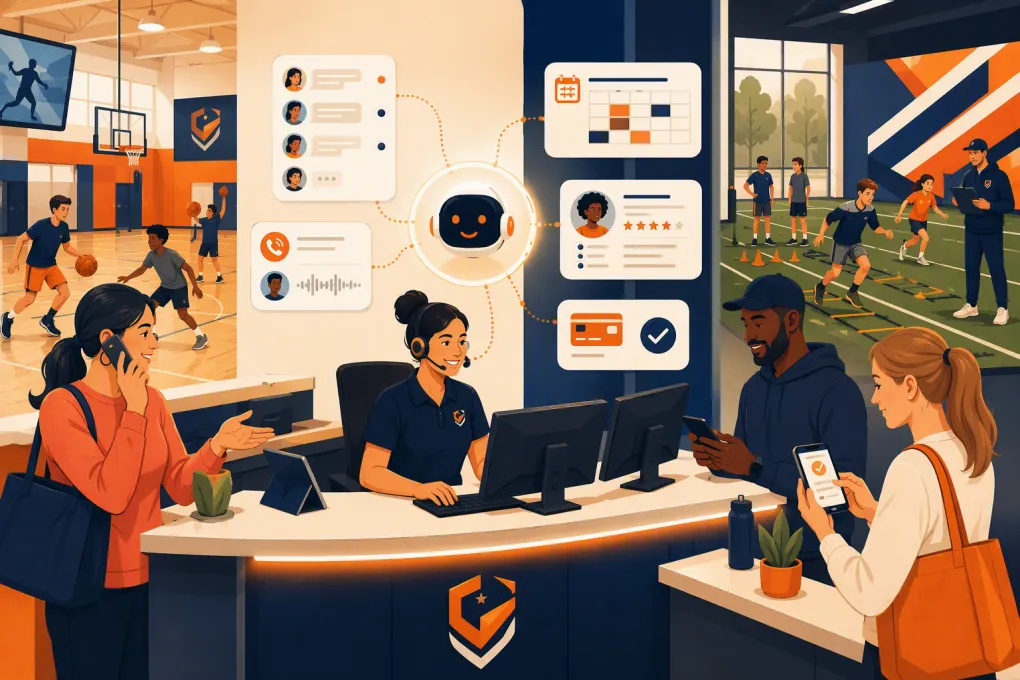
An AI receptionist for youth sports training facilities closes that operational gap. It can answer routine questions, qualify families, book evaluations or introductory sessions, follow up with leads, and direct parents to payment or registration steps. The goal is not to remove people from the experience. It is to stop repetitive front-desk work from delaying enrollment.
For a baseball academy, swim school, gymnastics center, cheer gym, martial arts school, soccer facility, or multi-sport complex, that can mean fewer missed calls and a more consistent path from first question to first visit.
See how Fitty handles youth sports inquiries when your staff is coaching →
What an AI receptionist should handle
A useful AI receptionist does more than greet callers or repeat business hours. It should complete defined jobs inside the customer journey.
Answer common parent questions
Parents typically want practical information before they are ready to register:
- Which program fits a child’s age and experience level?
- Are beginners accepted?
- When are evaluations, trials, camps, or clinics available?
- What equipment should the athlete bring?
- Can siblings attend different programs at similar times?
- Where should families park and enter?
- What is the cancellation or makeup policy?
- How does recurring billing work?
Your AI receptionist should answer from an approved facility knowledge base rather than improvising. If a policy varies by program, coach, season, or location, it should ask a clarifying question before responding.
Qualify the inquiry
Good qualification makes the eventual staff conversation more productive. Depending on the sport, the receptionist might collect:
- Parent or guardian name and contact information
- Athlete age or birth year
- Sport, position, discipline, or event
- Current experience level
- Preferred location
- Preferred days and times
- Group training, private coaching, camp, or team interest
- Desired start date
Keep qualification short. A parent looking for an introductory session should not have to complete a full athlete profile before seeing availability.
Book the next step
The next step may be an evaluation, trial class, facility tour, consultation, or first private session. The AI receptionist should offer only eligible times and explain what happens next.
That booking workflow should also trigger a clear confirmation containing the location, arrival time, required gear, waiver instructions, and rescheduling method. Reducing uncertainty helps families arrive prepared and reduces avoidable front-desk questions.
Follow up without relying on staff memory
Many leads do not book during the first conversation. They may need to check a school calendar, speak with another parent, or compare program times.
Automated follow-up can bring those families back into the process. The message should reference the actual inquiry and provide one obvious action, such as choosing an evaluation time. It should not bombard a parent with generic promotions.
A practical parent inquiry workflow
A well-designed workflow moves the family forward while preserving an easy path to a human.
- Respond immediately. Acknowledge the call, text, website inquiry, or other supported conversation channel.
- Identify the need. Ask whether the family is looking for classes, team training, private instruction, camps, rentals, or another service.
- Collect essential details. Capture only the information needed to recommend the correct next step.
- Match the family to an offer. Use age, ability, location, and schedule requirements to narrow the options.
- Present availability. Offer specific eligible times rather than telling the parent to browse a complicated schedule.
- Book or create a staff task. Complete the booking when possible. Escalate unusual situations with the conversation context attached.
- Send instructions. Confirm waivers, equipment, parking, arrival, and payment requirements.
- Follow up. Re-engage incomplete inquiries and remind booked families about the visit.
- Continue after the evaluation. Prompt the appropriate enrollment or payment step based on the facility’s process.
Fitty, WTF Go’s AI receptionist, is built around this kind of operational sequence: answering leads, booking classes, following up, and collecting dues around the clock.
See how Fitty can move parent inquiries from first question to booked session →
How to set up the receptionist correctly
AI performance depends heavily on the operating rules behind it. Do not simply upload a price sheet and switch it on.
Build a controlled source of truth
Create one approved reference for each location and program. Include:
- Current programs and age ranges
- Skill or prerequisite rules
- Evaluation and trial requirements
- Schedule and booking availability
- Pricing structure and applicable fees
- Membership or package terms
- Cancellation, credit, and makeup policies
- Facility address, parking, and entry instructions
- Required apparel or equipment
- Waiver and registration links
- Staff escalation contacts
Assign an owner to each category. Seasonal schedules, camps, coaching assignments, and pricing can change quickly, so outdated answers are an operational risk.
Define booking rules precisely
Availability alone is not enough. Document which conditions make someone eligible to book a particular service.
For example, a pitching evaluation might require a minimum age. A competitive gymnastics assessment may need staff review before confirmation. A swim lesson could depend on both age and current water ability. Private training might require a coach-specific calendar.
When the AI cannot confirm eligibility, it should collect the relevant information and hand the request to staff. It should not guess.
Create clear escalation triggers
Some conversations belong with a person. Common escalation triggers include:
- Injuries, medical concerns, or return-to-play questions
- Complaints involving athlete safety or staff conduct
- Requests for individualized coaching judgments
- Scholarship or financial-hardship discussions
- Complex refunds or account disputes
- Team placement disagreements
- Custody or authorized-pickup concerns
- Questions the approved knowledge base cannot answer confidently
Give staff the transcript and captured details so the parent does not have to start over.
Write for parents, not internal operations
Replace internal labels with plain language. A parent may not know what “Level 2 PDP” or “performance block B” means. Explain the program in terms of age, current ability, goals, format, and expected next step.
Keep messages concise, especially over text. Ask one or two related questions at a time rather than presenting a long intake form in conversational format.
Protect families and the business
Youth sports conversations involve minors, payments, and potentially sensitive details. The AI receptionist needs boundaries.
Collect the parent or guardian’s contact information rather than treating the child as the account owner. Avoid requesting unnecessary medical details in an open-ended conversation. Direct health forms, waivers, and consent documents through the facility’s approved process.
For payments, use a secure checkout or payment link instead of asking someone to type card details into a message. Make policies visible before the parent commits, particularly for recurring billing, cancellation deadlines, and nonrefundable services.
Text and email follow-up should use appropriate consent practices, identify the business, respect opt-outs, and follow applicable messaging rules. Emergency or immediate safety concerns should be directed to the appropriate emergency channel, not handled as a routine AI workflow.
Measure whether it is actually working
Do not judge an AI receptionist by how human it sounds. Judge it by whether it completes useful work accurately.
Track operational measures such as:
- Inquiries by channel, time, program, and location
- Time from inquiry to first response
- Percentage of inquiries that reach a booking step
- Evaluations or trials booked
- Booked families who attend
- Unfinished conversations requiring follow-up
- Human escalation volume and reasons
- Common unanswered questions
- Payment links sent and completed
- Cancellations or reschedules handled
Review conversation samples regularly. Look for incorrect program matching, stale policy answers, confusing questions, missed escalation signals, and points where parents abandon the process.
The purpose of reporting is not to celebrate message volume. It is to find friction between interest and enrollment.
Where AI helps staff most
An AI receptionist is strongest at high-volume, repeatable work. It can cover evening inquiries, answer routine questions during sessions, guide families to eligible openings, and keep follow-up from disappearing into a staff member’s notes.
Your team should remain focused on work that requires judgment and relationships: athlete assessments, sensitive parent conversations, coaching recommendations, conflict resolution, and retention outreach where personal context matters.
That division of labor is especially useful at multi-location facilities. Centralized rules can create a consistent experience, while location-specific schedules, programs, and escalation contacts keep answers relevant.
Explore WTF Go and Fitty for booking, follow-up, and dues collection →
Questions to ask before choosing a system
Before committing to an AI receptionist, test it against real facility scenarios:
- Can it distinguish between age eligibility and skill eligibility?
- Can it book the correct evaluation, class, or appointment without creating conflicts?
- Can each location maintain separate programs, policies, and hours?
- What happens when the AI does not know an answer?
- Can staff review the full conversation and take over?
- How are knowledge and policy changes approved?
- Can it follow up with leads who do not finish booking?
- Can it direct families into secure registration and payment workflows?
- What reporting shows whether conversations become visits and enrollments?
- How does migration work for current schedules, contacts, and recurring accounts?
Test with difficult examples, not just ideal ones. Ask about an athlete between age groups, a full class, siblings with different needs, a late cancellation, an outdated camp date, and a parent requesting medical advice. The system’s handling of exceptions will tell you more than a polished demo greeting.
The operational payoff
Youth sports facilities do not need another inbox for staff to monitor. They need a receptionist that can turn parent interest into a clear next action while coaches keep coaching.
Implemented correctly, AI can make the enrollment path more consistent: immediate answers, accurate program routing, easier booking, deliberate follow-up, and cleaner handoffs to staff. The technology matters, but the real advantage comes from encoding a strong front-desk process and running it every time a family reaches out.
Frequently asked questions
Can an AI receptionist book youth sports evaluations?
Yes, if evaluations are configured as bookable services with clear eligibility, availability, and location rules. Unusual placement or assessment requests should be escalated to staff.
Will an AI receptionist replace front-desk staff?
It is better used to handle repetitive inquiries, booking, reminders, and follow-up. Staff should retain sensitive conversations, coaching judgments, safety issues, and complex account decisions.
Can it support multiple sports or facility locations?
Yes, provided each sport and location has its own accurate programs, schedules, policies, booking rules, and escalation contacts.
What information should the AI collect from parents?
Usually the parent or guardian's contact details, athlete age, experience level, program interest, location, and schedule preferences. Avoid collecting unnecessary medical or sensitive information conversationally.
How should youth sports facilities evaluate AI receptionist performance?
Track response time, completed bookings, attendance, follow-up outcomes, payment completion, escalation reasons, and unanswered questions. Review actual conversations for accuracy and friction.
Keep reading



Run your gym on autopilot with WTF Go
Fitty — your AI receptionist — answers calls and DMs, fills classes, follows up with every lead, and collects dues while you coach.