AI & Automation
AI Receptionist for Yoga Workshop Registrations That Convert
Learn how an AI receptionist for yoga workshop registrations can answer questions, book spots, follow up with leads, and reduce front-desk admin work.
 Watch · 20s
A yoga workshop rarely fails because the topic is weak. Registration breaks down because a potential attendee asks a question at 9:30 p.m., gets no answer, and moves on before the studio opens.
Workshops also create more administrative friction than recurring classes. Prospects want to know whether the session is beginner-friendly, what to bring, whether an injury affects participation, how cancellation works, and whether their membership includes admission. Every unanswered question becomes a reason not to register.
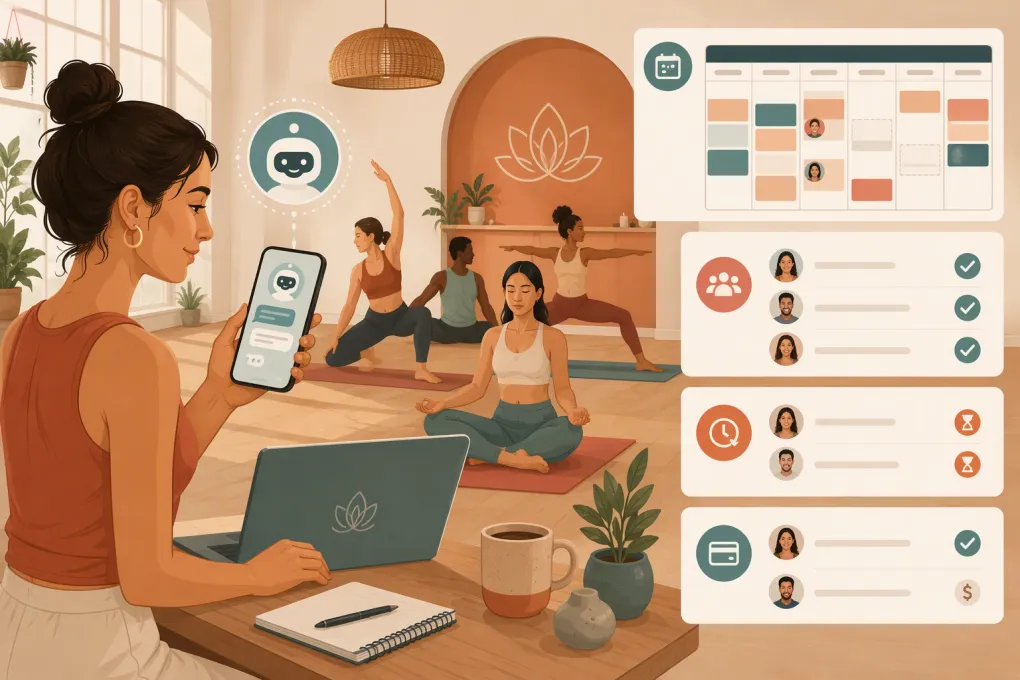
An AI receptionist for yoga workshop registrations can handle those repetitive conversations, guide qualified attendees into the correct booking flow, and follow up with people who showed interest but did not finish. The goal is not to remove your team from the process. It is to stop making staff manually manage every routine step.
Why yoga workshop registrations leak revenue
A normal class may need only a time, instructor, and available spot. A workshop can involve:
- Different pricing for members and non-members
- Prerequisites or experience requirements
- Props, clothing, or preparation instructions
- Limited capacity and a waitlist
- Guest instructors
- Deposits or separate payment rules
- Cancellation and transfer restrictions
- Waivers or health-related acknowledgments
- Multiple sessions sold individually or as a series
That complexity produces questions across phone calls, text messages, website chat, social media, and email. If answers vary by staff member—or sit unanswered until the next shift—the customer experience becomes inconsistent.
The leak is especially visible after hours. Someone sees an Instagram post, visits the workshop page, and asks whether the event is suitable for a complete beginner. If the only option is to leave a voicemail, registration momentum disappears.
See how Fitty can answer yoga workshop leads and book them 24/7 →
What an AI receptionist should handle
A useful AI receptionist does more than send a link whenever it sees the word “workshop.” It should support the full path from initial question to confirmed registration.
Answer workshop-specific questions
The receptionist needs access to a clear, approved source of truth for each event. That should include:
- Workshop name, date, time, and duration
- Instructor name and relevant credentials
- Intended experience level
- Prerequisites and contraindications
- Capacity and current availability
- Member and non-member eligibility
- Pricing and payment expectations
- Cancellation, refund, and transfer policy
- Required props or recommended clothing
- Arrival time, parking, and check-in instructions
- Accessibility information
- Contact or escalation path for unusual questions
Do not expect the AI to infer these details from a promotional caption. Build a structured workshop brief and update it whenever the event changes.
Identify the right registration path
Not every inquiry should receive the same response. The AI receptionist may need to determine whether the person is:
- A current member
- A former member with an existing profile
- A new lead
- Registering for themselves or another person
- Eligible based on prerequisites
- Interested in a full series or one session
- Trying to use a membership benefit or studio credit
The conversation should collect only what is needed to move forward. Asking ten questions before showing availability creates another barrier.
Book the spot or direct the next action
Once eligibility is clear, the receptionist should help the attendee complete the correct booking workflow. Depending on the studio’s setup, that may mean booking directly, presenting the appropriate registration option, or handing off a case that requires staff approval.
A completed conversation should establish what happened next: registration confirmed, payment still required, waitlist joined, staff review requested, or follow-up scheduled. “Here is our website” is not a useful outcome.
Follow up with unfinished leads
Workshop prospects often intend to register but get distracted during checkout. A follow-up can remind them about the event, answer the question that stopped them, and return them to the appropriate booking step.
Keep the sequence practical. Useful messages include:
- A prompt response to the original inquiry
- A reminder if the person has not completed registration
- A final availability note when the workshop date is approaching
- A pre-event message for confirmed attendees
Do not continue sending urgency messages after someone registers, declines, or asks to stop.
Escalate sensitive or uncertain questions
An AI receptionist should not provide medical advice or decide whether a physical condition is safe for a particular practice. Questions involving pregnancy, recent surgery, significant injuries, medication, or clinical treatment should be routed to an appropriately qualified person.
Create explicit escalation rules for:
- Health and injury questions
- Refund exceptions
- Accessibility accommodations not covered in the event brief
- Complaints or instructor concerns
- Private group requests
- Payment disputes
- Requests outside the documented policy
Good automation knows when to stop automating.
Build a registration workflow that staff can trust
The AI is only one part of the operating process. It needs clear statuses, ownership, and follow-through behind it.
Use defined registration statuses
Avoid treating every contact as a generic lead. Use stages that reflect the workshop journey, such as:
- New inquiry
- Questions answered
- Registration started
- Payment or confirmation pending
- Registered
- Waitlisted
- Needs staff review
- Canceled
- Attended
- No-show
These statuses tell the AI what message is appropriate and help staff see where prospects are getting stuck.
Separate registration messages from attendance messages
Before registration, the message should remove uncertainty and make booking easy. After registration, the message should help the attendee arrive prepared.
A confirmation should clearly state:
- Workshop date and start time
- Recommended arrival time
- Location or room
- What to bring
- Preparation instructions
- Cancellation policy
- How to contact the studio
If any detail changes, confirmed attendees should receive the update—not just people still in the lead pipeline.
Give one person ownership of workshop data
Assign a staff member to approve event details before promotion begins. That person should verify the schedule, capacity, price rules, instructor information, booking link, and policies.
Without ownership, the website may say one thing, the booking system another, and the AI receptionist a third. Automation increases the impact of both accurate and inaccurate information.
Use WTF Go and Fitty to connect workshop inquiries, booking, follow-up, and front-desk workflows →
A practical conversation design for yoga workshops
The strongest conversations are short, specific, and aware of intent. A basic flow can work like this:
1. Determine the workshop
If the person came from a specific event page, preserve that context. Do not ask them to identify the workshop again. If the message is general, offer the relevant upcoming options rather than the full studio calendar.
2. Answer the immediate question
Respond before asking for contact information when possible. If someone asks whether beginners can attend, answer from the approved event details first. Then offer the booking step.
3. Resolve eligibility
Ask about membership status or prerequisites only when those details affect access, price, or safety. Keep the questions conversational and explain why the information matters.
4. Capture essential contact details
Collect the information required for booking and follow-up. Avoid duplicating fields the person will immediately enter again during checkout.
5. Confirm the outcome
State whether the person is registered, waitlisted, awaiting payment, or expecting a staff response. Never imply that a place is secured when the booking has not actually been completed.
6. Apply the correct follow-up
A confirmed attendee needs preparation details. An unfinished registration needs help completing the process. A waitlisted attendee needs clear expectations about how openings are offered.
Guardrails that protect the studio and the attendee
Before activating an AI receptionist, decide what it may and may not say.
At minimum, configure these rules:
- Never promise availability without checking the current booking status
- Never create exceptions to written refund or cancellation policies
- Never offer medical guidance
- Never claim a registration is confirmed unless the system shows confirmation
- Never invent instructor qualifications, workshop benefits, or required experience
- Stop promotional follow-up after registration or opt-out
- Route uncertain answers to a named staff queue
Review real conversations after launch. Look for questions the workshop brief did not anticipate, confusing handoffs, repeated objections, and places where prospects abandon the process. Update the source information and workflow rather than relying on staff to fix the same issue manually each time.
What to measure
Registration count matters, but it does not explain how the process is performing. Track operational signals such as:
- Inquiry volume by channel and time of day
- First-response time
- Most common workshop questions
- Registrations completed after an AI conversation
- Leads that start but do not finish registration
- Waitlist volume and waitlist conversions
- Escalations requiring staff attention
- Cancellations and no-shows
- Incorrect or outdated answers reported by staff
Review these by workshop type. A beginner foundations session may produce different questions from a teacher training module, prenatal workshop, sound bath, or advanced inversion clinic.
The point is not to generate a bigger dashboard. It is to identify the next operational fix: clearer event copy, a better cancellation explanation, a shorter checkout, or a more precise follow-up.
Where Fitty fits
Fitty is the AI receptionist inside WTF Go, an operating system built for gyms, studios, spas, and wellness businesses. Fitty can answer leads, book classes, follow up, and collect dues around the clock, while WTF Go keeps those conversations connected to the broader customer workflow.
For a yoga studio, that means workshop interest does not have to sit in voicemail, an Instagram inbox, or a staff member’s memory. Routine questions can be answered immediately, qualified attendees can move toward booking, and unresolved cases can be handed to the team with context.
The best starting point is one workshop with well-defined details and policies. Test the common questions, confirmation behavior, follow-up rules, and staff escalation process. Once the workflow is reliable, apply the same structure to future workshops and recurring specialty events.
See how Fitty can manage yoga workshop registration conversations while your team teaches →
Frequently asked questions
Can an AI receptionist register people for a yoga workshop?
Yes, if it is connected to the studio’s booking workflow and has accurate workshop details. It should clearly distinguish between a completed registration, a pending payment, a waitlist request, and a staff review.
Can an AI receptionist answer questions about injuries or pregnancy?
It can share approved general workshop information, but it should not provide medical advice. Health, injury, pregnancy, and post-surgery questions should be escalated to an appropriately qualified person.
What information does the AI need for each workshop?
Provide the schedule, instructor, level, prerequisites, capacity, price rules, cancellation policy, required equipment, arrival instructions, accessibility details, and escalation contacts.
Will an AI receptionist replace yoga studio staff?
It is better used to handle repetitive questions, booking steps, and follow-up. Staff should remain responsible for exceptions, sensitive conversations, policy decisions, and attendee care.
How should a studio start using AI for workshop registrations?
Start with one workshop, create an approved event brief, define booking statuses and escalation rules, test common questions, and review conversations before expanding the workflow.
Keep reading



Run your gym on autopilot with WTF Go
Fitty — your AI receptionist — answers calls and DMs, fills classes, follows up with every lead, and collects dues while you coach.