AI & Automation
AI Receptionist for Yoga Studios: Practical Operator’s Guide
See how an AI receptionist for yoga studios handles leads, bookings, FAQs, follow-ups, and dues 24/7 while preserving a strong personal member experience.
 Watch · 20s
A prospective student finds your studio after dinner, calls with a question about beginner classes, and gets voicemail. They then contact the next studio in the search results. By the time your front desk follows up the next morning, the student may already have booked elsewhere.
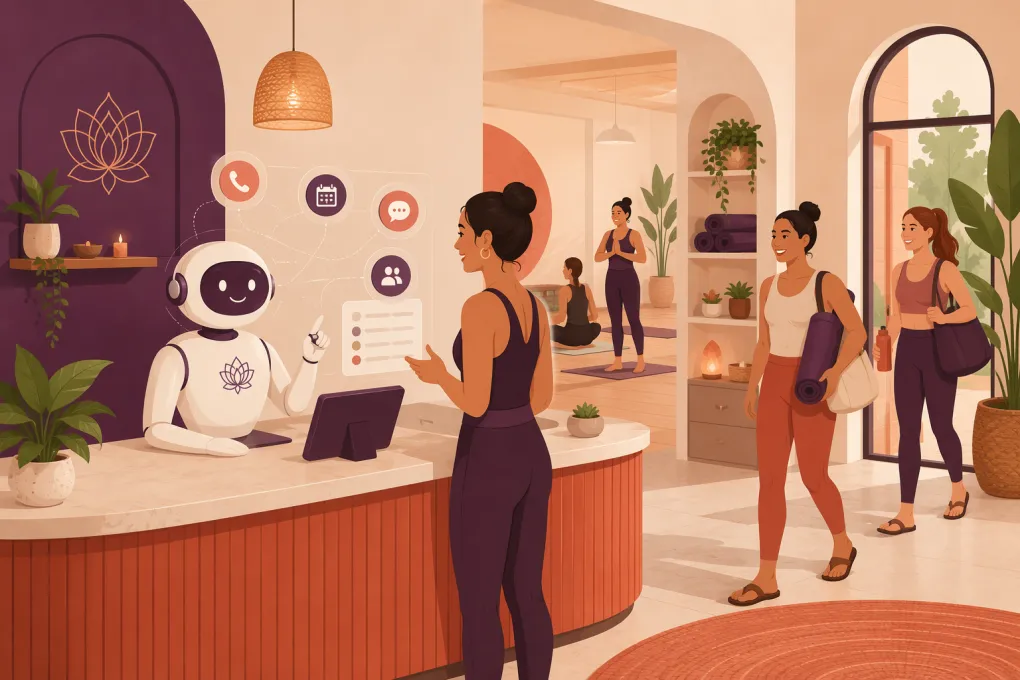
That is the operational gap an AI receptionist for yoga studios is designed to close. It does not replace the warmth of a good teacher or studio manager. It handles the repetitive conversations surrounding the member journey: answering common questions, capturing leads, recommending an appropriate class, booking visits, following up, and addressing routine payment issues.
For a yoga operator, the goal is not more technology for its own sake. The goal is to prevent interested people from disappearing because nobody was available to respond.
What an AI receptionist should actually do
An AI receptionist is more than a website chatbot that links visitors to a schedule. A useful system should understand the intent behind an inquiry and move the conversation toward a completed action.
Typical workflows include:
- Answering calls and messages outside staffed hours
- Explaining class types, beginner options, amenities, and studio policies
- Capturing a lead’s name, contact details, goals, and preferred schedule
- Finding an appropriate class or introductory offer
- Booking or rescheduling according to studio rules
- Sending confirmations and reminders
- Following up with leads who did not book
- Re-engaging students who missed an introductory visit
- Handling routine questions about memberships and payments
- Escalating sensitive or unusual requests to a person
The distinction matters. A basic bot gives information. A capable AI receptionist completes routine front-desk work while documenting the conversation for your team.
See how Fitty handles yoga studio inquiries and bookings 24/7 →
Where yoga studios commonly lose prospective students
Yoga studios have a deceptively difficult front desk. Demand often arrives before the first morning class, during evening sessions, or while the only employee on site is teaching. Even when someone is at reception, they may be checking in students, preparing a room, selling retail, and answering messages at the same time.
Several points in the journey are especially vulnerable.
After-hours inquiries
A first-time student may need reassurance before booking. They want to know whether the class is suitable for beginners, what to bring, where to park, or whether mats are available. A schedule page rarely answers the full question.
An AI receptionist can respond immediately, provide approved information, and offer the next suitable booking rather than asking the prospect to wait for business hours.
Missed calls during class transitions
The busiest minutes at the front desk often coincide with member arrivals. Sending every caller to voicemail protects the in-studio experience but sacrifices new inquiries. An AI answering layer can handle common requests and transfer or flag conversations that need staff attention.
Leads who are interested but not ready
Not every prospect books during the first conversation. Some need to check a calendar or speak with a partner. Without a defined follow-up process, those leads remain in an inbox until they are forgotten.
An AI receptionist can schedule a relevant follow-up based on what the person asked about. That is more useful than sending the same generic promotion to every lead.
Failed payments and account questions
Payment conversations consume staff time and can become awkward when handled at check-in. Automation can send a private reminder, direct the member to update payment details, or collect an outstanding balance when authorized. Disputes, hardship situations, and cancellation requests should still reach a person.
Five practical workflows to automate first
Do not automate every conversation on day one. Start with frequent, predictable requests where the desired next step is clear.
1. New-student inquiries
Build a short qualification path around questions your staff already asks:
- Are you new to yoga, returning, or practicing regularly?
- What are you looking for: general movement, relaxation, strength, mobility, or a specific class style?
- Which days and times usually work?
- Do you have any accessibility needs the studio should know about?
- Would you like to reserve an introductory class?
The assistant should use these answers to narrow options, not overwhelm the person with the entire timetable.
It should never diagnose an injury or claim that a class will treat a medical condition. Questions involving pregnancy, injuries, pain, or medical restrictions should follow studio-approved language and, when appropriate, be escalated to a qualified person.
2. Class booking and preparation
Once a student chooses a class, the receptionist should complete the booking or guide the student through the required checkout. The confirmation can include:
- Arrival time for first-time students
- Clothing or equipment recommendations
- Mat rental availability
- Parking and entrance instructions
- Late-entry policy
- Cancellation window
- A link for waivers or account setup
Clear preparation reduces anxious pre-class calls and helps new students arrive ready.
3. Missed-call recovery
If a call cannot be fully handled, create a structured handoff. Record the caller’s question, contact information, urgency, and preferred response method. Assign it to a staff member instead of dropping a vague voicemail into a shared inbox.
Set escalation rules for issues such as safety concerns, charge disputes, instructor complaints, private-event requests, and account cancellations.
4. Intro-offer follow-up
Follow-up should reflect the student’s actual stage. Useful triggers include:
- An inquiry without a booking
- A booked first class that was missed
- Attendance at the first class without a return visit
- An introductory package nearing completion
Messages should help the student take the next step, not pressure them. A person who missed class may need rescheduling. Someone who attended may need help choosing the right second class.
5. Payment resolution
For straightforward failed payments, the assistant can notify the member, provide a secure update path, and confirm when the issue is resolved. Keep payment credentials inside an appropriate payment system rather than asking members to send sensitive card details through ordinary chat or text.
Explore how WTF Go combines Fitty, booking, follow-up, and dues workflows →
How to preserve the human feel of your studio
Yoga is relational. Students notice tone, context, and whether a business treats them like a transaction. Poor automation damages trust faster than a slow response.
Use these guardrails:
- Write in your studio’s voice. A neighborhood restorative studio should not sound like a high-pressure sales floor.
- Identify the assistant honestly. Do not make students believe they are speaking with a human employee.
- Offer a human route. Members should be able to request staff help without fighting the system.
- Limit health-related answers. Provide approved class information, not medical advice.
- Respect communication preferences. Obtain appropriate consent for automated marketing messages, provide opt-out options, and honor them.
- Protect exceptions. Refunds, complaints, injuries, accessibility concerns, and emotionally sensitive conversations deserve human review.
- Review transcripts. Real conversations reveal outdated policies, confusing class names, and questions your website does not answer.
The best implementation feels responsive without pretending every situation can be automated.
A practical implementation plan
Build one source of truth
Collect the information currently scattered across your website, booking platform, staff handbook, and front-desk notes. At minimum, document:
- Class descriptions and experience levels
- Current schedule and instructor assignments
- Introductory offers and eligibility
- Membership and package rules
- Cancellation, waitlist, and late-arrival policies
- Amenities, parking, and accessibility details
- Contact and escalation procedures
- Approved answers to common questions
Assign an owner to keep this information current. An AI receptionist using an outdated policy will deliver the wrong answer consistently.
Define what the system may do
Separate actions into three groups:
- Act automatically: answer FAQs, collect lead details, book eligible classes, and send reminders.
- Act within limits: reschedule inside the cancellation policy or address routine payment failures.
- Escalate: issue refunds, make policy exceptions, discuss injuries, or handle complaints.
This prevents staff from discovering the boundaries only after a mistake.
Test real conversations
Before launch, test more than ideal requests. Try misspelled class names, vague questions, schedule changes, repeated messages, frustrated callers, and requests involving multiple locations.
Confirm that the assistant:
- Uses the correct schedule and offer
- Does not promise unavailable exceptions
- Recognizes when it lacks enough information
- Escalates to the right person
- Records the interaction in a usable format
- Stops promotional follow-up after an opt-out
Launch with a narrow workflow, review the results, and expand after the rules are stable.
What to evaluate before choosing a system
Ask vendors to demonstrate your actual workflows rather than presenting a generic chatbot demo.
Look for:
- Channel coverage: Can it handle the calls, texts, website inquiries, or other channels you rely on?
- Transactional booking: Can it complete a reservation, not merely send a schedule link?
- Context retention: Does it remember what a prospect already shared?
- Follow-up controls: Can you define timing, conditions, and stopping rules?
- Human handoff: Are urgent conversations routed with a useful summary?
- Operational visibility: Can staff see conversations, outcomes, and unresolved requests?
- Multi-location logic: Can it distinguish schedules, offers, policies, and teams by location?
- Payment handling: Are payment updates and collections routed through secure workflows?
- System fit: Will it reduce duplicate entry, or create another disconnected inbox?
Also ask how setup, data migration, support, usage limits, and messaging or calling charges work. Pricing models vary, so compare the complete operating cost rather than only the advertised subscription.
Measure operational outcomes, not chatbot activity
A large conversation count does not prove the system is helping. Track outcomes tied to your front desk and sales process:
- Time from inquiry to first response
- Leads contacted successfully
- Inquiry-to-booking conversion
- First-visit attendance
- Follow-up tasks completed
- Failed payments resolved
- Conversations escalated to staff
- Incorrect answers or staff corrections
- Staff time spent on repetitive inquiries
Review these by source, workflow, and location. If bookings improve but corrections increase, your knowledge base or action rules need attention. If many conversations escalate, the automation may be too limited—or your policies may be unclear.
Is an AI receptionist right for your yoga studio?
It is a strong fit when missed calls are common, leads arrive outside staffed hours, follow-up is inconsistent, or employees spend too much time answering the same operational questions. Multi-location studios can also benefit from consistent handling across separate schedules and policies.
It is less valuable if your class and pricing information changes without documentation, nobody will own the setup, or you expect AI to resolve every exception without human involvement.
Fitty is WTF Go’s AI receptionist for handling leads, bookings, follow-up, and dues around the clock. Because it sits within an operating system built for gyms, studios, spas, and wellness businesses, the objective is not simply to answer questions. It is to move each routine conversation into the correct operational next step while giving your staff visibility.
See how Fitty can cover your yoga studio’s front desk gaps →
An AI receptionist should make your studio easier to reach without making it feel less personal. Start with missed inquiries and repetitive booking questions, define firm escalation rules, and measure completed outcomes. The technology earns its place when students get faster help and your team has more time for the work that requires an actual human.
Frequently asked questions
Can an AI receptionist book yoga classes directly?
A capable AI receptionist can book or reschedule classes when connected to the studio’s live scheduling and account workflows. Confirm whether a system completes the transaction or only sends booking links.
Will an AI receptionist replace my front-desk staff?
It should handle repetitive inquiries, bookings, reminders, and follow-up while staff manage exceptions, relationships, complaints, and in-studio service. Most studios should treat it as front-desk coverage, not a complete human replacement.
Can it answer questions about injuries or pregnancy?
It can provide studio-approved general information, but it should not diagnose conditions or offer medical advice. Health-related questions should be routed to an appropriately qualified person.
How long does setup take?
Setup depends on the condition of your schedules, policies, offers, and contact data. A focused launch covering FAQs and new-student booking is generally simpler than automating every member workflow at once.
What should I track after launching an AI receptionist?
Track response time, inquiry-to-booking conversion, first-visit attendance, completed follow-ups, payment resolutions, escalations, and incorrect answers. These measures show operational impact better than raw conversation volume.
Keep reading



Run your gym on autopilot with WTF Go
Fitty — your AI receptionist — answers calls and DMs, fills classes, follows up with every lead, and collects dues while you coach.