AI & Automation
How an AI Receptionist Handles Yoga Studio Missed Calls
See how an AI receptionist handles yoga studio missed calls, compare your options, map booking compatibility, and plan safe, practical rollout for your team.
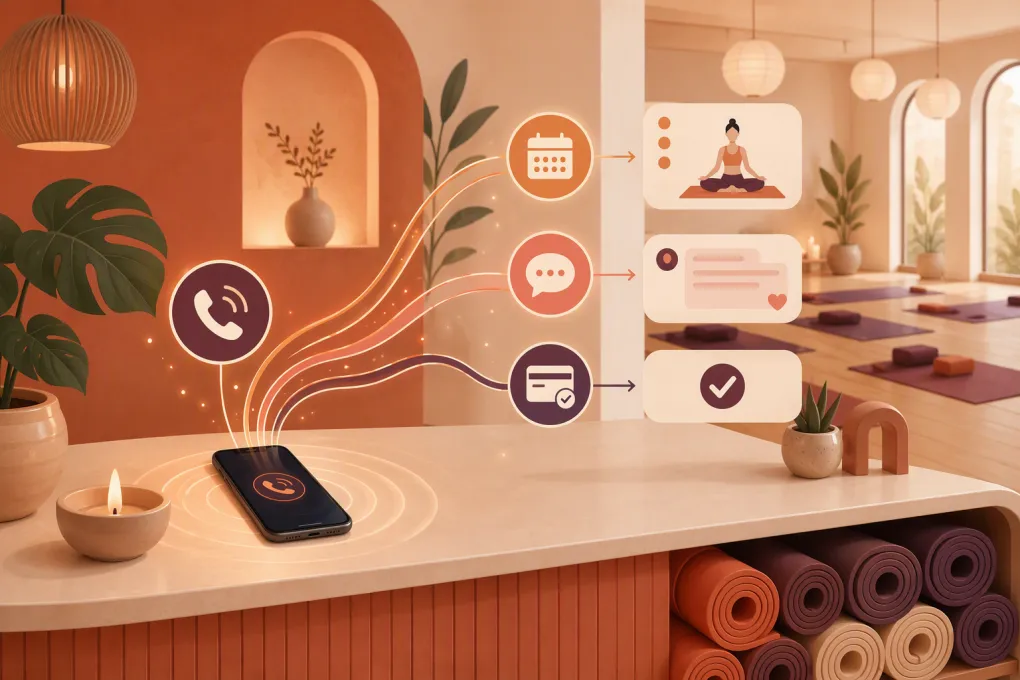 Watch · 20s
Your instructor is teaching. The front desk is checking in a full class. A prospective student calls at 7:10 p.m. to ask whether tomorrow’s heated vinyasa session is suitable for beginners. Nobody answers, and the caller does not leave a voicemail.
That is the specific problem an AI receptionist can address: not simply answering a phone, but identifying the caller’s intent and completing the next useful action while the person is still interested.
For a yoga studio, that action might be recommending a foundations class, explaining what to bring, booking an intro session, joining a waitlist, or sending a billing issue to the studio manager. Whether the system can actually do those things depends on its access to your schedule, customer records, policies, payment workflow, and communication channels.
See how Fitty can handle missed yoga studio inquiries inside WTF Go →
What a yoga studio actually needs from an AI receptionist
Yoga inquiries have details that generic appointment scripts often miss. “Can I come to class?” may depend on heat level, prior experience, room capacity, age restrictions, waiver status, prenatal programming, or whether the student is managing an injury.
A useful system should support four distinct jobs.
New-student guidance
The receptionist should be able to answer studio-specific questions such as:
- Is heated yoga appropriate for a first class?
- Which class is slower-paced or beginner-friendly?
- Are mats and towels included or rented?
- When should a new student arrive?
- Where is the entrance for an early-morning class?
- Does the intro offer apply at every location?
- Is pre-booking required?
These answers should come from an approved knowledge base. The system should not invent recommendations or turn general class guidance into medical advice.
Live booking and waitlist handling
Answering a question is only half the job. If the caller wants the Tuesday 6 p.m. restorative class, the receptionist needs current availability before promising a spot.
True booking requires access to—or native control of—the studio’s booking records. Without that connection, an AI can collect a request, but a staff member must still complete it. That distinction matters when evaluating vendors.
Existing-member support
Not every caller is a lead. Members may want to cancel a reservation, check a class-pack balance, update a card, freeze a membership, or dispute a fee.
Set narrow permissions. Routine reservation changes may be safe to automate under published policies. Refunds, fee waivers, contract exceptions, and account disputes usually need human approval.
Follow-up with context
If a prospect asks about beginner classes but does not book, a useful follow-up references that interest and offers an appropriate next step. It should stop when the person books, opts out, declines, or asks for a human.
A generic series of sales texts is not intelligent reception. It is another disconnected campaign.
A concrete missed-call workflow for a yoga studio
Consider this illustrative workflow—not a customer case study or a claim about a particular studio.
A new student calls after the desk closes and asks, “I’ve never done yoga. Can I join the hot power class tomorrow?”
A properly configured receptionist would:
- Identify the caller as a new student.
- Explain the studio’s approved description of hot power yoga without offering medical guidance.
- Ask what experience and intensity the caller wants.
- Offer one or two beginner-appropriate classes from the live schedule.
- Confirm the correct location and available capacity.
- Create the reservation through the connected booking workflow.
- Send arrival time, parking details, mat policy, waiver link, and cancellation terms.
- Escalate if the caller mentions pregnancy, injury, fainting, or another health concern.
If the receptionist cannot read or write booking data, step six changes: it captures the desired class and creates a callback task. That can still improve response speed, but it is not completed booking. Ask vendors to demonstrate the difference using your actual workflow.
Compare the main ways to cover missed calls
The right option depends on whether you want message capture, human service, booking automation, or a broader replacement for disconnected studio tools.
| Option | What it handles well | Booking and account access | Main limitation | Implementation effort | Best fit |
|---|---|---|---|---|---|
| Staff callback process | Sensitive conversations, exceptions, personal relationships | Full access based on staff permissions | Slow outside staffed hours; follow-up can be inconsistent | Low if the process already exists | Studios with low call volume and reliable desk coverage |
| Traditional answering service | Human call answering and message capture | Usually limited unless agents are trained and given system access | May take messages rather than complete studio-specific actions | Medium; requires scripts, escalation rules, and vendor training | Studios prioritizing human answering over automation |
| Native automation in existing booking software | Reminders, confirmations, forms, and workflows tied to existing records | Usually strongest within that platform’s supported functions | Phone conversation and flexible question handling may be limited or unavailable | Low to medium, depending on existing setup | Studios satisfied with their current platform that only need basic automation |
| Standalone AI phone receptionist | After-hours answering, FAQs, qualification, and call routing | Varies widely by supported integrations and API access | Can create a second system and manual handoffs if booking data is disconnected | Medium to high when custom integration is required | Studios keeping their current stack and needing phone-first coverage |
| WTF Go with Fitty | AI-assisted lead response, booking, follow-up, and configured dues workflows within a broader operating system | Designed to work within the WTF Go environment; compatibility with an outside stack should be confirmed during evaluation | May require workflow setup, data migration, or process changes; not every exception should be automated | Medium to high depending on migration and required connections | Studios seeking to consolidate reception and operating workflows rather than bolt on another inbox |
Do not choose based on whether a vendor says it “integrates.” Determine exactly what the connection can do. Reading a schedule, creating a booking, changing a reservation, checking account status, and initiating a secure payment are separate capabilities.
How to determine compatibility with your software stack
Before evaluating an AI receptionist, list every system involved in the missed-call journey:
- Phone provider and business number
- Class and appointment booking platform
- Member or customer database
- Website forms and chat
- Email and text messaging tools
- Waiver software
- Payment processor
- Access control
- Reporting and analytics
For each system, document whether the receptionist needs read access, write access, or no access. A new-student booking, for example, may require reading class availability, creating a profile, reserving a spot, delivering a waiver, and initiating a payment through an approved checkout.
Ask these questions in a product evaluation:
- Can the system use our existing phone number, and how are calls routed?
- Which voice, text, email, or web channels are supported in our proposed setup?
- Can it see class capacity and waitlist status in real time?
- Can it create, change, and cancel bookings, or only submit requests?
- How does it identify an existing member without exposing private account data?
- What happens when an integration or booking service is unavailable?
- Which payment actions are supported, and where is card data entered?
- Can staff review the transcript, outcome, and assigned follow-up?
- How are consent, opt-outs, recordings, and retention settings managed?
- What data must be migrated if we replace an existing platform?
WTF Go positions Fitty as the AI receptionist and agent within its operating system. Because supported connections and channels can change—and every studio stack is different—operators should confirm current compatibility directly rather than assume a particular external platform, phone provider, or payment processor is supported.
Bring your current software list and ask WTF Go to map the full missed-call workflow →
What “24/7” and “dues collection” should mean in practice
An automated agent can be available to receive configured inquiries outside desk hours. That does not mean every request can be resolved at any hour. Resolution still depends on system availability, permissions, accurate data, and escalation coverage.
Likewise, dues collection should not mean asking a member to send card details in a call transcript or text message. A safe workflow typically identifies the account issue, sends or opens an approved payment path, records the outcome, and escalates disputes or failed exceptions.
Fitty is designed to answer leads, support booking and follow-up, and assist with configured dues workflows. The exact action it can complete depends on the WTF Go setup, available account data, payment configuration, permissions, and studio rules. Ask to see the proposed workflow demonstrated before launch.
Estimate the implementation effort
Implementation is usually driven by complexity, not call volume.
Lower effort
Expect a lighter setup when the receptionist only answers approved FAQs, captures lead details, routes calls, and creates staff tasks. You still need scripts, policies, escalation owners, and testing.
Moderate effort
Effort increases when the system must use live schedules, book classes, distinguish prospects from members, manage waitlists, and send different follow-ups based on outcomes.
Higher effort
Plan for more work when replacing core software, migrating member data, supporting multiple locations, connecting outside systems, reproducing complex membership rules, or automating payment-related actions.
Your implementation plan should include:
- An owner for policies and class information
- A current list of offers, restrictions, and eligibility rules
- Access and permission decisions
- Booking and escalation maps
- Data cleanup or migration work
- Test scenarios and acceptance criteria
- Staff training for handoffs
- A post-launch review process
Use this live demo script before buying
A polished vendor demo can avoid the difficult parts of your operation. Give the vendor these scenarios and ask to see the result on screen:
- Book a first-time student into a nearly full beginner class.
- Handle a request for a class that has just sold out.
- Recognize an existing member calling from a different number.
- Respond to a late-cancellation request without waiving policy automatically.
- Route an injury question without providing medical advice.
- Switch the request to another studio location.
- Recover when the booking system is unavailable.
- Send a secure dues-payment path, then show where the outcome appears for staff.
Inspect the schedule, customer record, transcript, staff task, and confirmation message after each test. This is more revealing than a slide listing “AI booking” as a feature.
Where AI should stop
Configure immediate human handoff for medical or safety questions, harassment complaints, refund disputes, chargebacks, accessibility accommodations requiring discussion, contract exceptions, and any answer the system cannot support confidently.
The handoff should include the caller’s contact details, request, transcript or summary, urgency, and preferred response channel. It also needs a named owner and backup. An unassigned escalation is simply a better-documented missed call.
The buying decision
Choose a basic callback or answering service if your main requirement is reliable message capture. Consider a standalone AI receptionist if you want to retain your existing systems and can verify the required integrations. Evaluate WTF Go and Fitty if the larger goal is to connect reception, booking, follow-up, payment workflows, and studio operations in one environment.
The standard is straightforward: the receptionist should answer from approved information, complete only authorized actions, show staff what happened, and hand off cleanly when human judgment is required.
Frequently asked questions
Can Fitty connect to my yoga studio’s current booking software?
Compatibility depends on your current platform and required actions. Ask WTF Go to confirm whether the proposed setup can read availability, create or change reservations, manage waitlists, and update customer records—not merely exchange lead data.
Can an AI receptionist answer every yoga studio call after hours?
It can be configured to receive and respond to inquiries outside staffed hours, but not every issue should be resolved automatically. Medical questions, disputes, exceptions, and unsupported requests need a defined human handoff.
How much work is required to implement an AI receptionist?
FAQ answering and message capture require less work than live booking, multi-location routing, data migration, or payment workflows. Implementation should cover policies, permissions, integrations, test scenarios, staff training, and escalation ownership.
Can an AI receptionist collect overdue yoga membership dues?
It may support configured dues workflows when connected to appropriate account and payment systems. Sensitive card data should remain inside an approved secure payment process, while disputes and exceptions should go to staff.
Should I replace my current booking platform or add an AI phone tool?
Add-on tools can make sense when your existing booking platform works well and the required integration is available. A broader platform such as WTF Go may fit better when you want to consolidate reception, booking, follow-up, payment workflows, and operations.
Keep reading



Run your gym on autopilot with WTF Go
Fitty — your AI receptionist — answers calls and DMs, fills classes, follows up with every lead, and collects dues while you coach.