AI & Automation
AI Receptionist for Wrestling Gyms: Setup and Use Guide
Learn how an AI receptionist for wrestling gyms can answer leads, book trial classes, follow up, and collect dues without adding front-desk workload each day.
 Watch · 20s
A parent sees your youth wrestling program after dinner and calls with three questions: Is the beginner class appropriate for an eight-year-old? What does their child need to bring? Can they try a class this week?
If nobody answers, that parent may leave a voicemail, submit a form, or contact another gym. The problem is not a lack of interest. It is that wrestling gyms are usually busiest precisely when prospective members want help: during evening classes, weekend events, and live sessions on the mat.
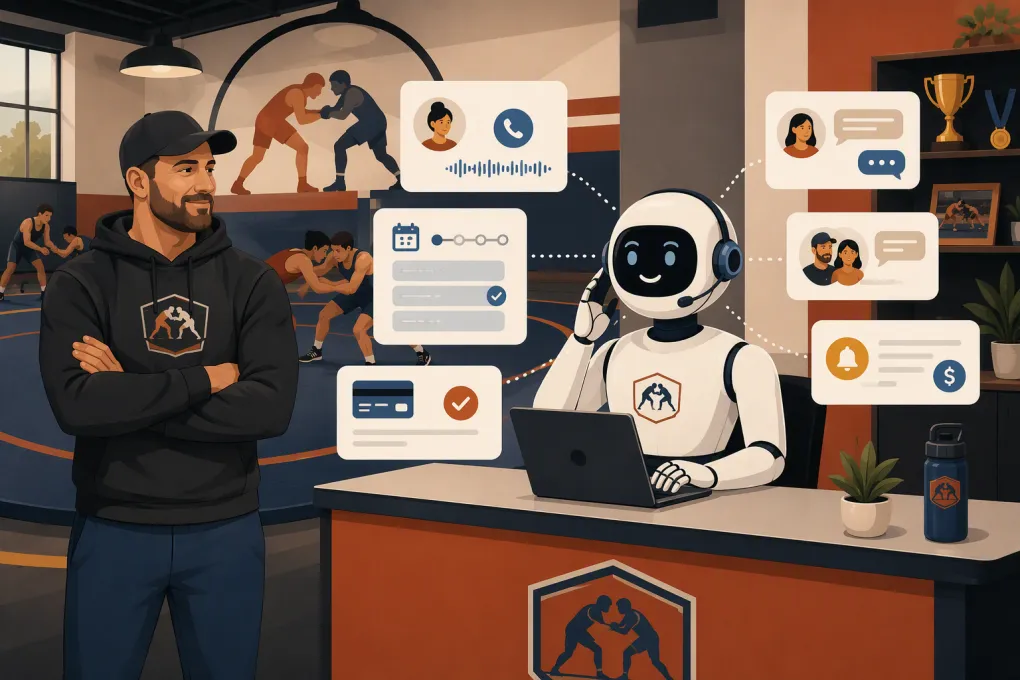
An AI receptionist for wrestling gyms can cover that gap. Properly configured, it can answer routine questions, qualify prospective members, book trials, send reminders, follow up on missed inquiries, and route sensitive issues to a person. It should not replace coaches or pretend every question can be automated. Its job is to keep straightforward conversations moving while protecting staff time.
See how Fitty handles wrestling gym inquiries when your team is on the mat →
Why wrestling gyms need a different receptionist workflow
A generic answering bot rarely understands how a wrestling program operates. Wrestling gyms often serve several audiences with different schedules, expectations, and enrollment rules:
- Parents evaluating youth beginner programs
- Experienced youth wrestlers looking for competitive training
- Middle school, high school, or college athletes seeking supplemental practice
- Adults interested in wrestling, grappling, or conditioning
- Private lesson and small-group clients
- Seasonal athletes preparing for camps, clinics, or tournaments
The receptionist must distinguish among these groups before recommending a class. Sending a first-time eight-year-old to an advanced competition practice creates a poor experience and may create a safety concern.
The workflow also needs to account for seasonal schedules, age brackets, room capacity, required waivers, trial policies, parent communication, and the difference between a class booking and gym membership.
What an AI receptionist should handle
Answer calls and messages immediately
The first responsibility is basic coverage. The receptionist should respond through the channels your gym actually uses, such as phone, website chat, text, or social messaging when supported.
It should identify the gym, ask why the person is contacting you, and collect enough information to take the next step. For a new wrestling inquiry, that usually means:
- Athlete or participant name
- Age or birth year
- Wrestling experience
- Primary goal
- Preferred location, if applicable
- Best days or class times
- Parent or guardian contact information for a minor
Do not turn this into a long interrogation. Ask only what is necessary to recommend the right program and complete the booking.
Recommend the correct introductory option
Your AI receptionist needs explicit eligibility rules. A useful configuration might separate programs by age, experience, and intent:
- Youth beginner: no prior experience required
- Youth intermediate: coach approval or defined experience required
- Competition team: evaluation required before enrollment
- Adult fundamentals: appropriate for new adult wrestlers
- Open mat: limited to members or approved visitors
- Private lesson: booked only with available coaches
The system should never infer that an athlete is ready for advanced practice based on enthusiasm alone. If eligibility is unclear, it should collect the lead and request a staff review.
Book trials and evaluations
Once the appropriate program is identified, the receptionist should offer actual available times rather than telling the prospect to check a schedule page.
A complete trial workflow can:
- Select an eligible class or evaluation.
- Reserve the spot against live capacity.
- Collect participant and guardian details.
- Send the waiver and preparation instructions.
- Confirm the date, arrival time, and location.
- Send reminders before the visit.
- Notify staff that a prospective member is coming.
The confirmation should answer the questions that otherwise create another call: what to wear, whether wrestling shoes are required, when to arrive, where to park, and whether a parent must remain onsite.
Follow up without losing the thread
Many prospects do not book during the first conversation. They may need to check a school schedule, speak with a spouse, or compare activities for their child.
Build a short follow-up sequence based on the lead’s status:
- Unbooked inquiry: Restate the recommended program and offer available trial times.
- Booked trial: Send logistical reminders and a simple confirmation option.
- No-show: Ask whether they want to reschedule without making the message accusatory.
- Completed trial: Explain the next enrollment step or offer a staff conversation.
- Not ready: Record the reason and schedule an appropriate follow-up instead of messaging indefinitely.
Every sequence needs a stop condition. Follow-up should stop when the person enrolls, declines, opts out, or requests human help.
Support payment and dues conversations
An AI receptionist can also handle routine account questions and send secure payment links for overdue dues or registration fees. It should verify the member appropriately and use your approved billing workflow.
Do not ask members to send complete card information through ordinary text or chat. Payment details should be entered on a secure hosted payment page. Disputes, hardship requests, refund demands, and cancellation disagreements should be escalated to authorized staff.
Explore how Fitty can follow up, book classes, and collect dues in one operating system →
What should always go to a person
Good automation depends on clear boundaries. An AI receptionist should transfer or escalate conversations involving:
- Injuries, symptoms, or requests for medical advice
- Weight cutting, rapid weight loss, or nutrition guidance for minors
- Bullying, harassment, misconduct, or athlete safety
- Refund disputes and membership contract disagreements
- Complex accessibility or accommodation requests
- Competition-team placement decisions
- Angry callers or repeated service complaints
- Emergencies or threats of harm
Configure emergency language carefully. The system should direct callers to emergency services when immediate help is required, not attempt to troubleshoot the situation.
Your escalation rules should identify who receives each issue, during which hours, and what happens if that person does not respond.
Build the receptionist’s source of truth
An AI receptionist is only as reliable as the information behind it. Before launch, create one approved source of truth covering the following.
Programs and eligibility
Document the name, age range, experience requirement, prerequisites, capacity, coach, and next step for every program. Define terms such as beginner, intermediate, advanced, and competition team rather than assuming their meaning is obvious.
Schedule and exceptions
Connect the receptionist to the schedule members actually book against. Include holiday closures, tournament weekends, seasonal changes, camps, and classes that require approval.
If coaches make schedule changes in group texts but not in the system, the AI will give outdated answers. The operational fix is to maintain one authoritative calendar.
Policies and pricing
Give the system approved language for trials, memberships, drop-ins, cancellation, freezes, equipment, uniforms, sibling options, and payment timing. If pricing varies by athlete or requires an evaluation, the receptionist should say that instead of guessing.
Facility details
Include parking, entrances, spectator rules, locker rooms, accessibility information, arrival instructions, and what participants should bring. These details matter disproportionately to first-time families.
How to implement an AI receptionist safely
1. Map your highest-volume conversations
Review recent calls, texts, forms, and front-desk questions. Identify the requests that are both common and repeatable. Trial inquiries, schedule questions, directions, equipment questions, and rescheduling are usually better starting points than unusual account problems.
2. Define actions, not just answers
A receptionist that only provides information still leaves work for the prospect. For each conversation, decide the desired action: book a trial, send a waiver, create a lead, accept a payment, reschedule a visit, or escalate to staff.
3. Connect live systems
The receptionist should work from current availability and update the same records your staff uses. Otherwise, employees end up copying details between calendars, inboxes, and spreadsheets.
Check how the system handles duplicate contacts, siblings sharing one guardian number, multiple gym locations, class capacity, waitlists, and existing members who contact you from a different phone number.
4. Test realistic edge cases
Do not test only the ideal inquiry. Try questions such as:
- My child is ten but has trained for four years. Which class fits?
- We have two siblings in different age groups.
- I want to attend open mat while visiting from another gym.
- My son missed his trial. Can we come tomorrow?
- I need to cancel because my card was charged incorrectly.
- Is it safe to cut weight before this weekend?
The correct result is not always an automated answer. Sometimes success means refusing to guess and routing the conversation correctly.
5. Roll out in stages
Start with after-hours lead response or website inquiries. Review transcripts, correct source information, and tighten escalation rules. Then expand into scheduling, follow-up, and payment workflows.
Tell staff what the receptionist handles and where they can see its activity. A system that operates invisibly will create confusion when a parent arrives for a trial nobody expected.
How to measure whether it is working
Track operational outcomes rather than message volume alone:
- Time from inquiry to first response
- Qualified inquiries that book a trial
- Trial confirmations, cancellations, and no-shows
- Completed trials that reach the enrollment step
- Conversations escalated to staff
- Incorrect answers or routing failures
- Overdue accounts resolved through approved payment flows
- Staff time spent correcting automation
Review the underlying conversations regularly. A rising booking count does not excuse inaccurate class placement or poor parent communication.
Choosing the right AI receptionist for your gym
Look beyond whether a product can answer a phone. Ask whether it can complete the workflows your wrestling gym depends on.
Evaluate:
- Phone, text, chat, and lead-form coverage
- Real-time class and appointment availability
- Age and experience qualification rules
- Parent and guardian contact handling
- Automated reminders and follow-up
- Secure payment-link workflows
- Staff escalation and conversation history
- Multi-location routing
- Waiver and membership process support
- Reporting on leads, bookings, and outcomes
Fitty is the AI receptionist inside WTF Go’s operating system for gyms, studios, spas, and wellness businesses. It is designed to answer leads, book classes, follow up, and collect dues around the clock, while keeping those activities connected to the broader operation.
For a wrestling gym, that means the receptionist can be configured around your actual programs and next steps instead of acting as a disconnected voicemail replacement.
See how WTF Go and Fitty can run your wrestling gym’s front-desk workflows →
The best implementation does not try to automate every human interaction. It gives prospects a fast, accurate path into the right program, gives members reliable help with routine tasks, and brings coaches or managers in when judgment is required.
Frequently asked questions
Can an AI receptionist book wrestling trial classes?
Yes, if it is connected to current class availability and configured with your age, experience, capacity, and approval rules. It should escalate uncertain placements rather than book an athlete into an unsuitable class.
Can it answer calls from parents after hours?
Yes. An AI receptionist can answer common questions, collect athlete details, recommend an eligible introductory option, and book a trial even when staff are coaching or the gym is closed.
Should an AI receptionist discuss injuries or weight cutting?
No. Medical, injury, nutrition, and weight-cutting questions should be routed to an appropriately qualified person, with emergencies directed to emergency services.
How long does it take to set up an AI receptionist for a wrestling gym?
Setup depends on the quality of your schedules, program rules, policies, and system connections. A staged rollout beginning with after-hours leads is usually easier to test and refine than automating every workflow at once.
Can an AI receptionist collect overdue gym dues?
It can send reminders and direct members to a secure payment page. Disputes, hardship requests, cancellations, and refunds should be escalated to authorized staff.
Keep reading



Run your gym on autopilot with WTF Go
Fitty — your AI receptionist — answers calls and DMs, fills classes, follows up with every lead, and collects dues while you coach.