AI & Automation
AI Receptionist for Wellness Clinics: A Practical Guide
Learn how an AI receptionist for wellness clinics handles calls, books appointments, follows up with leads, and supports staff without losing the human touch.
 Watch · 20s
A missed call at a wellness clinic rarely stays a simple missed call. It can become an unbooked consultation, an unanswered treatment question, or a prospective client who contacts the next clinic on the search results page.
The problem is not that your front desk is failing. Most teams are balancing arriving clients, ringing phones, practitioner schedules, rescheduling requests, payment questions, and messages from several channels at once. No employee can handle all of that simultaneously, especially before opening, after closing, or during a treatment-room rush.
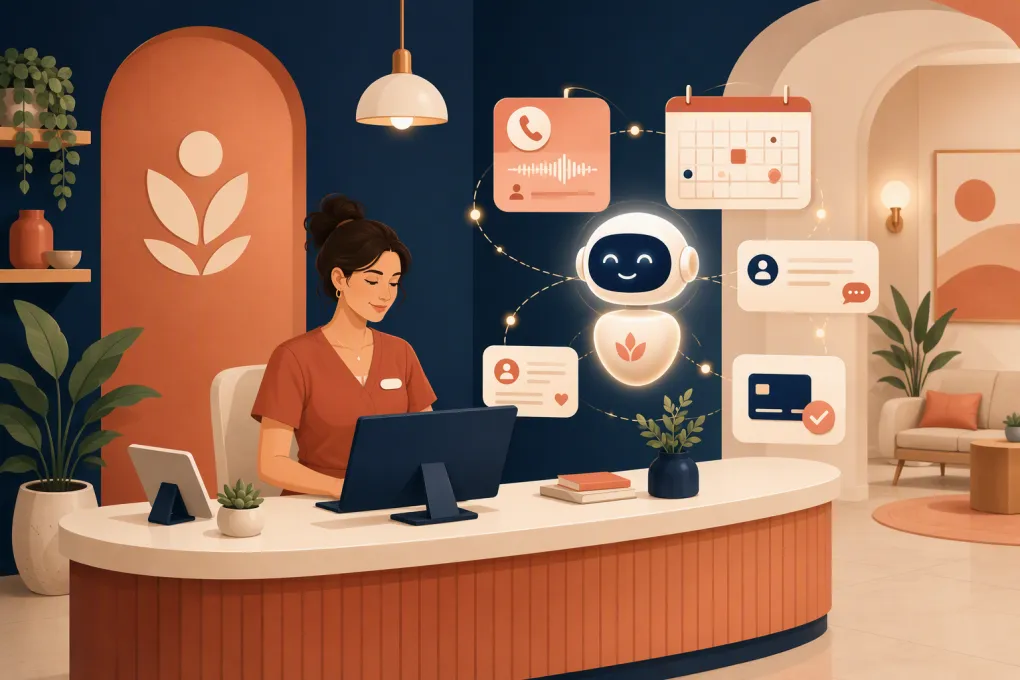
An AI receptionist for wellness clinics helps absorb the repetitive work: answering routine inquiries, capturing leads, booking eligible appointments, following up, and escalating conversations that need a person. The goal is not to remove your front desk. It is to keep routine demand from overwhelming it.
See how Fitty can handle wellness clinic inquiries around the clock →
What an AI receptionist actually does
An AI receptionist is a conversational system connected to the information and workflows your clinic uses. Depending on its setup, it can communicate by phone, text, web chat, or a combination of channels.
A useful system should do more than transcribe a voicemail. It should identify what the person needs and take an approved next step, such as:
- Answering questions about services, hours, locations, and policies
- Capturing a new lead’s name, contact details, and service interest
- Checking appointment or class availability
- Booking, rescheduling, or canceling within clinic rules
- Sending confirmations and follow-up messages
- Routing clinical, urgent, or unusual questions to staff
- Reminding clients about balances or directing them to an approved payment flow
- Recording the conversation outcome for the team
It should not diagnose conditions, recommend treatment, interpret symptoms, promise clinical outcomes, or improvise beyond the information you have approved. Those boundaries matter in every wellness business and become especially important when licensed healthcare services are involved.
Where wellness clinic reception workflows usually break
After-hours inquiries
Prospective clients often research services when your clinic is closed. If they reach voicemail, the conversation stops until someone returns the call. By then, the lead may have booked elsewhere or forgotten what prompted the inquiry.
An AI receptionist can respond immediately, explain the next step, gather relevant nonclinical information, and book an eligible consultation if your schedule permits it.
Interruptions during client care
When a receptionist is checking someone in, a ringing phone creates a forced choice. Answering disrupts the person at the desk; ignoring it risks losing the caller. The same issue affects smaller clinics where practitioners also handle reception.
AI can take the first pass on routine calls while employees stay focused on the client in front of them.
Inconsistent lead follow-up
Lead follow-up often depends on sticky notes, inbox searches, or someone remembering to call between appointments. An AI agent can apply the same approved follow-up process every time while stopping when a person books, opts out, or asks for an employee.
Repetitive scheduling work
Questions such as whether a service is available Saturday or whether a consultation is required may be easy to answer, but they consume staff attention. Automating them creates more room for situations that need judgment and empathy.
High-value workflows to automate first
Trying to automate every front-desk task at once creates avoidable risk. Start with frequent, predictable conversations that have a clear outcome.
New-client inquiry and booking
A practical workflow looks like this:
- Identify the requested service or general area of interest.
- Answer approved introductory questions.
- Determine whether the service requires a consultation or specific booking type.
- Collect only the information needed for that step.
- offer valid times from the connected schedule.
- Confirm the appointment and explain preparation requirements from your approved materials.
- Escalate contraindication, symptom, medication, or treatment-suitability questions to qualified staff.
The scheduling logic needs to reflect reality. If a treatment requires a particular provider, room, device, duration, or prerequisite, the AI must honor those constraints rather than treating every open calendar slot as interchangeable.
Rescheduling and cancellation
Simple schedule changes are strong automation candidates when the system can enforce your cancellation window, deposit rules, and service restrictions.
Define exceptions in advance. A late cancellation, repeated no-show, package issue, or request to switch treatment types may need employee review instead of an automatic change.
Lead follow-up
A prospective client may ask about a service but stop before booking. An AI receptionist can continue the conversation with useful prompts rather than generic sales messages.
For example, it can offer to find a consultation time, clarify whether the client prefers a particular location, or answer a remaining nonclinical question. The follow-up should end when the lead declines, opts out, books, or requires human assistance.
See how Fitty turns wellness inquiries into booked next steps →
Payment and balance reminders
Administrative payment conversations can also be automated carefully. The receptionist might explain an approved deposit policy, notify a client that action is needed, or send the person into your authorized checkout process.
Do not let an AI agent invent payment arrangements or collect sensitive card information through an unapproved channel. Refunds, disputes, hardship requests, and unclear account balances should go to an employee.
Capabilities to require before you buy
A polished demonstration is not enough. Evaluate how the system behaves when schedules, policies, and conversations become messy.
Reliable calendar access
The AI should check current availability rather than suggest times from a static list. Ask how it prevents double-booking, handles provider and resource dependencies, and records appointment changes.
Controlled knowledge
Your team should be able to define the source material the AI uses, including:
- Service descriptions
- Operating hours and holiday closures
- Practitioner and location information
- Booking prerequisites
- Cancellation and deposit policies
- Preparation and aftercare language approved by the clinic
- Escalation instructions
You also need a process for updating that information. An accurate answer today can become wrong after a schedule, price, provider, or policy change.
Human escalation
The system must recognize when it has reached its limits. Useful escalation options include a live transfer during staffed hours, a callback task, an internal alert, or a message placed in the correct queue.
Create explicit escalation triggers for medical questions, adverse reactions, urgent language, complaints, refund disputes, accessibility needs, and requests the AI cannot confidently classify. Emergency language should receive your approved emergency guidance rather than ordinary sales handling.
Conversation records and reporting
Operators need visibility into what happened. Look for searchable outcomes, transcripts or summaries where appropriate, booking attribution, unresolved questions, and escalation history.
Reporting should help you answer operational questions: Which inquiries are not converting? What are callers repeatedly asking? Where does the AI hand off? Are incorrect answers tied to missing knowledge or faulty workflow rules?
Multi-location controls
If you run multiple clinics, confirm that the system can distinguish location-specific schedules, services, staff, policies, and contact paths. A centralized AI receptionist is only useful if it does not send a client to the wrong location or describe a service that is unavailable there.
Privacy, security, and clinical boundaries
Wellness clinic is a broad label. A massage studio, med spa, IV therapy clinic, recovery center, and integrative medical practice may have very different legal and operational obligations.
Determine whether your organization is subject to HIPAA or other privacy requirements based on the services you provide, the information you handle, and how your business operates. If a vendor will create, receive, maintain, or transmit protected health information on behalf of a covered entity or business associate, involve qualified legal or compliance counsel and determine whether a business associate agreement and other safeguards are required.
Before deployment, ask the vendor:
- What information is collected, stored, and retained?
- Where are call recordings, transcripts, and summaries kept?
- Who can access them?
- Can retention settings be configured?
- How is data protected in transit and at rest?
- What subcontractors or connected services process the data?
- How are deletion and access requests handled?
- What contractual commitments are available?
Configure the receptionist to collect the minimum information needed for each workflow. A booking conversation does not need to become a detailed medical intake. Keep clinical assessment in the systems and hands designed for it.
How to implement an AI receptionist without disrupting the clinic
1. Audit real conversations
Review the types of calls and messages your team receives. Group them by intent: new lead, existing-client booking, cancellation, pricing question, directions, billing issue, clinical question, complaint, or emergency language.
This creates a real implementation plan instead of one based on assumptions.
2. Assign an owner to every intent
For each category, decide whether the AI should answer, complete a transaction, collect information, or escalate. Name the employee or queue that owns each escalation so messages do not disappear into a general inbox.
3. Build the approved knowledge base
Use current clinic materials, not improvised answers. Remove conflicting policy documents and identify who is responsible for future updates.
4. Test difficult scenarios
Test more than perfect booking requests. Try ambiguous service names, unavailable providers, late cancellations, upset clients, multilingual inquiries, background noise, clinical questions, and requests that combine several issues.
Check both the response and the record created for staff.
5. Launch a narrow workflow first
After-hours lead capture or routine appointment inquiries are reasonable starting points. Review conversations, correct gaps, and then expand into rescheduling, follow-up, and payment workflows.
6. Measure operational outcomes
Track completed bookings, qualified leads captured, unresolved conversations, transfers, response time, booking errors, opt-outs, and common unanswered questions. The purpose is not to prove that the AI talks often. It is to determine whether it completes useful work accurately.
Where Fitty fits into the front desk
Fitty is the AI receptionist and agent inside WTF Go, an operating system built for gyms, studios, spas, and wellness businesses. It can support the customer journey from initial inquiry through booking, follow-up, and dues collection, instead of operating as an isolated answering service.
That connected approach matters because reception is not a single phone call. A lead may ask a question, receive a follow-up, book a service, and later need payment assistance. Keeping those steps in one operating workflow gives the team clearer context and reduces manual handoffs.
Fitty is best used as the always-available operational layer around your staff: handling repeatable conversations, moving clients toward an approved next step, and handing exceptions to people.
Explore how WTF Go and Fitty can support your clinic’s front desk →
The right goal is a better front desk, not a staff-free one
An AI receptionist should make your clinic easier to reach and easier to book without weakening service quality or clinical boundaries. The strongest setup combines machine consistency with human judgment: AI handles routine volume, while employees take over when a conversation requires expertise, discretion, or care.
Start with one clear workflow, connect it to accurate clinic information, define firm escalation rules, and inspect the results. That is how AI becomes useful front-desk infrastructure rather than another tool your team has to manage.
Frequently asked questions
Can an AI receptionist book wellness clinic appointments?
Yes, if it is connected to current scheduling data and configured with the clinic's provider, room, service, and prerequisite rules. Complex or restricted bookings should be escalated to staff.
Can an AI receptionist answer medical questions?
It should not diagnose, assess symptoms, or recommend treatment. It can share clinic-approved administrative information and route clinical questions to a qualified employee.
Is an AI receptionist for wellness clinics HIPAA compliant?
Compliance depends on the clinic, vendor, configuration, contracts, and data flows. Clinics subject to HIPAA should assess whether protected health information is involved and verify safeguards and business associate agreement requirements with qualified counsel.
Will an AI receptionist replace front-desk staff?
It is better used to handle repetitive calls, bookings, follow-ups, and routine questions. Staff remain essential for clinical issues, exceptions, complaints, and conversations requiring judgment or empathy.
What should a wellness clinic automate first?
Start with a frequent, low-risk workflow such as after-hours lead capture, basic service questions, or eligible appointment booking. Expand only after reviewing accuracy, handoffs, and staff feedback.
Keep reading



Run your gym on autopilot with WTF Go
Fitty — your AI receptionist — answers calls and DMs, fills classes, follows up with every lead, and collects dues while you coach.