AI & Automation
AI Receptionist for Wellness Center Appointment Bookings
Learn how an AI receptionist for wellness center appointment bookings handles calls, schedules services, follows up, and protects staff time reliably.
 Watch · 20s
A prospective client calls your wellness center between appointments, while the front desk is helping someone check out and a practitioner needs the room reset. Nobody answers. The caller does not leave a voicemail; they simply move to the next business that can book them.
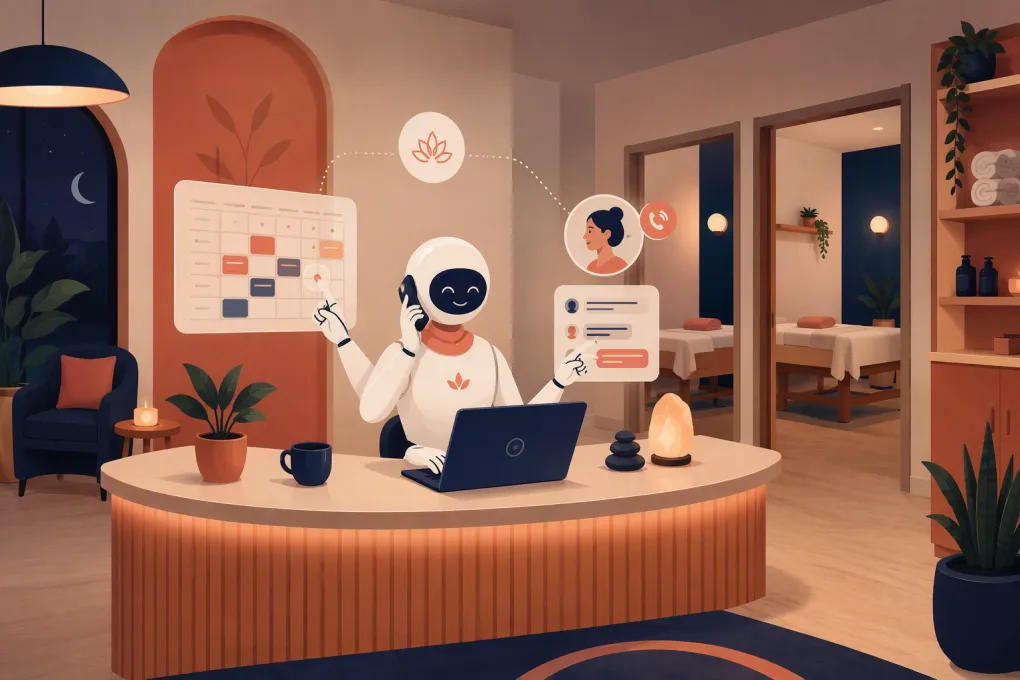
That is the operational gap an AI receptionist is designed to close. It gives prospective and current clients an immediate way to ask questions, find an appropriate service, choose an available time, and complete the next step without waiting for an employee to become free.
For wellness centers, however, booking is rarely as simple as dropping a name into an open calendar slot. The system may need to account for providers, rooms, equipment, service durations, intake requirements, buffers, deposits, memberships, and cancellation rules. A useful AI receptionist must work within those realities rather than creating more cleanup for the front desk.
See how Fitty can handle wellness booking conversations around the clock →
What an AI receptionist should actually handle
An AI receptionist for wellness center appointment bookings should do more than send a calendar link. Its job is to move a client from initial interest to a correctly scheduled appointment while following the center’s operating rules.
A capable setup should support several connected workflows.
Answer common pre-booking questions
Clients often want basic information before they commit:
- Which service fits their stated goal
- How long an appointment takes
- What they should wear or bring
- Whether a service requires preparation
- Which providers offer the service
- Whether memberships, packages, or drop-in options are available
- What the cancellation and rescheduling policies are
- Where the business is located and where to park
The receptionist should answer from approved business information, not improvise. For medical, clinical, or condition-specific questions, it should avoid diagnosis and route the conversation to a qualified employee.
Find a bookable appointment
The AI should gather only the information needed to identify the correct service and search valid availability. Depending on your business, that may include:
- New or returning client status
- Requested service
- Preferred provider, if any
- Preferred day or time range
- Location
- Room or equipment requirements
- Appointment length
- Required buffer before or after the service
The booking engine must remain the source of truth. If the AI relies on a separate or delayed calendar, double bookings and unavailable-room conflicts become likely.
Complete the booking workflow
Once the client selects a time, the receptionist should capture the required contact details and trigger the same operational steps as a staff-booked appointment. Those may include a confirmation, intake form, waiver, deposit request, preparation instructions, or membership prompt.
Do not ask the AI to collect every possible detail during the first conversation. Long interrogations create friction. Secure the appointment, collect what is operationally necessary, and move secondary paperwork into the confirmation flow.
Follow up when the client does not book
Not every conversation ends with an appointment. A client may need to check a schedule, speak with a partner, or wait until payday. Without a follow-up process, that lead disappears into a call log or inbox.
A practical system records the inquiry, the service of interest, and the reason the booking was not completed. It can then send an appropriate follow-up or assign the lead to a staff member. Fitty is built to answer leads, book, follow up, and keep the conversation moving rather than treating every inquiry as a one-time interaction.
Where AI reception creates the most operational value
The clearest use case is after-hours coverage, but limiting AI to nights and weekends misses much of the value.
During active treatment hours
Wellness employees should not have to interrupt a client experience to answer every incoming question. An AI receptionist can cover routine inquiries while the team handles treatments, consultations, room turnover, and in-person service.
During call spikes
Calls frequently cluster around opening time, lunch breaks, promotions, weather changes, and class or appointment transitions. A person can only handle one live call at a time. An AI-supported workflow can prevent simultaneous inquiries from becoming missed opportunities.
For recurring administrative requests
Current clients contact the front desk to reschedule, confirm a time, ask about package balances, or understand a policy. Automating eligible requests keeps the team from repeatedly performing low-complexity tasks.
The qualification matters: not every request should be automated. Refund disputes, adverse reactions, sensitive complaints, medical questions, and unusual account issues need a clear human escalation path.
Booking rules to define before turning it on
AI performance depends heavily on the quality of the rules behind it. Before launch, document how your front desk would handle each common booking situation.
Service and provider rules
For every service, define:
- Duration and cleanup buffer
- Eligible providers
- Required rooms or equipment
- New-client restrictions
- Age or eligibility requirements
- Prerequisites or required consultations
- Minimum notice for booking
- How far in advance clients may schedule
If two services have similar names, write a simple explanation of the difference. The AI should be able to clarify without making health claims or recommending treatment beyond approved guidance.
Payment and cancellation rules
Decide whether each appointment requires a card on file, deposit, prepayment, package credit, or no payment. Define the cancellation window and the circumstances that require staff review.
An automated receptionist should not quietly override these rules to complete a booking. Exceptions should be logged and sent to an authorized employee.
Escalation rules
Create explicit escalation categories. Examples include:
- The client reports an urgent health concern
- The requested service is not clearly appropriate
- The account has a payment dispute
- No valid appointment satisfies the request
- The client asks for an exception to policy
- The conversation becomes hostile or highly sensitive
- The AI lacks an approved answer
A good escalation includes context. Staff should receive the client’s name, contact details, requested service, preferred time, and a concise reason for the handoff, so the client does not have to start over.
Explore how WTF Go and Fitty connect booking, lead follow-up, and front-desk workflows →
How to implement an AI receptionist without disrupting the front desk
Do not switch on every workflow at once. A controlled rollout is easier to test and safer for the client experience.
1. Audit recent inquiries
Review calls, texts, website inquiries, voicemails, and front-desk questions. Group them into categories such as new bookings, rescheduling, pricing, service questions, directions, billing, and complaints.
This gives you a real knowledge base instead of one built from assumptions.
2. Start with low-risk conversations
Begin with business hours, directions, approved service descriptions, basic availability, and straightforward appointment requests. Add payment handling, membership questions, and complex rescheduling after the foundational workflow is reliable.
3. Test difficult scenarios
Do not test only the ideal booking. Try scenarios that expose operational weaknesses:
- A client wants a provider who is unavailable
- A room is occupied even though a practitioner appears free
- A new client requests a service that requires consultation
- Two people want appointments together
- A client changes locations midway through the conversation
- The desired time disappears before confirmation
- A caller asks for medical advice
Confirm that the AI either completes the workflow correctly or escalates it cleanly.
4. Train the staff
Employees need to know what the AI handles, where its notes appear, how escalations are assigned, and who owns unresolved conversations. Automation without ownership creates a different kind of dropped lead.
Give one person responsibility for updating service details, policies, hours, closures, and provider rules. Outdated information is a process failure, regardless of whether it was delivered by a person or AI.
5. Review conversations and booking outcomes
Monitor the operation rather than just whether the AI responded. Useful questions include:
- Did qualified inquiries reach a valid next step?
- Which questions caused escalation?
- Which services were frequently confused?
- Were appointments booked with the correct resources and buffers?
- Did staff follow up on unresolved leads?
- Did clients repeatedly ask for information missing from the knowledge base?
Use those findings to improve rules and approved answers. The goal is not to eliminate human involvement; it is to reserve human attention for work that actually requires judgment.
Privacy and safety considerations for wellness operators
Wellness centers can receive sensitive personal and health-related information, even when they are not medical practices. Collect the minimum information necessary for booking and restrict access according to employee responsibilities.
If your business is subject to HIPAA or other industry-specific requirements, do not assume that any general AI receptionist is suitable. Ask vendors about data handling, retention, access controls, security practices, subcontractors, and whether they will sign required agreements. Consult qualified legal or compliance counsel for obligations specific to your services.
The AI should also avoid diagnosing conditions, interpreting symptoms, promising outcomes, or providing unapproved treatment advice. Its role is reception and scheduling, not clinical decision-making.
Choosing the right setup for your wellness center
Look beyond whether a product can answer a question. Evaluate whether it can operate inside your actual client journey.
Ask prospective vendors:
- Does availability update from the live booking system?
- Can it account for providers, locations, rooms, and equipment?
- Can it support both appointments and classes if we offer both?
- What happens when it cannot answer confidently?
- Can staff see the conversation and take over?
- How are follow-ups assigned and tracked?
- Can it trigger confirmations, forms, or payment steps?
- How are cancellations and rescheduling handled?
- What data is stored, where, and for how long?
- How is the system updated when policies change?
WTF Go is built as an all-in-one operating system for gyms, studios, spas, and wellness businesses. Fitty adds the always-available reception layer: answering leads, booking classes and services, following up, and helping collect dues. That combination matters because the conversation, booking, and follow-up should not live in disconnected tools.
See how Fitty can support your wellness center’s appointment workflow →
The strongest AI receptionist is not the one that talks the most. It is the one that books correctly, stays within policy, captures context, and knows when your team needs to step in.
Frequently asked questions
Can an AI receptionist book wellness appointments after hours?
Yes. When connected to current availability and configured with your booking rules, it can answer common questions and schedule eligible appointments outside staffed hours.
Can an AI receptionist manage multiple providers and rooms?
It can if the underlying system supports resource-based scheduling and the provider, room, equipment, duration, and buffer rules are configured correctly.
Will AI replace my wellness center’s front-desk staff?
It is better used to cover routine inquiries, missed calls, booking requests, and follow-up. Staff remain essential for sensitive issues, exceptions, complex client needs, and in-person service.
Is an AI receptionist HIPAA compliant?
Do not assume it is. Businesses subject to HIPAA should verify data practices, security controls, vendor agreements, and availability of a BAA with qualified compliance counsel.
What information does an AI receptionist need before launch?
Provide service descriptions, pricing rules, provider eligibility, hours, locations, resource requirements, booking limits, payment policies, cancellation terms, and escalation procedures.
Keep reading



Run your gym on autopilot with WTF Go
Fitty — your AI receptionist — answers calls and DMs, fills classes, follows up with every lead, and collects dues while you coach.