AI & Automation
AI Receptionist for Tennis Lesson Bookings: Operator Playbook
Learn how an AI receptionist for tennis lesson bookings handles calls, matches players with coaches, fills courts, follows up, and takes payments 24/7.
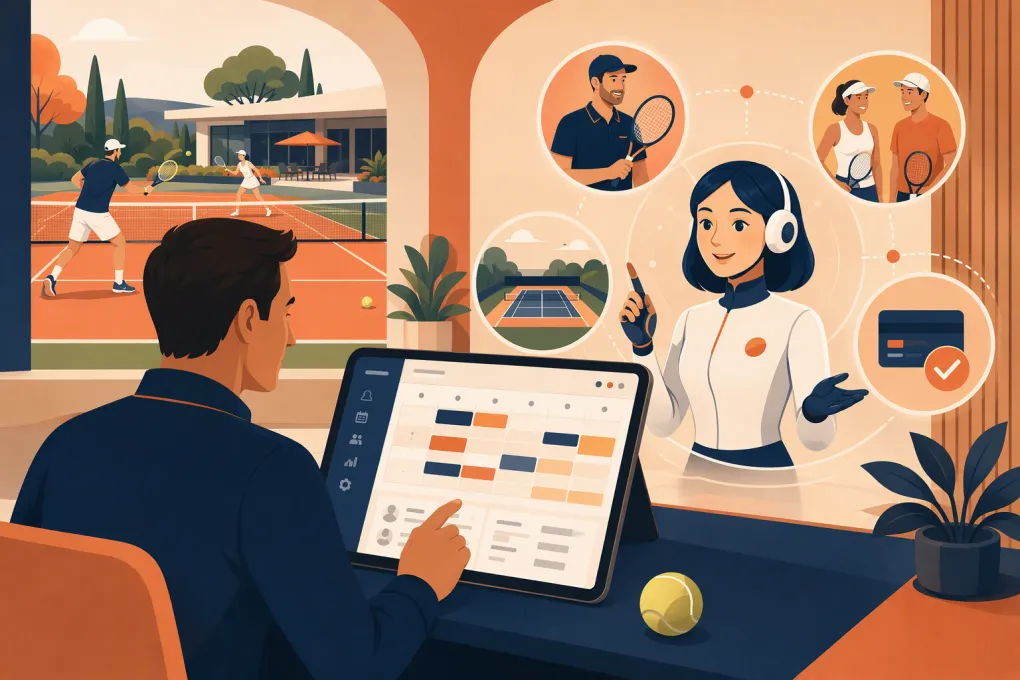 Watch · 20s
A tennis lesson inquiry is rarely just a request for an open time. The player may need the right coach, lesson format, skill level, court, equipment and price—then ask what happens if it rains. If nobody answers promptly, that player can move on to another club or instructor.
An AI receptionist for tennis lesson bookings can handle the repetitive front-desk work around those inquiries. It can answer common questions, gather player details, guide qualified leads toward available lessons, follow up and help collect payment. The goal is not to remove your staff from the customer experience. It is to stop routine booking work from consuming their day—and stop good leads from disappearing after hours.
Why tennis lesson booking is harder than basic scheduling
A calendar only shows whether a time is open. A workable tennis booking must account for several connected resources and rules:
- Coach availability: Not every instructor teaches every age, level or lesson type.
- Court availability: A coach can be free while the appropriate court is occupied.
- Lesson format: Private, semi-private, group clinics and junior programs have different capacity rules.
- Player fit: Age, experience, goals and competitive level can determine the right coach or program.
- Location: Multi-site operators must route players to the correct facility.
- Weather: Outdoor programs need clear rain, heat and rescheduling policies.
- Payment status: Some bookings require prepayment, a package credit or an active membership.
- Operational policies: Cancellation windows, guest rules, waivers and equipment requirements must be communicated consistently.
A generic chatbot may capture a name and phone number. A useful AI receptionist needs a defined booking workflow and access to accurate business information. It should know when it can complete a booking and when a staff member needs to step in.
See how Fitty can handle tennis lesson inquiries around the clock →
What an AI receptionist should handle
The best place to use AI is on work that is frequent, structured and easy to verify. For a tennis operation, that typically includes the following.
Answering routine booking questions
Prospects often ask the same questions before committing:
- Do you offer beginner lessons?
- Can my two children train together?
- Which coach works with tournament players?
- Are non-members allowed to book?
- What happens when it rains?
- Do I need to bring a racket?
- Can I purchase a lesson package?
The AI receptionist should answer from approved information rather than improvising. Policies, pricing categories, coach profiles and program descriptions need an owner inside the business and a regular review process.
Qualifying the player
Good qualification should feel helpful, not like a long intake form. Ask only what is needed to recommend the next step:
- Is the lesson for an adult or junior player?
- What is the player’s approximate experience or level?
- Is the goal recreation, skill development, fitness or competition?
- Is there a preferred location, coach or time range?
- Is the player looking for private instruction, a clinic or either?
- Are there any accessibility or equipment needs staff should know about?
For players who do not know their level, use plain-language descriptions. Do not force a new player to understand rating systems before they can book an introductory lesson.
Booking the right lesson
The receptionist should offer only bookable options that fit your rules. A proper workflow checks the relevant coach, court, lesson type, duration and player eligibility before confirming.
If the system cannot verify all required inventory, it should collect the request and create a clear handoff instead of promising a slot. A fast, honest escalation is better than a confident double booking.
Following up on incomplete inquiries
Many prospects ask about availability but do not immediately choose a time. An automated follow-up can bring them back to the booking process without requiring staff to maintain a callback list.
Useful follow-ups should reference the actual request. For example, remind the parent about the junior beginner options discussed or ask whether the adult player still wants an evening private lesson. Repeating a generic sales message adds little value.
Follow-up by text or other channels should respect the person’s consent, your stated communication preferences and applicable messaging rules.
Supporting payment and dues collection
An AI receptionist can direct players to a secure payment step, explain package requirements and follow up on outstanding dues. It should not request sensitive card details in an unapproved conversation or store payment information outside your payment system.
Fitty, WTF Go’s AI receptionist, is designed to answer leads, book services, follow up and collect dues 24/7. That gives operators one workflow across the initial inquiry and the administrative steps that turn interest into revenue.
Explore how Fitty connects booking, follow-up and dues collection →
Build the workflow before turning on the AI
AI will expose unclear operating rules quickly. Before launch, document the decisions your experienced front-desk employee already makes.
Create a bookable service catalog
For every lesson or program, define:
- Public service name and plain-language description
- Private, semi-private or group format
- Duration and capacity
- Eligible ages and ability levels
- Approved coaches and locations
- Court or resource requirements
- Member and non-member eligibility
- Price or package requirement
- Booking and cancellation rules
- Weather policy
- Whether staff approval is required
Avoid offering several services with nearly identical names. Prospects should understand the difference without knowing your internal terminology.
Define escalation triggers
The AI receptionist should transfer or flag conversations involving:
- Injuries, medical questions or accommodation decisions
- Complaints and refund disputes
- High-performance coaching placements requiring evaluation
- Unclear player-to-program fit
- Special events, team bookings or court blocks
- Conflicting availability or account information
- Requests outside approved policies
Assign each escalation type to a person or queue, and define the information staff need in the handoff. At minimum, include the player’s contact details, request, preferred times and conversation summary.
Protect schedule accuracy
An AI receptionist is only as reliable as the information behind it. Decide which system controls coach schedules, court inventory, packages and customer records. Avoid maintaining competing calendars that require manual reconciliation.
Test common failure points before launch:
- A coach becomes unavailable after a time was offered.
- A court is closed for maintenance.
- Two siblings need a semi-private lesson.
- A package has no remaining credits.
- An outdoor lesson is affected by weather.
- A lead asks for a coach who does not teach that level.
- A parent attempts to place a junior in an age-restricted clinic.
WTF Go provides an all-in-one operating system for gyms, studios, spas and wellness businesses, with Fitty handling the receptionist work. For tennis operators, the important implementation question is how your lesson types, staff schedules and booking rules will be represented—not whether an AI can simply hold a conversation.
Talk to WTF Go about setting up Fitty for your tennis booking workflow →
A practical conversation flow
A short, structured flow usually performs better than asking every possible question upfront.
1. Identify the request
Determine whether the person wants a private lesson, group program, reschedule, cancellation, package or general information.
2. Collect the minimum qualification details
Ask age category, approximate level, preferred location and scheduling window. Request additional details only when they affect eligibility or matching.
3. Present a small set of relevant options
Offer the closest valid choices rather than dumping the entire schedule. Include the coach, location, format and price information needed to decide.
4. Confirm the booking requirements
Explain payment, waiver, cancellation and equipment requirements before final confirmation. This reduces surprises at check-in.
5. Complete or escalate
Confirm the lesson when every required resource is available. Otherwise, route the inquiry to staff with the context already collected.
6. Send operational reminders
Provide the date, arrival instructions, facility location, weather guidance and a way to manage the booking. The reminder should reduce front-desk questions, not create new ones.
How to measure whether it is working
Do not judge an AI receptionist by the number of conversations it handles. Measure whether it improves the booking operation.
Track:
- Inquiries that result in a booked lesson
- Time from first inquiry to confirmed booking
- Calls or inquiries that go unanswered
- Incomplete bookings recovered through follow-up
- Bookings requiring staff correction
- No-shows and late cancellations
- Outstanding dues recovered
- Escalation volume and reasons
- Coach and court utilization by time block
Review conversation samples alongside the numbers. Look for incorrect answers, unnecessary questions, weak handoffs and options that prospects repeatedly decline. Those findings often point to a policy, service design or schedule issue—not just an AI problem.
Keep the human roles that matter
An AI receptionist should remove queue work, not professional judgment. Coaches still evaluate nuanced player needs. Managers still resolve disputes and exceptions. Staff still build relationships with members and families.
The operational win is straightforward: routine inquiries are answered when they arrive, qualified players can move toward an appropriate lesson, and employees receive cleaner handoffs for the cases that genuinely require them. That is where an AI receptionist for tennis lesson bookings earns its place at the front desk.
Frequently asked questions
Can an AI receptionist book both private tennis lessons and group clinics?
Yes, if each service has clear eligibility, capacity, coach, court and payment rules. Complicated placements can be routed to staff for approval.
How does an AI receptionist avoid double-booking a coach or court?
It must use current availability from the system that controls schedules and resources. If availability cannot be verified, it should create a staff handoff rather than confirm the lesson.
Can an AI receptionist handle rain cancellations for outdoor lessons?
It can explain your approved weather policy, send updates and guide players through defined rescheduling steps. Staff should handle exceptions or decisions not covered by the policy.
What information should the AI collect from a new tennis player?
Usually age category, experience level, goals, preferred location, lesson format and available times. Collect only the information needed to recommend or book the right service.
Does Fitty replace tennis club front-desk staff?
No. Fitty handles repetitive lead response, booking, follow-up and dues collection so staff can focus on exceptions, service and member relationships.
Keep reading


Run your gym on autopilot with WTF Go
Fitty — your AI receptionist — answers calls and DMs, fills classes, follows up with every lead, and collects dues while you coach.