AI & Automation
AI Receptionist for Tanning Salons: Setup and ROI Guide
Learn how an AI receptionist for tanning salons answers calls, books around equipment rules, follows up, collects dues, and shows measurable ROI 24/7.
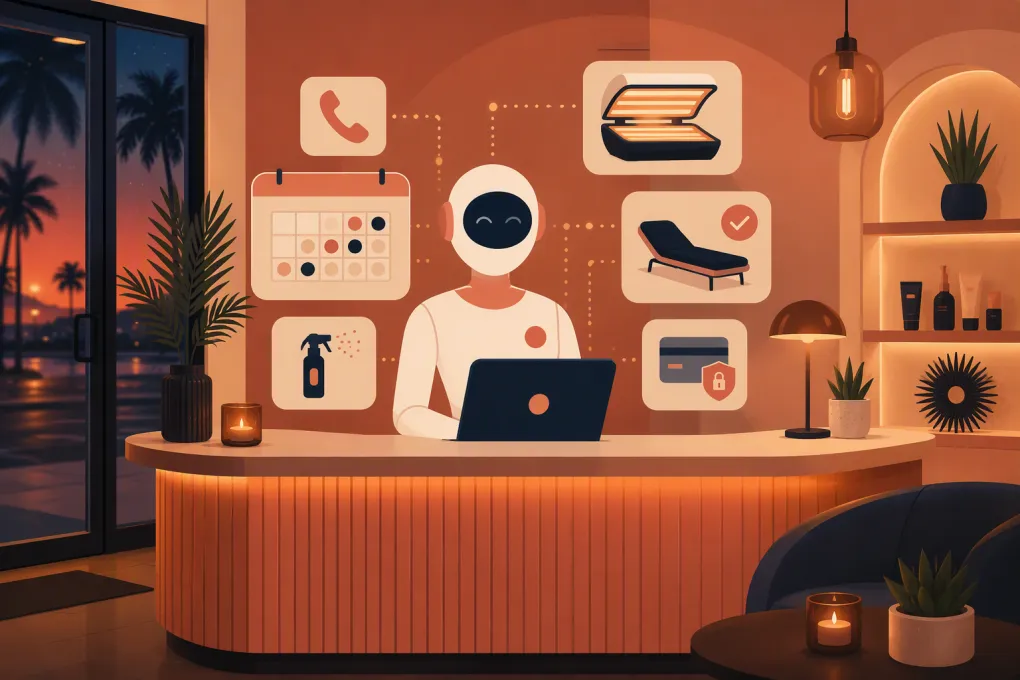 Watch · 20s
A tanning salon rarely misses a call because nobody is working. It misses the call because the employee on duty is checking in a member, resetting a room, explaining a spray-tan prep routine, or resolving an account issue.
That distinction matters. An AI receptionist for tanning salons should not be a generic answering bot layered onto an already busy operation. It should understand locations, equipment categories, session rules, membership status, new-client requirements, and when an employee must take over.
Configured correctly, it can answer overflow and after-hours calls, book eligible services, follow up with leads, and direct members to secure payment options. Configured poorly, it can promise unavailable equipment, quote an expired offer, or give an unsafe answer that staff must unwind.
See how Fitty handles tanning salon calls, bookings, follow-up, and dues →
What the AI should—and should not—handle
Good automation starts with a defined scope.
The AI can usually handle:
- Hours, directions, parking, and location-specific amenities
- General descriptions of UV, spray, sunless, red-light, or other offered services
- Approved package and membership information
- Lead capture and service-interest qualification
- Eligible bookings, reschedules, and cancellations
- Appointment confirmations and operational reminders
- Missed-call and inquiry follow-up
- Secure links for updating payment details or paying balances
- Transfers and callback tasks with conversation context
It should escalate:
- Questions about medical conditions, medications, or individual exposure suitability
- Requests to override age, consent, waiver, interval, or identification requirements
- Complaints involving injury, equipment, or employee conduct
- Refunds, disputed charges, membership exceptions, and cancellation disputes
- Any situation in which the booking system and the caller provide conflicting information
The AI should never independently recommend exposure time, diagnose a condition, or decide that a customer can bypass a required safeguard.
Realistic calls expose weak configurations
A polished demo with “What time do you close?” proves very little. Test the situations your front desk actually receives.
Scenario: The vague new-customer request
A caller says, “I want the strongest bed tonight.” The agent should not immediately reserve a resource. It should identify the location, determine whether the person is new, explain any required check-in or eligibility process using approved language, and offer only services the customer can validly book.
If the system cannot verify eligibility, it should create a pending request or transfer the caller—not guess.
Scenario: The package does not match the equipment
A member asks to book a premium equipment category, but the connected account shows a different membership level. The AI should explain that it cannot confirm access, offer permitted options if the system exposes them, or route the question to staff. It should not promise that an upgrade or surcharge will be available unless that workflow is explicitly configured.
Scenario: Spray tan near closing
A caller requests the last slot of the evening. The calendar appears open, but the service requires staff time, room reset time, or a cutoff before the posted closing hour. Availability must account for those constraints. “Open until 9” does not mean every service can start at 8:55.
Scenario: Multi-location confusion
A customer saw an offer associated with one location but calls another. The AI should confirm where the offer applies, whether the requested equipment exists at the preferred salon, and which calendar it is using before quoting or booking anything.
Scenario: A missed payment with a cancellation request
A member calls after receiving a billing message and says, “Just cancel everything.” This is no longer a routine collection conversation. The AI should acknowledge the request, stop collection-oriented persuasion, explain the documented next step, and escalate according to the salon’s cancellation policy.
These are illustrative operating scenarios, not invented customer case studies. Use them as test cases against your own rules.
Build booking around resources and eligibility
Tanning bookings involve more than an open time on a calendar. Before enabling autonomous booking, document:
- Service-to-resource mapping: Which bed, booth, room, equipment category, or staff resource can fulfill each service?
- Session duration and buffers: Does the calendar include check-in, cleaning, preparation, and room-reset time?
- Customer status: Can the workflow distinguish new customers, active members, package holders, expired accounts, and guests?
- Eligibility controls: Which bookings require a waiver, orientation, identification, parental consent, interval check, or employee approval?
- Location differences: Which services, hours, offers, and policies vary by salon?
- Failure behavior: What happens when account data, eligibility, or live availability cannot be verified?
The booking or membership platform should remain the system of record. If the AI cannot read and write reliable availability, it should label the request as pending and create a staff task instead of presenting it as confirmed.
Implementation checklist for operators
Assign one launch owner with authority to coordinate operations, marketing, front-desk staff, and the software vendor. “Everyone owns it” usually means policy updates and failed conversations go unaddressed.
Integrations and data
- Connect the phone number, web forms, advertising leads, CRM, booking calendar, membership system, and payment workflow that the agent actually needs.
- Define the source of truth for hours, prices, offers, equipment, policies, and account status.
- Map required fields: name, mobile number, email, preferred location, service interest, lead source, membership status, requested time, consent status, outcome, and follow-up owner.
- Decide how duplicate contacts, household accounts, and incomplete records will be handled.
- Confirm whether calendar and account updates are real time, delayed, or manually synchronized.
Permissions and controls
- Allow only the minimum access required for each workflow.
- Separate “read account status” from “change membership terms.”
- Prevent the AI from issuing refunds, inventing discounts, changing contracts, or overriding eligibility rules.
- Keep card data inside an approved payment processor or secure checkout flow.
- Require an audit trail for bookings, account changes, messages, and transfers.
Testing
Run test calls for new clients, active members, expired packages, failed payments, full calendars, equipment outages, multi-location offers, minors, medical questions, complaints, and cancellation requests.
Test accents, background noise, interruptions, changed answers, and callers who ask several questions at once. Verify not only the transcript but the resulting booking, CRM fields, notifications, and staff task.
Fallback behavior
Define what happens when an integration is unavailable, the AI is uncertain, a transfer fails, or no employee answers. A safe fallback should capture the caller’s details, summarize the issue, set a response expectation approved by the salon, and alert the correct person.
Never let a system outage become a false booking confirmation.
Launch ownership
Start with after-hours and overflow calls. Review conversations daily during the initial launch period, then move to a regular quality-review schedule. The owner should track corrections, update the knowledge base, and communicate changed policies to both staff and the AI vendor.
Explore how WTF Go and Fitty can fit into your tanning salon’s existing lead and booking workflows →
How to evaluate AI receptionist vendors
Do not select a vendor based only on voice quality. Use a scorecard tied to operating reliability.
| Criterion | What to verify | Red flag |
|---|---|---|
| Integration compatibility | Can it read and update your CRM, booking, membership, phone, and payment workflows? | “Integration” means emailing a summary for staff to re-enter |
| Response latency | Does the conversation remain usable during normal and complex requests? | Long pauses cause callers to repeat themselves or hang up |
| Transfer reliability | Can it reach the right location or role and pass context? | Blind transfers with no fallback or summary |
| Resource booking | Can it apply equipment, duration, buffer, location, and eligibility rules? | It treats every open calendar slot as bookable |
| Human override | Can staff take over, stop automation, edit records, and block sensitive actions? | The AI continues messaging after a staff intervention |
| Reporting | Can you see call outcomes, bookings, transfers, failures, follow-up, and payments? | Reporting focuses on call volume without business outcomes |
| Data retention | What is stored, for how long, where, and how can it be deleted or exported? | Vague answers about recordings, transcripts, or model training |
| Permissions | Can access and actions be limited by workflow or role? | Broad account access with no audit trail |
| Failure handling | What happens during outages, uncertainty, or failed transfers? | The agent improvises or silently drops the request |
Ask vendors to demonstrate your hardest scenarios in a test environment. A tanning-specific script and real booking constraints are more informative than a generic sales demo.
A concrete ROI worksheet
Measure outcomes against a baseline period with comparable hours, locations, and marketing activity. Tag every AI-handled contact with a source and outcome so the same booking is not credited to both the AI and another channel.
Use this monthly worksheet:
| ROI input | How to calculate it |
|---|---|
| Recovered completed bookings | AI-attributed bookings that were completed, excluding cancellations and no-shows |
| Booking contribution | Completed bookings × average collected revenue per booking, minus directly associated service costs |
| Recovered dues contribution | Payments completed through AI workflows, minus processing costs and amounts likely to have been recovered without the AI |
| Staff time value | Verified hours avoided × the employee’s loaded hourly labor cost |
| Total monthly benefit | Booking contribution + recovered dues contribution + staff time value |
| Total monthly cost | Software + usage + implementation allocation + management time + integration costs |
| Net monthly value | Total monthly benefit − total monthly cost |
| ROI | (Total monthly benefit − total monthly cost) ÷ total monthly cost |
Use contribution, not top-line package value, when valuing recovered bookings. If one lead buys a recurring membership, count collected revenue as it occurs rather than assigning speculative lifetime value on day one.
For attribution, use a conservative rule: credit a booking when the AI answered or followed up, completed the booking, and no prior staff-booked appointment existed. Report assisted bookings separately when an employee closes the sale.
Value staff time only when work was actually removed or reassigned. Call duration alone is not labor savings. Sample front-desk time spent answering, documenting, and following up before launch, then compare the same tasks afterward.
The break-even formula is:
Break-even completed bookings = uncovered monthly AI cost ÷ average contribution per completed booking
“Uncovered monthly AI cost” means total monthly cost minus verified dues contribution and verified staff-time value. If the result is below zero, those benefits already cover the monthly cost. Keep the inputs visible so operators can challenge assumptions.
Consent, compliance, and trust
Transactional and marketing communications may require different treatment. A direct response to an inbound question, an operational appointment reminder, and a promotional reactivation campaign are not interchangeable merely because they use the same phone number.
Document the purpose and consent basis for each calling or texting workflow. Marketing outreach may require different consent, disclosure, opt-out, and recordkeeping practices than transactional responses or reminders. Applicable rules can also depend on the technology, message content, jurisdiction, and relationship with the recipient.
Also review call-recording rules, age and consent requirements, privacy controls, payment security, and state-specific tanning regulations with qualified counsel. The AI should identify itself accurately, honor opt-outs, and provide a clear route to a human.
Fitty is WTF Go’s AI receptionist and agent for answering leads, booking, follow-up, and dues workflows around the clock. The right implementation is not the one with the longest feature list. It is the one that follows your actual salon rules, produces auditable outcomes, and hands exceptions to staff before they become customer problems.
See how Fitty can cover missed tanning salon calls without creating another front-desk queue →
Frequently asked questions
Can an AI receptionist book tanning salon sessions automatically?
Yes, if it can access live availability and apply the salon’s resource, eligibility, location, and buffer rules. Requests it cannot verify should remain pending for staff review.
How do I calculate ROI from an AI receptionist?
Add verified booking contribution, recovered-dues contribution, and genuine staff-time savings, then subtract all software, usage, implementation, integration, and management costs. Attribute completed outcomes conservatively rather than valuing every answered call as revenue.
Can AI answer medical or tanning safety questions?
It can repeat approved general policies, but it should not diagnose conditions, evaluate medications, recommend individual exposure, or override safety requirements. Those questions should be escalated.
What integrations should a tanning salon require?
Prioritize reliable connections to the salon’s phone system, CRM, booking calendar, membership records, lead sources, and secure payment workflow. Verify whether each integration can read and write in real time rather than merely sending summaries.
Can the same consent rules be used for reminders and promotions?
Not necessarily. Transactional responses or appointment reminders and marketing calls or texts may receive different legal treatment, so each workflow needs an appropriate consent, disclosure, opt-out, and recordkeeping process.
Keep reading



Run your gym on autopilot with WTF Go
Fitty — your AI receptionist — answers calls and DMs, fills classes, follows up with every lead, and collects dues while you coach.