AI & Automation
AI Receptionist for Swim School Waitlist Inquiries: A Guide
Learn how an AI receptionist for swim school waitlist inquiries can answer families, qualify demand, book assessments, and keep every lead moving faster.
 Watch · 20s
A parent asks about beginner lessons at 8:47 p.m. They want Saturday mornings, have two children at different levels, and need to know whether either child can start this month. If nobody answers until the next business day, that inquiry may turn into a voicemail, a duplicate form submission, or a registration at another school.
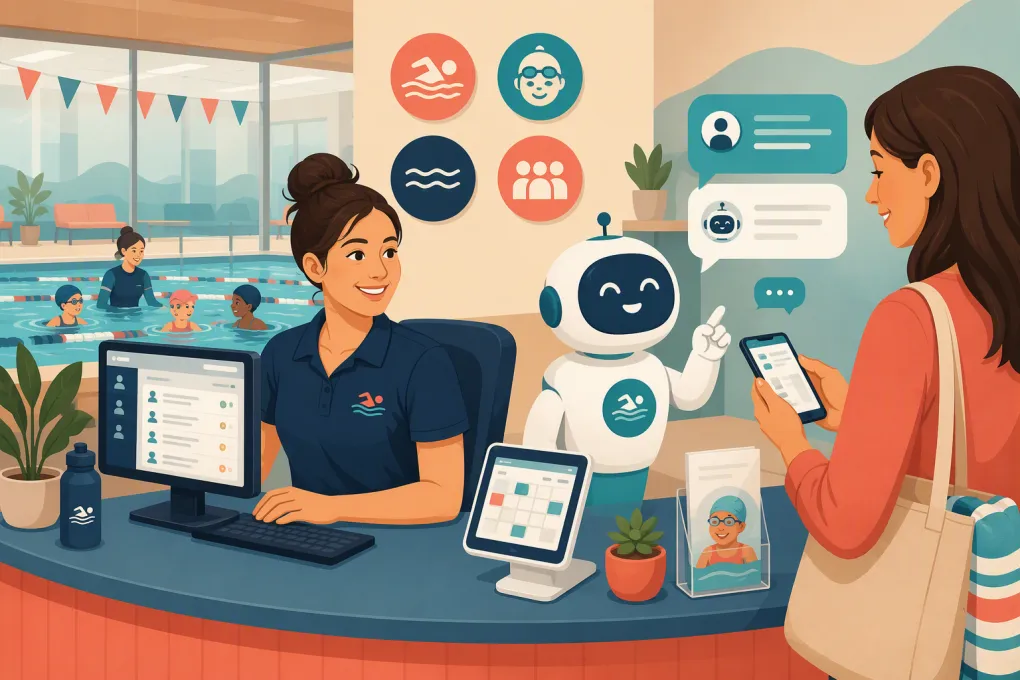
An AI receptionist for swim school waitlist inquiries closes that response gap. It can answer routine questions, collect the details needed to place a family correctly, explain the next step, and keep the conversation moving when the front desk is closed or handling families on-site.
The goal is not to make enrollment decisions without oversight. It is to stop qualified demand from disappearing into inboxes, voicemail, spreadsheets, and incomplete waitlist forms.
Why swim school waitlist inquiries are difficult to manage
A swim lesson inquiry is rarely a simple request for a single product. Staff may need to determine:
- The swimmer’s age and current ability
- Whether an assessment is required
- Preferred days, times, and locations
- Group, private, or semi-private lesson preference
- Whether siblings need coordinated schedules
- How flexible the family is about instructors or class times
- Whether the family wants a specific opening or any suitable future class
The conversation may span several calls and messages. Meanwhile, availability changes as current families transfer, cancel, or advance to another level.
This creates two operational problems.
First, the waitlist often contains incomplete or stale records. A name on a spreadsheet does not tell staff whether the family is still interested, whether its schedule changed, or whether it would accept a nearby location.
Second, front-desk teams spend time repeating policies and gathering basic information instead of resolving exceptions, serving families at the facility, and filling current openings.
See how Fitty can handle after-hours swim lesson and waitlist inquiries →
What an AI receptionist should handle
A useful AI receptionist should do more than send an instant greeting. It needs to move the family toward a defined operational outcome.
Answer common questions from an approved knowledge base
The system should be able to explain:
- Available lesson formats
- Age requirements
- How swim levels are determined
- Assessment procedures
- General waitlist policies
- Make-up and cancellation rules
- Facility locations and operating hours
- What swimmers should bring
- How families are notified about openings
Answers should come from information approved by the swim school. The AI should not improvise policies, promise availability, or interpret safety requirements beyond the published guidance.
Capture structured waitlist information
A conversation is useful only if the information reaches staff in a consistent format. At minimum, capture:
- Parent or guardian name
- Preferred contact method
- Swimmer age or age band
- Current swimming experience
- Desired program or lesson type
- Preferred location
- Acceptable days and time windows
- Scheduling flexibility
- Whether an assessment has been completed
- Consent for the appropriate follow-up channel
For siblings, create distinct swimmer records or clearly separated profiles. Combining several children into one free-text note makes matching much harder.
Route the family to the right next step
Not every inquiry belongs on a waitlist. Depending on the school’s rules, the AI may need to:
- Send a registration link for an available class
- Book a level assessment
- Add the swimmer to a program-level waitlist
- Record interest in a specific class time
- Route a complex placement question to staff
- Provide a callback window for billing or accessibility questions
The receptionist should identify the next action instead of ending with “someone will contact you.”
A practical waitlist conversation flow
The strongest flow is short enough for a parent to complete on a phone but detailed enough for staff to use.
1. Identify the request
Start by separating new enrollment, current-family support, schedule changes, and waitlist status questions. Each requires different information and permissions.
Example:
Are you looking for a new lesson, checking an existing waitlist request, or changing a current enrollment?
2. Gather swimmer and program details
Ask one question at a time. Avoid presenting a long intake form inside a chat or call.
For new swimmers, collect age, experience, preferred location, and schedule. If placement requires an instructor assessment, state that clearly rather than allowing the AI to assign a level based solely on a parent’s description.
3. Check the approved scheduling path
If the system has access to current availability, it can offer eligible classes or assessment times. If it does not have reliable live availability, it should collect preferences and explain the review process.
A delayed but accurate answer is better than a false opening.
4. Confirm what was recorded
Before ending, summarize the request:
- Swimmer and program
- Preferred location
- Acceptable schedule
- Next step
- Expected communication channel
Let the parent correct errors immediately.
5. Trigger follow-up
The completed conversation should create a task, update the relevant record, or start an approved follow-up sequence. A transcript sitting in a separate inbox is not a completed workflow.
With Fitty, WTF Go’s AI receptionist, operators can connect inquiry handling to booking and follow-up rather than treating each parent message as an isolated support ticket. Explore Fitty for swim school inquiry workflows →
Program-level and class-specific waitlists need different rules
Swim schools commonly mix two types of demand:
Program-level demand means the family wants an appropriate beginner, intermediate, private, or specialty lesson and can consider several schedules.
Class-specific demand means the family wants one location, day, time, instructor, or sibling-compatible schedule.
Do not treat these records the same. A family open to weekday mornings may be easy to place, while a family waiting only for Saturday at 10 a.m. may remain on the list longer.
Your AI receptionist should capture flexibility explicitly. Useful questions include:
- Would another day at the same location work?
- Would you consider a nearby location?
- Are weekday classes possible?
- Do siblings need back-to-back lesson times?
- Would you consider private lessons if group classes are unavailable?
These are matching criteria, not just conversation notes. Store them in searchable fields when the system permits it.
How to automate follow-up without irritating families
Waitlist follow-up should be event-driven and relevant. Sending the same generic message every few days creates noise without helping the family enroll.
Useful triggers include:
- A suitable class or assessment becomes available
- A family has not completed a required assessment
- Staff need updated schedule preferences
- An offered place is approaching its response deadline
- A seasonal session is opening for registration
- A contact has not responded and should be marked inactive
Every opening message should state the location, class level, schedule, start date, and action required. If the place is being held temporarily, communicate the real deadline configured by the school. Do not manufacture urgency.
Give recipients a simple way to decline, update preferences, or stop messages. For marketing or automated text follow-up, collect and retain the consent required for the channel you use and honor opt-out requests. Have legal counsel review your process if you are unsure how messaging rules apply to your operation.
Set clear escalation rules
AI should handle repeatable work and hand off situations that require judgment. Define escalation before launch rather than waiting for a difficult conversation.
Escalate when a family raises:
- A safety concern or incident
- A medical, disability, or accommodation question requiring staff review
- A disputed payment or refund
- An exception to an enrollment policy
- Uncertainty about the correct swim level
- A complaint involving an instructor or another swimmer
- An urgent issue affecting a lesson happening that day
The handoff should include the conversation summary, contact details, and reason for escalation. Do not force the parent to repeat the entire exchange.
For payments, use secure payment links or an integrated, compliant payment flow. The AI should not request full card details in an ordinary text conversation.
Build a reliable source of truth before launch
An AI receptionist will expose inconsistent policies quickly. If the website says one thing, the front desk says another, and the registration system shows something else, automation will not fix the underlying conflict.
Create an approved reference covering:
- Programs, levels, and age requirements
- Assessment and placement rules
- Locations and standard schedules
- Waitlist definitions and priority rules
- Registration, cancellation, and make-up policies
- Payment procedures
- Escalation contacts and service hours
- Claims the AI must never make
Assign an owner to update this material when sessions, policies, or hours change. Archive expired information so the system cannot surface an old registration date or discontinued program.
Launch with a controlled test
Do not switch on every channel and workflow at once. Start with a narrow use case, such as new-family inquiries outside staffed hours.
Before launch, test conversations involving:
- One beginner swimmer with broad availability
- Siblings at different levels
- A family requesting a specific instructor
- A swimmer who may require an assessment
- No matching class availability
- A request to check waitlist status
- A parent asking for a policy exception
- A safety or accommodation question
- A message containing incomplete or contradictory details
Review whether the AI gave accurate answers, created usable records, and escalated correctly. Test what happens when an integration is unavailable or scheduling data is stale.
Once the basic flow is reliable, add assessment booking, opening notifications, inactive-lead follow-up, or additional locations.
Measure whether the workflow is helping
Do not judge the system only by how many conversations it handles. Review operational outcomes such as:
- Inquiries receiving a completed next step
- Assessments booked from new inquiries
- Waitlist records with complete matching criteria
- Openings accepted, declined, or unanswered
- Conversations escalated to staff
- Incorrect answers or failed handoffs
- Families opting out of follow-up
- Time between an opening and a confirmed response
Audit conversation samples regularly. Look for repeated questions the knowledge base does not answer, fields parents misunderstand, and situations being escalated unnecessarily.
The AI does not create more pool capacity. It makes existing demand easier to understand, match, and convert when capacity becomes available.
Choosing the right AI receptionist for a swim school
Ask vendors to demonstrate the complete waitlist workflow, not just a scripted chatbot response. The system should fit the way your school actually enrolls swimmers.
Evaluate whether it can:
- Communicate by the channels your families use
- Answer from school-approved information
- Capture structured preferences for each swimmer
- Book assessments or classes when permitted
- Recognize existing families and inquiries
- Trigger follow-up based on real workflow events
- Transfer conversations with context
- Support separate rules across locations
- Respect permissions, consent, and opt-outs
- Report on outcomes rather than message volume alone
WTF Go combines operational workflows with Fitty, an AI agent built to answer leads, book, follow up, and collect dues. For swim schools, that means the receptionist can support the inquiry beyond the first reply and move the family toward assessment, enrollment, or a usable waitlist record. See how WTF Go can support your swim school’s front desk →
Frequently asked questions
Can an AI receptionist tell parents their exact waitlist position?
Only if the swim school maintains a reliable queue and permits that information to be shared. Many waitlists depend on level, schedule, location, and sibling needs, so a simple numbered position may be misleading.
Can AI determine a child’s swim level?
It can collect self-reported experience and explain level criteria, but final placement should follow the school’s assessment and instructor-review policies.
Can an AI receptionist book swim assessments automatically?
Yes, when it has access to approved assessment availability and booking rules. It should confirm the location, time, swimmer information, and any preparation instructions.
What happens when no suitable class is available?
The AI can record scheduling preferences, add the swimmer to the appropriate waitlist, offer permitted alternatives, and trigger follow-up when a matching opening appears.
Should an AI receptionist handle safety or medical questions?
It may provide approved general information, but individual safety, medical, and accommodation questions should be escalated to qualified staff.
Keep reading



Run your gym on autopilot with WTF Go
Fitty — your AI receptionist — answers calls and DMs, fills classes, follows up with every lead, and collects dues while you coach.