AI & Automation
AI Receptionist for Swim School Parent Inquiries That Convert
Learn how an AI receptionist for swim school parent inquiries can answer questions, qualify families, book trials, and protect staff focus all day and night.
 Watch · 20s
A parent asks about beginner lessons at 8:47 p.m. Your instructors have gone home, the front desk is closed, and three competing swim schools are one search away. By the time your team replies the next morning, that parent may have already booked an assessment elsewhere.
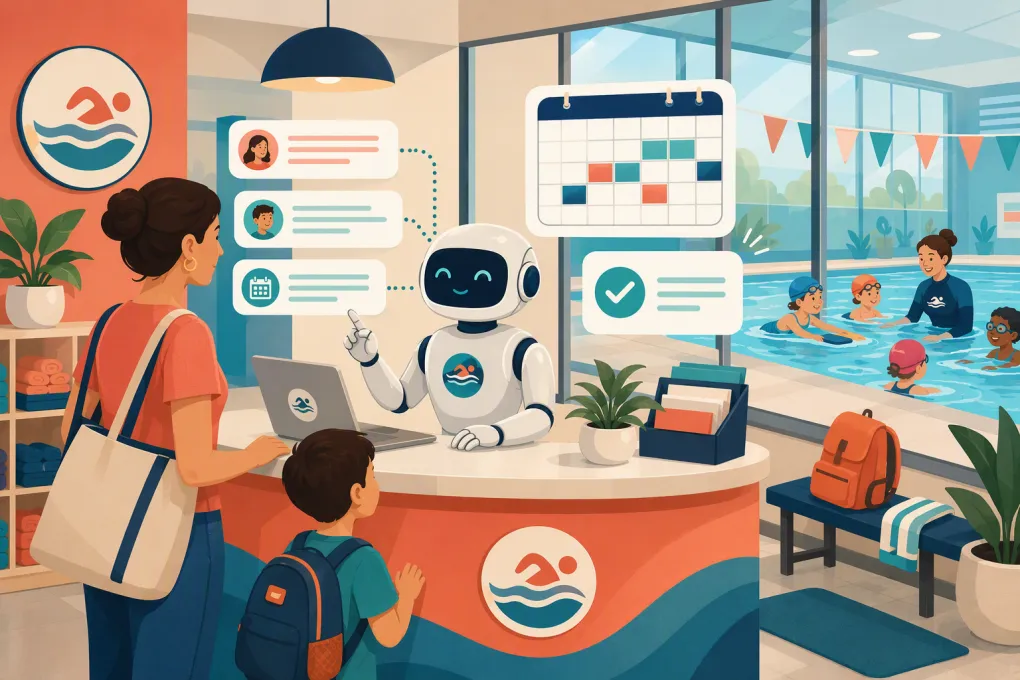
An AI receptionist for swim school parent inquiries closes that response gap. More importantly, a well-configured agent does more than send canned answers. It can gather the right details, recommend an approved next step, book a trial or assessment, follow up with undecided families, and route sensitive questions to a staff member.
The goal is not to remove people from the parent experience. It is to stop repetitive administrative work from consuming the people you need on deck, at the front desk, and supporting enrolled families.
Why swim school inquiries are difficult to manage
Swim lesson inquiries look simple until someone has to answer them consistently.
A parent rarely asks only, “What does it cost?” They also want to know:
- Whether the class fits their child’s age and current ability
- Which location has suitable times
- Whether an assessment is required
- How small the classes are
- What equipment the child needs
- How makeup lessons, cancellations, and holidays work
- Whether a parent must enter the water
- How billing and ongoing enrollment work
- What happens if the child is nervous or has additional needs
The answer may depend on age, experience, location, program, instructor availability, and your enrollment policies. Front-desk employees therefore spend time asking follow-up questions before they can move the family forward.
Timing makes the problem worse. Parents often research lessons after work, after school, or while planning the weekend. If the only next step is leaving a voicemail or submitting a form, the burden remains on your staff to restart the conversation later.
See how Fitty handles swim school inquiries and books the next step →
What an AI receptionist should actually do
A useful AI receptionist is not simply a website FAQ bot. It should complete defined workflows using your real schedules, policies, and enrollment rules.
1. Answer common parent questions
The agent should give direct, consistent answers from an approved knowledge base. This can include:
- Program descriptions and age ranges
- Current locations and operating hours
- Trial, assessment, and enrollment processes
- What to bring to the first lesson
- Parent participation requirements
- Billing dates and accepted payment methods
- Makeup, absence, cancellation, and withdrawal policies
- Facility information such as parking or changing areas
Answers should reflect the exact program and location being discussed. If policies vary between locations, the AI needs separate source material for each one rather than a single generic answer.
2. Qualify the family without creating friction
Do not turn the conversation into a long intake form. Ask only for information needed to identify the correct next step.
A practical qualification sequence is:
- Which location are you interested in?
- What is the child’s age or age range?
- Has the child taken lessons before?
- What can the child currently do in the water?
- What days or times generally work?
- Is the goal water confidence, basic safety skills, stroke development, or another approved program outcome?
The agent should use plain parent-friendly language. Asking whether a child can “independently float and recover” is more useful than expecting a parent to understand your internal level names.
Keep data collection proportionate. Swim schools serve minors, so avoid requesting sensitive personal or medical information unless your approved enrollment process requires it and the information is handled securely.
3. Book the approved next step
Depending on your model, the next step may be:
- A trial lesson
- A skill assessment
- A call with an enrollment specialist
- A spot in an age-based beginner class
- A waitlist for a specific schedule
The AI should only offer live, eligible options. It should not promise placement based on an ambiguous parent description or put a swimmer into a level that requires instructor assessment.
Once booked, the agent can confirm the location, arrival time, what to bring, and any forms that must be completed. That removes preventable uncertainty before the family arrives.
4. Follow up without relying on a staff task list
Many inquiries do not book during the first conversation. A parent may need to check another caregiver’s schedule, compare locations, or wait until payday.
Create follow-up paths for common situations:
- Asked about pricing but did not select a class
- Viewed available times but did not book
- Started booking but did not finish
- Requested a schedule that is currently full
- Booked an assessment but has not completed required forms
- Attended a trial but has not enrolled
Each message should help the parent make a decision. Repeating “Are you still interested?” adds little value. A better follow-up might provide two suitable time options, explain the assessment process, or offer a staff handoff for a complicated question.
Fitty is built to answer leads, book classes, continue follow-up, and support dues collection without leaving every step on the front desk. See how Fitty can run your swim inquiry workflow around the clock →
What the AI should handle—and what staff should handle
Clear boundaries protect both the customer experience and your operation.
| The AI can usually handle | Escalate to trained staff |
|---|---|
| Published schedules and availability | Unclear skill placement |
| Standard pricing and enrollment steps | Medical, accessibility, or individualized safety concerns |
| Trial or assessment booking | Complaints involving an instructor or another swimmer |
| Facility and first-lesson information | Refund or policy exceptions |
| Approved makeup and cancellation policies | Emergency or incident reports |
| Secure payment links and routine account reminders | Disputed charges or unusual account issues |
An AI receptionist must never improvise safety advice, diagnose a swimmer’s needs, or present itself as a certified instructor. If a parent describes an emergency, incident, or immediate safety concern, the response should clearly direct them to the appropriate emergency or staff channel.
How to prepare your swim school for AI reception
The quality of the agent depends on the quality of the operating information behind it. Start with these four steps.
Build one source of truth
Collect the current versions of your:
- Program and level descriptions
- Age and prerequisite rules
- Location-specific schedules
- Assessment and trial processes
- Tuition and fee explanations
- Makeup, cancellation, and withdrawal policies
- FAQs and arrival instructions
- Escalation contacts
Remove outdated documents and conflicting policy language. If your employees cannot tell which answer is current, the AI will have the same problem.
Define booking rules precisely
Document what the agent may book without approval. Include capacity rules, prerequisite levels, age cutoffs, assessment requirements, and how far in advance a booking can be made.
Also define what happens when no suitable opening exists. The agent might offer another location, collect preferred times for a waitlist, or schedule a staff call. “Someone will get back to you” should be the last resort, not the default.
Write escalation triggers
List the words and scenarios that require a human. Examples include injury, incident, refund, complaint, disability accommodation, medical condition, disputed payment, or uncertainty about skill level.
Assign an owner and response expectation to each escalation type. Routing everything to a shared inbox simply creates a different bottleneck.
Test with real parent language
Do not test only with polished questions. Use the messy versions your staff actually receives:
- “My 4 year old hates putting her face in. What class?”
- “Can twins be together if one swims better?”
- “We missed last week, do we lose the lesson?”
- “Need Saturdays after 10 near your north pool.”
Check whether the AI asks a useful follow-up, uses the correct location policy, and avoids overpromising. Review conversations regularly as schedules and policies change.
Measure outcomes that affect the operation
Do not judge an AI receptionist by how many messages it sends. Track whether it advances parent inquiries while reducing avoidable staff work.
Useful operating measures include:
- Time from initial inquiry to first response
- Percentage of inquiries reaching a booked next step
- Trial or assessment attendance
- Enrollment after a trial or assessment
- Unanswered questions and human escalations
- Booking corrections caused by wrong level, location, or schedule
- Follow-ups that produce a reply or booking
- Repetitive questions still reaching the front desk
Review failed conversations as closely as successful ones. They reveal missing policies, unclear program descriptions, stale schedule data, and situations where the agent needs a better handoff.
Make responsiveness part of the enrollment experience
Parents use the inquiry process to judge how organized your swim school will be after enrollment. Fast answers help, but accurate guidance and a clear next action matter more.
A properly configured AI receptionist gives families a way forward whenever they are ready to ask. Your staff can then concentrate on exceptions, relationships, and the on-deck work that requires human judgment.
For swim schools managing missed calls, repetitive questions, inconsistent follow-up, or multiple location schedules, Fitty can connect those steps into one operating workflow. Explore WTF Go and Fitty for your swim school →
Frequently asked questions
Can an AI receptionist recommend the right swim lesson level?
It can narrow the options using approved age and skill rules, but it should not make definitive placements when instructor assessment is required. Unclear cases should be escalated or booked for an assessment.
Can an AI receptionist book swim trials and assessments?
Yes, when it has access to current availability and clearly defined eligibility rules. It should confirm the location, time, required forms, and arrival instructions after booking.
How should an AI handle questions about a child's medical or accessibility needs?
It should acknowledge the request, collect only necessary information, and route the conversation to trained staff. The AI should not provide medical advice or make individualized safety guarantees.
Will an AI receptionist replace swim school front-desk staff?
It is better used to absorb repetitive inquiries, booking steps, and routine follow-up. Staff remain essential for placement decisions, exceptions, complaints, safety concerns, and relationship-building.
Keep reading



Run your gym on autopilot with WTF Go
Fitty — your AI receptionist — answers calls and DMs, fills classes, follows up with every lead, and collects dues while you coach.