AI & Automation
24/7 AI Receptionist for Swim School Enrollment Inquiries
See how an AI receptionist for swim school enrollment inquiries answers parents, qualifies leads, books assessments, and follows up 24/7 without delays.
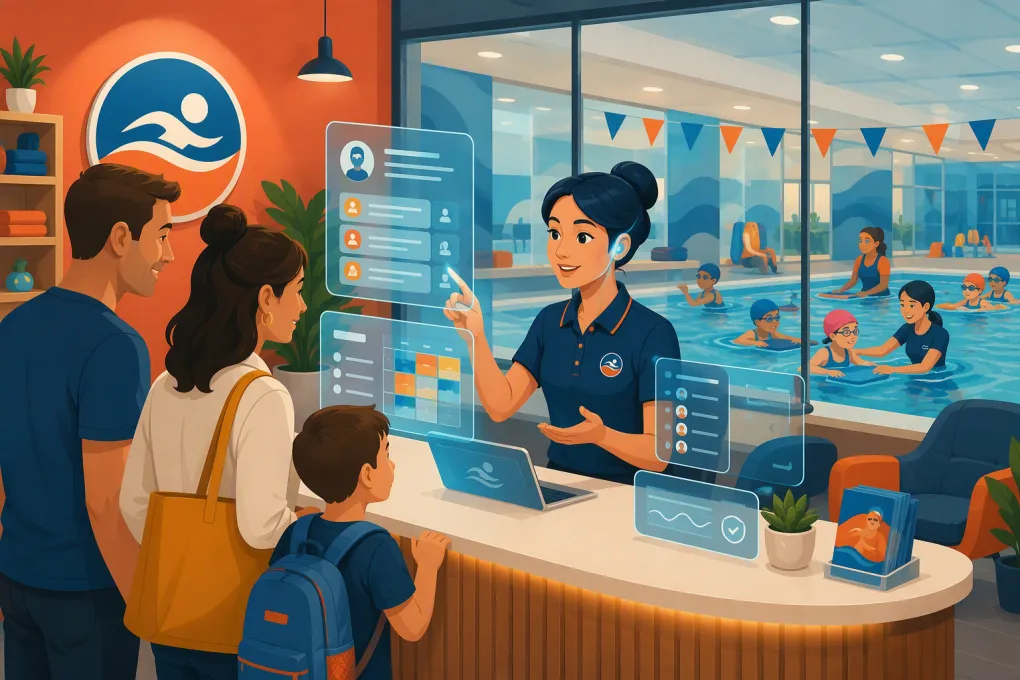 Watch · 20s
A parent looking for swim lessons rarely contacts only one school. They call between errands, send a message after bedtime or submit a form while comparing schedules. If nobody responds until the next business day, the enrollment may already be going somewhere else.
That makes inquiry handling an operating problem, not just a front-desk problem. Your team needs to answer repetitive questions, gather the right information, recommend a sensible next step and keep following up without pulling instructors away from the pool.
An AI receptionist can cover that gap. Used correctly, it gives parents immediate, consistent help while reserving judgment calls—especially decisions involving swim ability, health and safety—for trained staff.
See how Fitty can handle swim school enrollment inquiries 24/7 →
Why swim school inquiries are difficult to manage
Swim lesson enrollment has more variables than a basic class booking. A useful response may depend on:
- The swimmer’s age
- Current water experience and comfort level
- Whether a parent must participate
- Group, private or adaptive lesson preferences
- Location and pool availability
- Days and times that work for the family
- Session dates, waitlists and makeup policies
- Assessment or placement requirements
- Sibling schedules
- Pricing, registration fees and payment policies
Meanwhile, the employees who understand these details are often teaching, supervising deck operations or helping families on site. Even a well-run front desk can struggle during peak arrival times and after hours.
The result is usually inconsistent follow-up. Some leads receive a thorough answer. Others get a voicemail, a generic email or no clear next step. An AI receptionist creates a repeatable first response without requiring an employee to monitor every channel continuously.
What an AI receptionist should do for a swim school
The goal is not to imitate a human for its own sake. The goal is to move each parent toward the correct next action with less friction.
Answer routine enrollment questions
The receptionist should use information approved by your business, including:
- Program descriptions and age requirements
- Current schedules and locations
- Prerequisites for each lesson level
- Parent-participation rules
- Assessment procedures
- Registration and cancellation policies
- What to bring to the first lesson
- Facility-specific instructions
Answers should come from a maintained source of truth—not improvised from whatever information happens to be online. If a policy is unclear or unavailable, the AI should say so and escalate rather than guess.
Qualify the inquiry
A productive conversation gathers enough information to recommend a next step without turning enrollment into an interrogation. Start with the minimum useful fields:
- Parent or guardian name
- Preferred contact method
- Swimmer’s age
- General swimming experience
- Preferred location
- Schedule availability
- Lesson format preference
- Whether an assessment or accommodation may be needed
Ask one question at a time. Parents are more likely to complete a natural conversation than a long intake form presented all at once.
Book the next appropriate step
Depending on your process, the correct conversion might be:
- Registering for an age-based beginner class
- Booking a placement assessment
- Scheduling an introductory private lesson
- Joining a waitlist
- Requesting a staff callback
- Receiving a secure enrollment or payment link
The AI should only offer inventory that is actually available. If placement requires an instructor’s evaluation, it should book the assessment rather than promise a specific level.
Follow up when a parent does not enroll
Many legitimate leads pause because they need to compare schedules, coordinate with another caregiver or wait for a reply from the child. That does not make them unqualified.
A practical follow-up sequence can:
- Confirm the original request immediately
- Send the recommended class or assessment option
- Remind the parent if the booking remains incomplete
- Offer an alternative schedule or location
- Ask whether staff assistance is needed
- Stop when the parent enrolls, declines or opts out
Fitty, WTF Go’s AI receptionist, is built to answer leads, book classes and keep follow-up moving around the clock. It can also support dues collection as part of the broader member journey.
Explore how Fitty turns swim lesson questions into booked next steps →
Build the enrollment workflow before adding AI
Automation magnifies the process you give it. If your level descriptions conflict, schedules are outdated or staff members apply different policies, adding AI will expose those gaps quickly.
Create a clear program map
Document each program in a structured format:
| Field | Example of what to define |
|---|---|
| Program | Parent-and-child, beginner group, private lesson or stroke clinic |
| Eligibility | Age range and any required skills |
| Placement | Direct enrollment, staff review or in-water assessment |
| Schedule | Location, day, time and session dates |
| Capacity | Open, full or waitlist status |
| Policies | Makeup, cancellation, equipment and participation rules |
| Next action | Book, assess, waitlist or escalate |
This program map should be maintained by an employee who owns enrollment accuracy. Do not leave critical details scattered across web pages, PDFs and staff notes.
Define routing rules
Write explicit rules for common situations. For example:
- A first-time swimmer within a defined age range may be offered the relevant entry-level program.
- A swimmer with previous instruction but uncertain skills should be offered an assessment.
- A parent asking about adaptive instruction should be routed to the designated staff member.
- A family requesting a full class should receive waitlist and alternative options.
- Questions about illness, medical restrictions or water safety should go to qualified staff.
These rules keep the AI inside its proper role and make staff handoffs predictable.
Decide what counts as an urgent handoff
Not every message should enter a normal sales queue. Escalate promptly when an inquiry involves:
- An active safety incident
- A missing child or supervision concern
- An injury or medical issue
- A complaint involving staff conduct
- A billing dispute requiring account review
- Accessibility needs that require individual planning
- A request the AI cannot answer confidently
Your escalation plan should specify who receives the notice, during which hours and what the parent is told while waiting.
A practical swim school inquiry playbook
A strong conversation is short, transparent and action-oriented. A basic flow can look like this:
1. Identify the parent’s goal
Start with a simple question: Are they looking for first lessons, continued skill development, private instruction or an assessment?
2. Gather placement inputs
Ask for the swimmer’s age and a plain-language description of current experience. Avoid implying that a parent’s description is an official skill evaluation.
3. Narrow the schedule
Ask for preferred location, days and general time windows. Showing two or three relevant choices is usually easier to process than listing the entire schedule.
4. Present the next step
Explain why the recommended action fits. For example, an assessment may be necessary because prior experience does not map cleanly to your school’s levels.
5. Complete or preserve the conversion
Book the class or assessment when possible. If the parent is not ready, capture permission and a preferred channel for follow-up. If no appropriate opening exists, offer a waitlist or staff contact instead of ending the conversation.
Protect parent and swimmer information
Swim schools work with information about children, so data collection should be deliberate. An enrollment assistant should collect only what is needed for the current step.
Good operating practices include:
- Avoiding unnecessary medical or sensitive information in an open chat
- Sending families to secure forms for detailed records
- Using secure payment workflows instead of requesting card details in free text
- Limiting employee access based on role
- Defining how inquiry records are retained and deleted
- Recording consent for marketing texts or emails where required
- Honoring opt-out requests immediately
Have qualified legal and payment professionals review your specific consent, privacy and transaction requirements. AI does not remove the operator’s responsibility for those processes.
How to launch without disrupting enrollment
Start with a controlled use case rather than automating every parent interaction on day one.
Phase 1: Review real inquiries
Collect recurring questions from calls, forms, emails and front-desk conversations. Group them into scheduling, placement, policies, pricing, billing and exceptions.
Phase 2: Clean the source information
Confirm that program names, prerequisites, schedules and policies match across your website, booking system and staff materials.
Phase 3: Configure boundaries
Define what the AI may answer, what it may book and what always requires a person. Add clear fallback language for missing information.
Phase 4: Test realistic scenarios
Test more than the easy path. Include siblings at different levels, full classes, uncertain placement, location changes, missed assessments, accessibility questions and parents who change their minds midway through the conversation.
Phase 5: Monitor and improve
Review conversations regularly after launch. Look for unanswered questions, incorrect routing, repeated objections and points where parents stop responding. Update the workflow when schedules and policies change.
See how WTF Go can connect AI-led inquiry handling with booking and follow-up →
Measure whether the receptionist is helping
Do not judge the system only by how many messages it sends. Track whether it improves enrollment operations.
Useful measures include:
- Time from inquiry to first response
- Percentage of inquiries that reach a booked next step
- Assessment bookings that become enrollments
- Follow-up completion by channel
- Waitlist conversions
- Human escalation volume and reasons
- Unanswered or low-confidence questions
- Bookings that require staff correction
- Opt-outs and parent complaints
Review results by location, program and inquiry source. A workflow may perform well for straightforward beginner classes but need more staff involvement for advanced placement or adaptive lessons.
The right role for AI in swim school enrollment
An AI receptionist should handle speed, consistency and administrative persistence. Your team should retain responsibility for instruction, final placement decisions, sensitive family needs and safety.
That division of labor is the practical win. Parents get answers and next steps when they are ready to inquire. Staff spend less time repeating schedule details or chasing incomplete forms. Operators get a clearer, more measurable path from first question to paid enrollment.
For swim schools, the best AI receptionist is not the one that talks the most. It is the one that reliably moves routine inquiries forward, recognizes its limits and brings a person in at the right moment.
Frequently asked questions
Can an AI receptionist enroll swimmers in the correct lesson level?
It can use your age and prerequisite rules for straightforward programs. When skill placement requires observation or judgment, it should book an assessment or route the inquiry to an instructor.
Can an AI receptionist answer swim school inquiries after hours?
Yes. A properly configured AI receptionist can answer approved enrollment questions, collect lead details and offer available booking steps outside staffed hours.
Will AI replace swim school front-desk employees?
It is better used to cover repetitive questions, routine bookings and follow-up. Employees remain essential for exceptions, sensitive conversations, safety concerns and complex placement decisions.
What information should the AI collect from a parent?
Start with contact details, swimmer age, general experience, preferred location, availability and lesson preference. Collect sensitive or detailed records through an appropriate secure form.
How does Fitty help with swim school enrollment?
Fitty is WTF Go's AI receptionist for answering leads, booking classes, following up and supporting dues collection 24/7 within a broader business operating system.
Keep reading



Run your gym on autopilot with WTF Go
Fitty — your AI receptionist — answers calls and DMs, fills classes, follows up with every lead, and collects dues while you coach.