AI & Automation
AI Receptionist for Swim School Class Cancellations Guide
Use an AI receptionist for swim school class cancellations to notify families, manage makeups, protect revenue, and cut front-desk workload at your school.
 Watch · 20s
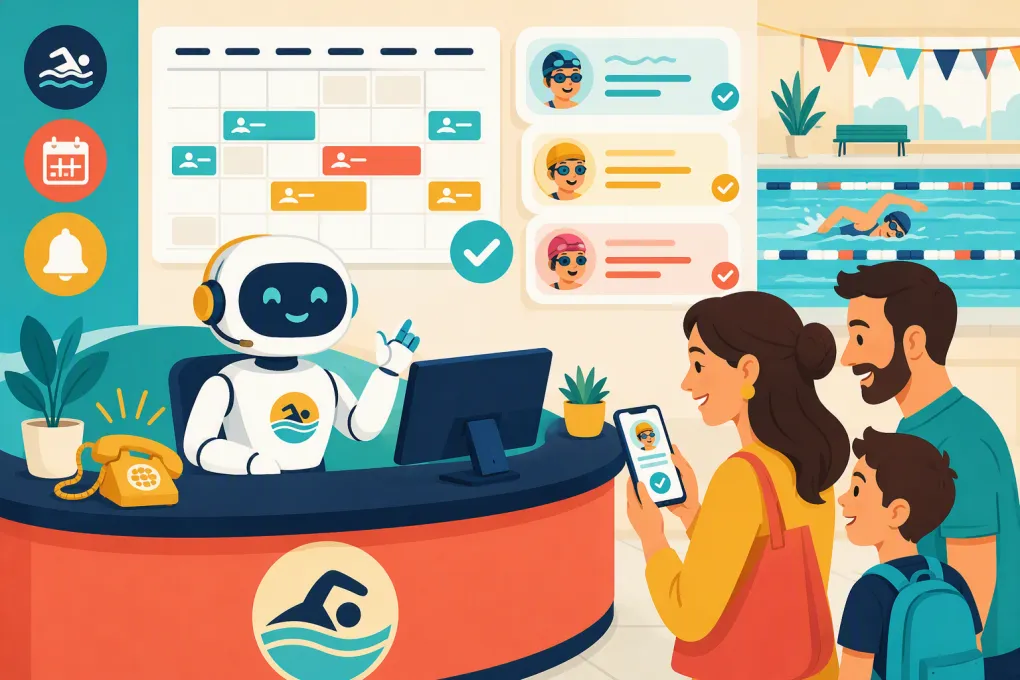
A canceled swim class creates more work than removing one block from the schedule. Families need clear notices. Instructors need updated rosters. Makeup eligibility may need to be recorded. Open spots should be offered to the right swimmers. Staff must answer the same questions across phone, text, email, and the front desk.
When that process depends on one employee working through a call list, delays and inconsistencies are almost guaranteed. An AI receptionist can take over the repetitive communication and scheduling work while leaving policy exceptions, safety decisions, and sensitive conversations with your team.
The result should not be automation for its own sake. It should be a cancellation workflow that gives families accurate answers and keeps your staff focused on instruction and operations.
See how Fitty can handle swim school calls, follow-ups, and booking conversations 24/7 →
What an AI receptionist should handle during cancellations
The phrase “class cancellation” can refer to several different situations. Your AI receptionist needs to distinguish among them before taking action.
A school-wide or location-wide closure
This could involve weather, a facility issue, a holiday, or another operational decision. The AI should:
- Identify every affected class and family.
- Send the approved closure message through your selected channels.
- Explain whether the lesson will be credited, rescheduled, or handled another way.
- Stop new bookings into the affected time period.
- Answer predictable questions without requiring a staff callback.
- Escalate questions that fall outside the approved policy.
The AI should never decide on its own whether a pool is safe to open. A manager should trigger the closure and select the correct policy. Automation begins after that decision.
One class canceled by the school
An instructor absence or scheduling conflict may affect only one class. In this case, the receptionist should notify the relevant roster without alarming families at other times or locations.
It may also need to offer approved alternatives based on level, age requirements, instructor availability, location, and capacity. A beginner opening at the same time is not useful if the affected swimmer is enrolled in an advanced class.
A family canceling or missing a lesson
This is an inbound policy question as much as a scheduling task. The AI should confirm which swimmer and lesson the parent means, check the applicable cancellation window, and explain what happens next.
Depending on your policy, that could mean recording an absence, issuing makeup eligibility, offering available makeup classes, or routing an exception request to a manager. It should not promise a credit simply because a parent asks for one.
Build the workflow around policy, not improvisation
An AI receptionist is only as reliable as the rules it can access. Before connecting it to cancellation requests, document the operating decisions your experienced front-desk staff already make.
At minimum, define:
- Who may cancel a class and which roles may close a location.
- The cutoff for family cancellations or absence notices.
- Whether missed lessons qualify for makeups, credits, or neither.
- How long makeup eligibility remains valid.
- Whether makeups depend on available capacity.
- Which levels, ages, and locations are valid substitutes.
- How recurring billing is affected, if at all.
- Which exceptions require manager approval.
- What happens when a family has an unpaid balance.
Use plain language. If your policy requires a flowchart and several judgment calls, the AI will either escalate too often or risk giving inconsistent answers.
Your customer-facing wording matters too. A concise message should say what was canceled, when it was scheduled, what the family needs to do, and where to get help. Avoid vague alerts such as “Your class has changed.” Parents may have multiple children or enrollments.
A practical cancellation workflow
Here is a workable sequence for a swim school using an AI receptionist.
1. Verify the event
For an outbound cancellation, a manager selects the affected location, class, date, and approved reason. For an inbound request, the AI verifies the account and identifies the swimmer and lesson without exposing information about other children.
2. Read the current schedule and policy
The receptionist checks the live class record rather than relying on a copied schedule or an old spreadsheet. It also applies the policy attached to that enrollment, location, or program.
This step prevents common mistakes such as offering a class that is already full or applying the wrong makeup rule.
3. Confirm the immediate outcome
The family should receive a direct answer:
- The school canceled the lesson and issued the standard remedy.
- The absence was recorded and a makeup is available.
- The request came after the cutoff and needs review.
- No equivalent opening is available, but the family can join an approved waitlist.
A good AI conversation does not bury that outcome under unnecessary explanation.
4. Complete the permitted action
If your system allows it, the AI can book an eligible makeup, move the swimmer to an approved class, record a follow-up, or send a payment link when an account issue blocks booking. It should write the result back to the same operating system your staff uses.
See how WTF Go and Fitty connect conversations with booking, follow-up, and dues collection →
5. Escalate exceptions with context
An escalation should give staff the account, affected lesson, policy result, requested exception, and conversation history. “Parent needs help” simply forces your team to restart the interaction.
Useful escalation categories include:
- Medical or accessibility-related requests.
- Safety complaints.
- Disputed charges or refunds.
- Custody or authorized-contact concerns.
- Repeated service failures.
- Requests that conflict with documented policy.
Where automation saves the most front-desk time
The biggest operational gain is often not the initial cancellation notice. It is the follow-up workload that arrives afterward.
An AI receptionist can answer questions such as:
- “Does today’s cancellation use my makeup credit?”
- “Can both of my children attend another time?”
- “Is the 5:30 class still running?”
- “Can we make up the lesson at your other location?”
- “Why can’t I book the class I see online?”
It can also continue conversations outside desk hours. That matters because families often respond to cancellation notices after work, early in the morning, or while your staff is teaching.
The AI should use the same schedule, capacity rules, and account status regardless of whether the conversation begins by phone, text, or web inquiry. Otherwise, you create a faster version of an inconsistent front desk.
Guardrails swim schools should not skip
Swim programs serve children, so convenience cannot come at the expense of privacy or safety.
Limit the information in messages
Do not include unnecessary information about a child in an unsecured message. Use only what the family needs to identify the affected enrollment, and verify the requester before discussing account details.
Separate operational and emergency communication
An AI receptionist can distribute an approved closure notice, but it should not replace your emergency response procedures. Maintain a separate plan for incidents requiring immediate staff, facility, medical, or public-safety action.
Honor communication consent
Follow applicable calling and messaging rules, maintain consent records where required, and make opt-out requests easy to complete. Coordinate these requirements with qualified legal counsel rather than assuming your software handles every obligation automatically.
Preserve a human path
Families should be able to reach a person when the policy does not fit the situation. Set clear escalation hours and explain when a response can be expected.
Measure whether the workflow is actually working
Do not judge the system only by how many messages it sends. Review operational outcomes such as:
- Time from manager approval to completed family notification.
- Number and type of cancellation questions requiring staff intervention.
- Makeup bookings completed without manual work.
- Failed messages and outdated contact records.
- Bookings blocked by incorrect level, capacity, or account data.
- Exceptions the AI handled incorrectly or escalated too late.
- Recurring questions that indicate unclear policy wording.
Audit real conversations regularly. Look for technically correct answers that are still confusing, abrupt, or missing the next step. Update the workflow whenever policies, schedules, or locations change.
How to launch without disrupting the front desk
Start with a narrow use case rather than automating every exception at once.
- Document one cancellation policy and its escalation rules.
- Clean up class names, levels, rosters, and family contact details.
- Create approved messages for school cancellations and family absence requests.
- Test common scenarios using staff accounts.
- Test edge cases, including siblings, multiple locations, full classes, expired makeups, and unpaid balances.
- Let the AI answer questions and route exceptions before granting broader booking permissions.
- Review transcripts and adjust the rules before expanding.
Fitty, WTF Go’s AI receptionist, is built to answer leads and customers, book classes, follow up, and collect dues around the clock. For a swim school, that means cancellation conversations can lead directly to the appropriate next action instead of becoming another voicemail or disconnected staff task.
Explore how Fitty can support your swim school’s cancellation and makeup workflows →
The goal is not to remove people from customer service. It is to remove repetitive coordination from their day while giving families fast, policy-consistent answers. When the schedule, rules, communication, and escalation path work together, a canceled lesson becomes a controlled workflow instead of a front-desk scramble.
Frequently asked questions
Can an AI receptionist rebook canceled swim lessons automatically?
Yes, if it can access current schedules, class capacity, swimmer eligibility, and your makeup rules. Exceptions should be routed to staff rather than approved outside policy.
Can AI notify every family when a swim school closes?
An AI receptionist can send approved notices to affected families after an authorized manager records the closure. Staff should retain responsibility for the closure and safety decision.
What information does an AI receptionist need from a swim school?
It needs accurate schedules, rosters, program requirements, cancellation rules, makeup policies, account status, communication preferences, and escalation instructions.
Should an AI issue refunds for canceled classes?
Only when the refund is explicitly permitted by a documented policy and the system has appropriate authorization. Disputes and exceptions should go to a manager.
Can Fitty answer cancellation calls outside business hours?
Yes. Fitty is designed to answer conversations, handle booking and follow-up tasks, and support dues collection 24/7 using the workflows configured by the business.
Keep reading



Run your gym on autopilot with WTF Go
Fitty — your AI receptionist — answers calls and DMs, fills classes, follows up with every lead, and collects dues while you coach.