AI & Automation
AI Receptionist for Squash Clubs: Practical Operator Guide
See how an AI receptionist for squash clubs can manage calls, booking requests, lead follow-up and dues, plus rollout, pricing and privacy safeguards.
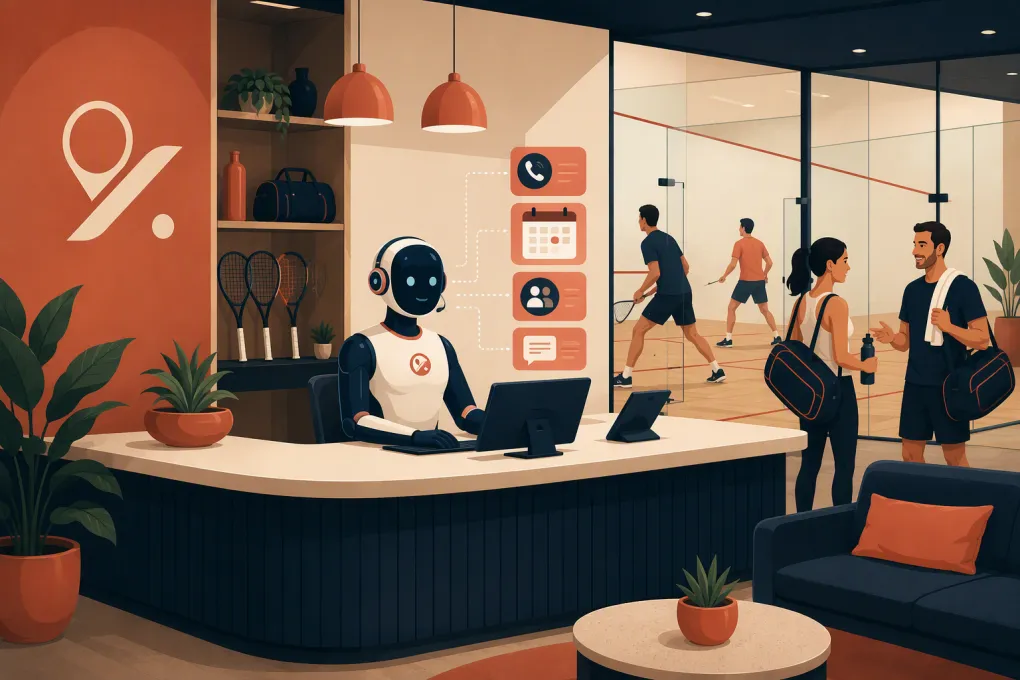 Watch · 20s
A squash club can miss an inquiry while the front desk is technically open. Staff may be checking in players, finding a coach, resolving a court dispute, or explaining the guest policy to someone standing in front of them. The phone rings anyway.
An AI receptionist can cover that gap, but only if it works with the club’s reservation rules, membership records, communication channels, and payment process. A generic chatbot that knows your opening hours is not enough. Squash operations involve court inventory, playing levels, guests, lessons, clinics, leagues, junior programs, and location-specific restrictions.
The operator’s goal is not to make AI sound impressively human. It is to give members and prospects an accurate next step without creating cleanup work for staff.
See how Fitty can respond to squash club inquiries after hours →
Where an AI receptionist fits in squash club operations
The best starting workflows are repetitive, rules-based, and easy to verify. They also create a clear outcome: a booked introduction, a captured lead, a confirmed court request, or a secure payment link.
Membership and beginner inquiries
A prospective player rarely starts by asking for a membership contract. More often, the person asks:
- Can a beginner play here?
- Do I need my own racquet?
- Can I try the club before joining?
- Do you offer introductory lessons?
- How do I find players at my level?
- Can non-members reserve courts?
- Are there separate fees for courts, guests, or coaching?
The AI should collect more than a name and phone number. Useful qualification fields include playing experience, preferred location, typical availability, interest in lessons or social play, and the requested next step.
That information should enter the club’s CRM or lead-management workflow. If it remains trapped in a conversation transcript, staff still have to re-enter and interpret it.
Court, lesson, and clinic requests
A court appearing open on a schedule does not automatically mean the caller can reserve it. The receptionist may need to evaluate:
- Membership and guest eligibility
- Singles versus doubles court inventory
- Peak-time restrictions
- Advance-booking windows
- Reservation length and buffer rules
- Guest, court, or equipment fees
- Coach availability
- Clinic capacity and skill prerequisites
- Cancellation and no-show policies
- Rules that differ by location
The reservation platform must remain the source of truth. The AI should either check live availability and complete an authorized action or clearly state that it is collecting a request for staff review. It should never infer availability from a web page or an old schedule.
Leagues, ladders, and player matching
Squash inquiries often involve playing level rather than simple availability. An AI receptionist can explain how a club’s ladder, box league, round robin, rating process, or player-matching request begins. It should not independently assign a player to a competitive division unless the club has provided a defined rule and authorized that action.
Questions involving tournament eligibility, rankings, or disputed results usually belong with the squash director. The AI’s job is to collect the relevant event, division, player details, and deadline before handing the issue over.
Failed payments and overdue dues
An AI agent can notify a member that an account needs attention, answer approved process questions, and direct the member to a secure payment page. It should not request complete card details through ordinary text, chat, or email.
Fitty, WTF Go’s AI receptionist, can support booking, lead follow-up, and dues workflows when the required systems and permissions are configured. Actual actions depend on the club’s booking platform, available integrations, account setup, and payment flow. If a direct integration is unavailable, the safer design may be to send an approved booking or hosted payment link, create a staff task, or collect a structured request rather than altering the system automatically.
Ask WTF Go how Fitty would connect to your current court-booking and payment workflow →
Integration requirements to verify before buying
Squash clubs commonly use a mix of racquet-sports booking, club management, payment, email, phone, and competition systems. Products such as CourtReserve and Club Locker may appear in a club’s wider technology stack, while other clubs use general fitness or custom platforms. Naming a platform does not establish compatibility: API access, permissions, supported actions, and vendor agreements can vary by product and account.
Map each requested AI action to a system of record before signing a contract.
| Workflow | System the AI may need | What to verify |
|---|---|---|
| Court reservation | Court-booking platform | Live availability, member authentication, booking rules, cancellation support, write access and error handling |
| Coaching lesson | Booking or staff calendar | Coach-specific availability, service duration, location, pricing display and rescheduling rules |
| Membership inquiry | CRM or club-management system | Lead creation, duplicate detection, source attribution, owner assignment and conversation history |
| League question | League, rating or competition system | Whether access is read-only, current data availability and which decisions require staff |
| Dues follow-up | Billing platform and payment processor | Balance visibility, permitted data exposure, hosted payment links and payment-status updates |
| Phone and text | Communications provider | Number ownership, call transfer, message consent, opt-out handling and transcript storage |
Ask the vendor to show the actual data path. A useful answer explains which system receives the record, which fields are written, how quickly updates appear, and what happens when an API call fails. “We integrate with your software” is not specific enough.
A concrete squash-club implementation example
Consider an after-hours call from a non-member who wants to play Friday evening and needs a racquet. This is an illustrative workflow, not a customer case study.
A properly configured receptionist would:
- Identify the requested club location and time.
- Ask whether the caller is playing with a member or another guest.
- Apply the club’s non-member and guest eligibility rules.
- Check live court availability if authorized integration exists.
- Explain applicable equipment and guest requirements from approved club information.
- Offer an introductory lesson or tour if direct guest booking is not allowed.
- Create or update the lead record with playing experience and availability.
- Confirm the booking, send an approved link, or create a staff task—without pretending the reservation is complete.
This workflow exposes problems that a polished demo can hide. Can the AI distinguish a booking from a request? Can it handle two guests? Does it know whether rental equipment is available at that location? Does the CRM receive the caller’s context? What happens if availability changes during the conversation?
Use similarly specific scenarios for junior clinics, doubles courts, late cancellations, locked-door calls, coaching requests, and disputed fees.
Deployment ownership: who is responsible for what?
AI receptionist projects stall when everyone assumes someone else owns the setup. Assign named owners before configuration begins.
Club operator
The operator should approve policies, decide what the AI may do, identify escalation contacts, and confirm which system is authoritative. The club also owns decisions about tone, promotions, consent, member communications, and exceptions.
Front-desk and squash staff
Staff should provide real questions, identify policy gaps, and test situations involving guests, court restrictions, lessons, leagues, equipment, and building access. They also need a documented way to flag an incorrect response.
Technology or platform owner
This person manages credentials, permissions, integration access, phone-number routing, data exports, and failure alerts. For a smaller club, the general manager may own this role.
AI vendor
The vendor should document supported channels and actions, configure approved workflows, explain integration limitations, provide escalation behavior, and identify where transcripts and customer data are stored. Ongoing responsibilities for updating knowledge and monitoring failures should be written into the implementation plan.
Pricing questions that affect the real cost
Do not evaluate an AI receptionist on a headline subscription alone. Pricing structures vary, and the total cost may depend on:
- Setup, onboarding, or workflow configuration
- Monthly platform fees
- Included versus usage-based phone minutes or messages
- Additional locations, numbers, agents, or languages
- Integration or API work
- CRM, booking, or payment-platform fees charged separately
- Number porting and telephony costs
- Custom reporting or data exports
- Ongoing workflow changes and support
- Contract length, cancellation terms, and data retrieval at exit
Ask who pays when a platform changes its API or the club replaces its booking system. Also ask whether test calls and internal usage count toward billable volume. Obtain a written scope showing what is included at launch and what becomes custom work.
Privacy and risk controls for club communications
An AI receptionist may process names, phone numbers, account information, booking history, and conversation recordings. The club needs more than a general privacy statement.
Call recording and disclosure
Recording and transcription laws differ by jurisdiction. Determine where callers and the club are located, whether disclosure or consent is required, and how the opening message should work. Obtain qualified legal advice rather than assuming one script is valid everywhere.
Access and retention
Document who can view recordings, transcripts, account details, and payment-related information. Use role-based access where available. Ask who owns the data, how long each data type is retained, whether the club can set shorter retention periods, and how data is exported or deleted after termination.
Junior-program inquiries
Junior squash conversations can involve information about minors. Configure the AI to collect only what is needed, direct registration and consent steps to a parent or guardian, and avoid requesting sensitive medical or personal information in an unsecured conversation. Staff should handle safeguarding concerns and unusual requests immediately.
Payment handling
Keep card entry inside a secure, processor-hosted payment flow. Clarify whether the AI can see only payment status or also account balances and transaction details. Give it the minimum access required for the approved workflow.
Go-live acceptance standards
Do not launch because the demo looked good. Create a written acceptance checklist and require every critical scenario to pass.
The system should be able to:
- Identify itself appropriately and provide required recording disclosure
- Distinguish prospects, members, guests, parents, and vendors
- Use the correct rules for each club location
- Check live data or explicitly state when it cannot
- Avoid confirming uncompleted bookings or payments
- Write complete records into the designated CRM or task queue
- Transfer urgent calls and route nonurgent handoffs correctly
- Stop promotional follow-up after an opt-out
- Avoid collecting prohibited payment or minor-related information
- Recover safely when booking, CRM, or payment systems are unavailable
- Provide staff with the transcript and relevant context
Before launch, test normal requests, boundary cases, and failures. Include a full court, an expired booking link, a duplicate lead, an unavailable coach, a caller who refuses recording, a junior inquiry from a child, and a member disputing a charge.
Start with a limited workflow, such as after-hours membership and beginner-lesson inquiries. Review conversations daily during the initial deployment period. Expand to direct booking changes or dues workflows only after the underlying integrations and staff handoffs are reliable.
What a good result looks like
A useful AI receptionist makes the club easier to reach without weakening operational control. Prospects receive a clear next step. Members get accurate routine help. Staff receive structured context instead of voicemail fragments. Sensitive, urgent, or unusual issues reach a person.
For squash clubs, accuracy depends on the details: court type, playing level, guest status, coach availability, junior safeguards, and location rules. Evaluate the system against those realities—not a generic sales demonstration.
See how WTF Go can scope Fitty around your squash club’s actual systems and policies →
Frequently asked questions
Can an AI receptionist book squash courts directly?
It can if the club's booking platform offers a supported connection and the AI has permission to check availability and create reservations. Otherwise, it should send an approved booking link or create a structured request for staff.
How much does an AI receptionist for a squash club cost?
Pricing depends on setup, usage, channels, locations, integrations, support, and any separate software or telephony fees. Request a written scope covering both launch costs and ongoing charges.
Can Fitty integrate with any squash court booking system?
Integration support depends on the specific platform, available APIs, account permissions, and requested actions. WTF Go should validate the club's systems and payment flow before promising direct booking or dues collection.
What should a squash club test before going live?
Test member and guest bookings, full courts, lessons, junior inquiries, cancellations, failed integrations, payment disputes, opt-outs, call transfers, and emergencies. Confirm both the customer response and the resulting system record.
What privacy controls are needed for junior squash inquiries?
Collect only necessary information, route consent and registration to a parent or guardian, limit staff access, and define retention and deletion rules. Safeguarding concerns and sensitive information should be escalated to trained staff.
Keep reading



Run your gym on autopilot with WTF Go
Fitty — your AI receptionist — answers calls and DMs, fills classes, follows up with every lead, and collects dues while you coach.