AI & Automation
AI Receptionist for Sports Rehabilitation Clinics: Setup
Learn how an AI receptionist for sports rehabilitation clinics can capture leads, book evaluations, handle FAQs, and support staff without risking trust.
 Watch · 20s
A prospective patient feels a sharp knee pain during an evening run. They search for a sports rehabilitation clinic, open two or three websites, and contact whichever one makes the next step easiest. If your clinic replies the following morning, that person may already have booked elsewhere.
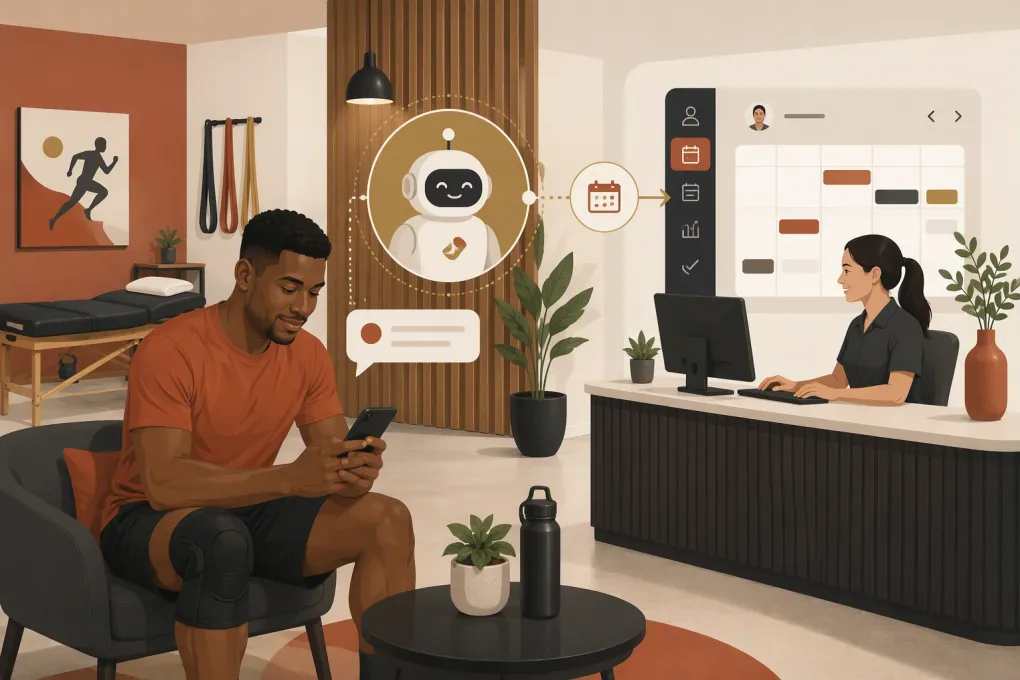
That is the practical case for an AI receptionist for sports rehabilitation clinics. It is not about replacing a knowledgeable front-desk team or letting software make clinical decisions. It is about handling the repetitive, time-sensitive work surrounding care: answering common questions, capturing complete lead information, routing requests, scheduling appropriate entry points, and following up when someone goes quiet.
Used correctly, an AI receptionist gives patients a responsive front door while protecting clinicians from unnecessary interruptions. Used carelessly, it can create scheduling errors, privacy concerns, and answers that cross into medical advice. The difference is in the setup.
See how Fitty can handle new rehabilitation and performance inquiries 24/7 →
Why sports rehabilitation clinics miss valuable inquiries
Front-desk demand rarely arrives in a neat sequence. A receptionist may be checking in a patient, confirming insurance information, responding to a referring provider, collecting a balance, and rescheduling a therapist—all while the phone rings.
Sports rehabilitation adds another layer because new inquiries are often specific:
- Can you treat a post-operative ACL patient?
- Do you work with runners or overhead athletes?
- Is a referral required?
- Do you accept a particular insurance plan?
- Can I book a movement assessment without becoming a therapy patient?
- Do you offer cash-pay recovery or performance services?
A missed call is not just an unanswered phone. It is an unresolved decision. The person needs to know whether your clinic is relevant, what they should book, what information they need, and when someone can see them.
An AI receptionist can handle the administrative portion immediately. Questions requiring clinical judgment, benefit verification, or urgent assessment should be escalated to qualified staff.
What an AI receptionist should actually do
The best implementation starts with narrow, clearly defined responsibilities. Do not begin by asking AI to handle every patient conversation. Start with high-volume workflows where the rules are stable and the risk is low.
Capture and qualify new inquiries
A useful intake conversation gathers enough information to determine the next operational step without attempting to diagnose the patient. Depending on your clinic, that may include:
- Name and preferred contact method
- Whether the inquiry is for the caller or someone else
- General area of concern, such as knee, shoulder, back, or ankle
- How the issue occurred, stated in the patient’s own words
- Whether surgery has occurred or is scheduled
- Preferred location, clinician, day, and time
- Referral status, if relevant to your process
- Insurance or cash-pay preference
- Sport, activity, or return-to-performance goal
The system should explain why it is collecting information and avoid requesting more sensitive detail than the workflow requires.
Answer approved administrative questions
Build answers from a clinic-controlled knowledge base. Useful topics include:
- Locations, hours, and parking
- Services offered
- How evaluations work
- What to bring to the first visit
- Referral and intake procedures
- General insurance participation information
- Cash-pay options
- Cancellation and late-arrival policies
- Accessibility information
- Contact details for medical records or billing questions
Be precise about insurance. Saying that the clinic works with an insurer is not the same as confirming a patient’s eligibility, benefits, authorization, or expected out-of-pocket cost. The AI should make that distinction every time.
Book the correct entry point
A sports rehabilitation business may offer physical therapy evaluations, return-to-sport testing, recovery sessions, massage, personal training, or performance memberships. Those services should not share one vague booking path.
Define rules for:
- Which appointments new patients may self-book
- Which services require staff review
- Appointment duration and provider eligibility
- Location-specific availability
- Referral or authorization requirements
- Post-operative cases that need records before scheduling
- Existing patients who should use a different workflow
If the system cannot confidently identify the correct appointment, it should create a structured callback task rather than guessing.
Follow up without overwhelming people
Many inquiries do not book during the first conversation. The person may need to check a work schedule, speak with a parent, find referral paperwork, or compare insurance options.
An AI receptionist can send a short follow-up containing the next action: finish an intake form, choose an evaluation time, upload requested documents through an approved channel, or wait for a staff call. Follow-up should stop when the person books, declines, opts out, or requires human assistance.
Build the workflow around patient intent
A reliable workflow routes the request before it tries to automate the response.
| Patient intent | AI receptionist action | When staff should take over |
|---|---|---|
| New injury or pain inquiry | Collect basic details and offer the approved evaluation path | Clinical questions, red flags, or uncertainty about the correct service |
| Post-operative rehabilitation | Gather procedure date, body area, referral status, and preferred location | Protocol review, records review, or scheduling restrictions |
| Insurance question | Provide general participation language and explain verification steps | Eligibility, benefits, authorization, or cost estimates |
| Cash-pay performance service | Explain the service and offer eligible booking times | Contraindications, clinical suitability, or package exceptions |
| Rescheduling request | Apply approved scheduling and cancellation rules | Repeated cancellations, special accommodations, or unavailable appointment types |
| Urgent or emergency language | Display the clinic’s approved emergency direction immediately | Human review according to the clinic’s escalation policy |
This intent-based structure also makes conversations easier to audit. When a booking error occurs, you can inspect the route, rule, and source content instead of treating the AI as a black box.
Set firm clinical and privacy boundaries
A rehabilitation clinic cannot use the same automation rules as a restaurant or retail store. Patient trust, health information, and clinical risk require stricter controls.
Keep AI out of diagnosis and treatment advice
The receptionist should not interpret symptoms, determine whether an injury is serious, recommend exercises, change a rehabilitation plan, or predict recovery time. Even seemingly simple questions can depend on medical history and examination findings.
Use direct boundary language such as:
- The assistant can help with scheduling and clinic information but cannot provide medical advice.
- A clinician must answer questions about symptoms, treatment, or recovery.
- For emergencies, call 911 or follow the clinic’s approved emergency instructions.
Have clinical leadership approve escalation terms, including language related to severe pain, breathing difficulty, loss of consciousness, new neurological symptoms, suspected fracture, post-operative complications, and self-harm. The AI should not improvise the emergency response.
Verify privacy and security before launch
Do not assume that a product is appropriate for protected health information simply because it is marketed to healthcare businesses. Ask vendors specific questions about:
- Whether they will sign a business associate agreement when required
- What data is stored and where
- Encryption in transit and at rest
- User access controls and audit logs
- Data retention and deletion
- Third-party subprocessors
- Whether conversation data is used to train models
- Procedures for security incidents
Your compliance obligations depend on your organization, data flows, jurisdiction, and services. Involve qualified legal, compliance, and security professionals rather than relying on a software vendor’s marketing page.
Respect communication consent
Document how people consent to calls and text messages, provide clear opt-out methods, and separate operational messages from marketing campaigns. Configure follow-up according to applicable laws and your counsel’s guidance. More automation does not justify more messages.
A practical implementation plan
1. Audit two weeks of front-desk demand
List the reasons people call, text, submit forms, or abandon booking. Group them into new leads, existing patients, billing, records, referrals, rescheduling, and clinical questions. You do not need a complex study; you need a representative view of what reaches the desk.
2. Choose one starting workflow
New-patient inquiries outside business hours are often a sensible starting point. The workflow is easy to define, response speed matters, and staff can review the results each morning.
Avoid launching intake, billing, rescheduling, records, and clinical escalation at the same time. A narrow rollout is easier to test and correct.
3. Create a controlled answer library
Use approved source material rather than letting the system produce unrestricted answers. Assign an owner to each content category:
- Operations owns hours, locations, and policies.
- Billing owns payment and insurance language.
- Clinical leadership owns service descriptions and safety escalation.
- Marketing owns public-facing tone and service positioning.
Add a review date so outdated policies do not remain active indefinitely.
4. Map every handoff
For each workflow, define who receives the task, what information they receive, and the expected next action. A message marked for staff review is not useful if it disappears into a shared inbox.
A strong handoff includes the inquiry type, contact details, conversation summary, unresolved question, urgency level, and consent status. Route it to a named queue with clear ownership.
5. Test edge cases before going live
Test the obvious path and the awkward ones:
- The person is asking for a child or dependent.
- The requested therapist works at another location.
- No suitable appointment is available.
- The patient changes topics halfway through the conversation.
- Insurance language is ambiguous.
- The person reports urgent symptoms.
- The patient asks the AI to recommend treatment.
- The person wants to stop receiving messages.
Review both the AI’s answer and the downstream record created for staff.
6. Launch with human review
During the initial rollout, review conversations frequently. Correct the source content and routing logic—not just the individual response. Once the workflow performs consistently, expand to another intent or channel.
Measure operational outcomes, not AI activity
Conversation volume alone does not tell you whether the system is helping. Track outcomes connected to front-desk performance:
- New inquiries captured by channel and time of day
- Inquiries that reach a valid booking or callback request
- Time from inquiry to first useful response
- Appointments booked, canceled, and rescheduled
- Conversations escalated to staff
- Booking corrections caused by routing errors
- Opt-outs and complaints
- Unanswered questions that should be added to the knowledge base
Review performance by location and service line. A workflow that works for cash-pay recovery sessions may not work for insurance-based post-operative care.
Where Fitty fits into the clinic operation
Fitty is WTF Go’s AI receptionist and agent for gyms, studios, spas, and wellness businesses. For sports rehabilitation operators that also run performance, recovery, fitness, or wellness services, it can provide one responsive layer for lead conversations, booking workflows, follow-up, and payment-related outreach.
The important point is scope. Fitty should handle the repeatable operational work it has been configured to handle, while your clinical systems and licensed team remain responsible for care delivery, clinical documentation, and medical decisions.
That separation can reduce front-desk friction without weakening the patient experience. Prospects receive a prompt answer. Staff receive organized context instead of another voicemail. Clinicians remain focused on work that requires clinical judgment.
See how Fitty can support your clinic’s after-hours inquiry and booking workflow →
Frequently asked questions
Can an AI receptionist schedule sports rehabilitation evaluations?
Yes, if the clinic defines eligible appointment types, provider rules, locations, and escalation conditions. Cases requiring clinical review, authorization, or records should be routed to staff instead of booked automatically.
Can an AI receptionist answer patient medical questions?
It should not diagnose conditions, recommend treatment, interpret symptoms, or predict recovery. It should clearly identify its administrative role and escalate clinical questions to qualified staff.
Is an AI receptionist automatically HIPAA compliant?
No. Clinics must evaluate the vendor, data flows, security controls, subcontractors, and availability of a business associate agreement when required. Compliance also depends on how the clinic configures and uses the system.
What should a sports rehab clinic automate first?
Start with a narrow, high-volume workflow such as after-hours new-patient inquiries. Test booking rules, safety escalation, staff handoffs, and privacy controls before expanding automation.
Keep reading



Run your gym on autopilot with WTF Go
Fitty — your AI receptionist — answers calls and DMs, fills classes, follows up with every lead, and collects dues while you coach.