AI & Automation
AI Receptionist for Sports Performance Gyms: 2026 Guide
See how an AI receptionist for sports performance gyms can qualify athlete leads, schedule assessments, answer parents, follow up, and collect dues 24/7.
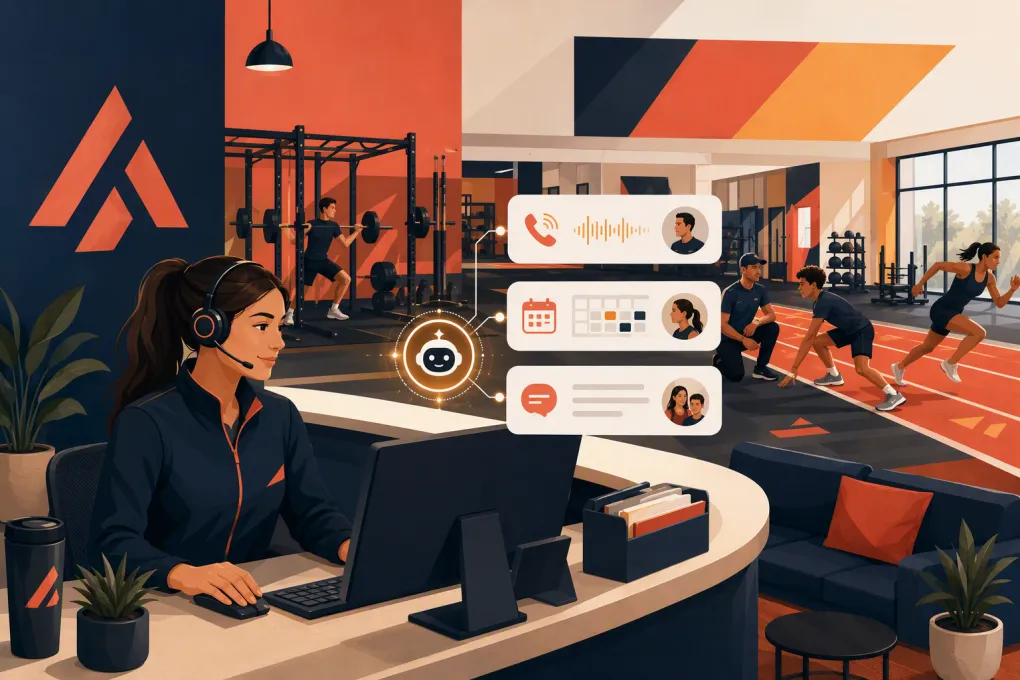 Watch · 20s
A sports performance gym does not have a simple front desk. One inquiry may come from a parent looking for middle-school speed training. The next may be a college athlete asking about an offseason program, a coach arranging team sessions, or a current member trying to reschedule an assessment.
Those conversations often arrive while your staff is coaching. If nobody answers, the lead may call the next facility before your next session ends. If someone does answer, they still need enough context to recommend the right next step without interrupting a coach.
An AI receptionist for sports performance gyms can cover that gap. It can answer routine questions, qualify athletes, schedule assessments, follow up with undecided leads, and handle common account requests. The goal is not to remove people from the experience. It is to make sure every inquiry receives a useful response while your team stays focused on athletes.
See how Fitty handles sports performance inquiries when your coaches cannot answer →
Why sports performance gyms need a different receptionist workflow
Generic gym automation usually assumes a straightforward path: choose a membership, book a class, and show up. Sports performance businesses tend to have more variables:
- Athlete age and level
- Sport, position, and training objective
- Injury or participation restrictions
- Individual, small-group, team, camp, or remote programming
- Seasonal availability
- Parent or guardian involvement
- Assessment requirements
- Coach and facility capacity
- School, practice, tournament, and travel schedules
A receptionist should not drop every prospect into the same trial-class sequence. It should identify who is contacting the gym, understand the requested outcome, and route the person toward an appropriate assessment, consultation, camp, or program.
That distinction matters operationally. Fast responses are useful, but fast responses that create unsuitable bookings simply move the problem onto your coaches.
What an AI receptionist should handle
The best use cases are frequent, structured conversations with a defined next action.
New athlete inquiries
An AI receptionist can collect the information your staff needs before recommending a booking:
- Athlete name and age
- Parent or guardian contact, when applicable
- Sport and position
- Current level of competition
- Primary objective
- Preferred days and times
- Individual or group-training preference
- Desired start date
- How the prospect heard about the facility
Keep the initial exchange short. You do not need an exhaustive performance history before an assessment. Ask only what changes the recommended next step.
Assessment and consultation booking
Once the lead is qualified, the receptionist should offer eligible times based on real availability. It should also explain what the athlete needs to bring, where to arrive, whether a parent should attend, and what happens after the assessment.
Avoid letting automation book every lead into every calendar. Separate availability by program, age range, assessment type, location, and coach qualification where necessary.
Program questions
Prospects repeatedly ask about pricing, schedules, age groups, session length, make-up policies, training methods, and expected commitment. Build approved answers for each active offer.
The AI should distinguish between questions it can answer and questions that require a coach. It can explain that an assessment evaluates starting points and program fit. It should not promise a specific performance result or interpret an injury.
Follow-up
Many qualified prospects do not book during the first conversation. They may need to check a school schedule, speak with another parent, or compare options.
A useful follow-up sequence can:
- Confirm what the athlete is trying to accomplish.
- Restate the recommended next step.
- Provide a direct booking option.
- Address a common concern, such as scheduling or program structure.
- Stop when the prospect books, declines, or opts out.
This is where AI provides practical leverage. Staff members no longer need to remember which parent said to call after baseball season or which team coach requested dates but never confirmed.
Current-member requests
An AI receptionist can also answer recurring operational questions, including:
- Upcoming session times
- Location and arrival instructions
- Booking or cancellation procedures
- Membership and package status
- Payment links or overdue balance instructions
- Camp registration details
- How to contact a coach
Account changes, exceptions, refunds, disputed charges, and sensitive athlete concerns should move to an authorized employee.
A practical lead workflow for sports performance gyms
Map the process before turning on automation. A strong baseline workflow looks like this:
1. Identify the contact
Determine whether the person is an athlete, parent, coach, team administrator, or current client. The same question can require a different answer depending on who is asking.
2. Classify the request
Use a small set of categories, such as:
- Youth performance
- High-school performance
- Collegiate or adult athlete training
- Team training
- Camps and clinics
- Return-to-training inquiry
- Current-member support
- Billing support
These categories make routing, reporting, and follow-up easier.
3. Qualify for the next step
Collect only the details needed to determine eligibility and fit. If your youth program begins at a particular age, define that rule. If new private-training clients require an evaluation, do not offer a standard session first.
4. Book or escalate
Offer a live booking when the path is clear. Escalate when the request involves medical concerns, unusual accommodations, team contracts, pricing exceptions, complaints, or a question outside the approved knowledge base.
5. Confirm and prepare
Send a concise confirmation that includes time, location, arrival instructions, preparation requirements, and a rescheduling path. Clear confirmations reduce preventable front-desk work.
Use Fitty to qualify athlete leads, book the correct assessment, and keep follow-up moving →
How to build the AI receptionist’s knowledge base
Your AI is only as reliable as the operating information behind it. Start with the material your best front-desk employee would need on day one.
Create a source of truth for:
- Programs, age ranges, and eligibility rules
- Current schedules and locations
- Assessment types and booking rules
- Pricing that staff are authorized to share
- Membership, package, and camp terms
- Cancellation and make-up policies
- Coach specialties and routing rules
- Facility directions, parking, and arrival procedures
- Payment processes
- Escalation contacts and business hours
Assign one person to own updates. When a camp fills, a schedule changes, or a new block starts, the AI’s information should be updated as part of the same operational checklist—not days later when someone notices incorrect answers.
Write answers like an operator
Do not load the system with vague marketing copy. Give it direct, usable answers.
Instead of: We provide elite solutions for athletes at every level.
Use: Athletes begin with a performance assessment. After the assessment, a coach recommends private or small-group training based on age, goals, schedule, and current ability.
The second answer tells the prospect what happens next and avoids an unsupported promise.
Guardrails you should set before launch
AI reception should have clear boundaries.
Medical and injury questions
The receptionist can collect a concern and route it to the appropriate person. It should not diagnose an injury, approve participation, or give rehabilitation advice. If your business works alongside licensed healthcare providers, define exactly which conversations go to those providers.
Minors and parent communication
Decide what information can be collected from a minor, when a parent or guardian must be involved, and who can approve purchases or account changes. Reflect those rules in booking and follow-up workflows.
Messaging and call compliance
Use clear consent and opt-out processes for automated texts or marketing follow-up. Review applicable federal and state requirements with qualified counsel, including call-recording disclosures where relevant. Do not assume one policy covers every state or communication channel.
Payments and account access
Use secure payment workflows rather than asking prospects to send card details in a message. Limit access to account data and require staff review for disputes, refunds, freezes, and unusual payment arrangements.
Human handoff
Define triggers that immediately involve a person, including:
- Safety concerns
- Complaints or emotionally charged conversations
- Injury and medical questions
- Scholarship or financial-hardship requests
- Contract negotiations
- Requests the AI cannot answer confidently
A good handoff includes the conversation summary and collected details so the customer does not have to start again.
How to measure whether it is working
Do not judge the system by how many messages it sends. Track whether it improves the path from inquiry to attendance.
Useful operating metrics include:
- Time to first response
- Percentage of inquiries that receive a response
- Qualified leads by program and source
- Assessment or consultation bookings
- Booking-to-attendance rate
- Follow-up conversations that produce a booking
- Human escalations and their reasons
- Cancellations and reschedules
- Unanswered questions
- Overdue accounts resolved through approved payment workflows
Review conversation samples regularly. Look for incorrect routing, unnecessary questions, outdated answers, awkward phrasing, and places where prospects abandon the exchange. Then update the workflow rather than blaming the lead.
A low-risk rollout plan
Start with one high-volume workflow, such as after-hours youth performance inquiries. Give the AI an approved program knowledge base, limited booking access, and explicit escalation rules.
Run internal tests using realistic scenarios:
- A parent asking whether a younger athlete is eligible
- A high-school athlete seeking offseason speed work
- A coach requesting training for an entire team
- A current client disputing a charge
- An athlete mentioning pain during training
- A prospect asking for a time that is unavailable
Check the booking, confirmation, follow-up, and handoff—not just the first answer. Once the complete workflow is dependable, add camps, team training, member support, and dues collection.
WTF Go brings these workflows into one operating system, while Fitty serves as the always-available AI receptionist. That means the conversation can move toward an actual booking, follow-up task, or payment action instead of ending with a generic message for your staff.
The real value is operational consistency
An AI receptionist will not replace a coach’s judgment or a strong relationship with an athlete and family. It should replace voicemail loops, delayed replies, repetitive explanations, missed follow-up, and preventable scheduling work.
For a sports performance operator, that creates a cleaner division of labor: the AI handles speed and consistency, while your staff handles coaching, judgment, exceptions, and relationships. That is the standard to use when evaluating any system—not whether it can merely generate a friendly response.
Frequently asked questions
Can an AI receptionist book athlete assessments automatically?
Yes, if it has access to current availability and clear rules for age, program, location, and assessment type. Complex or unusual requests should be escalated to staff.
Can an AI receptionist answer parents after business hours?
Yes. It can answer approved questions, collect athlete details, recommend the next step, and offer eligible booking times without requiring a coach to stop a session.
Should AI answer questions about athlete injuries?
It may collect basic information and route the inquiry, but it should not diagnose injuries, provide medical advice, or approve participation. Those decisions belong with qualified professionals.
How long does it take to set up an AI receptionist for a gym?
Timing depends on the complexity of your programs, schedules, policies, and booking rules. A focused rollout covering one inquiry type is usually easier to test than automating every front-desk workflow at once.
Will an AI receptionist replace front-desk staff?
It is better used to cover repetitive and after-hours work. Staff should continue handling sensitive conversations, exceptions, complaints, medical concerns, and relationship-driven decisions.
Keep reading



Run your gym on autopilot with WTF Go
Fitty — your AI receptionist — answers calls and DMs, fills classes, follows up with every lead, and collects dues while you coach.