AI & Automation
AI Receptionist for Sports Medicine Clinics: Practical Guide
See how an AI receptionist for sports medicine clinics handles calls, books visits, follows up, and supports staff without compromising patient service.
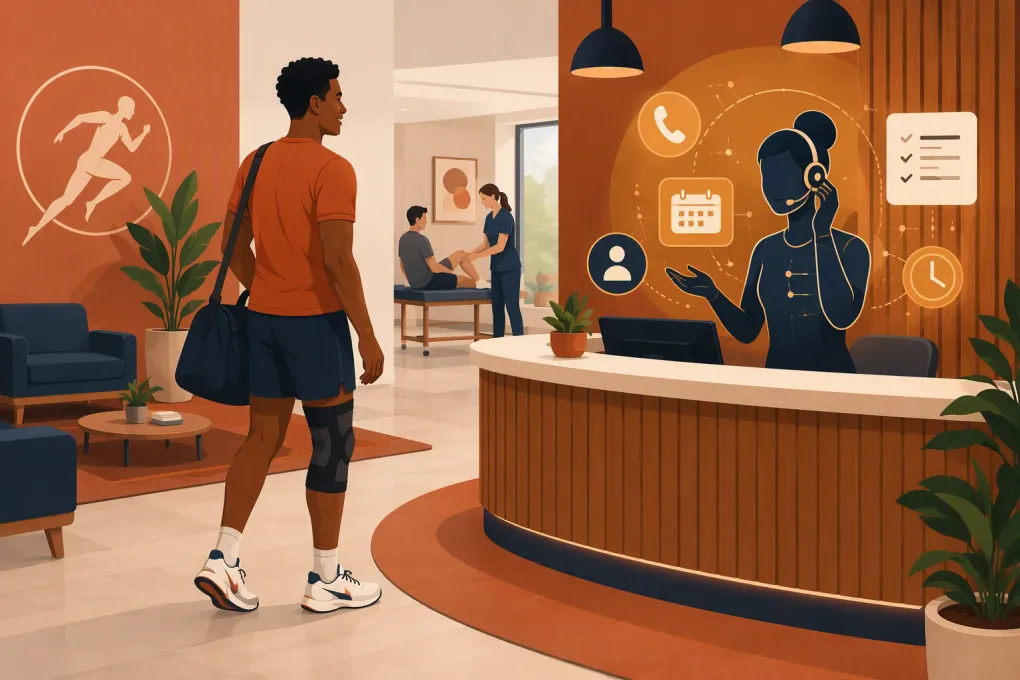 Watch · 20s
A missed call at a sports medicine clinic is rarely just a missed call. It may be an athlete trying to schedule an evaluation, a parent asking about an injury, an existing patient needing directions, or a referral lead calling the next clinic on the list.
Front-desk staff cannot answer every call while checking in patients, handling paperwork, coordinating providers, and responding to messages. An AI receptionist can close that coverage gap, but only if it is given a narrow operational role, clear escalation rules, and appropriate privacy controls.
The goal is not to make an AI sound like a clinician. The goal is to make routine access to the clinic fast, consistent, and available beyond front-desk hours.
See how Fitty can handle after-hours inquiries and booking workflows for your clinic →
What an AI receptionist can do for a sports medicine clinic
An AI receptionist is a voice or messaging agent that handles defined front-desk conversations. Depending on the platform, configuration, and integrations, it can answer calls, respond to common questions, collect contact information, schedule approved appointment types, send follow-ups, and route conversations to staff.
The most valuable workflows tend to be repetitive and administrative.
Capture new patient inquiries
A prospective patient may ask whether the clinic treats a particular type of injury, accepts a referral, offers self-pay services, or has an appointment available this week.
The AI receptionist can collect structured information such as:
- Name and preferred contact method
- Whether the caller is a new or existing patient
- General reason for the inquiry, without attempting a diagnosis
- Preferred location, provider, or appointment window
- Referral status when relevant
- Insurance or payment category when the clinic has approved that question
The collected information should be delivered to the correct queue instead of disappearing into a general voicemail inbox.
Book approved visit types
Scheduling is useful when the AI has precise rules. For example, a clinic may allow direct booking for initial evaluations, recovery sessions, sports performance consultations, or cash-pay services while requiring staff review for imaging, procedures, or certain post-operative visits.
A reliable setup needs rules for:
- Appointment duration
- Provider and location eligibility
- New versus existing patients
- Referral or authorization requirements
- Scheduling buffers
- Rescheduling and cancellation windows
- Cases that require manual review
Do not give the system unrestricted calendar access and hope it interprets clinical scheduling logic correctly. Start with a small group of low-risk appointment types.
Answer routine operational questions
An AI receptionist can answer questions based on a clinic-approved knowledge base, including:
- Hours and locations
- Parking and accessibility
- What to bring to an appointment
- Accepted payment categories
- Whether a referral may be required
- General service descriptions
- Cancellation policies
- How to request records
Answers should be written and approved by clinic leadership. The system should not improvise coverage guarantees, treatment recommendations, or medical advice.
Follow up without adding another staff task
When a caller does not book, the system can send an approved follow-up message with a scheduling link or notify staff that personal outreach is needed. It can also send reminders to people who requested information about sports performance programs, recovery services, memberships, or other non-insurance offerings.
Follow-up timing matters. A useful workflow identifies why the person did not schedule rather than repeatedly sending the same generic message.
Route urgent or complex calls
Some conversations should leave automation immediately. These include callers describing a possible emergency, requesting clinical guidance, expressing a complaint, discussing a complicated billing issue, or needing an accommodation the system cannot confirm.
The AI’s job is to recognize the boundary and follow the clinic’s escalation policy. It should never diagnose, assess the severity of an injury, or tell someone that waiting for an appointment is medically safe.
Where AI receptionists commonly fail
A poor implementation usually fails because the system was launched as a general-purpose replacement for the front desk. That creates predictable problems.
The knowledge base is vague or outdated
If provider availability, locations, services, and policies are inconsistent across your website and internal documents, the AI will expose those inconsistencies. Clean up the source material before launch and assign someone to maintain it.
Scheduling rules live only in employees’ heads
Experienced receptionists often know unwritten rules such as which provider handles a particular visit, when extra time is needed, or which appointment cannot be booked without documents. Those rules must be documented before they can be automated.
There is no clear handoff
Telling callers that someone will get back to them is not enough. Define where the conversation goes, who owns it, how quickly it should be reviewed, and what happens if the first person is unavailable.
The agent tries to answer clinical questions
Patients may describe symptoms even when they called about scheduling. The AI should use a clinic-approved response that avoids interpretation, directs emergencies appropriately, and routes non-emergency clinical questions to qualified staff.
Privacy and HIPAA questions to address before launch
Sports medicine clinics may handle protected health information, so an AI vendor’s general statement about secure technology is not sufficient. The clinic remains responsible for evaluating how patient information is collected, transmitted, stored, accessed, and deleted.
Ask prospective vendors:
- Will the system create, receive, maintain, or transmit protected health information?
- Is the vendor willing and able to sign a business associate agreement when required?
- Are call recordings and transcripts retained? If so, where and for how long?
- Can recording or transcription be disabled when appropriate?
- Which employees or subcontractors can access conversations?
- How are permissions, audit logs, encryption, and deletion handled?
- Is patient data used to train shared models?
- Which scheduling, CRM, payment, or electronic health record systems receive the data?
- How does the system disclose that the caller is interacting with an automated agent?
- What happens during an outage or suspected security incident?
Do not assume that using AI is automatically HIPAA compliant or automatically noncompliant. The answer depends on the vendor, contract, data flow, configuration, and clinic workflow. Have your compliance and legal advisors review the intended use.
How to build a safe call flow
Start with intent, not technology. List the most common reasons people contact the clinic and define the correct outcome for each one.
| Caller intent | AI action | Required handoff |
|---|---|---|
| New patient seeking an evaluation | Collect approved intake details and offer eligible slots | Staff review if referral or authorization is unclear |
| Existing patient rescheduling | Verify approved identifiers and apply scheduling rules | Route if visit type cannot be changed automatically |
| Hours, directions, or parking | Answer from the approved knowledge base | None unless the caller requests help |
| Clinical question | Avoid advice and offer the approved clinical message route | Clinical team |
| Possible emergency | Deliver the clinic-approved emergency instruction | Do not place in a routine callback queue |
| Billing or insurance dispute | Collect minimal routing information | Billing team |
| Records request | Explain the approved request process | Records or administrative staff |
| Sports performance program inquiry | Explain the program and offer a consultation | Sales or program owner when needed |
Write the escalation language before writing promotional answers. Safety boundaries are more important than making the agent conversational.
Explore how Fitty can capture, qualify, and route sports medicine inquiries 24/7 →
What to look for when choosing a system
A polished demonstration does not prove that the platform can run your workflows. Evaluate each option against real calls from your clinic.
Scheduling control
Confirm whether the system can limit booking by visit type, provider, location, duration, and patient status. Ask how it prevents duplicate bookings and what happens when the calendar changes during a call.
Reliable escalation
Look for configurable transfers, callback tasks, notifications, and conversation summaries. Staff should be able to see why the caller contacted the clinic and what the AI already told them.
Knowledge management
Your team should be able to update policies without rebuilding the entire agent. Ask whether changes require vendor support, how updates are tested, and whether answers can be limited to approved content.
Channel coverage
Decide whether you need phone, SMS, web chat, email, or a combination. A voice agent may solve missed calls, while messaging may be better for links, directions, and follow-up. Confirm actual channel support rather than assuming every AI product includes all of them.
Reporting and review
The clinic should be able to review outcomes such as answered calls, appointment requests, completed bookings, transfers, unresolved conversations, and opt-outs. Reports should help identify broken workflows, not simply show activity volume.
Integration and data control
Map where every field goes. A receptionist that collects information but leaves staff copying it between systems can create more work. Confirm integration capabilities, implementation ownership, data export options, and what happens if you leave the platform.
A practical rollout plan
Avoid turning on every workflow at once. A controlled rollout makes errors easier to identify and correct.
Phase 1: Document
Review recent call reasons and create an intent list. Document scheduling constraints, standard answers, escalation paths, prohibited topics, and after-hours procedures.
Phase 2: Configure
Load only approved information. Connect a limited calendar or request workflow, define required fields, and create routing rules for clinical, billing, records, and scheduling teams.
Phase 3: Test
Have employees test ordinary and difficult scenarios. Include interrupted callers, unclear speech, requests for medical advice, angry callers, minors, insurance questions, emergencies, and requests the clinic does not support.
Phase 4: Launch narrowly
Start with overflow, after-hours calls, or one service line. Review transcripts or structured summaries where legally and operationally appropriate. Correct inaccurate answers quickly.
Phase 5: Expand based on outcomes
Add workflows only after the first group performs reliably. Expansion might include additional locations, more appointment types, reactivation campaigns, or follow-up for sports performance services.
Measure operational outcomes, not novelty
The relevant question is not whether callers notice the AI. It is whether the system improves access without creating safety, privacy, or service problems.
Track:
- Calls answered versus abandoned or sent to voicemail
- Qualified inquiries that result in a booked visit
- Appointment requests requiring manual correction
- Transfers and unresolved conversations
- Time from inquiry to staff follow-up
- Booking errors by visit type
- Caller complaints and opt-outs
- Staff time spent correcting AI output
- After-hours inquiries recovered
Review a sample of conversations regularly. A booking metric can look healthy while the system gives poor answers or sends too many cases to the wrong queue.
Where Fitty fits
Fitty, the AI receptionist inside WTF Go, is built to help service businesses answer leads, book eligible services, follow up, and handle defined payment or dues workflows around the clock. For a sports medicine operator, that can be especially relevant for after-hours lead capture, sports performance consultations, recovery offerings, classes, memberships, and other clearly defined scheduling paths.
Clinical use requires additional scrutiny. Before putting protected health information or medical workflows into any platform, confirm contractual, privacy, security, integration, and compliance requirements for your clinic. The best first use case is often a bounded administrative workflow with a measurable handoff—not autonomous clinical intake.
See whether Fitty matches your clinic’s call, booking, and follow-up workflow →
Frequently asked questions
Can an AI receptionist schedule sports medicine appointments?
Yes, if it is connected to the appropriate scheduling workflow and given clear rules for providers, locations, visit types, referrals, and patient status. Complex or clinically sensitive appointments should be routed to staff.
Is an AI receptionist for a sports medicine clinic HIPAA compliant?
Compliance depends on the vendor, contract, configuration, data handling, integrations, and intended workflow. Confirm whether a business associate agreement is required and review the setup with qualified compliance and legal advisors.
Can an AI receptionist answer medical questions?
It should not diagnose, triage injuries, or provide treatment advice. It can deliver clinic-approved administrative information and route clinical questions or possible emergencies according to a defined escalation policy.
Should a clinic replace its front desk with AI?
Usually no. AI is best used for routine inquiries, overflow, after-hours coverage, scheduling, and follow-up while trained staff handle clinical, sensitive, and complex conversations.
What is the best first workflow to automate?
Start with a narrow, repetitive workflow such as after-hours lead capture or booking one low-complexity appointment type. Test it thoroughly before adding more services or locations.
Keep reading



Run your gym on autopilot with WTF Go
Fitty — your AI receptionist — answers calls and DMs, fills classes, follows up with every lead, and collects dues while you coach.