AI & Automation
AI Receptionist for Spin Studios: The Operator Playbook
See how an AI receptionist for spin studios can capture leads, answer class questions, book rides, follow up, and collect overdue membership dues 24/7.
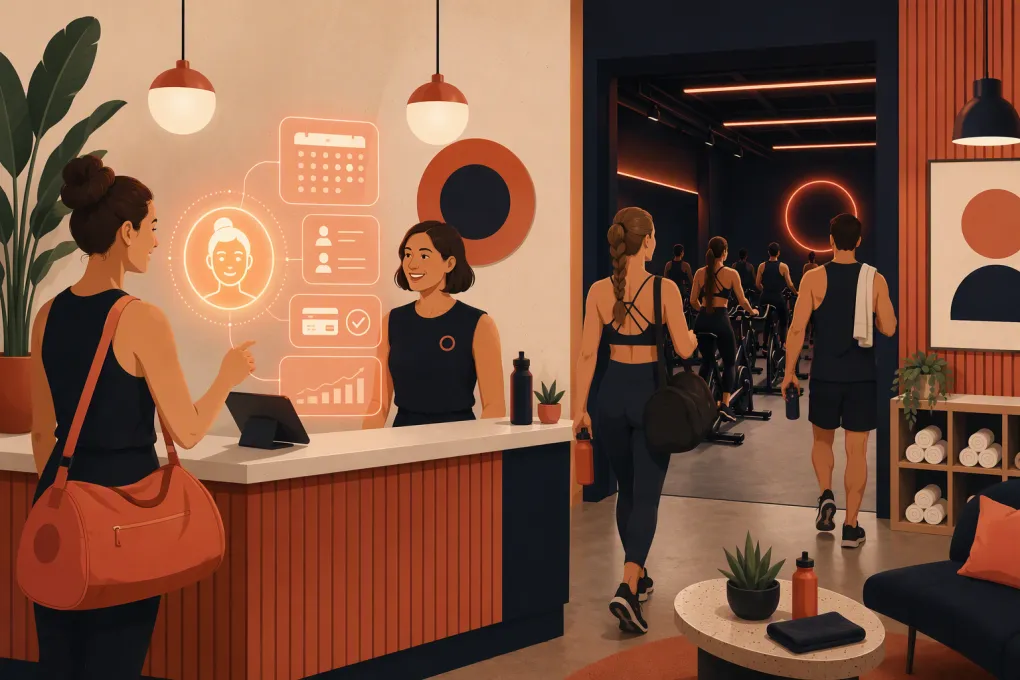 Watch · 20s
A prospective rider finds your studio after dinner, asks whether cycling shoes are included, and wants to book tomorrow’s beginner-friendly class. If nobody responds until the front desk opens, that rider may already have chosen another studio.
That is the practical case for an AI receptionist for spin studios. It is not about replacing coaches or removing people from hospitality. It is about covering repetitive, time-sensitive conversations when your team is coaching, cleaning bikes, checking in riders, or off the clock.
The right setup can answer common questions, capture lead details, book eligible riders, follow up, and help recover overdue dues. The wrong setup creates duplicate bookings, gives vague answers, or traps customers in an automated conversation. The difference comes down to workflow design.
See how Fitty handles spin studio leads and bookings around the clock →
What an AI receptionist actually does
An AI receptionist is a customer-facing agent connected to your studio’s approved information and operating workflows. Unlike a basic website chatbot with a fixed menu, it can interpret a rider’s question, provide a relevant answer, collect the information needed for the next step, and trigger an appropriate action.
For a spin studio, those actions commonly include:
- Answering questions about schedules, class formats, instructors, amenities, and studio policies
- Explaining what a first-time rider should bring and when to arrive
- Capturing a prospect’s name and contact information
- Guiding eligible riders toward an intro offer or class booking
- Following up with leads who did not complete a booking
- Sending approved reminders or payment links for overdue accounts
- Escalating exceptions to a staff member with useful context
The receptionist should operate from studio-approved rules. It should not invent availability, improvise refund decisions, promise a particular bike, or provide medical advice.
Why spin studios need a specialized workflow
A generic appointment bot does not automatically understand indoor cycling operations. Spin studios have class capacity, bike assignments, waitlists, late-arrival rules, shoe requirements, instructor substitutions, intro offers, and different eligibility rules for packages and memberships.
Your AI receptionist needs clear answers to questions such as:
- Can a first-time rider join any class, or only selected formats?
- Are cycling shoes provided, rented, or required?
- How early should a new rider arrive for bike setup?
- Can riders choose a specific bike during booking?
- When does the cancellation window close?
- How does the waitlist move, and how are riders notified?
- Are drop-ins allowed if online booking has closed?
- Which offers are restricted to local or first-time customers?
These details affect whether the AI gives a useful answer or creates work for the front desk. Before automating conversations, document the rules your strongest receptionist already follows.
The highest-value workflows to automate
1. Converting inquiries into first rides
Lead response should do more than say, “Someone will contact you.” A useful AI flow identifies what the prospect needs and moves the conversation toward a valid next step.
A practical first-ride flow might:
- Ask whether the person has taken an indoor cycling class before.
- Clarify preferred days, times, or class intensity.
- Answer basic questions about shoes, parking, arrival, and bike setup.
- Present the appropriate intro option or eligible class times.
- Complete the booking or provide the studio’s approved booking path.
- Follow up if the prospect stops before reserving.
Keep qualification short. A rider asking for tomorrow’s schedule should not have to answer a long intake questionnaire before seeing availability.
The AI should also preserve the conversation for staff. If a prospect asks about accessibility, injury accommodations, pregnancy, or another issue requiring judgment, the system should route the question rather than guessing.
See how Fitty answers leads, follows up, and turns interest into booked rides →
2. Handling repetitive pre-class questions
Many incoming questions are operational rather than sales-related. Each one is simple, but together they interrupt check-in and class turnover.
Build a studio knowledge base covering:
- Address, parking, entrance, and public transit details
- Front-desk and class hours
- Shoe compatibility, rentals, and sock requirements
- Lockers, showers, towels, and water availability
- First-ride arrival guidance
- Age or guardian requirements
- Cancellation, late-arrival, and no-show policies
- Waitlist procedures
- Package expiration and account rules
- How to contact a person for an exception
Write direct answers in the language your team uses. Avoid dropping an entire policy document into every response. The AI should answer the question first, then offer the relevant next action.
3. Booking without breaking studio rules
Booking automation needs more control than a link to the schedule. The agent must respect live capacity, account eligibility, and the rules already configured in your booking system.
Test these scenarios before launch:
- A new rider tries to reserve a full class.
- A member has no valid credits remaining.
- The class starts too soon for online booking.
- A rider wants to cancel inside the penalty window.
- Two people want adjacent bikes.
- A prospect asks for an offer they have used before.
- A class is canceled or an instructor changes.
Whenever the AI cannot complete a request safely, it should explain the limitation and create a clean handoff. “I can’t do that” is a dead end; “I need the studio team to review this, and I’ve passed along your class and account details” is an operational workflow.
4. Following up without annoying prospects
Automated follow-up works best when it responds to a clear behavior. Useful triggers include an inquiry without a booking, an incomplete intro-offer purchase, or a completed first ride without a next reservation.
Each sequence should have:
- A defined entry condition
- A specific goal
- A limited number of messages
- A stop condition when the rider books, declines, or opts out
- A clear path to a human
Do not keep sending generic “just checking in” messages. Refer to the rider’s actual request and offer a useful next step, such as suitable class times or help choosing a beginner-friendly ride.
For calls and text messages, follow applicable consent, identification, opt-out, and calling-time requirements. Have qualified counsel review your practices; AI automation does not remove the studio’s compliance responsibilities.
5. Recovering overdue dues professionally
Failed payments often sit between customer service and collections. The tone matters because the rider may simply have an expired card or a temporary issue.
An AI receptionist can send an approved reminder, explain how to update the account, provide a secure payment path, and stop outreach when the balance is resolved. It can also escalate disputes, cancellation claims, hardship requests, or repeated failures to a manager.
Do not ask riders to send full card details through an ordinary conversation channel. Direct them to your approved payment process, and restrict the AI from negotiating balances or making unauthorized policy exceptions.
See how Fitty follows up on overdue spin studio dues without adding front-desk tasks →
What should stay with your staff
Automation should absorb repeatable work, not sensitive judgment. Create mandatory escalation rules for:
- Injuries, health concerns, and requests for medical guidance
- Safety incidents or complaints about another rider
- Refund disputes and chargebacks
- Accessibility requests that need individual review
- Threats, harassment, or abusive language
- Membership freezes and exceptions outside written policy
- Large group, corporate, or private-event inquiries
- Any situation where the AI lacks reliable information
Assign an owner for escalations and define response expectations by issue type. A handoff queue nobody monitors is not a handoff system.
How to prepare your studio for implementation
Build one source of truth
Collect your schedule rules, offers, FAQs, policies, amenities, directions, and escalation contacts. Resolve conflicting information across your website, booking pages, social profiles, and staff scripts before giving it to the AI.
Map outcomes, not just questions
For every common inquiry, define the desired outcome. A schedule question should lead to appropriate availability. A shoe question should end with an answer and, when relevant, a booking option. A billing question should lead to a secure account action or staff review.
Launch in controlled stages
Start with lower-risk tasks such as FAQs and lead capture. Then add booking, follow-up, and payment workflows after the knowledge base and handoffs perform reliably.
Review real conversations during launch. Look for incorrect answers, unnecessary friction, missed sales opportunities, repeated escalation reasons, and language that does not sound like your studio.
Train the team
Staff should know what the AI can do, where escalations appear, and how to take over a conversation. They also need a simple process for reporting outdated answers. If a policy changes, updating the AI should be part of the same checklist used to update the website and front desk.
How to evaluate an AI receptionist
Do not choose a product based only on a polished demonstration. Test it against the messy situations your team handles every week.
Ask vendors to show:
- How the AI accesses current schedules and booking rules
- What happens when availability changes during a conversation
- How lead history and staff notes are preserved
- How opt-outs and communication preferences are handled
- How payment information is protected
- How managers update policies and approved answers
- How conversations are reviewed and corrected
- How the system supports multiple locations with different rules
- What happens when an integration or external system is unavailable
Track operational outcomes after launch: inquiry-to-booking movement, response coverage, completed follow-ups, escalation volume, recurring unanswered questions, and staff time spent correcting mistakes. Raw conversation volume is not a success metric by itself.
A receptionist that supports the ride experience
The best AI receptionist for a spin studio is almost invisible. Riders get accurate answers and a straightforward path to class. Staff receive fewer repetitive interruptions and better-context handoffs. Managers gain consistent coverage without letting automation make decisions it should not make.
That requires more than turning on a chatbot. Define your rules, connect the right workflows, test edge cases, and keep a human accountable for quality. Done properly, AI becomes part of the studio’s operating system rather than another inbox for the team to manage.
Frequently asked questions
Can an AI receptionist book spin classes directly?
Yes, if it is connected to an appropriate booking workflow and follows live capacity, eligibility, cancellation, and account rules. Otherwise, it should guide the rider to the approved booking path.
Will an AI receptionist replace my front-desk staff?
It should handle repetitive inquiries and routine follow-up, not sensitive complaints, safety issues, policy exceptions, or hospitality inside the studio. Strong implementations give staff better handoffs instead of removing human support.
What information does a spin studio need before launching AI?
Prepare current schedules, class descriptions, intro offers, shoe and amenity details, booking policies, billing rules, directions, and escalation contacts. Remove conflicts between your website, booking system, and internal procedures.
Can AI follow up on failed membership payments?
Yes. It can send approved reminders and direct members to a secure payment process, while escalating disputes or exception requests to staff. Riders should not be asked to share full card details in ordinary messages.
How should a multi-location spin brand use an AI receptionist?
Maintain location-specific schedules, amenities, policies, offers, and escalation contacts while standardizing brand voice and core workflows. Test transfers between locations so the AI does not apply one studio's rules to another.
Keep reading



Run your gym on autopilot with WTF Go
Fitty — your AI receptionist — answers calls and DMs, fills classes, follows up with every lead, and collects dues while you coach.