AI & Automation
AI Receptionist for Spa Group Bookings: A Practical Guide
Learn how an AI receptionist for spa group bookings captures inquiries, gathers guest details, coordinates follow-up, and protects the client experience.
 Watch · 20s
Group spa bookings look valuable on the calendar, but they can consume hours before anyone receives a treatment. The organizer wants several services, guests have different schedules, and your team has to coordinate rooms, providers, deposits, waivers, changes, and follow-up without disrupting front-desk operations.
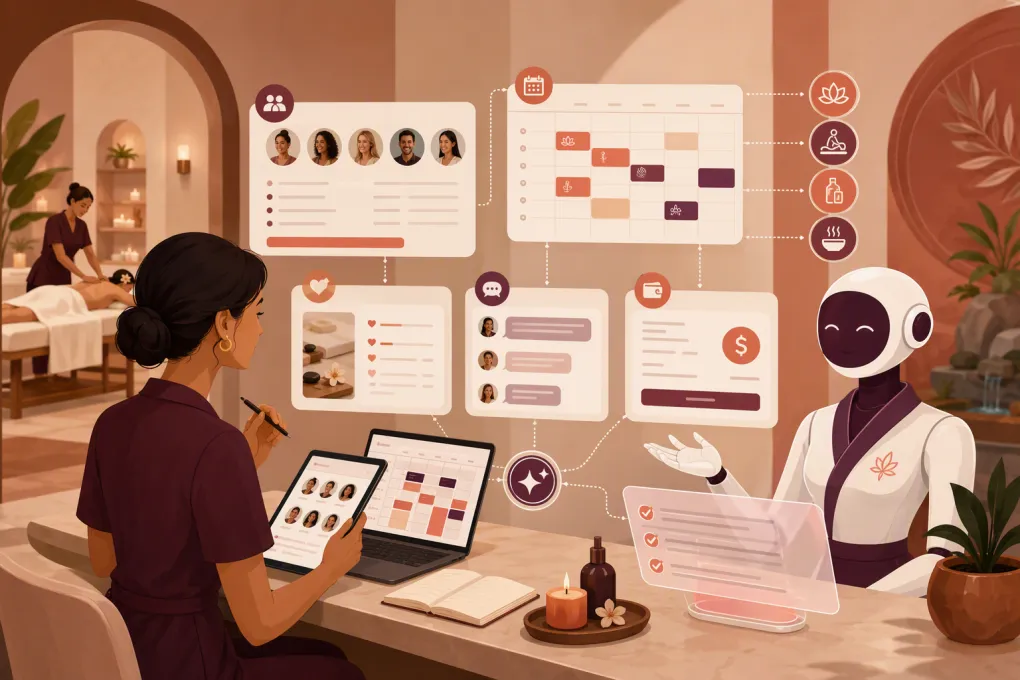
An AI receptionist for spa group bookings can take the repetitive work off the desk. It can respond immediately, gather structured details, answer routine questions, and keep the inquiry moving. The goal is not to let a bot improvise a complicated spa itinerary. The goal is to give your team a complete, qualified request that can be confirmed without chasing the organizer through five channels.
Why group spa bookings overwhelm the front desk
A standard booking usually involves one guest, one service, and one time slot. A group inquiry may involve:
- Multiple guests with different treatment preferences
- Services requiring different rooms, equipment, or provider credentials
- Requests to start or finish together
- Package, gratuity, cancellation, and deposit questions
- Guest substitutions and last-minute schedule changes
- Catering, lounge access, private areas, or event add-ons
- One organizer communicating on behalf of everyone
Most online booking systems are designed to show individual appointment availability. They are less effective at assembling several interdependent appointments while preserving room and provider capacity.
The result is often a vague website form followed by phone tag. If the request arrives after hours, the organizer may contact another spa before your team responds.
See how Fitty can respond to spa group inquiries after hours →
What an AI receptionist should—and should not—handle
The safest approach is to divide the workflow by authority. Let AI handle predictable communication and data collection. Keep staff responsible for decisions that affect inventory, exceptions, or the final guest experience.
| Booking stage | AI receptionist can handle | Staff should control |
|---|---|---|
| Initial response | Acknowledge the inquiry and explain the process | Review unusual requests or complaints |
| Intake | Gather date, group size, services, timing, and contact details | Clarify complex treatment or accessibility needs |
| Qualification | Identify whether the request meets your group-booking rules | Approve exceptions to minimums or policies |
| Availability | Offer approved options when connected to reliable availability | Build itineraries involving shared resources or tight dependencies |
| Policies | Share approved deposit, cancellation, gratuity, and arrival policies | Negotiate custom terms or approve waivers |
| Follow-up | Request missing information and send reminders | Resolve stalled negotiations or sensitive issues |
| Confirmation | Send approved details and next steps | Give final approval when manual scheduling is required |
An AI receptionist should never promise availability it cannot verify. It should also avoid interpreting health information, recommending treatments beyond approved guidance, or inventing an answer when a policy is unclear.
A good fallback is simple: collect the facts, set a response expectation, and route the conversation to the right employee.
Build a group-booking intake that staff can use
The quality of the handoff depends on the quality of the intake. Do not begin with a giant questionnaire. Ask for the minimum information needed to determine whether the request is viable, then gather details progressively.
First-round questions
Start with:
- Preferred date and one or two alternate dates
- Approximate arrival and departure window
- Number of guests
- Services or experience requested
- Whether guests need to begin or finish together
- Organizer’s name, mobile number, and email
- Occasion, if relevant to how your spa packages the visit
These answers let the team assess capacity before collecting every guest’s preferences.
Second-round questions
Once the request appears workable, collect:
- Each guest’s service choice
- Provider gender preference, if your spa supports it
- Accessibility accommodations
- Pregnancy or other considerations that require staff review
- Add-ons, lounge access, refreshments, or private-space requests
- Who will pay and whether charges will be combined or separate
- Preferred communication channel
Avoid asking guests to send detailed medical information through ordinary text messages. If your treatments require health screening, direct each guest to your approved intake process and limit what the AI stores in the conversation.
Use controlled choices instead of open-ended prompts
A question such as “What would everyone like?” usually produces an unusable paragraph. Controlled prompts are easier to process:
Which option is closest to your plan: massages for everyone, facials for everyone, a mix of services, or a custom spa event?
The AI can ask a relevant follow-up based on the selection. This creates cleaner records and reduces clarification work.
A practical automation workflow
A useful group-booking workflow should move the inquiry forward while making its status obvious to staff.
1. Capture every entry point
Connect the channels where group inquiries actually arrive: website forms, web chat, phone, SMS, and social lead forms where supported. Send them into one lead record rather than leaving details scattered across inboxes.
2. Identify group intent early
The AI should recognize phrases such as “bridal party,” “birthday group,” “corporate wellness day,” or “six massages.” It can then switch from the individual-booking flow to the group intake.
3. Apply qualification rules
Document the rules the receptionist is allowed to use, including:
- What your spa considers a group
- Minimum lead time
- Maximum group size by day or location
- Services available to groups
- Days or periods excluded from group reservations
- Deposit and cancellation requirements
- When manager approval is mandatory
If these rules only exist in an experienced manager’s head, the automation will be inconsistent. Write them down before configuring the AI.
4. Create a clear handoff
A staff alert should summarize the request rather than forwarding a transcript. Include the requested date, alternates, group size, service mix, timing constraints, missing information, and any policy questions.
The handoff should also have an owner and deadline. “Front desk” is not an owner. Assign group requests by location, shift, event type, or designated coordinator.
5. Follow up without restarting the conversation
If the organizer goes quiet, the AI can ask for the specific missing item. It should not send a generic “just checking in” message that forces the client to reconstruct the request.
For example:
We have your request for eight guests on Saturday afternoon. To prepare schedule options, we still need each guest’s preferred service. Would you like to send the list here or receive a form to share with the group?
Use Fitty to capture, qualify, and follow up with spa leads around the clock →
Protect the guest experience during coordination
Automation should make a group feel expected, not processed. A few operating choices matter.
Keep one primary organizer
Ask the organizer to approve the itinerary and major changes. Individual guests can submit preferences, but they should not be able to unknowingly alter the whole reservation.
Separate a request from a confirmation
Use precise status language:
- Inquiry received: Details have been captured but no space is reserved.
- Options under review: Staff are checking providers and resources.
- Temporary hold: Capacity is held until a stated deadline, if your policy allows holds.
- Confirmed: Required approvals and payments are complete.
Do not use “booked” until the reservation is actually secured in your system.
Time upsells appropriately
Trying to sell add-ons before confirming basic feasibility can create friction. First establish the date, group size, and core services. Then present relevant upgrades such as enhancements, refreshments, private space, or retail arrangements.
Give guests one source of truth
The final itinerary should state arrival time, service assignments, payment expectations, cancellation terms, forms required, parking information, and what guests should bring. If the schedule changes, update the same record instead of circulating conflicting versions.
Set operational and compliance guardrails
Before launch, define what happens when the normal workflow fails.
- Booking authority: Specify whether AI may book verified slots, request a hold, or only collect information.
- Escalation triggers: Route complaints, accessibility requests, contraindication questions, custom contracts, and policy disputes to staff.
- Data access: Limit access to guest information by role and location.
- Payment handling: Use approved payment links and processors rather than collecting card details in free-form chat.
- Communication consent: Configure calls and messages around applicable consent rules and your legal guidance.
- System outages: Provide a fallback when calendars, payments, or messaging services are unavailable.
- Auditability: Retain a clear record of what was requested, offered, changed, and confirmed.
Test the workflow with difficult scenarios, not just ideal ones. Try a guest substitution, a mixed-service party, a date change, an unavailable provider, a payment deadline, and an organizer asking for an exception.
Measure whether the workflow is actually helping
Avoid judging the system only by the number of conversations. Track operational outcomes:
- Time from inquiry to first useful response
- Percentage of inquiries with complete intake details
- Time from intake completion to staff review
- Group inquiries that become confirmed reservations
- Requests requiring manual correction
- Follow-ups sent before the organizer responds
- Cancellations or changes caused by unclear expectations
- Group leads lost by reason, such as capacity, timing, price, or no response
Review conversation samples alongside the numbers. A quick response is not useful if it asks irrelevant questions or creates promises the spa cannot honor.
How Fitty supports the group-booking process
Fitty, WTF Go’s AI receptionist, is built to answer leads, support booking workflows, follow up, and collect dues around the clock. For spa group bookings, the practical value is continuity: the inquiry is acknowledged after hours, the organizer is guided through approved questions, and the team receives a structured lead instead of a vague voicemail.
WTF Go can also keep lead communication, booking activity, and follow-up inside a broader operating system. Your exact setup should reflect how your spa controls group availability, payments, and manager approvals rather than forcing a complex reservation into a standard individual-booking flow.
See how WTF Go and Fitty can streamline your spa’s group-booking workflow →
The best AI receptionist is not the one that talks the most. It is the one that collects the right information, respects operational limits, and helps staff turn a complicated request into a well-run spa day.
Frequently asked questions
Can an AI receptionist book an entire spa group automatically?
It can automate intake, approved availability checks, routine booking steps, and follow-up. Complex itineraries involving several providers, rooms, or exceptions should usually receive staff approval before confirmation.
What information should a spa collect from a group organizer?
Collect preferred and alternate dates, group size, timing, requested services, coordination requirements, contact details, and payment structure. Gather individual guest preferences only after confirming that the request is feasible.
Can an AI receptionist collect deposits for group bookings?
It can direct organizers into an approved payment workflow when properly configured. Card details should be handled by a suitable payment processor rather than collected in free-form chat.
How should an AI handle health or treatment questions?
It should provide only approved general information and route contraindications, pregnancy considerations, medical questions, or treatment recommendations to qualified staff.
Does Fitty respond to spa inquiries after business hours?
Yes. Fitty is designed to answer leads and continue approved follow-up workflows around the clock, helping spas capture group requests when front-desk staff are unavailable.
Keep reading



Run your gym on autopilot with WTF Go
Fitty — your AI receptionist — answers calls and DMs, fills classes, follows up with every lead, and collects dues while you coach.