AI & Automation
AI Receptionist for Rolfing Practices: Operator's Guide
See how an AI receptionist for Rolfing practices can answer inquiries, qualify clients, book sessions, follow up, and protect practitioner time every day.
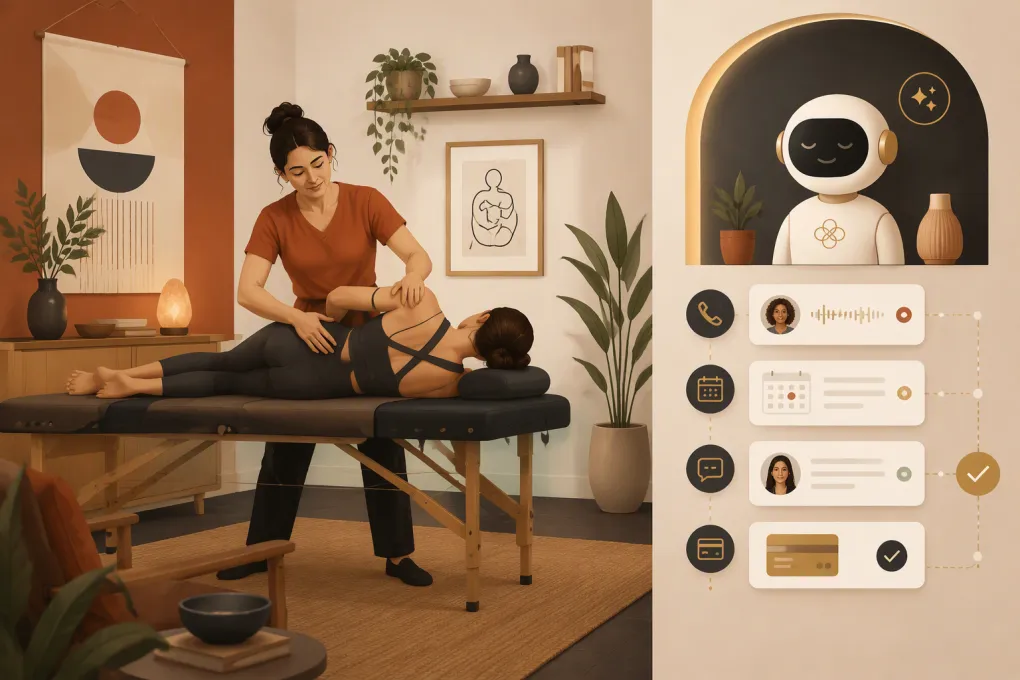
A Rolfing practitioner cannot answer the phone while working hands-on with a client. That creates an operational problem: the practice may be open, but the front desk is effectively unavailable for much of the day.
Prospective clients do not always understand Rolfing Structural Integration, how sessions work, or which appointment to choose. They may call after hours, send a short message about discomfort, or hesitate because they are unsure what to expect. If the response comes several hours later, the conversation has already lost momentum.
An AI receptionist for Rolfing practices can cover that gap. Properly configured, it can answer routine questions, collect basic information, guide people toward the right booking option, follow up with undecided leads, and escalate conversations that require a practitioner’s judgment.
The important phrase is properly configured. A generic chatbot is not enough. The system needs to reflect your services, boundaries, schedule, policies, and voice.
See how Fitty handles after-hours Rolfing inquiries and booking →
What an AI receptionist should handle
The goal is not to automate every client interaction. It is to remove repetitive administrative work while preserving human attention for clinical judgment, sensitive conversations, and hands-on care.
For most Rolfing practices, the useful scope includes:
- Answering common questions about session length, pricing, location, parking, and preparation
- Explaining the difference between an introductory session, an individual session, and a series without making treatment claims
- Collecting contact details and the client’s general reason for reaching out
- Offering appropriate appointment times based on actual availability
- Sending confirmations, reminders, intake instructions, and rescheduling links
- Following up when an inquiry does not become a booking
- Handling cancellation-policy and package-balance questions
- Sending payment reminders or secure payment links when appropriate
- Escalating medical, urgent, unusual, or emotionally sensitive questions
That scope gives the AI a clear job. It also prevents the common mistake of letting automation wander into diagnosis or promises about outcomes.
The highest-value workflows for a Rolfing practice
New-client education and qualification
Rolfing often requires more explanation than a conventional massage appointment. A new lead may ask whether it is massage, whether the work is painful, or whether it can address a specific injury.
An AI receptionist should answer with approved, neutral language. It can explain how your practice describes the work and what a typical session involves. It should not claim that Rolfing will cure an injury, replace medical care, or produce a guaranteed result.
A practical conversation flow might be:
- Ask whether the person is a new or returning client.
- Ask what prompted the inquiry, using an open field rather than a diagnostic checklist.
- Explain the available first-visit options.
- Ask whether the client has any scheduling preferences.
- Present eligible appointment times.
- Send the intake form and preparation instructions after booking.
- Route questions involving recent surgery, acute injury, pregnancy, complex health history, or medical advice to the practitioner.
Qualification should help the person reach the right next step—not decide whether that person is medically suitable for care.
Missed-call and after-hours response
A solo practitioner may miss calls during every session block. A small multi-practitioner studio can have the same problem when the front desk is unstaffed.
The AI receptionist should respond immediately to configured inquiry channels, identify the reason for the contact, and continue the booking conversation. If the person is not ready, it should capture permission and a clear next action instead of leaving an unstructured voicemail in a queue.
A useful after-hours response should cover:
- Whether the person wants to book, reschedule, ask a question, or discuss an existing account
- Which practitioner or service they are interested in
- The next available eligible appointments
- When a human will respond if escalation is required
Do not make the AI pretend to be a person. A direct introduction such as an AI scheduling assistant for the practice sets an honest expectation without making the exchange feel robotic.
Lead follow-up without manual chasing
Many inquiries are interested but not ready to book during the first conversation. They may need to review their calendar, consider the cost, or learn more about the process.
A basic follow-up sequence can include:
- A same-conversation recap with the booking link or available times
- A later reminder that references the service discussed
- A final check-in that gives the person an easy way to decline further messages
Every follow-up should identify the practice, respect consent requirements, and make opting out simple. Avoid sending generic promotional messages to someone who asked a specific care-related question.
Fitty, WTF Go’s AI receptionist, can answer leads and continue follow-up around the clock based on the workflows your practice sets. That keeps inquiries moving without requiring the practitioner to reopen every conversation between sessions.
Rescheduling, cancellations, and waitlist recovery
Scheduling changes create more work than the initial booking. Your AI receptionist should know:
- How much notice your cancellation policy requires
- Whether clients can reschedule certain appointments themselves
- Which appointments require practitioner approval
- Whether a deposit or fee applies
- Which clients can be offered an newly opened time
Automation is especially useful when a cancellation creates a near-term opening. The system can contact eligible clients according to your rules rather than forcing you to send individual texts. Confirm the first accepted booking in the calendar before offering or promising the slot elsewhere.
Packages, balances, and payment reminders
Rolfing practices may sell individual sessions, structured series, memberships, or packages. The receptionist needs access to accurate account information before discussing remaining sessions or balances.
Keep payment messages factual and discreet. They should state what action is needed, link to a secure payment path, and offer human help for disputes or hardship conversations. Do not place sensitive service details in an SMS preview or voicemail.
Explore how WTF Go brings booking, follow-up, and dues collection into one workflow →
How to configure the AI before it speaks to clients
The quality of an AI receptionist depends heavily on the operating rules behind it. Prepare these inputs before launch.
Build a controlled service catalog
For every service, document:
- Public name and plain-language description
- Duration and price
- New-client eligibility
- Practitioner eligibility
- Required buffers between sessions
- Deposit or prepayment rules
- Intake-form requirements
- Cancellation and late-arrival policies
- Whether online rescheduling is allowed
If your calendar says initial session while your website says first Rolfing appointment, decide which wording the receptionist should use consistently.
Create an approved answer library
Review recent emails, voicemails, and front-desk questions. Turn recurring questions into approved answers covering clothing, session preparation, parking, accessibility, series structure, payment methods, receipts, and practitioner credentials.
Keep answers specific to your practice. If experiences vary, say so. Avoid absolute statements about pain, safety, or results.
Define escalation triggers
Write down exactly when the AI must stop and involve a human. Triggers should include:
- Requests for diagnosis or medical advice
- Reports of severe, sudden, or worsening symptoms
- Emergencies or immediate safety concerns
- Complaints about care or possible adverse events
- Refund disputes and chargebacks
- Accessibility needs not covered by your standard information
- Requests involving records, subpoenas, or legal matters
- Any question the system cannot answer from approved information
For urgent health or safety language, the system should direct the person toward appropriate emergency help rather than placing them into an ordinary callback queue.
Protect schedule integrity
Test more than whether an appointment appears on the calendar. Confirm that the system respects practitioner hours, room or equipment limits, buffers, appointment dependencies, time zones, closed dates, and new-client restrictions.
Run test conversations for edge cases such as a client trying to book two overlapping sessions, use an expired package, or schedule the wrong service with a practitioner who does not offer it.
Privacy, consent, and record handling
Rolfing conversations can contain health-related information even when the practice does not ask for it. Clients may voluntarily describe injuries, diagnoses, medications, or treatment histories in a message.
Before deploying any AI receptionist, determine what information it collects, where that information is stored, who can access it, how long it is retained, and how it can be corrected or deleted. Give team members role-based access rather than sharing one login.
Whether HIPAA applies depends on how the practice operates and whether it is a covered entity or business associate. Do not assume that every wellness practice has the same obligations. If HIPAA applies, evaluate vendors, data handling, security controls, and business associate agreement availability with qualified legal or compliance guidance.
Also review federal and state rules for automated calls, texts, call recording, marketing consent, and opt-outs. Consent for an appointment reminder is not automatically consent for unrelated marketing.
How to evaluate performance after launch
Do not judge the receptionist only by how human the messages sound. Evaluate whether it completes accurate, useful work.
Track operational measures such as:
- Inquiries that receive a timely response
- Qualified inquiries that reach the booking page
- Appointments booked through the receptionist
- Conversations escalated to a human
- Incorrect answers or failed booking attempts
- Rescheduled appointments recovered instead of canceled
- Follow-up opt-outs and complaints
- Payment links completed versus disputed
Review transcripts regularly during rollout. Add missing answers, tighten overly broad responses, and remove any wording that sounds like a treatment promise. The system should improve through deliberate operational review, not unsupervised experimentation on clients.
Where WTF Go and Fitty fit
WTF Go is built as an operating system for gyms, studios, spas, and wellness businesses. Fitty adds the receptionist layer: answering leads, guiding bookings, following up, and helping collect dues while the practitioner is working or off the clock.
For a Rolfing practice, the practical advantage is continuity. The inquiry, appointment, follow-up, and account action can live in one operating workflow instead of being copied between a personal phone, calendar, inbox, payment tool, and handwritten task list.
Start with one contained workflow—usually new-client inquiries and booking. Validate the answers and escalation rules, then add rescheduling, follow-up, and payment workflows as the team becomes comfortable.
See how Fitty can be configured around your Rolfing services and policies →
The operator’s bottom line
An AI receptionist should not replace the trust at the center of a hands-on practice. It should protect the time required to build that trust.
The right setup responds when you cannot, gives prospective clients a clear next step, and keeps routine administrative work from spilling into evenings. The wrong setup improvises health claims, ignores scheduling rules, or creates more cleanup than it saves.
Treat the AI like a front-desk team member: give it an approved knowledge base, precise permissions, firm escalation rules, and regular review. That is how a Rolfing practice gains useful automation without lowering its standard of care.
Frequently asked questions
Can an AI receptionist explain what Rolfing is to new clients?
Yes. It can use practice-approved language to explain services, session structure, preparation, and policies, but it should not diagnose conditions or promise treatment outcomes.
Will an AI receptionist replace a human receptionist?
Not necessarily. It is best used for routine inquiries, scheduling, reminders, and follow-up, while practitioners or staff handle sensitive, medical, disputed, or unusual conversations.
Can an AI receptionist book Rolfing appointments directly?
Yes, if it is connected to an accurate booking system and configured with service eligibility, practitioner availability, buffers, deposits, and cancellation rules.
Does an AI receptionist for a Rolfing practice need to be HIPAA compliant?
That depends on whether the practice is subject to HIPAA and what information the system handles. Practices should review vendor security, data retention, access controls, and business associate agreement availability with qualified guidance.
What should a Rolfing practice automate first?
Start with new-client questions, missed inquiries, and appointment booking. Add follow-up, rescheduling, waitlist, and payment workflows after the core answers and escalation rules have been tested.
Keep reading



Run your gym on autopilot with WTF Go
Fitty — your AI receptionist — answers calls and DMs, fills classes, follows up with every lead, and collects dues while you coach.