AI & Automation
AI Receptionist for Recovery Centers: A Practical Guide
Learn how an AI receptionist for recovery centers handles calls, books sessions, follows up with leads, and supports staff without losing the human touch.
 Watch · 20s
A missed call at a recovery center is rarely just a missed call. It may be a first-time guest asking which service to book, a member trying to reschedule, or a lead comparing your center with the business down the street.
The problem is timing. Calls arrive while employees are resetting rooms, helping guests, explaining services, or closing the facility. Online booking helps, but it does not answer questions or follow up with someone who abandons the process.
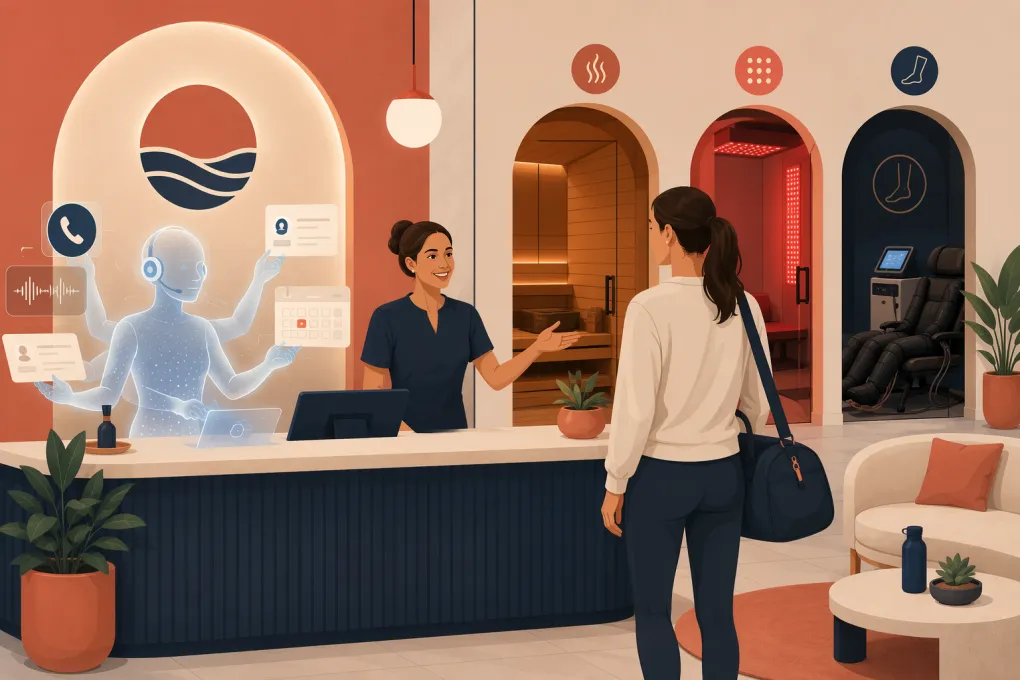
An AI receptionist for recovery centers fills that operational gap. It can respond immediately, answer approved questions, recommend the appropriate booking path, schedule services, and hand sensitive situations to a person. The objective is not to eliminate your front desk. It is to stop routine communication from controlling the front desk.
See how Fitty handles recovery center inquiries and bookings →
What an AI receptionist can handle
For wellness recovery businesses offering services such as cryotherapy, infrared sauna, red light therapy, compression, contrast therapy, stretching, or massage, the highest-value use cases are usually repetitive and time-sensitive.
Answering calls and common questions
A properly configured AI receptionist can answer questions about:
- Hours, locations, parking, and accessibility
- Available services and session lengths
- Memberships, packages, and drop-in options
- What guests should wear or bring
- General preparation instructions approved by the business
- Cancellation, late-arrival, and guest policies
- Appointment and class availability
It should answer from a controlled knowledge base, not improvise clinical guidance. If a guest asks whether a service is safe for a specific condition, medication, injury, or pregnancy, the system should use your approved response and escalate when appropriate.
Booking and rescheduling sessions
The receptionist should connect directly to current availability rather than collecting a request for an employee to process later. A useful booking workflow confirms:
- The service and location
- Whether the guest is new or returning
- The preferred date and time
- Any resource requirements, such as a room or device
- Required forms, waivers, deposits, or payment steps
- The cancellation policy
It should also be able to reschedule or cancel within your rules. That removes a large volume of administrative work without making the customer wait for a callback.
Following up with new leads
Recovery services often require explanation before the first visit. A prospect may ask about pricing, read the response, and then disappear. Manual follow-up tends to become inconsistent when the center gets busy.
An AI receptionist can continue the conversation using an approved cadence. For example:
- Respond immediately to the initial inquiry
- Answer follow-up questions within the same conversation
- Send the relevant booking link
- Check whether the prospect still needs help
- Stop outreach when the person books, declines, or opts out
The messages should sound direct and useful. Repeated generic prompts such as “Are you ready to transform your wellness journey?” are more likely to annoy prospects than convert them.
Where automation needs firm boundaries
Recovery centers sit at the intersection of hospitality, fitness, and personal health. That makes guardrails essential.
Medical and safety questions
An AI receptionist should not diagnose symptoms, interpret medical conditions, or promise that a service will produce a health outcome. Build clear escalation rules for mentions of:
- Chest pain, difficulty breathing, fainting, or other urgent symptoms
- Pregnancy or potential contraindications
- Recent surgery or acute injury
- Prescription medications
- Requests for individualized medical advice
- Adverse reactions during or after a service
Emergency language should direct the person to the appropriate emergency resource rather than placing them in a normal callback queue. Non-emergency health questions can be routed to a qualified employee under your established protocol.
If your operation is a substance use treatment or clinical recovery facility—not a consumer wellness recovery studio—you will need a substantially different compliance, privacy, intake, and escalation review. Do not deploy a general wellness booking workflow in a clinical environment without legal and operational approval.
Privacy and payment information
Decide what information the AI actually needs. A booking assistant generally does not need a detailed medical history in an open-ended conversation.
Use structured forms and approved systems for sensitive intake. Ask prospective vendors how data is stored, who can access it, how long it is retained, and whether they will sign any agreements your business is legally required to maintain. Do not assume that an AI product meets your privacy obligations simply because it serves healthcare-adjacent businesses.
For payment, use a secure payment workflow or hosted link. The receptionist should not request full card details through ordinary text messages or free-form chat.
Consent and outbound messaging
Automated texts and calls are subject to consent and communication rules. Your process should capture appropriate consent, identify the business, honor opt-outs, and maintain suppression records. Have counsel review campaigns if you use automated outreach for promotional purposes.
A practical workflow for a new recovery lead
Consider a first-time visitor who calls after closing and asks about compression therapy.
A strong workflow would:
- Answer the call using the center’s name.
- Ask what the guest wants help with.
- Provide an approved, plain-language service overview.
- Avoid making medical claims or deciding whether the service is medically appropriate.
- Offer available appointment times at the correct location.
- Explain the first-visit price and applicable policy exactly as configured.
- Book the session and send confirmation.
- Deliver the waiver or intake form through the approved channel.
- Trigger reminders according to the center’s communication settings.
- Escalate unusual health, billing, or policy questions to an employee.
That entire interaction can happen while the physical location is closed. More importantly, the next-day team starts with a booked guest or a clearly documented escalation—not a voicemail with missing context.
See how WTF Go and Fitty turn after-hours recovery inquiries into scheduled visits →
How to set up an AI receptionist correctly
The technology is only as reliable as the operating rules behind it. Before launch, document the following.
Build a source of truth
Create one approved reference for hours, services, durations, pricing, memberships, policies, preparation instructions, and escalation contacts. Remove contradictory information from old web pages and documents.
Assign an owner to update this source whenever operations change. If holiday hours or package terms change, the AI should not be the last system anyone remembers to update.
Map intent to action
List the most common reasons people contact your center, then define the desired result for each one.
| Customer intent | Desired AI action |
|---|---|
| “What should I book?” | Explain approved service differences and offer booking paths |
| “Can I come in tonight?” | Check live availability and book |
| “Is this safe with my condition?” | Use approved disclaimer and escalate |
| “I need to cancel” | Apply the cancellation workflow and confirm the outcome |
| “Why was I charged?” | Verify basic account context and route billing disputes |
| “Do you offer memberships?” | Explain current options and invite the guest to enroll or speak with staff |
This exercise prevents the AI from becoming an elaborate voicemail system.
Define the handoff
Specify who receives escalations, during which hours, and through what channel. Separate urgent operational issues from routine follow-up.
A handoff should include the caller’s contact information, the question, relevant conversation context, and the action already taken. Guests should not have to restart the conversation from the beginning.
Test difficult conversations
Do not test only the happy path. Ask employees to simulate:
- A guest who changes dates several times
- A caller asking for a refund exception
- Someone using an outdated promotion
- A parent attempting to book for a minor
- A member with an overdue balance
- A guest describing a possible adverse reaction
- A caller who wants a person immediately
Review whether the system answers accurately, stays within policy, and hands off cleanly.
What to look for in an AI receptionist platform
A recovery center does not need another disconnected chat widget. Look for a system that can act on the conversation.
Key capabilities include:
- Phone and text coverage
- Live access to booking availability
- Appointment creation, changes, and cancellations
- Lead capture with conversation history
- Automated follow-up that stops when the status changes
- Membership and payment workflows
- Configurable safety and escalation rules
- Multi-location routing where applicable
- Reporting on inquiries, bookings, handoffs, and unresolved requests
- Human visibility into every conversation
WTF Go combines operating workflows with Fitty, its AI receptionist and agent. Fitty can answer leads, book services, follow up, and help collect dues without forcing the team to monitor every conversation manually. Because the receptionist sits within the broader operating system, staff can work from shared customer and booking context instead of piecing together separate tools.
Explore Fitty as the front desk layer for your recovery center →
Measure operational outcomes, not AI activity
Conversation volume alone does not tell you whether the system is useful. Review outcomes such as:
- How many inquiries resulted in a booking
- Which questions required human escalation
- Whether after-hours leads received a complete response
- How often booking attempts failed and why
- Which services create the most confusion
- Whether staff are resolving handoffs promptly
- Where incorrect or outdated answers originated
Listen to call recordings or review transcripts on a regular schedule, subject to applicable consent requirements. Use what you find to improve policies, website copy, employee training, and the AI knowledge base.
An effective AI receptionist should make the customer experience more consistent and the staff workload more manageable. If it merely creates more notifications, the workflow needs to be redesigned.
Frequently asked questions
Can an AI receptionist book recovery services directly?
Yes, if it connects to live scheduling and the correct service, staff, room, and equipment availability. It should also apply your booking, deposit, cancellation, and waiver rules.
Can an AI receptionist answer medical questions?
It can provide approved general information, but it should not diagnose conditions or offer individualized medical advice. Health and safety questions need defined disclaimers and escalation paths.
Will an AI receptionist replace front desk staff?
It is better used to absorb routine calls, scheduling, reminders, and follow-up. Staff remain essential for in-person service, exceptions, sensitive conversations, and guest care.
What information should a recovery center provide before launch?
Prepare current hours, service descriptions, pricing, booking rules, memberships, preparation instructions, cancellation policies, escalation contacts, and approved responses to safety questions.
Can an AI receptionist support multiple recovery center locations?
Yes, provided the platform can distinguish each location’s hours, services, inventory, policies, and booking availability while routing leads and escalations correctly.
Keep reading



Run your gym on autopilot with WTF Go
Fitty — your AI receptionist — answers calls and DMs, fills classes, follows up with every lead, and collects dues while you coach.