AI & Automation
AI Receptionist for Pilates Studios: Complete Owner's Guide
Learn how an AI receptionist for Pilates studios handles leads, books sessions, follows up, and collects dues—plus what to automate and what to keep human.
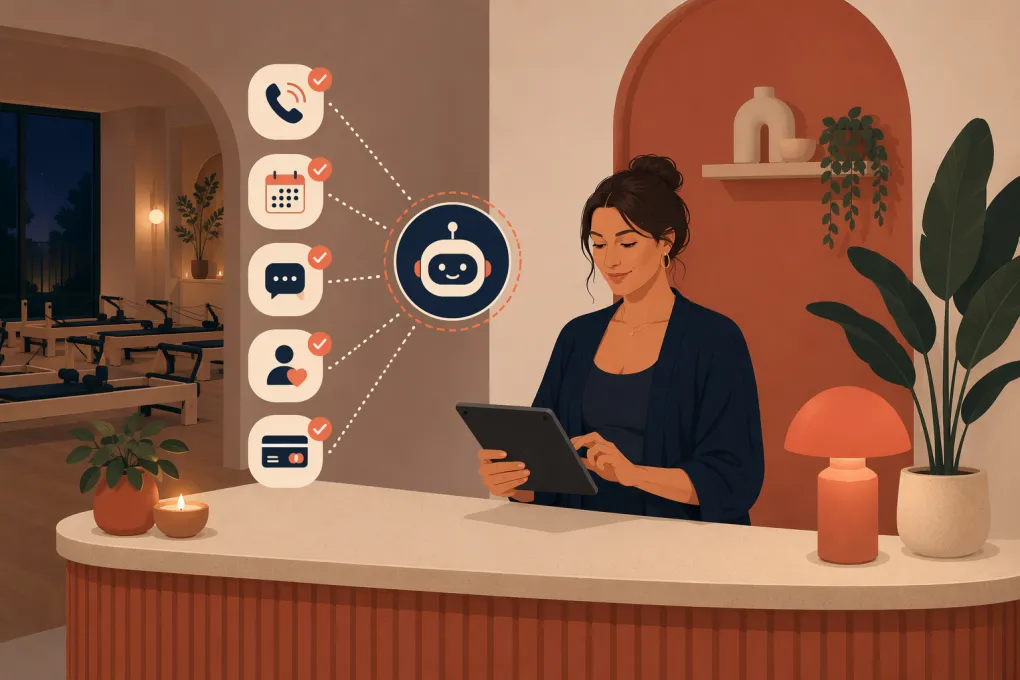 Watch · 20s
A prospective member finds your Pilates studio at 8:40 p.m. She wants to know whether beginners can take reformer classes, which introductory package to choose, and whether Saturday has space. If nobody answers until the next morning, she may already have contacted another studio.
That is the problem an AI receptionist for Pilates studios is meant to solve. It gives prospects and members a responsive first point of contact without requiring an owner, instructor, or front-desk employee to monitor every inquiry.
The useful version is not a generic chatbot pasted onto your website. It understands your services, schedule, capacity, policies, and escalation rules. It can answer routine questions, move qualified prospects into the right booking flow, follow up, and hand sensitive situations to a person.
See how Fitty handles Pilates inquiries and bookings around the clock →
What an AI receptionist should handle
Pilates studios have more complicated front-desk workflows than a simple class calendar suggests. You may offer group reformer classes, mat classes, private sessions, duets, introductory assessments, memberships, class packs, and waitlists. Each can have different eligibility and booking rules.
A capable AI receptionist should cover five core jobs.
1. Respond to new leads quickly
New prospects tend to ask predictable questions:
- Is reformer Pilates suitable for beginners?
- Do I need an introductory session?
- What should I wear or bring?
- Do you offer private sessions?
- Which package should I purchase first?
- Is there parking?
- What times are available this week?
The AI should answer from studio-approved information rather than improvising. It should then direct the prospect toward an appropriate next step, such as booking an intro class, requesting a private-session consultation, or speaking with the studio about an injury-related concern.
2. Book the correct service
A booking is only valuable when it is the right booking. Sending a first-time client into an advanced reformer class creates work for the instructor and a poor first experience for the client.
Your AI receptionist needs rules for:
- New-client prerequisites
- Class levels and experience requirements
- Private, duet, and group-session eligibility
- Instructor or room availability
- Equipment capacity
- Introductory offers
- Waitlist procedures
- Booking windows and cutoff times
The best workflow asks only the questions needed to place the client correctly. A new prospect might be asked whether they have Pilates experience and whether they prefer a group or private setting. It should not turn a basic class inquiry into a long intake interview.
3. Follow up without relying on staff memory
Many prospects ask a question but do not book immediately. That does not always mean they are uninterested. They may be comparing schedules, waiting for payday, or simply distracted.
An AI receptionist can consistently follow up after an inquiry, an incomplete booking, or an unused introductory offer. The messages should reference the actual next step rather than repeat a generic sales pitch.
Useful follow-up might include:
- A direct link to the recommended intro session
- The next available beginner-friendly times
- A reminder that an introductory offer has not been scheduled
- An invitation to ask another question
- A handoff to a person when the prospect has a complex need
Set limits on frequency and stop automation when someone declines, opts out, books, or needs human help.
4. Answer routine member questions
Existing members create a steady stream of operational questions. These often concern schedules, account access, waitlists, package balances, cancellation rules, and payment issues.
An AI receptionist can answer approved policy questions and guide members through standard account actions. That leaves your staff available for situations requiring discretion, relationship management, or account-level decisions.
5. Support dues collection
Failed or overdue payments are uncomfortable to chase manually. They are also easy to neglect when the same employee is teaching, cleaning equipment, and managing the desk.
An AI agent can send consistent payment reminders and direct members to the appropriate payment flow. It should never expose sensitive account information in an unsecured conversation or make exceptions to studio policy without authorization.
Fitty, WTF Go’s AI receptionist, is designed to answer leads, book classes, follow up, and collect dues 24/7 inside an all-in-one operating system.
See how Fitty can take repetitive follow-up and dues reminders off your front desk →
Where AI needs clear boundaries
AI is useful when the task has a defined answer, approved workflow, or clear escalation path. It should not replace professional judgment.
Injuries and medical questions
Clients may disclose back pain, pregnancy, recent surgery, osteoporosis, or another health concern. The AI can explain your studio’s intake process and help arrange a conversation. It should not diagnose, determine medical suitability, or promise that a class is safe.
A practical response is to acknowledge the concern, avoid clinical advice, and route the client to an instructor or studio manager according to your policy.
Complaints and emotionally charged situations
Billing disputes, instructor complaints, and negative experiences require context and empathy. AI can collect the relevant details and confirm that someone will respond, but a studio leader should own the resolution.
Policy exceptions
Do not let an AI invent exceptions for late cancellations, package extensions, refunds, freezes, or transfers. Give it the standard policy and a path for requesting manager review.
Emergency situations
Your instructions should clearly prevent the receptionist from presenting itself as an emergency service. Urgent safety or medical concerns need immediate escalation to the appropriate local emergency resource, not a booking workflow.
Build the receptionist around real studio rules
AI performance depends heavily on the information and permissions you provide. Before launching, document how your front desk actually operates.
Create a reliable knowledge base
Start with the information your team repeatedly provides:
- Locations, hours, parking, and arrival instructions
- Class descriptions and levels
- New-client prerequisites
- Private and duet session procedures
- Membership and package descriptions
- Booking, cancellation, waitlist, and no-show policies
- Accepted payment methods
- Instructor contact and escalation rules
- Accessibility information
- Cleaning, grip sock, and equipment policies
Assign one person to own updates. When a schedule, offer, or policy changes, the AI’s source information should change with it.
Define booking logic
Write the logic as if you were training a new front-desk employee. For example:
- Determine whether the person is new or returning.
- Ask about prior Pilates experience only when it affects eligibility.
- Identify whether the client wants group or private instruction.
- Offer services that match the studio’s prerequisites.
- Present a small number of relevant available times.
- Confirm the booking and send preparation instructions.
- Escalate injury, pregnancy, or medical questions.
This exercise often exposes inconsistencies that already exist in manual front-desk work.
Decide what requires human approval
Create a written escalation list. Common examples include refunds, membership cancellations, medical questions, complaints, package extensions, charge disputes, accessibility accommodations, and unusual private-session requests.
The AI should identify the issue, collect essential context, and create a clean handoff. Members should not have to repeat the entire conversation.
How to evaluate an AI receptionist for your studio
Do not choose a product based on a polished demo alone. Test it against the awkward, specific situations your staff encounters.
Ask each vendor:
- Can it use our live schedule and actual availability?
- Can it distinguish intro, beginner, intermediate, and advanced services?
- Can it follow prerequisites before booking?
- What happens when it does not know an answer?
- Can staff review conversations and take over?
- How are opt-outs and communication consent managed?
- Can it support multiple locations with different rules?
- Who updates pricing, policies, and promotions?
- Can it follow up with unbooked leads?
- Can it assist with overdue dues?
- What reporting shows booked appointments and unresolved inquiries?
- How is customer and payment information protected?
Run test conversations for a complete beginner, an experienced visitor, a pregnant prospect, a member disputing a fee, and someone requesting a policy exception. You are testing judgment boundaries as much as response quality.
A practical rollout plan
Avoid switching on every workflow at once. Start with a narrow, measurable launch.
Phase 1: Routine questions and lead capture
Load approved studio information, connect the relevant inquiry sources, and require human review for uncertain answers. Watch for questions the knowledge base does not cover.
Phase 2: Introductory bookings
Enable booking for one clearly defined entry service. Verify prerequisites, availability, confirmations, and preparation instructions before expanding to other sessions.
Phase 3: Follow-up and account workflows
Add lead follow-up, unused intro-offer reminders, and approved dues workflows. Establish stop conditions so members are not contacted after resolving the issue or requesting no further messages.
Phase 4: Optimization
Review conversations regularly. Look for incorrect answers, failed handoffs, booking friction, repeated unanswered questions, and policies clients routinely misunderstand.
Useful operational measures include inquiry-to-booking movement, response coverage outside staffed hours, completed bookings, unresolved conversations, human handoffs, no-shows for AI-booked intros, and recovered account conversations. Use your own baseline rather than relying on a vendor’s generalized benchmark.
The goal is a better front desk, not a missing front desk
Pilates remains a relationship-driven business. Clients stay because they trust the instruction, feel known, and see progress. AI should protect the team’s time for those human interactions.
A well-configured receptionist handles repetitive communication consistently while respecting the limits of automation. It answers the evening inquiry, books the qualified beginner, follows up with the undecided prospect, and routes the sensitive issue to the right person.
WTF Go combines studio operations with Fitty, so lead response, bookings, follow-up, and dues collection do not have to live in disconnected processes.
Explore WTF Go and see whether Fitty fits your Pilates front desk workflow →
Frequently asked questions
Can an AI receptionist book Pilates classes?
Yes, if it can access current availability and follow your studio's prerequisites, class levels, and capacity rules. Complex or medically sensitive requests should be escalated to staff.
Will an AI receptionist replace Pilates studio staff?
It should replace repetitive front-desk tasks, not human judgment or client relationships. Staff should still handle complaints, medical concerns, exceptions, and sensitive account issues.
Can AI answer questions about injuries or pregnancy?
AI can explain the studio's intake process and arrange a staff conversation, but it should not provide medical advice or decide whether exercise is safe for an individual.
What information does an AI receptionist need?
It needs accurate schedules, service descriptions, prerequisites, policies, offers, location details, booking rules, and clear instructions for when to involve a person.
How should a Pilates studio test an AI receptionist?
Test routine bookings as well as difficult cases such as policy exceptions, billing disputes, beginners choosing advanced classes, and prospects disclosing health concerns.
Keep reading



Run your gym on autopilot with WTF Go
Fitty — your AI receptionist — answers calls and DMs, fills classes, follows up with every lead, and collects dues while you coach.