AI & Automation
AI Receptionist for Pilates Studio New Client Intake Guide
Build a better AI receptionist for Pilates studio new client intake: capture leads, screen safely, book intro sessions, and automate follow-up. 24/7.
 Watch · 20s
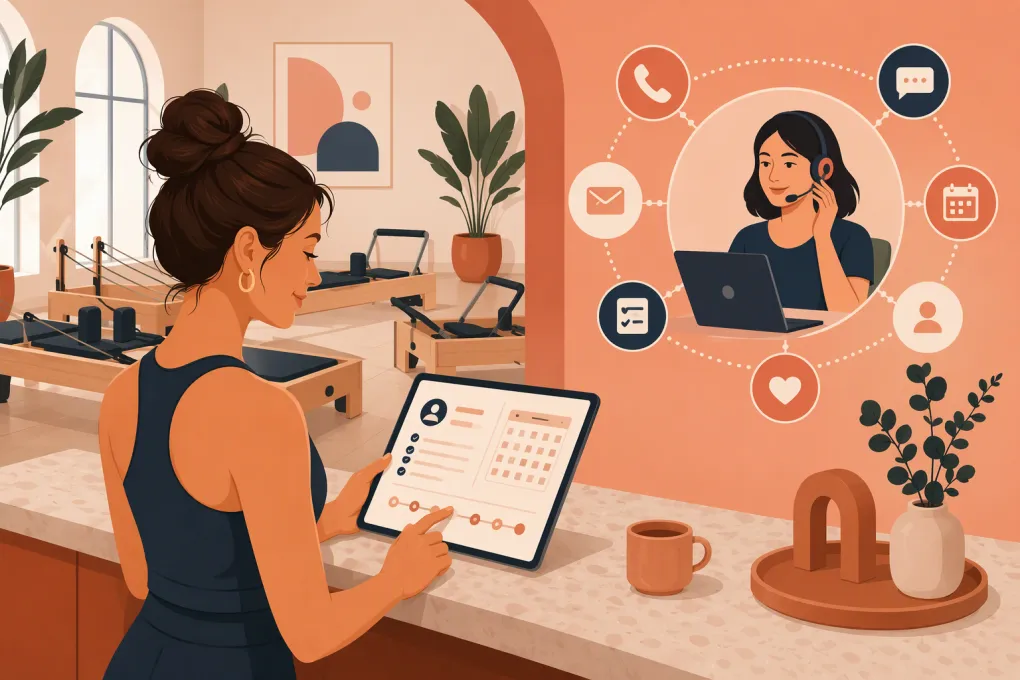
A prospective client finds your Pilates studio after dinner. They have questions about beginner sessions, an old knee injury, pricing and what to wear. If nobody responds until the next morning, that lead may already be talking to another studio.
An AI receptionist for Pilates studio new client intake closes that operational gap. It can answer routine questions, capture the right details, route sensitive issues to staff, book an appropriate first visit and keep following up without forcing instructors to monitor the phone between sessions.
The goal is not to replace your team’s judgment. It is to give every inquiry a prompt, consistent path from first contact to a properly prepared first session.
See how Fitty handles after-hours Pilates inquiries and intake →
What an AI receptionist should handle during intake
New-client intake is more than collecting a name and phone number. A useful system coordinates several connected workflows:
- Responding to calls, texts and online inquiries
- Explaining introductory options and general pricing
- Identifying whether the person is new to Pilates
- Asking about goals and relevant experience
- Distinguishing private, semi-private and group-session needs
- Booking the correct appointment or class
- Sending forms, policies and arrival instructions
- Following up when someone does not book
- Escalating health, accessibility or billing questions to a person
That last point matters. A receptionist workflow should qualify and route clients, not diagnose conditions or decide whether exercise is medically safe.
Design the intake flow before adding AI
AI will not fix an unclear intake process. Before configuring an agent, document the decisions your front desk already makes.
1. Define each valid first visit
List every service a new client may book and the rules attached to it. For example:
- Introductory private session
- Beginner reformer orientation
- Studio tour or consultation
- New-client group class
- Post-rehabilitation consultation with an appropriately qualified instructor
For each option, define duration, price or pricing explanation, prerequisites, instructor eligibility, capacity and required forms. Also specify whether the client may book instantly or needs staff approval.
If beginners must complete a private orientation before joining equipment classes, the AI should enforce that rule every time. It should not book the most convenient class simply because a spot is open.
2. Separate qualification from health screening
The initial conversation should collect only what is necessary to choose the next step. Useful questions include:
- Have you practiced Pilates before?
- Are you interested in private sessions or group classes?
- What would you like help with?
- Do you have any injuries, movement restrictions or accessibility needs the instructor should know about?
- What days and times usually work for you?
Keep detailed health history in a secure form rather than an open-ended text conversation. The AI can send the form and confirm completion, but an instructor should review information that may affect session safety.
Configure an immediate handoff when someone mentions acute pain, a recent procedure, pregnancy-specific concerns, medical clearance or uncertainty about whether participation is appropriate. The response should avoid medical advice and explain that a qualified team member will follow up.
3. Set firm booking rules
Your agent needs operational boundaries, including:
- Which calendars and locations it may book
- How much buffer time instructors need
- Whether same-day introductory sessions are allowed
- Which instructors accept new clients
- When a card, deposit or prepayment is required
- How cancellation and no-show policies are presented
- When minors require a parent or guardian
- Which situations require manual approval
Without these rules, automation can create more work through incorrect bookings, refunds and schedule cleanup.
Build a conversation that sounds like your studio
A strong intake conversation is direct and helpful. It should not dump every policy on the client at once.
A practical sequence looks like this:
- Acknowledge the inquiry. Confirm the studio, location and reason for contacting you.
- Answer the immediate question. If the lead asks about beginner options, answer that before launching into intake.
- Ask one question at a time. Collect experience, goals and scheduling preferences conversationally.
- Recommend the approved next step. Base the recommendation on your documented booking rules.
- Offer specific availability. Present a small number of relevant openings rather than an overwhelming calendar.
- Confirm requirements. Explain payment, forms, socks, arrival time and cancellation terms.
- Send a written confirmation. Include location details, parking information and a way to reschedule.
Avoid making the agent sound human by deception. It can introduce itself as the studio’s virtual receptionist while still communicating in a natural, brand-appropriate way.
Connect intake directly to booking
A common failure is using AI only to collect contact details. That still leaves an employee to read the conversation, check the schedule and chase the lead.
The stronger workflow completes the next action whenever your rules allow it. Fitty can answer the inquiry, offer appropriate availability, book the class or session and send follow-up around the clock. Staff step in only when the situation requires their expertise.
See how Fitty turns Pilates inquiries into correctly booked intro sessions →
For the workflow to work reliably, keep service names and descriptions clear. A lead should not have to understand internal labels such as equipment level codes or staff abbreviations. Translate the schedule into plain language and maintain one source of truth for availability.
Automate follow-up without pestering leads
Not every prospect books during the first conversation. Some need to compare schedules, speak with a partner or wait for payday. The AI receptionist should preserve the context and follow up appropriately.
Useful follow-up triggers include:
- The lead asked a question but did not select a time
- The lead started booking but did not complete payment
- An intake form remains incomplete before the appointment
- The client canceled and has not rebooked
- The first session occurred but no next visit is scheduled
- A payment or package renewal requires attention
Each message should have one clear next action. Offer available times, link to the required form or explain how to reach staff. Do not send the same generic sales message regardless of what happened.
Set limits on frequency and stop promotional follow-up when someone opts out. Keep transactional messages, marketing consent and communication preferences clearly managed. Requirements can vary by channel and jurisdiction, so review your process with appropriate legal guidance.
Fitty can maintain this continuity across lead response, booking, follow-up and dues collection instead of leaving separate tools and staff checklists to carry the conversation.
Explore Fitty for Pilates follow-up and payment conversations →
Protect client information and staff judgment
Pilates intake may involve health-related details, even when the studio is not operating as a healthcare provider. Treat that information carefully.
Use these operating principles:
- Collect only information needed for service delivery and safety
- Explain why information is being requested
- Restrict staff access according to job responsibilities
- Avoid placing detailed health information in general notes
- Define how long intake records are retained
- Review vendor security, permissions and data-handling terms
- Create a process for correcting or deleting records when appropriate
Do not assume that a product is suitable for regulated health information simply because it uses encryption or calls itself secure. Whether HIPAA or another rule applies depends on the business relationship, data and jurisdiction. Confirm requirements for your operation before sending sensitive information through any platform.
Decide when the AI must hand off
A good AI receptionist knows its limits. Create explicit escalation categories and identify who owns each one.
Instructor or manager escalation
Route the conversation when it involves:
- Pain, injuries or medical clearance
- Complex prenatal or postnatal considerations
- Accessibility needs that require facility confirmation
- Complaints about an instructor or prior session
- Refund exceptions or disputed charges
- Membership freezes outside the standard policy
- Private-event or corporate booking requests
The handoff should include a concise conversation summary, contact details, the requested outcome and any promised response window. Clients should not have to repeat the entire story.
Urgent language
Configure the agent not to provide emergency or clinical guidance. If a message indicates immediate danger or a medical emergency, it should direct the person to appropriate emergency services rather than continuing a studio intake script.
Measure whether the workflow is actually helping
Do not evaluate an AI receptionist only by how many conversations it handles. Review the quality of the outcomes.
Track operational measures such as:
- New inquiries by channel and time of day
- Time from inquiry to first response
- Percentage of qualified leads reaching the booking step
- Completed bookings by introductory service
- Intake forms completed before arrival
- Cancellations, reschedules and no-shows
- Conversations requiring staff intervention
- Incorrect bookings or policy exceptions
- First-session clients who book a next visit
Read conversation samples regularly. Look for unanswered questions, awkward wording, unnecessary data collection and recurring escalation topics. If prospects repeatedly ask something the agent cannot answer, update the knowledge base or clarify the offer itself.
A practical launch checklist
Before turning on automated new-client intake, confirm that you have:
- Documented approved first-visit pathways
- Cleaned up service names and schedule descriptions
- Defined beginner prerequisites and instructor eligibility
- Written escalation rules for health and policy questions
- Added pricing, cancellation and payment information
- Prepared confirmation, reminder and follow-up messages
- Tested booking, rescheduling and cancellation scenarios
- Tested calls or messages outside staffed hours
- Checked consent, privacy and record-retention procedures
- Assigned an employee to review exceptions and transcripts
Start with a narrow workflow, such as beginner reformer inquiries for one location. Test it with realistic questions, including messy and incomplete requests. Once the booking and handoff behavior is dependable, expand to additional services and locations.
The best intake experience feels simple to the client because the operational decisions have already been made behind the scenes. AI provides the coverage and consistency; your team provides the instruction, judgment and personal care that keep clients coming back.
Frequently asked questions
Can an AI receptionist book Pilates intro sessions automatically?
Yes, if it is connected to current availability and configured with rules for prerequisites, instructor eligibility, payment and location. Complex or health-related situations should be routed to staff.
What information should a Pilates studio collect from a new client?
Collect contact details, Pilates experience, goals, scheduling preferences and any high-level restrictions needed to choose the next step. Use a secure form for detailed health information and collect only what the studio needs.
Should AI answer questions about injuries or medical conditions?
AI may acknowledge the concern and explain the studio's process, but it should not diagnose, offer medical advice or determine medical safety. Those conversations should be escalated to qualified staff.
How does Fitty help with Pilates studio intake?
Fitty answers leads, handles approved questions, books classes or sessions, follows up and supports dues collection 24/7. Studios can define when the conversation should be handed to a person.
Keep reading


Run your gym on autopilot with WTF Go
Fitty — your AI receptionist — answers calls and DMs, fills classes, follows up with every lead, and collects dues while you coach.