AI & Automation
AI Receptionist for Pilates Private Session Bookings Guide
Learn how an AI receptionist for Pilates private session bookings captures leads, matches instructors, schedules clients, and reduces front-desk work.
 Watch · 20s
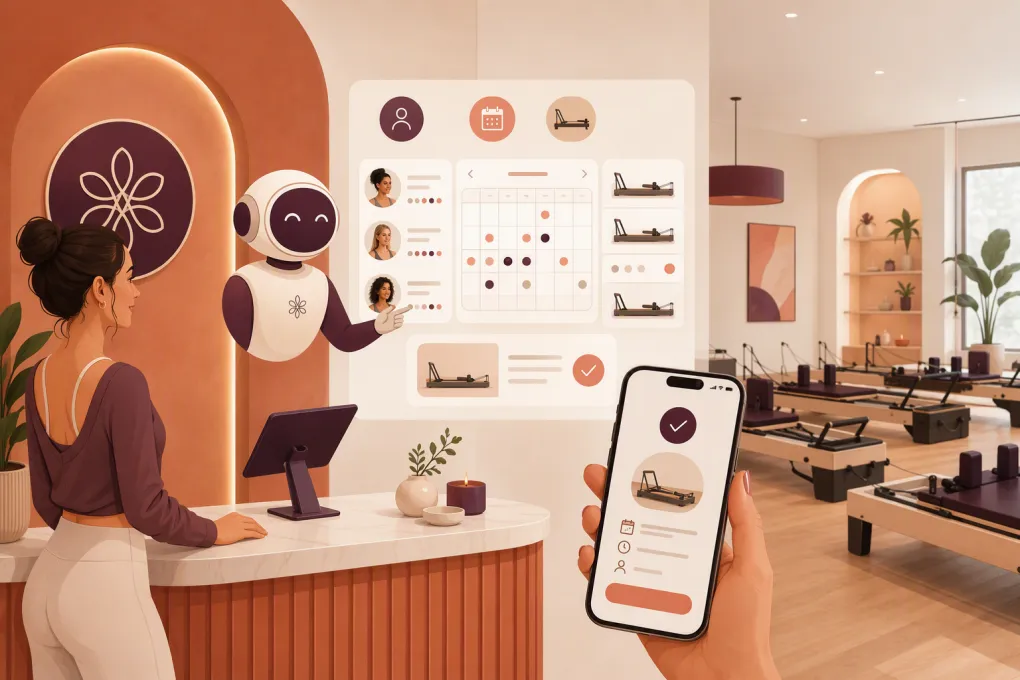
Private Pilates bookings are more complicated than putting an open hour on a calendar. The client may be new to Pilates, recovering from an injury, training during pregnancy, or looking for an instructor with a specific specialty. Your studio also has to coordinate instructor availability, equipment, room capacity, session length, pricing, and intake requirements.
When those conversations depend on someone answering the phone, leads slip away after hours and during busy class transitions. An AI receptionist can cover the repetitive parts of the booking process immediately while routing situations that need human judgment to the right person.
The goal is not to remove hospitality from your studio. It is to stop making clients wait for basic answers and prevent your team from rebuilding every appointment by hand.
See how Fitty handles Pilates inquiries and booking follow-up 24/7 →
Why private Pilates scheduling needs its own workflow
Group-class booking is usually straightforward: choose a class, confirm there is space, and reserve a spot. Private sessions introduce more variables.
A useful booking workflow may need to determine:
- Whether the person is a new or existing client
- Whether they want a private, duet, or small-group session
- Their preferred days, times, and location
- Whether they have an instructor preference
- Their general experience level and goals
- Whether they need an introductory assessment
- Which instructor is qualified and available
- Whether a reformer, Cadillac, chair, or private room is available
- Whether payment, a package, or a deposit is required
- Which intake forms and studio policies must be accepted
A basic chatbot that only answers frequently asked questions will not manage this reliably. You need an AI receptionist connected to defined booking rules, live availability, client records, and a clear human handoff process.
What an AI receptionist should handle
Respond immediately across common inquiry channels
A prospective client may call, submit a website form, or send a text while your instructors are teaching. The AI receptionist should respond promptly and continue the conversation without forcing the client to repeat the original request.
For example, if someone asks about beginner private sessions, the agent should be able to explain your entry process, gather scheduling preferences, and move toward an appointment. It should not simply send a link to a crowded calendar and hope the prospect chooses correctly.
Qualify without interrogating the client
The shortest useful intake is usually the best. Ask only for information that affects the next step.
A practical sequence might be:
- Are you looking for a private session for yourself or someone else?
- Are you new to our studio?
- What would you like help with?
- Do you have preferred days or times?
- Do you have an instructor preference?
- Is there anything our instructor should know before the session?
The agent can then offer appropriate times or explain that a staff member needs to review the request.
Avoid turning the booking conversation into a medical questionnaire. An AI agent should not diagnose conditions, recommend treatment, or decide whether Pilates is medically appropriate. If a client reports an injury, recent surgery, pregnancy-related concern, or another issue covered by your escalation rules, the agent should collect limited relevant information and hand the conversation to a qualified person.
Match the client to the right instructor
Instructor matching should be based on rules your studio controls. Those rules can include:
- New-client eligibility
- Apparatus qualifications
- Prenatal or postnatal experience
- Athletic performance focus
- Availability at a particular location
- Languages spoken
- Whether the instructor accepts one-off sessions
- Whether the instructor is available for recurring appointments
The AI should never invent an instructor qualification. Maintain structured, current profiles so the agent only describes specialties you have verified.
Book the complete resource set
A confirmed appointment may require more than an instructor. The booking system should reserve every necessary resource at the same time:
- Instructor
- Studio location
- Room or training area
- Required apparatus
- Correct session duration
- Setup and transition buffer
This prevents a common operational failure: the instructor is technically free, but the room or equipment is not.
Build booking rules before adding AI
AI works best when the underlying policies are explicit. If your front desk regularly makes exceptions from memory, an automated agent will not know which rule to apply.
Document the following before launch.
New-client entry path
Decide whether a first-time client can book any private opening or must start with a specific appointment type. Define:
- Introductory session length
- Eligible instructors
- Required forms
- Payment or deposit requirements
- Minimum lead time
- Whether staff approval is required
If introductory pricing exists, specify who qualifies and whether it can be purchased more than once.
Recurring appointment rules
Many private clients want the same weekly time. Determine whether the AI can create a recurring series automatically or should submit the request for approval.
Your policy should address instructor time off, holidays, package expiration, failed payments, and how far in advance recurring appointments can be reserved. A standing appointment without payment controls can quietly become blocked inventory.
Cancellation and rescheduling rules
Give the agent exact policy language and specific actions for each situation. It should know:
- The cancellation deadline
- Whether late cancellation is allowed online
- When a fee or session credit may be charged
- When an exception requires staff review
- Whether another available time can be offered immediately
The AI can state the policy consistently, but sensitive disputes should move to a human. Do not ask the agent to argue with an upset client.
Explore how Fitty can book, reschedule and follow up using your studio’s rules →
A practical private-session booking flow
Here is a workable flow for a new lead:
- Identify the request. Confirm that the person wants private Pilates rather than a group class.
- Check client status. Look for an existing profile using approved contact details.
- Gather essential context. Ask about experience, general goals, scheduling preferences, and instructor preference.
- Apply eligibility rules. Determine whether the person needs an intro session, assessment, or staff review.
- Search live availability. Check instructor, room, equipment, duration, and buffer availability together.
- Offer a small set of options. Present two or three relevant appointments instead of an overwhelming calendar.
- Collect the required commitment. Process payment or send a secure checkout link if your policy requires it.
- Confirm the appointment. Include time, location, arrival instructions, clothing guidance, parking details, and cancellation terms.
- Trigger intake and reminders. Send forms and reminders through the appropriate channels.
- Follow up when booking stalls. If the lead does not choose a time or complete payment, send a useful reminder and preserve the conversation context.
If no appointment matches, the agent should collect acceptable alternatives and create a clear follow-up task. A dead-end response such as no availability found wastes a qualified inquiry.
Where human handoff still matters
A responsible AI receptionist needs boundaries. Escalate when:
- The client asks for clinical or medical guidance
- The stated condition falls outside approved booking rules
- The client disputes a charge or cancellation fee
- No instructor-resource combination is available
- A special accommodation requires confirmation
- The person is distressed, angry, or repeatedly misunderstood
- The request involves an exception to studio policy
The handoff should include a concise conversation summary, contact information, requested times, and the unresolved issue. Making staff reread a long transcript defeats part of the efficiency gain.
Protect client data and communication consent
Collect only information needed to schedule and prepare for the session. Limit staff access according to job responsibilities, define how long conversation data is retained, and avoid placing sensitive details in broad internal notifications.
Payments should run through a secure payment workflow. Do not have clients send card details in ordinary text messages or open chat fields.
You should also distinguish appointment communication from promotional marketing. Configure consent and opt-out handling for the channels you use, and review applicable federal and state requirements with qualified counsel rather than assuming every message is treated the same way.
Measure whether the receptionist is working
Do not judge the system only by the number of conversations it handles. Track the full path from inquiry to attended session.
Useful operational measures include:
- New private-session inquiries by source
- Response time by channel and time of day
- Percentage of inquiries that reach a booking decision
- Bookings awaiting payment or forms
- Human handoff volume and reasons
- Double-booking or resource-conflict incidents
- Cancellations, late cancellations, and no-shows
- Follow-ups that result in a completed booking
- Repeat and recurring sessions created after the first visit
Review transcripts regularly during the first few weeks. Look for confusing questions, incorrect routing, unsupported claims, and places where prospects abandon the process. Update the rules instead of expecting the AI to guess what your team intended.
How to launch without disrupting the studio
Start with one controlled use case, such as new-client private-session inquiries outside staffed hours. Build and test the booking logic with realistic scenarios before expanding.
Test requests should include:
- A beginner with open availability
- An existing client requesting a recurring time
- A lead asking for a specific instructor who is unavailable
- A client mentioning an injury
- A same-day booking request
- A cancellation inside the policy window
- A booking that requires both an instructor and specific apparatus
- A lead who stops before completing payment
Once the workflow is reliable, expand to rescheduling, waitlist recovery, package reminders, and ongoing client follow-up.
Fitty is WTF Go’s AI receptionist for fitness and wellness businesses. It can answer leads, support booking conversations, follow up, and collect dues while working within the operating workflows managed in WTF Go. For a Pilates operator, the practical value is having one system carry the conversation from initial interest toward a properly scheduled and paid session.
See how WTF Go and Fitty can run your private-session booking workflow →
An AI receptionist should make your studio easier to reach without making the experience feel careless. Define the rules, protect the edge cases, and automate the repeatable work. Your instructors can then focus on delivering the session rather than chasing the appointment.
Frequently asked questions
Can an AI receptionist book both private Pilates sessions and group classes?
Yes, if it is connected to the correct schedules and booking rules. Private sessions require additional checks for instructor, room, apparatus, duration, and client eligibility.
Can the AI match a new client with a Pilates instructor?
It can match clients using verified criteria such as availability, location, apparatus qualifications, and documented specialties. Requests involving medical judgment or unusual accommodations should be escalated.
Should an AI receptionist collect payment when booking?
It can initiate payment or send a secure checkout link when deposits or prepayment are required. Card information should be handled by a secure payment processor, not collected in ordinary chat or text fields.
Will an AI receptionist replace Pilates studio staff?
It is better used to cover repetitive inquiries, scheduling, reminders, and follow-up. Staff should continue handling exceptions, sensitive client concerns, policy disputes, and relationship-driven service.
What should a Pilates studio automate first?
Start with new private-session inquiries during missed-call and after-hours periods. Once that workflow is accurate, add rescheduling, incomplete-booking follow-up, waitlists, and recurring-session requests.
Keep reading



Run your gym on autopilot with WTF Go
Fitty — your AI receptionist — answers calls and DMs, fills classes, follows up with every lead, and collects dues while you coach.