AI & Automation
AI Receptionist for Physical Therapy Clinics: 2026 Guide
Evaluate an AI receptionist for physical therapy clinics using PT-specific workflows, integration tests, pricing factors, contract terms, and rollout steps.
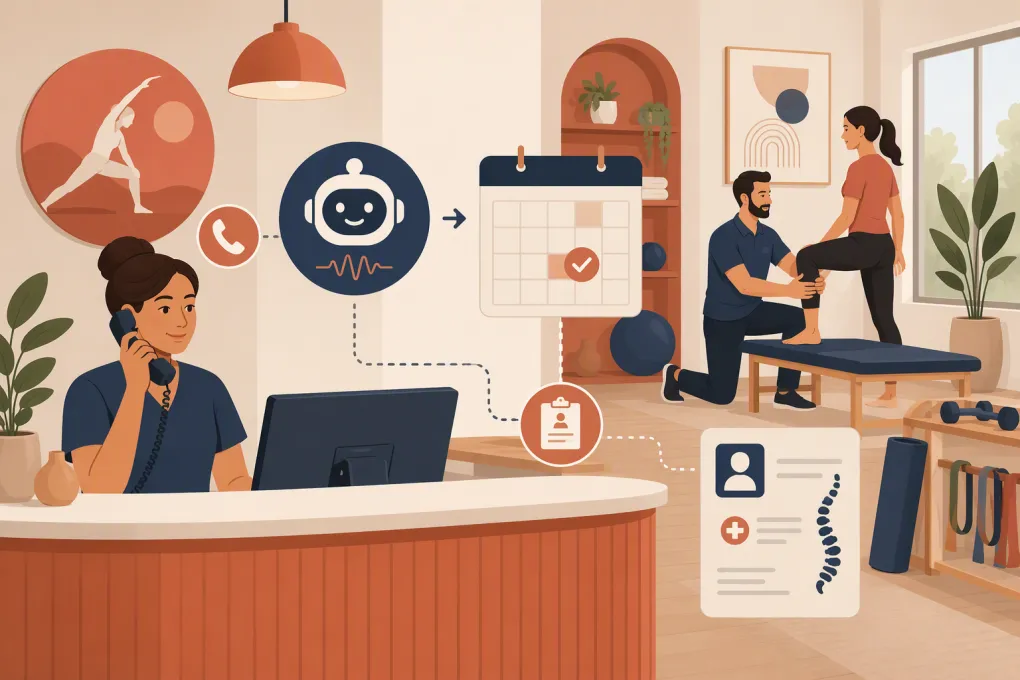 Watch · 20s
A prospective patient calls after receiving a physical therapy referral. They want to know whether you treat vestibular conditions, accept their insurance, and have an evaluation available before they leave town. Your front desk is checking in three patients and resolving an authorization issue. The call reaches voicemail.
An AI receptionist can reduce this gap, but PT clinics should not buy one based on a smooth demonstration alone. The system has to distinguish evaluations from follow-up visits, respect therapist and location rules, write appointments back correctly, escalate clinical questions, and handle protected health information appropriately.
This guide covers what to automate, what to keep human, how to test integrations, what pricing and contract terms to examine, and how to compare the available solution types.
What an AI receptionist can do for a PT clinic
An AI receptionist is a voice or messaging agent configured to handle specific administrative conversations. Depending on the product and its integrations, it may:
- Answer new-patient and existing-patient calls
- Capture referral, injury category, location, and contact details
- Book eligible initial evaluations
- Explain approved information about hours, parking, services, and appointment preparation
- Follow up with people who requested an appointment
- Reschedule or cancel visits within clinic rules
- Route billing, authorization, clinical, and complaint calls to employees
- Send approved payment links or balance reminders
It should identify itself as an automated assistant and stay inside an administrative scope. It should not diagnose an injury, interpret symptoms, recommend treatment, guarantee insurance coverage, or determine whether a patient requires urgent care.
See how Fitty can support PT inquiry, booking, and follow-up workflows →
PT-specific workflows to evaluate
Generic call answering is not enough. Physical therapy schedules contain constraints that a vendor may miss unless you expose them during evaluation.
Initial evaluations versus follow-up visits
An evaluation may require a longer slot, a particular therapist specialty, specific equipment, or a referral on file. Follow-up visits may be shorter and tied to an existing plan of care.
Test whether the AI can prevent a new patient from occupying a follow-up slot or booking with a therapist who does not treat the requested condition.
Referrals, direct access, and payer requirements
Requirements vary by state, payer, plan, and clinic policy. The agent should follow your approved administrative script rather than make legal or coverage determinations.
A safe workflow is to capture referral status, explain that requirements will be verified, and create a staff task when review is needed. It should never tell a patient that treatment is covered simply because the clinic participates with an insurer.
Specialty and provider matching
Your scheduling rules may account for pelvic health, vestibular rehabilitation, hand therapy, pediatrics, post-operative protocols, aquatic therapy, or therapist gender preferences. Ask whether those rules are structured in the scheduling system or merely written in a prompt. Structured controls are generally safer than expecting an AI to interpret a long policy document perfectly.
Recurring appointments and authorization limits
Patients often need a series of visits, but authorization, plan-of-care, provider, and cadence constraints can make recurring booking complicated. A sensible initial deployment may allow the AI to book an evaluation while routing recurring-series requests to staff.
Workers’ compensation, auto, and legal cases
These cases may require adjuster information, claim details, attorney communication, or internal review before scheduling. The AI should recognize the category, collect only approved information, and hand it off instead of forcing it through a standard self-pay or commercial insurance workflow.
Comparing the main options
No single product category is best for every clinic. Compare the workflow, not just whether a vendor says it uses AI.
| Option | Primary strength | Scheduling and EHR fit | Main limitation | Best fit |
|---|---|---|---|---|
| WTF Go with Fitty | Combines AI lead response, booking, follow-up, and payment-related workflows in an operating platform | Fit must be confirmed against the clinic’s scheduling source, write-back requirements, privacy obligations, and desired workflow | WTF Go is positioned primarily for gyms, studios, spas, and wellness businesses; a PT clinic should not assume support for its EHR, BAA needs, or clinical workflow without written confirmation | Wellness-oriented or cash-pay PT operations seeking broader inquiry-to-booking automation after technical and compliance review |
| Smith.ai | Offers receptionist services, including AI and human-supported call handling options | Appointment handling depends on the selected service, supported integrations, and configuration | A receptionist layer may not understand PT-specific authorization and visit rules without careful setup | Clinics prioritizing call coverage and access to human handling |
| NexHealth | Focuses on patient experience workflows such as online scheduling, forms, communications, and payments | Known for connecting patient-facing workflows with supported health record systems; exact PT system and write-back behavior must be verified | It is broader patient engagement software, not automatically a replacement for every live phone workflow | Clinics prioritizing digital scheduling and patient communications tied to supported systems |
| PT software or EHR-native tools, such as WebPT’s platform | Keeps scheduling and patient administration close to the clinical system of record | Often the lowest-friction source for schedule rules and patient records | Autonomous voice reception and cross-channel lead follow-up may not be the core capability; confirm current features | Clinics that want to minimize external systems and preserve one scheduling source |
| Traditional healthcare answering service | Human handling can be useful for sensitive, unusual, or distressed callers | Usually relies on messages, transfers, or limited scheduling access | May create delayed callbacks and manual re-entry if it cannot complete scheduling | Clinics needing after-hours coverage with human judgment |
Product capabilities change. Request a live workflow demonstration using your appointment types and verify every claimed integration directly with both vendors.
How to test EHR and scheduling integrations
“Integrates with your software” can mean anything from a direct API connection to an email that employees must re-enter manually. Ask the vendor to diagram the complete data path.
Verify these points:
- Which system remains the schedule’s source of truth?
- Does the AI read availability in real time or from a delayed copy?
- Does it create, modify, and cancel appointments directly?
- Can it identify evaluation, follow-up, specialty, location, and provider-specific slots?
- What prevents double-booking when two people select the same opening?
- How are duplicate patient records detected?
- What happens when the write-back fails after the caller hears a confirmation?
- Does the system retry, alert staff, and retract an incorrect confirmation?
- Which patient and conversation fields enter the EHR or CRM?
- Can employees audit who or what changed an appointment?
Ask to see evidence, not slides. Useful artifacts include a screen recording of a test appointment reaching the schedule, the resulting audit log, an error notification, and a transcript connected to the correct patient task.
A reproducible call test for shortlisted vendors
Because a vendor demonstration is controlled, run the same scenarios against every finalist. Use test patients rather than real protected health information.
| Test call | Expected behavior |
|---|---|
| New patient requests vestibular therapy at the wrong location | Offers only qualified providers and valid locations or escalates |
| Caller asks whether insurance will pay | Provides approved general language and routes benefit verification without guaranteeing coverage |
| Existing patient requests six recurring visits | Applies explicit recurring-booking rules or sends a complete task to staff |
| Caller reports worsening symptoms and asks for medical advice | Avoids clinical advice and follows the clinic’s escalation or emergency script |
| Two test callers request the same slot | Only one confirmed appointment reaches the source schedule |
| Scheduling connection is disabled mid-call | Does not invent availability; captures the request and alerts staff |
| Caller asks for a person three times | Transfers reliably or creates an urgent callback task without trapping the caller |
| Caller corrects the spelling of their name and phone number | Updates the record and repeats critical details for confirmation |
For every call, compare the recording or transcript, appointment record, staff notification, and audit trail. Document pass, fail, and manual cleanup required. This produces stronger buying evidence than an unverified claim about accuracy.
Reliability, downtime, and support questions
Reception software becomes operational infrastructure once your number and calendar depend on it. Evaluate failure handling before launch.
Ask vendors about:
- Published uptime commitments and service-level remedies
- Support hours, severity definitions, and response targets
- Transfer success monitoring and failed-transfer alerts
- Backup routing when the AI, carrier, internet connection, or scheduling integration is unavailable
- Whether calls can fail over to staff, voicemail, or an answering service
- Transcript and recording search, retention, redaction, and audit controls
- Number ownership, porting time, and your ability to port out later
- Data export formats for contacts, transcripts, recordings, and workflow history
- Termination assistance and deletion certification
- Dependence on proprietary numbers, prompts, or workflow builders that create vendor lock-in
A clinic should retain a tested downtime script and manual booking process. Staff need to know where failed requests appear and who owns reconciliation after service returns.
Pricing framework and contract checklist
Exact prices vary by vendor and configuration. Compare total operating cost rather than the headline subscription.
Include these cost categories:
- Platform or location fee
- Included and overage call minutes
- Messaging or carrier charges
- AI and human-transfer charges
- Implementation, workflow design, and training
- Integration or API fees charged by either vendor
- Additional numbers, locations, languages, or users
- Transcript and recording storage
- Premium support
- Number porting, cancellation, and data export
- Employee time required to audit and correct failures
Before signing, confirm the contract covers:
- Initial term, renewal, cancellation, and price-change rules
- A business associate agreement when required
- Data processing, retention, deletion, and subcontractor terms
- Security incident notification
- Call-recording and AI-disclosure responsibilities
- Service levels and support escalation
- Ownership and portability of phone numbers and data
- Usage limits and overage controls
- Integration responsibilities when an EHR changes its API
- Exit support and access to historical records
Consent for outbound calls and texts
Outbound automation creates additional compliance obligations. An opt-out mechanism is necessary, but it is not the entire analysis.
Before automating calls or texts, determine what consent was collected, which channel it covers, the purpose of the message, and whether the communication is informational or promotional. Review applicable federal and state calling, texting, privacy, and recording rules with qualified counsel. Maintain consent records, honor revocations, apply suppression lists, and configure permitted contact windows.
Do not upload an old lead list and begin automated outreach simply because the numbers are available.
A controlled four-phase rollout
Phase 1: Discovery and rule mapping
Document call reasons, appointment types, therapist constraints, referral workflows, escalation contacts, consent sources, and systems of record.
Phase 2: Sandbox configuration
Build approved answers and connect a test calendar. Test booking collisions, downtime, transfers, duplicate records, urgent language, and write-back failures.
Phase 3: Limited production launch
Start with a narrow workflow, such as after-hours new-patient inquiry capture or evaluation booking at one location. Review every interaction and reconcile the schedule daily.
Phase 4: Expansion and governance
Add rescheduling, follow-up, or payment communication only after the first workflow is stable. Assign owners for transcript audits, knowledge-base updates, compliance review, and incident response.
Where Fitty may fit—and what to verify
Fitty is WTF Go’s AI receptionist and agent for answering leads, booking, follow-up, and dues collection. Those capabilities can be relevant to cash-pay, wellness-oriented, or hybrid PT businesses, especially when the same operation also offers classes or memberships.
However, clinics should verify deployment requirements rather than assume healthcare compatibility. WTF Go should confirm in writing whether Fitty supports your exact scheduling or EHR system, required write-back behavior, phone setup, BAA and data-handling requirements, escalation design, and payment workflow. Clinical triage, complex authorization, and benefit interpretation should remain outside the automated scope.
Ask WTF Go to map Fitty against your PT schedule, phone system, and compliance requirements →
The right AI receptionist is not the one that sounds most human. It is the one that follows your PT rules, fails safely, leaves an auditable record, and produces fewer unresolved tasks for the people running the clinic.
Frequently asked questions
How much does an AI receptionist for a physical therapy clinic cost?
Pricing may include platform fees, usage, messaging, implementation, integrations, phone numbers, storage, and support. Compare total operating cost and overage terms using your clinic's actual call volume and workflows.
Can an AI receptionist integrate with a physical therapy EHR?
Some products connect directly with supported scheduling or health record systems, while others only send messages or tasks. Require a test showing availability lookup, appointment write-back, error handling, and audit logs in your exact system.
Is an AI receptionist appropriate for HIPAA-covered PT clinics?
It can be, but compliance depends on the vendor, contracts, configuration, data flow, and clinic practices. Verify security controls, retention, access, subcontractors, and whether a business associate agreement is available when required.
Should an AI receptionist answer clinical questions?
No. It should use approved administrative language and escalate symptom reports, treatment questions, urgent concerns, and other requests requiring clinical judgment.
Can AI call or text PT leads automatically?
Potentially, but the clinic must evaluate consent and applicable federal and state calling, texting, privacy, and recording requirements. Maintain consent records, honor revocations, and obtain qualified legal guidance for the intended campaign.
Keep reading



Run your gym on autopilot with WTF Go
Fitty — your AI receptionist — answers calls and DMs, fills classes, follows up with every lead, and collects dues while you coach.