AI & Automation
AI Receptionist for Personal Trainers: A Practical Guide
See how an AI receptionist for personal trainers can capture leads, book sessions, answer FAQs, follow up, and collect payments without missed calls.
 Watch · 20s
A prospective client asks about personal training while you are coaching, driving between sessions, or finishing the day’s programming. By the time you respond, that person may have contacted three other trainers. The problem is not your work ethic. Personal training creates long stretches when answering inquiries properly is impossible.
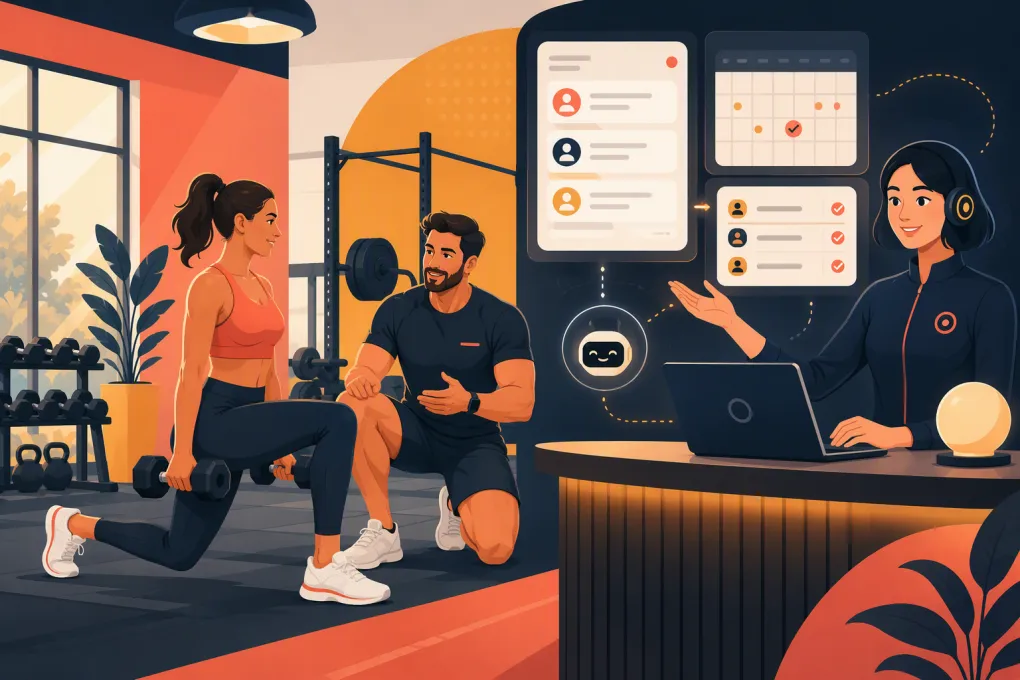
An AI receptionist gives trainers a consistent front desk without requiring someone to watch the inbox or phone all day. It can respond to common questions, qualify leads, guide prospects toward the right offer, book eligible sessions, follow up, and help resolve overdue payments. The value is not simply faster messaging. It is moving more conversations to a clear next step while protecting your coaching time.
See how Fitty can handle personal training inquiries while you coach →
What an AI receptionist actually does
An AI receptionist is a customer-facing agent connected to your business information and operating workflows. Unlike a basic autoresponder, it can use the context of a conversation to choose an appropriate response or action.
For a personal trainer, useful responsibilities include:
- Answering questions about services, locations, availability, pricing structure, and what to expect
- Asking whether the prospect wants one-on-one, semi-private, online, or group coaching
- Collecting practical details such as goals, preferred schedule, and training location
- Directing qualified prospects to an assessment, consultation, trial, or starter package
- Booking approved appointment types based on current availability
- Following up when a prospect stops replying or does not finish booking
- Sending scheduling, attendance, and payment reminders
- Escalating sensitive, unusual, or high-value conversations to the trainer
The system should operate within rules you define. It should not invent availability, promise results, diagnose injuries, create unsupported discounts, or answer questions beyond its approved knowledge.
Where personal trainers lose leads and time
Most trainers do not need more notifications. They need fewer conversations that stall between interest and action.
After-hours and mid-session inquiries
Prospects often reach out when they are thinking about change, not when your calendar happens to be open. A delayed response introduces friction at the moment of highest intent. An AI receptionist can acknowledge the inquiry immediately, answer routine questions, and offer the next available step.
Repetitive qualification
A trainer may answer the same questions repeatedly: Where do you train? Do you work with beginners? What times are available? Is nutrition coaching included? How does the consultation work?
Those are necessary conversations, but they do not all require your direct attention. An AI receptionist can cover the repeatable layer and bring you in when human judgment matters.
Incomplete bookings
Interest is not a booking. Prospects may ask for pricing, receive an answer, and disappear because nobody gave them a specific action. Every lead workflow should end with one clear next step, such as booking an assessment or selecting a consultation time.
Manual chasing
Following up is easy to postpone after a full coaching day. That affects new leads, no-shows, expired packages, and overdue accounts. Automation creates consistency without forcing you to remember every open loop.
The workflows worth automating first
Do not begin by asking AI to run every client interaction. Start with frequent, rules-based workflows where success can be clearly defined.
1. New lead response and qualification
Build a short qualification path that feels like a conversation, not an application form. Ask only for information needed to recommend the next step.
A practical sequence might be:
- Confirm the prospect’s primary goal.
- Ask whether they prefer private, semi-private, group, or remote training.
- Confirm location and broad scheduling preferences.
- Explain the most relevant starting option.
- Offer eligible times or a booking link.
- Escalate if the request requires a custom plan.
Avoid asking ten questions before providing value. If your normal sales process starts with an assessment, the AI’s job is usually to get the right person onto that calendar—not conduct the assessment itself.
2. Consultation and assessment booking
Booking rules need to reflect the way you actually work. Define:
- Which appointment types new prospects can book
- Minimum notice and cancellation windows
- Buffers before or after sessions
- Locations and trainer availability
- Whether a card, deposit, or completed form is required
- Conditions that require manual approval
This prevents the AI from creating calendar problems while removing unnecessary back-and-forth.
See how WTF Go and Fitty connect lead conversations to the next booking step →
3. Lead follow-up
Good follow-up should be useful and finite. It should not send the same generic message indefinitely.
Create different follow-up paths for leads who:
- Asked a question but did not book
- Opened the booking process but did not complete it
- Booked but did not attend
- Completed a consultation but did not purchase
- Said the timing was not right
Each message should refer to the actual stage. A lead who missed an assessment needs a rescheduling option. A lead who is comparing coaching formats may need clarification about which service fits.
4. Payment and package reminders
Late payments are uncomfortable to chase personally, especially when the client relationship is friendly. An AI receptionist can send neutral reminders, explain the approved next step, and route disputes or hardship conversations to you.
Set firm boundaries. The AI can state the balance or policy available in your system, but it should not negotiate terms unless you have explicitly authorized specific options.
Explore how Fitty can follow up and help collect personal training dues around the clock →
What your AI receptionist needs to know
AI quality depends heavily on the source material and rules behind it. Before launch, create a concise operating knowledge base.
Include:
- Services and who each one is designed for
- Current locations and service areas
- Operating hours and bookable availability
- Pricing information you are comfortable sharing
- Consultation, trial, and assessment processes
- Cancellation, rescheduling, refund, and no-show policies
- Accepted payment methods and package rules
- Facility access, parking, and arrival instructions
- Trainer credentials and scope of practice
- Approved answers to common objections
- Clear escalation triggers
Write the information as operational truth, not marketing copy. If semi-private training requires a movement assessment first, say so directly. If pricing varies after consultation, explain what can be quoted and what cannot.
Assign one person to maintain this information. For an independent trainer, that is probably you. For a multi-trainer business, it may be an operations manager. Review the knowledge base whenever schedules, offers, policies, or locations change.
Guardrails every trainer should set
A receptionist can automate communication, but it should not make professional decisions outside its role.
Health and medical questions
Prospects may disclose injuries, medications, pregnancy, pain, or medical conditions. The AI should avoid diagnosis and individualized medical advice. It can explain your intake process, provide approved general information, and escalate the conversation for human review.
Be deliberate about what sensitive information the system collects. Review the vendor’s privacy and data-handling terms rather than assuming a tool meets requirements that apply to your business.
Pricing and discounts
Define exactly what the AI may quote. If rates vary by trainer, commitment, location, or program, make those rules explicit. Do not allow the system to improvise discounts to overcome objections.
Messaging consent
Automated calls and messages can be subject to consent and communication rules. Document how leads opt in, honor opt-outs, identify the business clearly, and review the legal requirements that apply to your channels and location.
Human escalation
Create immediate handoff rules for:
- Complaints, refund demands, or disputes
- Injury and medical concerns
- Requests outside published policies
- Complex corporate or group opportunities
- Repeated misunderstanding
- A prospect who explicitly asks for a person
The goal is not to eliminate human contact. It is to reserve it for situations where a human adds value.
How to evaluate an AI receptionist
A polished demo is less important than reliable execution inside your real workflow. Test the system with realistic conversations before making it client-facing.
Use scenarios such as:
- A beginner who is nervous about starting
- A prospect asking for a time that is unavailable
- Someone who wants rehabilitation rather than fitness coaching
- A current client trying to cancel late
- A lead asking for an unapproved discount
- A prospect who changes goals halfway through the conversation
- A client disputing a payment reminder
Then evaluate whether the receptionist:
- Gives accurate answers from your business information
- Asks only relevant questions
- Recommends the correct next step
- Respects calendar and policy rules
- Records the conversation where staff can find it
- Hands off cleanly when it reaches a boundary
- Avoids unsupported claims about outcomes
Also inspect the operator experience. You should be able to see what happened, correct information, adjust workflows, and take over a conversation without reconstructing it from several disconnected tools.
A practical rollout plan
Start narrow and expand after reviewing real conversations.
Week one: document the front desk
List your common inquiry types, approved answers, booking rules, and escalation cases. Identify one primary conversion event, such as a booked assessment.
Week two: configure and test
Load your business information, connect the relevant calendar and customer workflows, and run test conversations. Include awkward edge cases, not just ideal leads.
Week three: launch one channel or workflow
Begin with new lead response or booking support. Review conversations daily. Correct unclear answers and note where prospects repeatedly hesitate.
Week four: add follow-up
Once initial responses and booking rules are stable, add follow-up for unbooked leads, no-shows, or overdue payments. Keep each sequence tied to a specific status and stop it when the person responds or completes the action.
Measure operational outcomes rather than message volume. Track whether qualified leads reach the booking step, whether appointments are created correctly, where handoffs occur, and which questions the system cannot answer. Those observations tell you what to improve.
The right role for AI in a coaching business
Personal training is built on trust, judgment, and accountability. Those should remain human strengths. Administrative delay, repetitive answers, and forgotten follow-up do not need to be.
A well-configured AI receptionist gives every inquiry a prompt, consistent path while keeping the trainer focused on coaching. Fitty is built for that operating reality: answering leads, supporting bookings, following up, and helping collect dues inside an all-in-one system for fitness and wellness businesses. The advantage is not AI for its own sake. It is a front desk process that keeps working when you are on the floor.
Frequently asked questions
Can an AI receptionist book personal training sessions?
Yes, if it is connected to the appropriate booking workflow and given clear rules for appointment types, availability, buffers, deposits, and approval requirements.
Will an AI receptionist replace a personal trainer or sales employee?
It should handle repetitive front-desk work, not coaching judgment or sensitive sales conversations. Strong systems escalate medical concerns, disputes, custom requests, and prospects who ask for a person.
What information should I give an AI receptionist?
Provide current services, pricing rules, schedules, locations, policies, booking processes, FAQs, payment procedures, and clear situations that require human escalation.
Is an AI receptionist useful for an independent trainer?
Yes. Independent trainers are often unable to answer inquiries while coaching, so automated response, qualification, booking, and follow-up can protect selling time without adding another administrative shift.
How should I test an AI receptionist before launch?
Run realistic scenarios involving unavailable times, injuries, discounts, cancellations, payment disputes, beginners, and human handoff requests. Confirm that every answer and action follows your actual policies.
Keep reading



Run your gym on autopilot with WTF Go
Fitty — your AI receptionist — answers calls and DMs, fills classes, follows up with every lead, and collects dues while you coach.