AI & Automation
AI Receptionist for Personal Trainer Missed Calls Guide
Use an AI receptionist for personal trainer missed calls to answer leads, book sessions, follow up, and protect revenue without adding front-desk staff.
 Watch · 20s
A missed call is rarely just a missed call for a personal trainer. It may be a prospect asking about availability, a client trying to reschedule, or someone ready to buy after finding you on Google. If you are coaching, driving between sessions, or working with a client, answering immediately is not realistic.
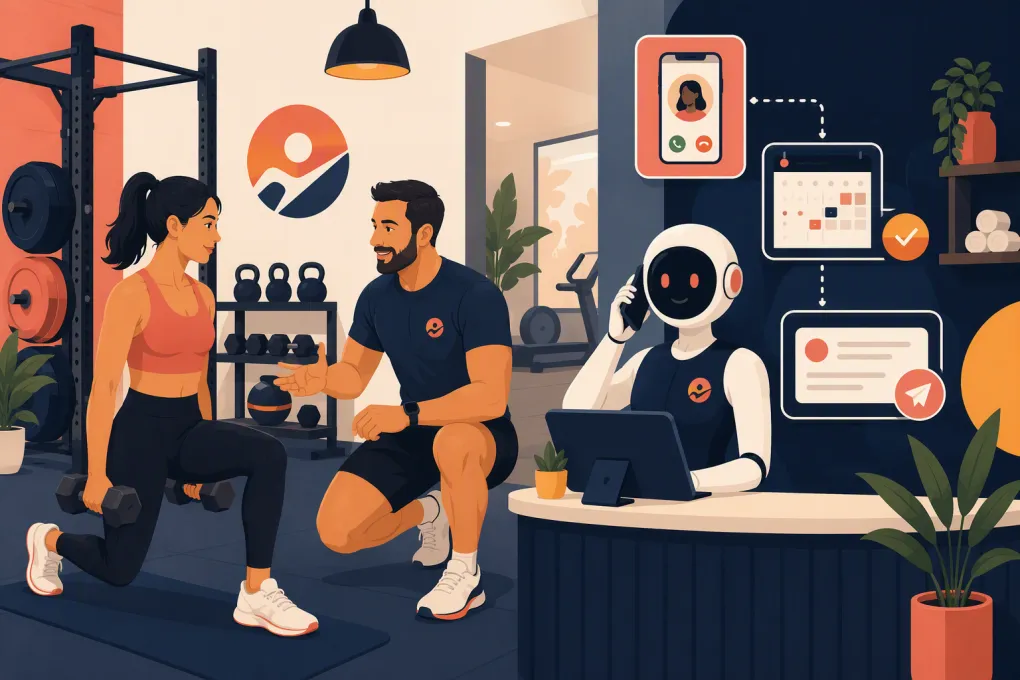
An AI receptionist gives trainers a practical middle ground between handling every call personally and hiring a full-time front-desk employee. It can answer common questions, capture lead information, book eligible sessions, and follow up without interrupting the work happening on the training floor.
The value, however, depends on the workflow behind it. A generic bot that takes messages is not enough. You need an AI receptionist configured around your schedule, services, policies, and escalation rules.
Why missed calls are especially costly for personal trainers
Prospects often contact several trainers before choosing one. When a call goes to voicemail, the caller may leave a message—but may also move directly to another option.
Independent trainers face a structural problem: the hours when leads call are often the same hours when trainers cannot answer. Common examples include:
- During one-on-one sessions
- While teaching small-group training
- Early mornings and evenings
- While commuting between a gym, studio, and client homes
- On weekends or after posted business hours
Calling back later helps, but the original context has been lost. The prospect may no longer be available, and you now have another task competing with programming, client notes, billing, and your next session.
A useful AI receptionist for personal trainer missed calls should respond at the moment of interest, not merely create a callback reminder.
See how Fitty handles personal training calls while you coach →
What an AI receptionist should handle
The system should cover a defined set of repeatable conversations. It should not pretend to replace your judgment as a coach.
New lead calls
For a new prospect, the receptionist should be able to:
- Explain the types of training you offer
- Confirm your service area or training location
- Share approved pricing information or explain the consultation process
- Ask what the caller wants help with
- Capture a name, phone number, and email address
- Offer an assessment, consultation, or introductory session
- Place the appointment on the correct calendar
- Send a confirmation and preparation instructions
Keep qualification short. The purpose of the first call is to identify fit and secure the next step, not conduct a complete health history over the phone.
Existing client requests
Current clients may call to confirm an appointment, report that they are running late, ask about package balances, or request a schedule change. Your receptionist can handle routine requests when the relevant policy and account information are available.
Anything involving an injury, medical concern, dispute, or exception to policy should be escalated to a person.
Frequently asked questions
Create approved answers for the questions you repeatedly receive, including:
- Where sessions take place
- Parking and building access
- What clients should bring
- Whether beginners are welcome
- Session length
- Cancellation and rescheduling rules
- Available training formats
- How consultations work
Do not give the AI unrestricted freedom to invent an answer. If the information is not in its approved knowledge base, it should capture the question and tell the caller that you will follow up.
Build the missed-call workflow before choosing the wording
Good automation starts with routing decisions, not a clever greeting. Map what should happen from the moment a call arrives.
1. Decide when the AI answers
Common configurations include:
- Answering every business call
- Answering only outside business hours
- Taking over when you do not answer within a set period
- Handling calls during blocks marked as coaching time
- Serving as overflow when another staff member is unavailable
Independent trainers often prefer conditional routing so they can answer when free and let the receptionist take over while coaching.
2. Use a direct opening
The opening should identify the business and make it clear that the caller is speaking with a virtual receptionist. For example:
Thanks for calling Northside Personal Training. I’m the virtual receptionist. I can help you book a consultation, answer common questions, or take a message for your trainer. How can I help?
Transparency sets the right expectation and gives the caller an immediate menu without sounding like a rigid phone tree.
3. Define each call outcome
Every call should end in one of a few trackable outcomes:
- Appointment booked
- Lead captured for follow-up
- Existing client request completed
- Call transferred or escalated
- Message recorded
- Caller opted out or ended the call
Without a defined outcome, transcripts accumulate but leads still fall through the cracks.
4. Set urgent escalation rules
Create a short list of situations the AI must not handle alone. These may include injury reports, threats, payment disputes, emergencies, or callers who repeatedly request a person.
For emergencies, the system should direct callers to the appropriate emergency service rather than attempting to provide health or safety advice. For non-emergency escalations, route the call or create a high-priority task with the caller’s details and reason for contacting you.
Connect calling directly to booking
Capturing a phone number is useful. Booking the next step while the caller is engaged is better.
Your calendar setup needs clear rules before an AI receptionist can book reliably:
- Which appointment types may be booked by new leads?
- How much time is required between sessions?
- Are virtual and in-person consultations separate appointment types?
- Which locations and trainers are eligible?
- How far in advance can someone book?
- Are deposits or cards on file required?
- What should happen if no suitable time is available?
Avoid exposing your entire coaching calendar. Create specific availability for consultations, assessments, and introductory sessions. This protects client time and prevents a caller from booking the wrong service.
If there is no suitable opening, the receptionist should collect preferred days and times, offer a waitlist if you use one, and create a follow-up task. It should never promise an exception you have not approved.
See how WTF Go connects AI call handling with lead follow-up and booking →
Follow up after the call without becoming intrusive
The call is only one part of the workflow. The next actions should depend on what happened.
For a booked consultation, send:
- A confirmation with the date, time, location, and rescheduling method
- Any required form or preparation instructions
- A reminder before the appointment
- A follow-up task if the prospect cancels or does not attend
For an unbooked lead, record the question or objection and assign a specific follow-up step. A prospect who asked about evening availability needs a different response from someone who stopped the call after hearing the location.
Keep automated messages concise and identify the business. Marketing texts and calls are subject to consent and opt-out requirements, and call-recording rules vary by state. Configure your workflows around applicable law and obtain legal guidance when needed. Operational reminders should also be limited to information the recipient reasonably expects to receive.
Protect sensitive information and payment workflows
Personal training conversations can include health goals, injuries, and payment details. Collect only what is necessary for the immediate purpose.
An initial receptionist conversation generally does not need a detailed medical history. Save health screening and informed consent for an appropriate form and trainer review. Restrict access to transcripts and lead records based on staff roles, particularly in multi-trainer businesses.
For payments, use a secure hosted payment process rather than asking callers to dictate complete card details into a call transcript. If the receptionist sends a payment link for a deposit, package, or overdue balance, the transaction should occur through the designated payment provider.
Fitty can help WTF Go users follow up and collect dues as part of the broader client workflow, while keeping the trainer focused on conversations that require human judgment.
Measure whether the receptionist is actually working
Do not judge the system by how natural the voice sounds alone. Review operational outcomes.
Track:
- Number of calls answered by the AI
- New leads captured
- Consultations or assessments booked
- Calls that required escalation
- Bookings that needed manual correction
- Questions the AI could not answer
- Leads awaiting follow-up
- Appointments canceled or missed after booking
Listen to a sample of calls and review unresolved conversations. Look for practical problems: confusing service names, inaccurate availability, overly long scripts, or callers getting stuck when they ask for a person.
Update the knowledge base whenever you change pricing, location access, hours, packages, or cancellation policies. Assign one owner to these updates so old information does not remain active.
A practical launch checklist
Before turning on an AI receptionist for personal trainer missed calls, complete these steps:
- Document services, locations, hours, and approved pricing language
- Create dedicated appointment types for new prospects
- Define booking windows, buffers, and cancellation rules
- Write concise answers to your most common questions
- Decide which calls require immediate human escalation
- Configure confirmation and follow-up messages
- Test new-lead, existing-client, rescheduling, and no-availability scenarios
- Verify how calls, messages, and booked appointments appear in your system
- Review consent, recording, data access, and payment procedures
- Monitor calls closely during the first weeks and refine the workflow
The goal is not to automate every conversation. It is to make sure routine calls receive a useful response immediately while important or sensitive issues reach the right person.
Make missed calls part of one operating system
A standalone answering tool may capture messages, but trainers still have to move information into a calendar, CRM, payment system, or follow-up list. That creates more administrative work and more places for leads to disappear.
WTF Go brings lead management, booking, communication, and payments into one operating system for fitness and wellness businesses. Fitty, its AI receptionist and agent, can answer inquiries, book eligible appointments or classes, follow up with leads, and support dues collection around the clock.
Explore Fitty for your personal training business →
For an owner-operator, the practical result is simple: fewer coaching interruptions, faster responses for prospects, and a clear record of what needs human attention.
Frequently asked questions
Can an AI receptionist book personal training consultations?
Yes, when it has access to defined appointment types, current availability, and your booking rules. Limit it to approved services and require escalation when a caller requests an exception.
Will an AI receptionist answer calls after hours?
It can be configured to answer after hours, handle overflow, or take over only when you miss a call. The right setup depends on whether you still want to answer calls personally when available.
Can it handle calls from existing personal training clients?
Yes. It can assist with routine requests such as confirmations, approved rescheduling, location details, and account questions, while escalating injuries, disputes, and policy exceptions.
Should an AI receptionist tell callers it is AI?
Transparency is the safer operating practice. Introduce it as a virtual receptionist and provide a clear way to request a person or leave a message.
How is Fitty different from a basic answering service?
Fitty works within WTF Go to connect call handling with lead follow-up, booking, client communication, and dues collection instead of stopping at message-taking.
Keep reading



Run your gym on autopilot with WTF Go
Fitty — your AI receptionist — answers calls and DMs, fills classes, follows up with every lead, and collects dues while you coach.