AI & Automation
AI Receptionist for Pelvic Floor Therapy Clinics: Guide
Learn how an AI receptionist for pelvic floor therapy clinics can handle sensitive inquiries, book visits, follow up, and protect the patient experience.
 Watch · 20s
Pelvic floor therapy is difficult enough to ask about. A prospective patient may have spent weeks researching symptoms before finally calling a clinic. If nobody answers, requiring them to leave a detailed voicemail—or wait until the front desk reopens—creates another reason to delay care.
That makes reception more than an administrative function. The first interaction must be prompt, discreet and clear without drifting into diagnosis or medical advice.
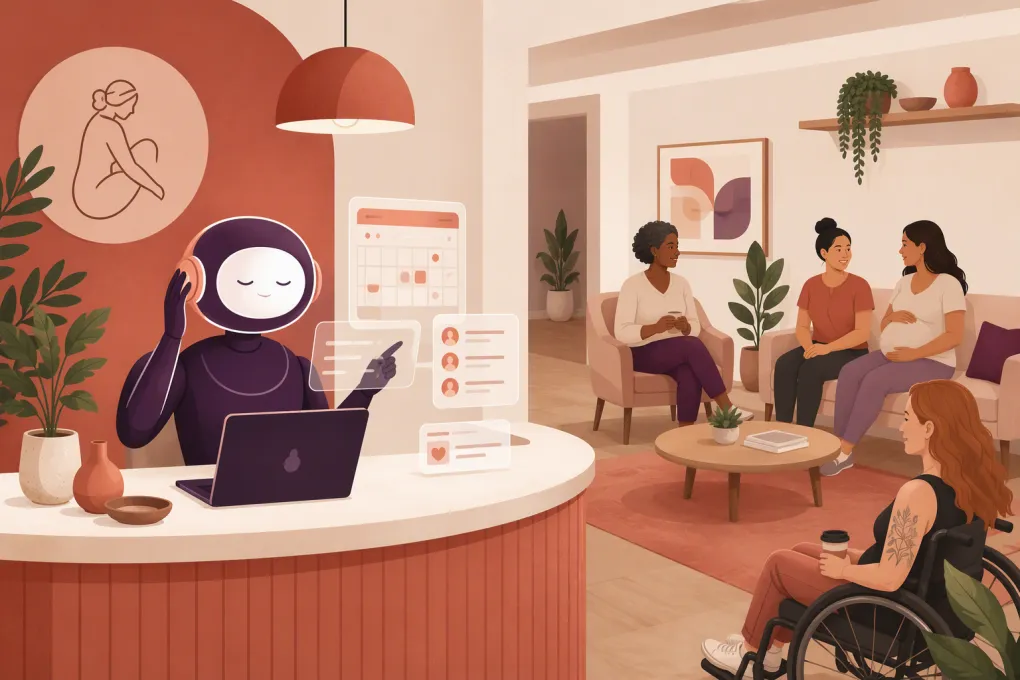
An AI receptionist can cover routine conversations around the clock: answering general questions, explaining the next scheduling step, capturing contact details, booking eligible visits and following up with people who did not finish. The right system reduces repetitive work without making a sensitive patient journey feel cold or careless.
The wrong system can create privacy problems, mishandle urgent situations or frustrate callers with rigid scripts. Here is how pelvic health operators should evaluate and implement one responsibly.
See how Fitty can handle after-hours pelvic health inquiries and booking workflows →
Why pelvic floor therapy clinics need a different reception workflow
Pelvic health inquiries often involve topics patients are reluctant to discuss with a stranger. Callers may be seeking help for postpartum recovery, bladder or bowel symptoms, pelvic pain, pain during intercourse, surgical recovery or other personal concerns.
A conventional lead script that immediately asks for symptoms can feel intrusive. An AI system that tries to interpret those symptoms is even riskier.
The better approach is to collect only what the clinic needs to take the next administrative step. That usually means:
- The person’s name and preferred contact method
- Whether they are a new or returning patient
- The general service or appointment type requested
- Location and scheduling preferences
- Referral status, when relevant to the clinic’s process
- Whether they plan to use insurance or self-pay
- Consent to receive follow-up calls or texts
Detailed medical history, diagnoses and clinical screening belong in an approved intake process—not an improvised website chat or generic text exchange.
What an AI receptionist should handle
The goal is not to automate every conversation. It is to automate predictable administrative work and escalate everything else cleanly.
Answer common nonclinical questions
A properly configured receptionist can answer questions such as:
- Do you treat patients of my gender or age group?
- Do you offer prenatal or postpartum therapy?
- Is a referral required before booking?
- Do you accept insurance or provide superbills?
- What should I expect from the first appointment?
- Where is the clinic, and is parking available?
- Do you offer telehealth for eligible follow-ups?
Answers should come from clinic-approved content. Avoid open-ended responses generated from general internet material. Policies, payer participation and service availability change, so every answer needs an owner and a review schedule.
Book the correct first step
Not every caller should land directly on the same appointment type. Your AI receptionist may need to distinguish among:
- A complimentary discovery call
- A new-patient evaluation
- A returning-patient appointment
- A postpartum or prenatal consultation
- A class or workshop
- A call with billing or insurance staff
Build explicit booking rules. For example, the system might schedule self-pay evaluations directly but route insurance-dependent requests to a benefits coordinator. It might also prevent booking with a therapist who does not serve the requested patient population.
Follow up without exposing sensitive information
Many inquiries arrive after hours or stop midway through scheduling. An AI receptionist can send a brief follow-up that helps the person resume without repeating sensitive details.
A safe message sounds like this:
Hi, this is the scheduling team from [Clinic]. You contacted us about an appointment. Would you like help finding a time?
Avoid including symptoms, diagnoses, treatment details or other sensitive context in an ordinary notification. Confirm identity before discussing an existing patient’s care or account.
Route urgent or clinical questions
An AI receptionist should never improvise when someone reports alarming symptoms, requests a diagnosis or asks whether they should delay urgent care.
Create a defined escalation response that:
- States that the assistant cannot assess symptoms or provide medical advice.
- Directs emergencies to 911 or the appropriate local emergency service.
- Provides the clinic’s approved instructions for urgent clinical questions.
- Alerts a designated staff member when human review is appropriate.
- Records the administrative disposition without inventing a clinical conclusion.
Have a licensed clinician approve this language. Review it whenever your on-call or escalation process changes.
Privacy and compliance questions to settle first
Pelvic floor therapy clinics may handle protected health information, so convenience cannot come before privacy. Before deploying any AI receptionist, map where information enters, where it is stored and which vendors can access it.
Ask prospective vendors:
- Will the system receive, store or transmit protected health information?
- Is a Business Associate Agreement available when required?
- Which subprocessors handle calls, messages, recordings or transcripts?
- Can recordings and transcripts be disabled or retained for a defined period?
- How are staff permissions, access logs and account termination managed?
- Can sensitive fields be excluded from notifications and analytics?
- What happens to data when the service is canceled?
- How does the system document consent and communication preferences?
HIPAA is not the only consideration. Automated calls and texts can also implicate federal and state communication, consent and privacy rules. Requirements depend on the message, technology and relationship with the recipient. Work with qualified legal or compliance counsel rather than relying on a vendor’s marketing language.
WTF Go and Fitty can support automated inquiry, scheduling and follow-up workflows, but every healthcare operator should confirm that its intended configuration, connected systems and data practices meet the clinic’s obligations before launch.
How to design a patient-friendly conversation
A strong workflow sounds calm and direct. It does not force patients through a long interrogation before offering help.
Start with choice
Give callers a short menu based on intent:
- Book a first appointment
- Ask about services or payment options
- Reschedule an existing appointment
- Reach the clinic team
This is more useful than asking, “How can I help?” and expecting the system to infer everything correctly.
Explain why information is needed
Instead of requesting a phone number without context, say that it will be used to confirm scheduling or allow the team to follow up. Transparency matters when the subject is sensitive.
Offer a human handoff
Some patients will not want to speak with AI. Others will have accessibility, language, billing or clinical needs that exceed the workflow. Always provide a clear route to a person, even if that route is a scheduled callback during staffed hours.
Do not pretend the AI is human
Identify the assistant accurately. Patients should understand whether they are interacting with an automated system and when their information will be reviewed by clinic staff.
Explore how Fitty can answer routine questions while routing sensitive conversations to your team →
A practical implementation plan
Start with one high-volume workflow rather than turning on every capability at once.
1. Audit your current inquiries
Review recent call reasons, voicemail categories and website inquiries. Do not copy protected information into an unsecured planning document. Group requests into administrative categories such as new-patient booking, insurance question, rescheduling, location question and clinical escalation.
2. Create a single source of truth
Document approved answers for services, therapist availability, appointment lengths, referral requirements, payment policies, cancellation rules and accessibility. Assign someone to maintain each section.
3. Define booking boundaries
List which appointments the AI can book, who is eligible, how much buffer time is required and what must be reviewed by staff. Test edge cases such as minors, post-surgical referrals, lapsed patients and callers seeking services you do not provide.
4. Write escalation rules
Specify where billing questions, complaints, urgent messages and requests for medical advice go. Include expected staff response windows without promising immediate clinical attention unless the clinic can deliver it.
5. Test with realistic scenarios
Have clinicians and front-desk staff test the system using common and difficult requests. Include ambiguous language, a distressed caller, a request to delete information, an insurance question and someone who refuses automated assistance.
6. Launch in a controlled window
After-hours coverage is often a sensible starting point because it fills a clear gap while allowing staff to review outcomes the next morning. Expand only after the clinic is satisfied with accuracy, escalation and patient experience.
See how WTF Go can centralize lead response, booking and follow-up for your clinic →
What to measure after launch
Do not judge an AI receptionist only by the number of conversations it handles. Track whether it produces safe, useful outcomes.
Useful operational measures include:
- Calls or inquiries answered outside staffed hours
- Eligible inquiries that complete the intended booking step
- Conversations requiring human follow-up
- Incorrect or failed booking attempts
- Opt-outs and requests for human assistance
- Time from inquiry to staff resolution
- Escalations that did not reach the assigned person
- Recurring questions missing from the approved knowledge base
Review actual conversation paths under your privacy and access policies. Look for friction: too many questions, unclear payment language, dead-end handoffs or messages that disclose more than necessary.
The real value is continuity, not headcount reduction
Pelvic health clinics should not view AI reception as a substitute for empathy or clinical judgment. Its best role is maintaining continuity when the team is treating patients, away from the desk or closed for the day.
Used well, an AI receptionist gives prospective patients a private, immediate next step while protecting therapists from constant interruptions. Staff can then spend more time on conversations that require reassurance, judgment and genuine human attention.
That balance—automation for routine administration and people for sensitive decisions—is the standard pelvic floor therapy clinics should expect.
Frequently asked questions
Can an AI receptionist replace a pelvic floor clinic's front desk?
It can handle repetitive inquiries, scheduling and follow-up, but it should not replace human support for clinical questions, complex billing issues, complaints or sensitive conversations.
Can an AI receptionist for pelvic floor therapy clinics be HIPAA compliant?
It may be used in a compliant workflow if the technology, contracts, configuration and clinic practices meet applicable requirements. Confirm data handling, access controls, subprocessors and BAA availability with legal or compliance guidance.
Should the AI ask patients about their symptoms?
Collect only the minimum information needed for administrative routing. Detailed symptoms and medical history should go through the clinic's approved clinical intake process.
Can the AI book new-patient evaluations automatically?
Yes, when the clinic has clear eligibility, provider, referral and payment rules. Cases requiring insurance review or clinical judgment should be routed to staff.
What is the safest first use case?
After-hours answers and appointment-request capture are practical starting points. They address missed inquiries while keeping staff review and booking boundaries clear.
Keep reading



Run your gym on autopilot with WTF Go
Fitty — your AI receptionist — answers calls and DMs, fills classes, follows up with every lead, and collects dues while you coach.