AI & Automation
AI Receptionist for Osteopathic Clinics: Practical Guide
Learn how to choose an AI receptionist for osteopathic clinics that handles calls, scheduling and follow-up while protecting patient trust and staff time.
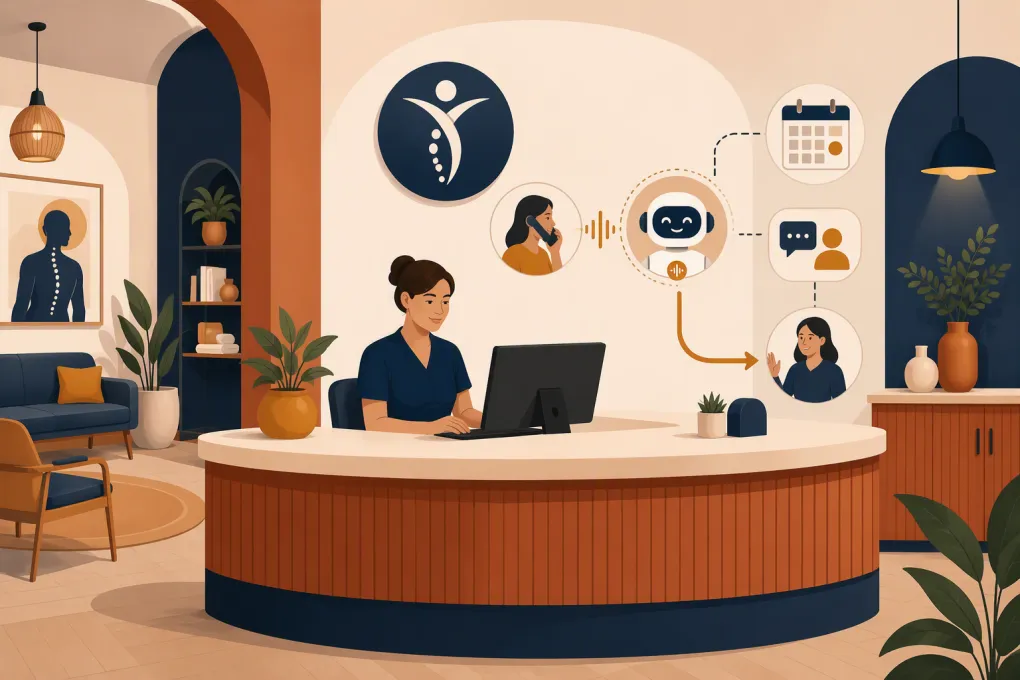 Watch · 20s
An osteopathic clinic does not need an AI that merely picks up the phone. It needs a receptionist system that can recognize why someone is calling, handle approved administrative work, and get out of the way when clinical judgment or human empathy is required.
That distinction matters. A new patient asking about availability is different from an established patient describing worsening symptoms. A request to reschedule osteopathic manipulative treatment is different from an insurance question. Treating every call the same creates scheduling errors, frustrated patients, and avoidable risk.
The right AI receptionist can cover routine calls after hours, reduce interruptions at the front desk, and turn more inquiries into booked appointments. The wrong one can give unsupported answers, collect sensitive information carelessly, or create another inbox for staff to manage.
See how Fitty can cover routine inquiries, booking and follow-up around the clock →
What an AI receptionist should actually do
An AI receptionist for osteopathic clinics should have a narrow, operationally useful job description. It is not a clinician and should not behave like one.
A sensible scope includes:
- Answering calls when staff are busy or the clinic is closed
- Identifying new patients, existing patients, vendors and other callers
- Explaining approved information such as hours, location and parking
- Booking eligible appointment types from current availability
- Rescheduling or canceling appointments according to clinic policy
- Collecting only the information required for the next step
- Sending approved confirmations and reminders
- Routing billing, referral and records questions to the correct team
- Escalating urgent, sensitive or unclear calls to a human
- Following up with prospective patients who have requested contact
The system should not diagnose symptoms, recommend treatment, determine whether a patient needs osteopathic manipulative treatment, interpret test results, or improvise insurance coverage answers.
Where osteopathic clinic calls become complicated
Osteopathic practices often offer more than one type of visit. A clinic may have new-patient evaluations, follow-ups, osteopathic manipulative medicine appointments, longer procedural visits, telehealth, wellness services or memberships. Providers may also have different visit rules.
That complexity has to be translated into booking logic. Before deploying AI, document:
- Which appointment types the receptionist may book directly
- Which visits require an established patient relationship or referral
- How much time each visit needs
- Which providers perform each service
- Whether a patient may self-schedule the service
- What should trigger staff review instead of immediate booking
For example, the AI should not place every caller mentioning back pain into the same appointment type. It can ask approved administrative questions, such as whether the person is a new or existing patient, but clinical suitability belongs with qualified staff.
AI receptionist options compared
The right model depends on call volume, clinical complexity and how tightly the service must connect with your scheduling system.
| Option | Strengths | Limitations | Best fit |
|---|---|---|---|
| Basic phone tree | Predictable, inexpensive and easy to control | Frustrating menus, no natural conversation and limited booking ability | Very small clinics with low call volume |
| Human answering service | Human judgment and a familiar patient experience | Quality varies; agents may only take messages and may not know real-time availability | Clinics primarily needing overflow or after-hours message capture |
| Generic AI voice agent | Flexible conversation and broad automation potential | May lack healthcare controls, a BAA, clinical scheduling connections or safe escalation rules | Nonclinical inquiries after careful privacy review |
| Healthcare-focused AI receptionist | More likely to support healthcare workflows, privacy requirements and medical scheduling | Implementation can be more involved; capabilities and integrations vary by vendor | Clinics needing deeper patient-access automation |
| WTF Go with Fitty | Built around answering inquiries, booking, follow-up and payment or membership workflows | Clinical use requires confirmation of privacy terms, integrations and the exact data being handled | Osteopathic clinics combining care with cash-pay wellness, classes or membership services |
Do not select a product from a feature checklist alone. Test it against real calls and exception cases from your clinic.
Requirements to evaluate before buying
Scheduling must use a reliable source of truth
An AI agent should not book from a copied calendar that drifts out of sync with the clinic’s actual schedule. Ask whether it can read current availability, apply provider and appointment rules, and write the confirmed appointment back to the system staff already use.
Test scenarios such as:
- A new patient requests the last appointment of the day
- Two callers ask for the same opening
- A provider blocks time after the AI has offered it
- A patient needs a visit type that cannot be self-scheduled
- The requested location has no appropriate provider
If direct integration is unavailable, limit the AI to collecting a callback request rather than presenting a tentative booking as confirmed.
Privacy and security need documented answers
Calls to a clinic can contain protected health information. If a vendor creates, receives, maintains or transmits PHI on behalf of a covered entity, determine whether it will act as a business associate and sign an appropriate business associate agreement. A BAA is important, but it does not make a workflow compliant by itself.
Ask the vendor:
- What call audio, transcripts and summaries are stored?
- Where is the data stored, and for how long?
- Who can access it?
- Can retention be limited?
- Is customer data used to train shared models?
- How are access, deletion and security incidents handled?
- Which subcontractors process patient information?
Use the HHS HIPAA Security Rule guidance as a starting point, then have your privacy or legal adviser assess the actual configuration.
Call recording and outbound messaging also require attention. Recording-consent rules differ by state, and automated calls or texts can raise consent and opt-out requirements. Do not assume that a technically available feature is automatically appropriate for every patient.
Clinical guardrails must be explicit
Write a prohibited-topics list. The AI should not answer questions about diagnosis, medication changes, treatment risks, test interpretation or whether symptoms can wait.
Create immediate escalation paths for:
- Emergency language or threats of self-harm
- Chest pain, breathing difficulty or other potentially urgent symptoms
- Post-procedure concerns
- Medication questions
- Complaints involving safety or quality of care
- Requests for clinical records requiring identity verification
- Any request the system cannot classify confidently
Emergency messaging should be approved by clinic leadership. It should direct callers to the appropriate emergency resource without pretending to triage them.
Human handoff must be real, not theoretical
A vendor may claim human escalation while providing only an emailed transcript. Define what your clinic actually needs: a live transfer during business hours, a priority task in the practice system, an on-call notification, or a callback queue with an owner and deadline.
Every handoff should include enough context that the patient does not need to repeat the entire conversation.
Explore how Fitty combines 24/7 answering with booking and structured follow-up →
Build the call flow before turning on the AI
A practical new-patient flow might look like this:
- Identify the clinic and disclose that the caller is speaking with an automated receptionist.
- Ask whether the caller is a new or existing patient.
- Identify the administrative goal: book, reschedule, ask about services, reach billing or leave a message.
- For booking, offer only approved appointment types and live availability.
- Collect the minimum required contact details.
- Confirm the appointment, location, provider and arrival instructions.
- Send the approved confirmation through the patient’s chosen channel.
- Route anything clinical, ambiguous or sensitive to staff.
Keep answers short. Patients calling a clinic usually want a result, not a long explanation of the technology.
Your knowledge base should also have a named owner. When hours, providers, parking instructions or service policies change, someone must update the AI promptly.
Roll out in controlled stages
Start with lower-risk calls rather than handing over the entire phone line on day one.
Stage 1: After-hours information and message capture
Let the system answer common administrative questions and create structured callback requests. Review transcripts and routing every business day during the initial rollout.
Stage 2: Booking selected appointments
Enable direct scheduling only for visit types with clear eligibility and duration rules. Keep complicated visits and clinical requests with staff.
Stage 3: Overflow during business hours
Once booking and escalation are reliable, use AI when staff cannot answer promptly. Make live transfer available where practical.
Stage 4: Approved follow-up
Add reminders or inquiry follow-up only after confirming consent, message content, frequency and opt-out handling. For payments, distinguish general wellness memberships from medical copays or patient balances and verify that the workflow meets the clinic’s payment-security and practice-management requirements.
Measure outcomes that affect clinic operations
Do not judge the project only by how many calls the AI answers. Track whether it produces complete, correct outcomes.
Useful measures include:
- Calls resolved without staff rework
- Eligible inquiries converted into confirmed appointments
- Booking errors and duplicate appointments
- Transfers completed successfully
- Messages routed to the correct team
- Patient complaints related to the automated experience
- Staff time spent correcting summaries or call classifications
- No-shows and cancellations by booking source
Review failed calls, not just averages. One unsafe clinical answer matters more than a large volume of routine calls handled correctly.
Where Fitty can fit
Fitty, WTF Go’s AI receptionist and agent, is designed to answer inquiries, book, follow up and support payment or dues workflows around the clock. That makes it especially relevant to osteopathic operators whose businesses also include cash-pay wellness services, recovery programs, classes or recurring memberships.
The key is defining the boundary between patient-access automation and clinical care. Use Fitty for the workflows it is configured and approved to handle, connect human staff where judgment is required, and confirm privacy, integration and payment requirements for your specific practice before launch.
See whether WTF Go and Fitty match your clinic’s booking and patient-response workflow →
An effective AI receptionist does not replace the front desk’s judgment. It removes repetitive administrative work, stays available when staff cannot, and gives the team a cleaner queue of conversations that genuinely need a person.
Frequently asked questions
Can an AI receptionist book osteopathic manipulation appointments?
It can book them when the clinic has defined clear eligibility, duration, provider and scheduling rules. Calls requiring clinical assessment should be routed to qualified staff instead.
Does an AI receptionist for an osteopathic clinic need to be HIPAA compliant?
If the service handles PHI for a covered entity, the clinic must evaluate the vendor's role, safeguards and willingness to sign a BAA where required. Compliance depends on the complete workflow, not a marketing claim alone.
Can the AI answer patient questions about symptoms?
It should not diagnose, triage or recommend treatment unless the clinic is using an appropriately validated and governed clinical system. A receptionist agent should provide approved emergency guidance and escalate clinical questions.
Should a clinic replace its answering service with AI?
Not automatically. AI is strong at repeatable administrative workflows, while human services may be better for sensitive or unpredictable calls; many clinics use AI for routine coverage with human escalation.
Keep reading



Run your gym on autopilot with WTF Go
Fitty — your AI receptionist — answers calls and DMs, fills classes, follows up with every lead, and collects dues while you coach.