AI & Automation
AI Receptionist for Occupational Therapy Clinics: Guide
Learn how an AI receptionist for occupational therapy clinics can capture leads, manage scheduling, route calls, and protect staff time around the clock.
 Watch · 20s
An unanswered call at an occupational therapy clinic is rarely just an unanswered call. It may be a parent looking for pediatric OT, a surgeon’s office checking a referral, an existing patient trying to reschedule, or a prospective patient asking whether the clinic accepts a particular plan.
The problem is that these calls arrive while front-desk staff are checking in patients, confirming benefits, collecting paperwork, and supporting clinicians. After hours, many go to voicemail. Each message creates another task for the next business day—and another opportunity for the caller to contact a different clinic.
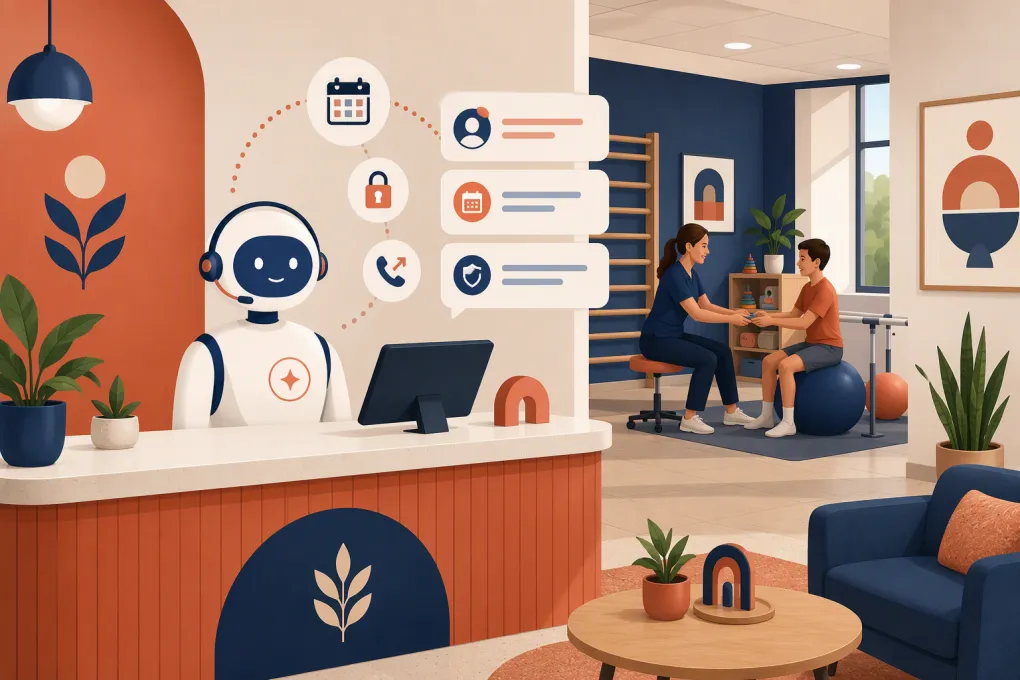
An AI receptionist for occupational therapy clinics can take pressure off that system. It can answer routine questions, capture structured information, route urgent or complex requests, support scheduling, and follow up consistently. But healthcare workflows require tighter controls than a basic appointment-booking bot.
See how Fitty can handle routine inquiries and after-hours follow-up →
What an AI receptionist should handle in an OT clinic
The best use of AI is not replacing clinical judgment or removing people from sensitive conversations. It is handling repetitive, rules-based communication so staff can focus on work that requires context and discretion.
New-patient inquiries
An AI receptionist can collect the basic information needed to move an inquiry forward, such as:
- Caller name and preferred contact method
- Whether the inquiry is for an adult or child
- General service requested, such as pediatric OT or hand therapy
- Referral status
- Preferred location and appointment times
- Self-pay, insurance, workers’ compensation, or another payment pathway
- Any accessibility or language needs the clinic is prepared to support
Keep the initial intake narrow. The AI should not ask for a full medical history during a first call unless your compliance process, system configuration, and privacy notices are designed for it.
The goal is to create a clean next action: book an eligible appointment, send the correct forms, or assign the inquiry to a staff member.
Appointment scheduling and rescheduling
Scheduling is useful only when the AI understands your actual rules. OT clinics may have different appointment lengths, clinician specialties, referral requirements, age restrictions, and payer constraints.
Before allowing direct booking, define:
- Which visit types the AI may schedule
- Which clinicians can provide each service
- Whether an evaluation must precede treatment
- Minimum lead time and cancellation rules
- Location, age, and payer restrictions
- Situations requiring staff approval
A conservative rollout may start with callback requests and rescheduling. Direct booking can be added once the clinic has tested its rules against real scenarios.
Routine questions
Many calls do not require access to a patient chart. An AI receptionist can answer approved questions about:
- Clinic locations and hours
- Parking and accessibility
- Services offered
- What to bring to an evaluation
- How to submit a referral
- General cancellation policies
- Whether telehealth is offered
- How to reach billing or medical records staff
Answers should come from a clinic-controlled knowledge base. Do not let the system improvise policies or make promises about coverage, outcomes, or appointment availability.
Follow-up and reminders
A strong receptionist workflow continues after the first conversation. Depending on the clinic’s systems and permissions, automation can help:
- Follow up with prospective patients who did not book
- Send links to forms or approved intake instructions
- Remind patients about appointments
- Request missing nonclinical information
- Re-engage inquiries waiting for a referral
- Confirm that a staff callback is still needed
Every follow-up should have a stop condition. Once the patient responds, books, opts out, or is assigned to a staff member, the automated sequence should end or change.
What the AI should never decide
An AI receptionist is an administrative agent, not a therapist, nurse, utilization reviewer, or emergency service.
It should not:
- Diagnose a condition
- Recommend treatment or exercises
- Interpret symptoms
- Determine whether therapy is medically necessary
- Promise insurance coverage or reimbursement
- Give clinical advice about pain, injury, medication, or recovery
- Handle emergencies as if it were a clinical triage line
Create explicit escalation language for callers mentioning emergencies, immediate danger, severe symptoms, or other urgent concerns. The response should direct them to the appropriate emergency resource under your clinic’s approved policy rather than trying to assess the situation.
Staff should also take over when a caller is distressed, disputes a bill, has a complicated authorization issue, requests records, or needs an accommodation outside the AI’s approved workflow.
Privacy and compliance questions to resolve first
Occupational therapy clinics routinely handle protected health information. That makes vendor and workflow review essential before an AI tool processes patient data.
Map the data flow
Document what information the receptionist receives, where it is stored, which systems receive it, and who can access it. Include call recordings, transcripts, text messages, appointment details, and internal summaries.
Ask each prospective vendor:
- Will it sign a business associate agreement when required?
- How is data encrypted in transit and at rest?
- Can access be limited by role?
- Are audit logs available?
- How long are recordings and transcripts retained?
- Can retention settings be changed?
- Is customer data used to train shared models?
- What happens to data after cancellation?
A claim that a product is secure is not enough. Your clinic should evaluate the actual configuration and contract with its compliance and legal advisors.
Review call recording and messaging rules
Call-recording consent laws vary by jurisdiction. Texting also requires appropriate consent, opt-out handling, and message controls. Confirm which rules apply to your clinic, callers, and patient population before enabling recording or automated outreach.
Collect only what the workflow needs
Data minimization reduces operational and privacy risk. If the purpose of a conversation is to request a callback, the AI may need contact details and a general reason—not detailed clinical information.
Explore how Fitty can structure inquiry capture and follow-up around your front-desk workflow →
How to implement an AI receptionist without creating chaos
A rushed implementation usually automates unclear processes. Start by fixing the process on paper.
1. Audit two weeks of front-desk demand
Review call logs, voicemail, web inquiries, and staff notes. Group contacts into practical categories:
- New-patient inquiry
- Scheduling or rescheduling
- Referral question
- Billing question
- Records request
- Existing-patient message
- Vendor or sales call
- Urgent escalation
You do not need a complicated study. The purpose is to identify repeatable requests and exceptions.
2. Build a call-routing map
For each category, decide whether the AI should answer, collect information, schedule, transfer, or create a staff task. Add a fallback for anything it cannot classify confidently.
A simple rule might be:
- New pediatric OT inquiry: collect approved intake details and offer eligible next steps.
- Existing patient with treatment question: send to the clinic’s established clinical-message workflow.
- Billing dispute: assign to billing staff without attempting to resolve it.
- Records request: provide the approved request process.
3. Write approved answers
Create concise source material for hours, locations, services, referrals, scheduling rules, and policies. Assign an owner to review the content whenever operations change.
Avoid loading marketing copy into the knowledge base. Callers need direct answers, not slogans.
4. Test edge cases
Run realistic scenarios before launch. Test callers who:
- Do not know which service they need
- Speak in incomplete sentences
- Ask several questions at once
- Need an interpreter or accommodation
- Have a referral but no authorization
- Want a same-day appointment
- Mention urgent symptoms
- Ask whether treatment is covered
- Request a human immediately
Review whether the AI routes safely and creates a useful record for staff.
5. Launch after hours first
An after-hours pilot limits disruption while addressing a clear gap. Let the AI answer common questions and capture inquiries when staff are unavailable. Once the workflow is reliable, expand to overflow calls or selected daytime tasks.
6. Monitor operational outcomes
Track metrics tied to front-desk performance rather than vanity activity:
- Calls answered versus abandoned
- Qualified inquiries captured
- Appointments requested or booked
- Time from inquiry to staff follow-up
- Transfers and failed transfers
- Incorrect answers
- Escalations by category
- Opt-outs and complaints
- Staff time spent correcting AI-created records
Review transcripts or summaries under your privacy policy. A high conversation count means little if staff must repair the output.
Choosing the right AI receptionist
Evaluate the full workflow, not just whether the voice sounds natural. An OT clinic needs reliable controls around scheduling, routing, follow-up, and data handling.
Look for:
- Configurable escalation rules
- Clinic-managed answers and scripts
- Scheduling controls by service, clinician, and location
- Human handoff during business hours
- Structured notes instead of unfiltered transcripts alone
- Consent and opt-out controls
- Clear security documentation and contractual terms
- Reporting that identifies unresolved conversations
- Support for multi-location routing if applicable
- A practical implementation and testing process
Also confirm how the platform connects with your scheduling, CRM, phone, and payment systems. An impressive standalone demo can still create duplicate work if staff must re-enter every inquiry manually.
Where Fitty can support the front desk
Fitty, WTF Go’s AI receptionist and follow-up agent, is built to answer inquiries, support booking workflows, continue follow-up, and operate outside normal front-desk hours. For an occupational therapy clinic, the practical opportunity is to use those capabilities for approved administrative conversations while routing clinical, billing, and coverage questions to the right person.
The setup should reflect your services, locations, scheduling constraints, privacy requirements, and escalation policies. Clinics should confirm integration and compliance fit before processing patient information, especially where protected health information is involved.
See whether Fitty fits your OT clinic’s call and scheduling workflow →
The operational standard to aim for
A good AI receptionist does not try to handle every conversation. It answers what it knows, follows the clinic’s rules, captures useful information, and gets out of the way when a person is needed.
For OT operators, that means fewer routine interruptions, faster responses to prospective patients, and a more consistent front-door experience. The safest place to begin is a narrow, measurable workflow—usually after-hours inquiries or overflow calls—then expand only after the clinic has verified accuracy, privacy, and staff handoffs.
Frequently asked questions
Can an AI receptionist book occupational therapy evaluations?
Yes, if the system can follow the clinic's rules for visit type, therapist specialty, location, referral status, and payer restrictions. Complex or uncertain cases should be routed to staff.
Is an AI receptionist HIPAA compliant?
Compliance depends on the vendor, contract, data flow, configuration, and clinic procedures. Ask whether the vendor will sign a business associate agreement when required and review security, retention, and access controls.
Can AI verify a patient's insurance coverage?
Some systems may support parts of an eligibility workflow through integrations, but an AI should not promise that a service is covered or guarantee reimbursement. Coverage questions often require staff review.
Should an OT clinic replace its front desk with AI?
No. AI is best used for repetitive administrative work, after-hours coverage, and structured intake. Staff remain essential for clinical messages, complicated scheduling, billing disputes, accommodations, and sensitive conversations.
Keep reading



Run your gym on autopilot with WTF Go
Fitty — your AI receptionist — answers calls and DMs, fills classes, follows up with every lead, and collects dues while you coach.