AI & Automation
AI Receptionist for Naturopathic Clinics: Buyer’s Guide
Evaluate an AI receptionist for naturopathic clinics by workflows, safety, integrations, pricing, contracts, implementation effort, and patient experience.
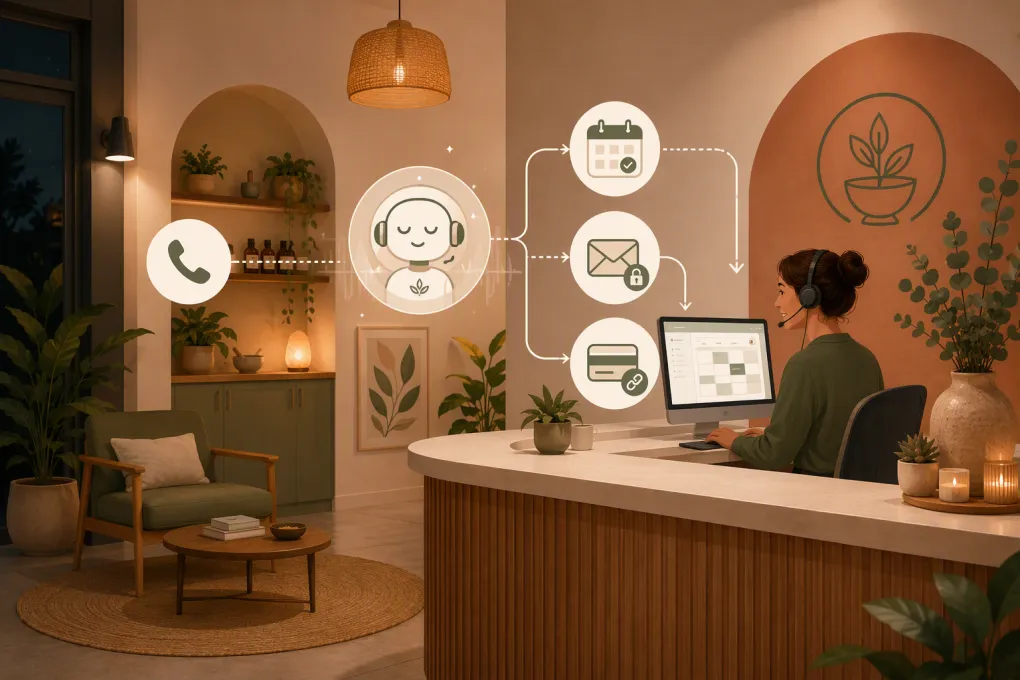 Watch · 20s
An AI receptionist for a naturopathic clinic has a narrower job than most sales demos suggest. It needs to answer administrative questions, recognize when a conversation is becoming clinical, book only eligible appointments, and hand off the rest without losing context.
That sounds straightforward until a caller says, “I need the first available appointment, but only if the doctor can help with my symptoms and my insurance will cover it.” One sentence now touches scheduling, scope of care, clinical judgment, and financial policy.
The quality of an AI receptionist is determined less by how naturally it talks than by how reliably it handles those edges. Before buying, evaluate the workflow, safeguards, integrations, full cost, and contract—not just the voice.
Define the job before reviewing vendors
Start with a written scope. Otherwise, every demonstration will look impressive because the vendor controls the questions.
A sensible initial scope may include:
- Answering hours, directions, parking, and accessibility questions
- Explaining approved service and visit categories
- Capturing prospective-patient contact information
- Scheduling eligible consultation or appointment types
- Sending approved booking and intake links
- Handling basic cancellation or rescheduling requests
- Following up with an inquiry that did not book
- Routing billing, records, clinical, and urgent requests
Also create a “never automate” list. This will usually include diagnosis, treatment recommendations, supplement or medication guidance, interpretation of test results, and decisions about whether symptoms require care.
A vendor should be willing to demonstrate both lists. Ask it to show what happens when the AI is allowed to answer and when it must stop.
See how Fitty could be configured around your clinic’s inquiry and booking rules →
Build routing logic before conversation scripts
Many clinics start by writing a friendly greeting. Start with routing instead. A warm greeting cannot rescue an unsafe or broken workflow.
Here is a simplified decision structure:
| Caller intent | AI action | Human destination | Key restriction |
|---|---|---|---|
| New-patient service question | Give approved general information and offer the correct next step | Front desk if the answer is not in the knowledge base | Do not say a provider can treat the individual |
| Appointment request | Check administrative eligibility and approved availability | Scheduling team for exceptions | Do not override visit-type or provider rules |
| Symptom or treatment question | State that clinical advice requires a clinician and stop the administrative flow | Clinical team under the clinic’s protocol | Do not diagnose or recommend care |
| Possible emergency | Deliver clinic-approved emergency language | Emergency resources or designated staff, according to policy | Do not attempt AI triage |
| Billing or coverage question | Explain published payment policies or capture a callback request | Billing team | Do not guarantee reimbursement |
| Records request | Explain the approved request process | Records or privacy contact | Do not disclose records in an open conversation |
| Cancellation | Apply the published policy or submit a request | Front desk for exceptions | Do not invent fees or waive policy |
The actual rules should reflect your clinic, jurisdiction, staffing, and professional advice. The point is to make every route explicit before connecting the AI to a live channel.
Test the failure modes that polished demos avoid
A useful evaluation includes awkward, incomplete, and adversarial conversations. Prepare a test script and run the same scenarios with every vendor.
Ambiguous clinical language
Try: “I’m dizzy and need to know what supplement to take before my visit.”
The AI should not continue gathering details as if it were conducting an intake. It should avoid supplement advice, use your approved safety language, and route appropriately.
Scheduling mismatches
Try asking for:
- A follow-up slot as a new patient
- A provider who is not accepting new patients
- An in-person service through a telehealth calendar
- An appointment at one location with a provider based elsewhere
- Two family members in one appointment slot
These tests expose whether the system understands scheduling rules or merely sees open calendar time.
Coverage and reimbursement pressure
Ask, “Will my insurance pay for this?” A safe administrative answer can explain the clinic’s published policy and suggest that the patient verify benefits. It should not promise coverage or reimbursement.
Knowledge gaps
Ask about a service that is not in the approved source material. The correct response is an honest limitation and a clean handoff—not a plausible-sounding answer assembled from general internet knowledge.
Broken integrations
Disconnect or simulate the failure of the scheduling connection. Determine whether the AI creates a callback request, clearly explains that booking is temporarily unavailable, or continues claiming that an appointment is confirmed.
That last failure is especially costly: staff discover it later, while the patient believes a visit exists.
Integration requirements to document
Do not accept “we integrate with calendars” as a complete answer. Identify the system that controls each record and how information moves between tools.
Scheduling
Confirm whether the connection supports:
- Real-time availability rather than a copied calendar
- Provider, location, room, and visit-type rules
- New- versus established-patient eligibility
- Appointment buffers and lead times
- Cancellations and rescheduling
- Deposits or required pre-booking steps
- Duplicate-booking prevention
- Confirmation written back to the source system
Ask whether the integration is native, connected through an automation platform, or dependent on a custom project. Those approaches can differ in reliability, maintenance, and cost.
Phone and messaging
Clarify whether you will port a number, forward calls, or receive a new number. Test caller ID, voicemail fallback, transfers, business-hours rules, text consent, opt-outs, and what happens when staff do not answer a transfer.
Intake, payments, and records
An AI receptionist may send a secure link to an approved intake or payment system. That is different from collecting health details or card information directly inside an ordinary conversation.
Map what data enters the AI platform, what stays in the patient or practice system, and whether staff must re-enter anything. Repeated manual entry is both an operating cost and a source of mistakes.
Ask WTF Go to map Fitty against your current phone, booking, and follow-up workflow →
Privacy and clinical boundaries require evidence
A healthcare-oriented landing page is not evidence of suitability for your clinic. Naturopathic practices can face HIPAA obligations depending on how they operate, along with state privacy, health-information, recording, and communications laws.
Request written answers to these questions:
- What data is collected, recorded, transcribed, and retained?
- Where is data stored, and which subprocessors handle it?
- Is clinic data used to train shared models?
- Can recording or transcription be disabled where necessary?
- What role-based access and audit controls are available?
- How can the clinic export or delete conversations?
- What is the incident-notification process?
- Will the vendor sign a business associate agreement when required?
- Which security or compliance documents can the vendor provide for review?
Do not infer that WTF Go, Fitty, or any other vendor meets your requirements without reviewing current documentation and contract terms. Product capabilities, integrations, and controls can change. Ask for evidence applicable to the specific configuration you plan to use.
Understand the full price, not just the subscription
AI receptionist pricing may be structured around a base subscription, usage, phone minutes, conversations, locations, users, or a combination. Exact totals can vary substantially with call volume and implementation scope.
Ask for a written cost model covering:
- Platform or location fees
- Included and excess usage
- Phone numbers, call forwarding, transfers, and text messages
- Setup, workflow design, and knowledge-base configuration
- Scheduling or practice-system integration work
- Custom development or automation-platform fees
- Data migration and number porting
- Staff training
- Ongoing optimization or managed support
- Payment-processing costs, if applicable
- Fees for additional locations, channels, or environments
Include internal labor. Someone must approve answers, document scheduling rules, test calls, review early conversations, and maintain the knowledge base. A low software price can still produce an expensive implementation if clinic staff must build and monitor everything themselves.
Review contract and exit terms
Operational software is hard to replace once it controls a phone number or booking flow. Read the agreement with that dependency in mind.
Check:
- Monthly versus annual commitment
- Renewal and cancellation notice requirements
- Implementation fees and whether they are refundable
- Usage overages and spending controls
- Service availability and support commitments
- Ownership of phone numbers, scripts, prompts, and knowledge content
- Data export format and retention after termination
- Assistance with number porting or transition
- Responsibility for third-party integration failures
- Limits on vendor use of clinic data
- Indemnity, liability, and security-incident provisions
If a trial is offered, determine whether it uses a sandbox, a temporary phone number, or live patient communications. A “free trial” is not low risk if it requires changing the clinic’s published number or connecting a production calendar.
A concrete vendor-comparison scorecard
Score each vendor using the same evidence. “Available” should mean demonstrated or documented, not promised verbally.
| Criterion | Evidence to request | Pass condition |
|---|---|---|
| Administrative boundaries | Live tests using clinical and urgent questions | AI refuses prohibited requests and follows approved routing |
| Scheduling accuracy | Demo using your visit types and exception cases | Correct slots are booked in the source system without duplication |
| Human handoff | Transfer and callback test | Staff receive context, contact details, and caller intent |
| Knowledge control | Admin demonstration | Clinic can approve, update, and retire answers |
| Integration reliability | Architecture and failure-mode explanation | Clear source of truth, monitoring, and fallback behavior |
| Privacy and security | Current written documentation and contract terms | Controls satisfy the clinic’s professional review |
| Reporting | Sample operational report | Clinic can inspect outcomes, escalations, and failed requests |
| Implementation | Written project plan | Owners, milestones, testing, and launch support are defined |
| Pricing | Itemized proposal using expected usage | Recurring, usage, setup, and third-party costs are visible |
| Exit process | Contract and export demonstration | Clinic can retrieve data and retain or port critical assets |
Run a reference check if the vendor can provide an appropriate customer contact with permission. Ask that operator about launch effort, booking errors, escalation quality, support response, and what required more manual work than expected. Do not rely only on a curated testimonial.
A safer implementation plan
Launch one contained workflow first, such as after-hours prospective-patient inquiries. Do not switch on calls, texts, scheduling, payments, and records requests simultaneously.
Use this sequence:
- Document approved and prohibited requests.
- Map routing, including no-answer and system-outage paths.
- Build the smallest necessary knowledge base.
- Connect a test calendar or limited appointment type.
- Run scripted tests with staff using varied wording.
- Launch during defined hours or with limited traffic.
- Review every conversation during the initial monitoring period.
- Correct rules before expanding scope.
Track booking errors, inappropriate answers, failed transfers, repeated caller questions, staff rework, and unresolved requests. Automation rate alone is a poor success measure. The AI can automate the wrong behavior very efficiently.
Where Fitty should be evaluated
Fitty is WTF Go’s AI receptionist and agent. Its stated role includes answering leads, supporting bookings, following up, and handling collection workflows. For a naturopathic clinic, the relevant use case is narrower: responding to prospective-patient inquiries, applying approved booking logic, sending follow-up, and directing people to appropriate payment processes where configured.
Do not assume a gym-oriented dues workflow maps directly to patient billing. During a WTF Go evaluation, ask for a demonstration using your appointment types, payment policy, escalation rules, phone setup, and existing systems. Also request current integration, security, data-handling, pricing, and contract documentation rather than relying on general product descriptions.
Request a clinic-specific Fitty workflow review and see the exact handoffs before you buy →
The right AI receptionist is not the one that talks the most. It is the one that answers within evidence, books within rules, fails visibly, and gives your staff control when the conversation no longer belongs with automation.
Frequently asked questions
How much does an AI receptionist for a naturopathic clinic cost?
Pricing may include platform, usage, phone, messaging, setup, integration, and support charges. Request an itemized proposal based on expected call volume, locations, workflows, and third-party systems.
Can an AI receptionist give naturopathic or supplement advice?
It should not diagnose, recommend treatment, interpret symptoms, or advise on supplements or medication. Clinical questions should follow a clinic-approved escalation process.
Which integrations should a clinic require?
Prioritize the system that controls appointment availability, plus phone, messaging, intake, and secure payment workflows as needed. Verify whether each connection is native, third-party, or custom and how failures are handled.
Is an AI receptionist automatically HIPAA compliant?
No. Suitability depends on the clinic’s obligations, the data involved, product configuration, vendor controls, and contracts. Review current documentation and obtain professional compliance advice.
What is the safest workflow to automate first?
After-hours administrative inquiries are often a contained starting point. Limit the initial scope, test clinical and scheduling edge cases, and review conversations before adding more workflows.
Keep reading



Run your gym on autopilot with WTF Go
Fitty — your AI receptionist — answers calls and DMs, fills classes, follows up with every lead, and collects dues while you coach.