AI & Automation
AI Receptionist for Nail Salons: Smarter Client Booking
See how an AI receptionist for nail salons handles calls, books services, follows up with leads, and supports staff without losing the personal touch.
 Watch · 20s
A nail technician cannot answer the phone cleanly while shaping a client’s nails. The front desk may be checking someone out, helping a walk-in, or resolving a service question. Meanwhile, the caller who wants a same-day appointment is already trying the next salon.
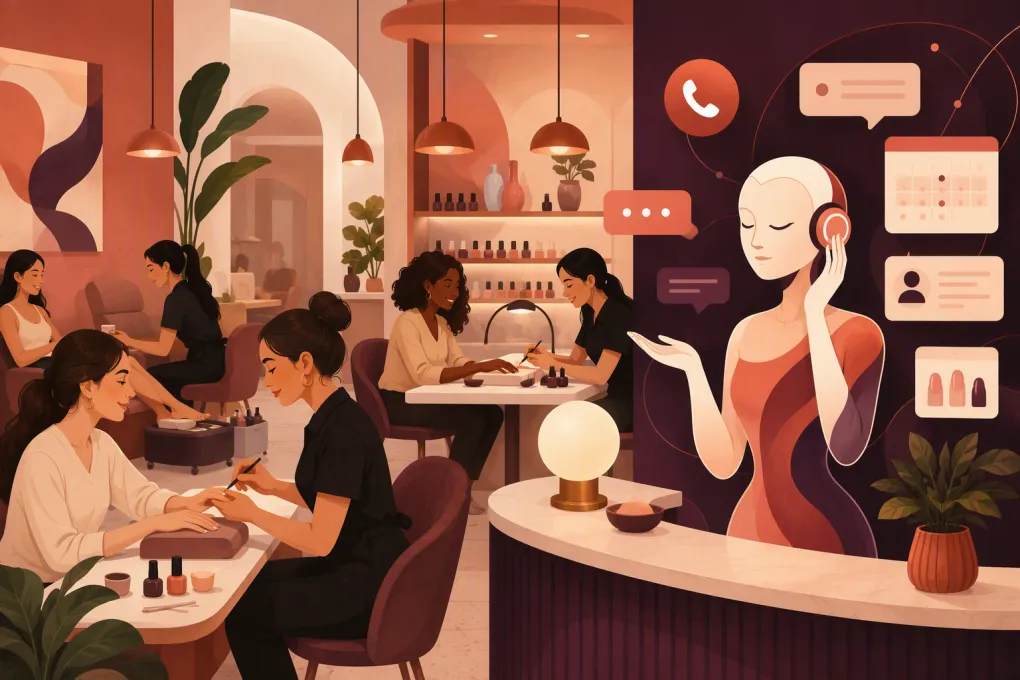
An AI receptionist for nail salons closes that operational gap. It can respond when staff are busy or the salon is closed, answer routine questions, collect booking details, and guide clients toward available appointments. The useful version is not a generic chatbot bolted onto a phone line. It understands the salon’s services, timing, policies, technicians, and rules for booking.
Why nail salons lose bookable clients
Nail salon demand often arrives in short, time-sensitive conversations:
- Do you have an opening after work?
- Can I book a gel manicure and soak-off together?
- Which technician does nail art?
- Can three people come at the same time?
- How much time should I allow for a full set?
- Do I need a deposit?
If nobody answers, the client may not leave a voicemail. If the response comes hours later, the appointment may already be gone. This is especially common during peak service hours, evenings, weekends, and after social media promotions.
Hiring more front-desk coverage can help, but it does not always make operational sense for an independent salon. An AI receptionist gives the existing team another layer of coverage without expecting technicians to interrupt paid services.
See how Fitty can answer nail salon leads when your team is busy →
What an AI receptionist should handle
The right system should reduce work for the salon, not create another inbox that someone must constantly monitor.
Answer common service questions
Start with the questions staff answer repeatedly:
- Business hours and location
- Parking or building access
- Walk-in availability
- Manicure and pedicure options
- Gel, acrylic, dip, extensions, and removal services
- Nail art availability
- Technician specialties
- Deposit and cancellation policies
- Accepted payment methods
- Accessibility questions
Answers should come from salon-controlled information. If a service, price, or policy changes, the system needs a clear update process. An AI receptionist should not improvise when it does not have an approved answer.
Book the correct amount of time
Booking is where nail salon automation becomes operationally demanding. A basic manicure and a detailed extension appointment cannot occupy the same calendar block. Add-ons such as removal, repair, French tips, or complex art can also change the time required.
The receptionist should ask qualifying questions before offering a slot. For example:
- What service do you currently have on your nails?
- Do you need removal?
- Are you requesting extensions or work on natural nails?
- Do you want simple polish, French tips, or detailed art?
- Do you prefer a specific technician?
- Is this appointment for one person or a group?
Those answers should map to actual bookable services and durations. If the request is unusual, the system should escalate it instead of forcing a bad appointment onto the calendar.
Follow up with undecided leads
Not every inquiry becomes an immediate booking. Someone may ask about bridal nails, send an inspiration photo, or check group availability before confirming with friends.
An AI receptionist can keep that conversation moving by requesting missing details, reminding the lead to finish booking, or routing the request to a manager. Follow-up should be relevant and limited. Repeated generic messages feel like spam and can damage trust before the first visit.
Support changes and cancellations
Clients also need help after booking. A useful receptionist should explain how to reschedule, apply the salon’s cancellation rules, and notify staff when human review is required.
Be careful with exceptions. A late arrival, disputed deposit, allergic reaction, service complaint, or refund request should usually go to a person. Automation can collect the facts, but staff should make judgment calls that affect client safety or relationships.
A practical booking workflow
A strong automated conversation might look like this:
Client: I need a gel manicure tomorrow afternoon.
Receptionist: Do you currently have gel or another product that needs to be removed?
Client: Yes, I need gel removed.
Receptionist: Would you like a single-color gel manicure, French tips, or nail art?
Client: French tips.
The system now has enough information to look for the correct service combination: removal, gel manicure, and French finish. It can offer valid times, confirm the selected technician if relevant, explain any deposit requirement, and send the confirmation.
That is materially better than booking a generic manicure and leaving the technician to absorb the extra work. Good AI protects the schedule; bad AI merely fills it.
How to set up AI without creating calendar problems
The quality of the receptionist depends on the operating rules behind it. Before switching it on, document the following.
Build a clean service menu
For each service, define:
- Client-facing name
- Plain-language description
- Standard duration
- Required cleanup or buffer time
- Eligible technicians
- Relevant add-ons
- Starting price or fixed price, where appropriate
- Whether a consultation is required
- Whether online or AI booking is allowed
Avoid offering overlapping names that clients cannot distinguish. If staff use internal shorthand, translate it into language a first-time client would understand.
Define technician permissions
Do not assume every technician performs every service. Record who can accept extensions, detailed art, repairs, removals, specialty pedicures, or new-client appointments.
Also decide whether clients may request a technician, require a technician, or accept the first available professional. This prevents the system from offering technically open but operationally invalid appointments.
Write firm escalation rules
List the situations that require a person. Common examples include:
- Signs of infection, injury, or allergic reaction
- Complaints and refund requests
- Large parties or event bookings
- Unusual nail art requiring review
- Appointment requests outside normal hours
- Repeated no-shows
- Pricing disputes
- Accessibility accommodations that need confirmation
The handoff should include the client’s name, contact details, request, preferred timing, and conversation summary. Clients should not have to repeat everything.
Test real edge cases
Do not test only the easiest appointment. Try the requests that usually create front-desk confusion:
- A full set with removal and detailed art
- Two friends requesting simultaneous pedicures
- A client who does not know what product is currently on their nails
- A repair request without a full service
- A late-arrival message
- A same-day appointment near closing
- A client asking for a service no longer offered
Review whether the system asks enough questions, offers only valid times, and escalates cleanly. Run these tests whenever the service menu, staffing, hours, or policies change.
Protect the client experience
Clients do not need to believe the AI is human. They need a quick, accurate path to an answer or appointment. Clear disclosure also prevents frustration when a request requires staff involvement.
Keep the tone brief and service-oriented. The receptionist should confirm important details rather than burying them in a long message. A booking confirmation should make the following easy to find:
- Service and add-ons
- Date and time
- Technician, if selected
- Salon address
- Deposit status
- Arrival instructions
- Change or cancellation process
Handle payment information through appropriate payment workflows rather than asking clients to send card details in ordinary text messages. Operators should also review applicable call-recording, messaging-consent, privacy, and marketing rules with qualified advisers.
Where Fitty fits into the operation
Fitty is WTF Go’s AI receptionist and agent. It is designed to answer leads, support booking, follow up, and collect dues around the clock. For a nail salon, that means inquiries can keep moving while technicians remain focused on the clients already in their chairs.
The value is not simply that AI answers. The value is that lead response, booking, follow-up, and the broader client workflow can live inside one operating system instead of being split across disconnected tools.
See how Fitty handles nail salon inquiries and follow-up 24/7 →
Before activating any system, confirm that its booking rules match your service durations, technician permissions, deposit process, and existing calendar. Migration and integration requirements vary by salon setup, so map the workflow before changing the client-facing phone number or booking path.
How to evaluate results
Measure whether the receptionist improves operations rather than counting conversations alone. Review:
- How many inquiries reach a clear resolution
- How many result in valid appointments
- Which questions trigger human handoff
- How often staff must correct booked services or durations
- Whether after-hours leads receive timely responses
- Which services generate the most booking confusion
- Whether no-show, deposit, and cancellation rules are communicated consistently
Read a sample of conversations regularly. Incorrect answers often reveal an outdated service description or missing rule, not just an AI problem. Treat the receptionist like a trained front-desk employee: give it current information, audit its work, and tighten the process when patterns emerge.
Choosing the right AI receptionist
Ask vendors to demonstrate your real workflow, not a generic restaurant reservation or simple haircut booking. Provide a complicated request and watch how the system handles it.
Your evaluation checklist should include:
- Phone, text, and website inquiry coverage
- Appointment and availability handling
- Multi-service bookings
- Technician-specific rules
- Group appointment support
- Human escalation
- Conversation history and summaries
- Follow-up controls
- Payment or deposit workflow
- Multi-location support, if needed
- Setup, migration, and ongoing update process
An AI receptionist for nail salons should make the schedule more accurate, the team less interrupted, and the client’s next step obvious. If it cannot reliably distinguish a basic gel manicure from a removal-plus-art appointment, it is not ready to manage the front desk.
Explore WTF Go and put Fitty to work on your salon’s booking gaps →
Frequently asked questions
Can an AI receptionist book nail salon appointments?
Yes, if it can access availability and follow the salon’s service durations, add-on rules, and technician permissions. Complex or unusual requests should be routed to staff.
Can AI handle calls when the salon is closed?
An AI receptionist can answer common questions, collect lead details, and support booking after hours. This helps clients take the next step without waiting for the salon to reopen.
Will an AI receptionist replace salon front-desk staff?
It is better used to cover repetitive inquiries, missed calls, booking steps, and follow-up. Staff should retain control of complaints, safety concerns, unusual services, and relationship-sensitive decisions.
What should a nail salon prepare before using AI?
Prepare an accurate service menu, durations, technician permissions, add-ons, pricing guidance, policies, business hours, and escalation rules. Test complex booking scenarios before making the system client-facing.
Can an AI receptionist manage multiple nail salon locations?
Some systems support multi-location operations, but capabilities vary. Confirm that the platform can separate each location’s hours, staff, services, availability, policies, and reporting.
Keep reading



Run your gym on autopilot with WTF Go
Fitty — your AI receptionist — answers calls and DMs, fills classes, follows up with every lead, and collects dues while you coach.