AI & Automation
AI Receptionist for Mobility Training Studios That Works
Learn how an AI receptionist for mobility training studios captures leads, books sessions, answers FAQs, follows up, and supports staff around the clock.
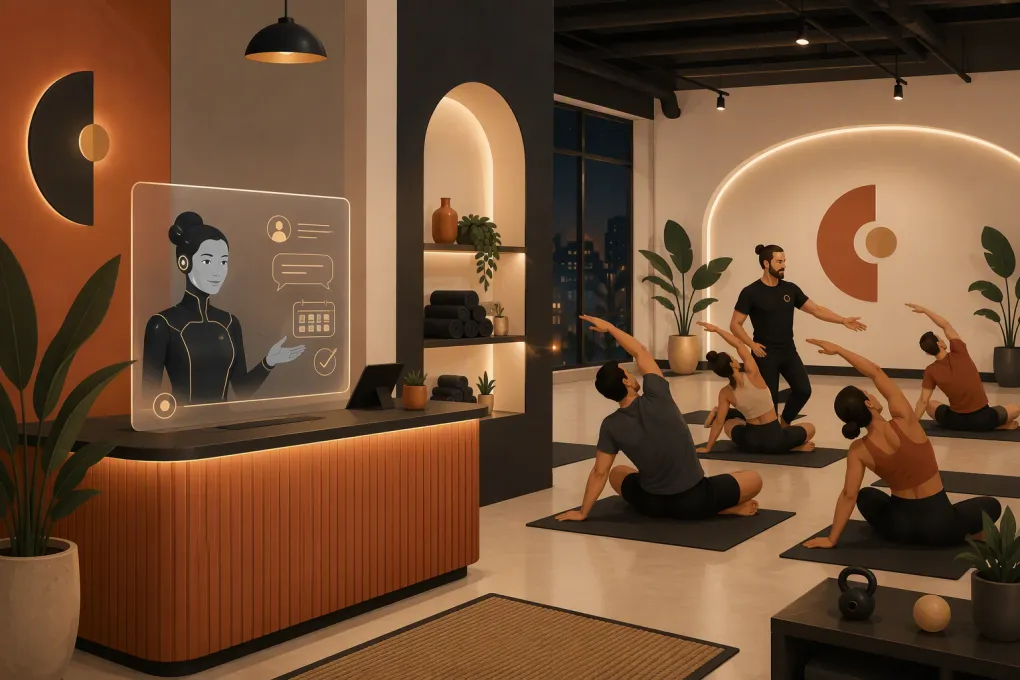 Watch · 20s
A mobility prospect rarely calls with a simple request. They may ask whether your studio can help with stiff hips, whether they need to be flexible before joining, or whether your service is physical therapy, stretching, personal training, or a group class. If nobody answers clearly and quickly, that prospect often keeps searching.
An AI receptionist for mobility training studios can close that response gap. Properly configured, it can explain your offer, qualify leads, book the correct starting point, follow up with undecided prospects, and handle routine account questions. It should not diagnose pain, promise outcomes, or replace a coach. Its job is to move the right conversation forward without creating more administrative work.
Why mobility studios have a distinct front-desk problem
Mobility training is not always a familiar buying category. Prospects may understand yoga, massage, or physical therapy but still need help interpreting terms such as assisted stretching, mobility assessment, recovery session, or joint-specific training.
That creates three operational challenges.
Prospects need education before they book
A schedule link alone does not explain which service someone should choose. The front desk may need to clarify:
- Whether the studio offers group classes, private sessions, or both
- What happens during an introductory visit
- Whether a service is coach-led or hands-on
- What clothing or equipment is required
- How mobility training differs from medical treatment
- Which membership or package applies to a specific service
An AI receptionist can provide consistent answers using information approved by the studio. That matters because improvising these explanations can lead to mismatched expectations.
Coaches cannot answer every interruption
Mobility sessions require observation, cueing, and direct client attention. A coach who stops to answer the phone compromises the session in front of them. Letting every call go to voicemail protects the session, but it can also leave a prospective client without a next step.
The practical answer is not to make coaches work two jobs. It is to give routine inquiries an immediate path to an answer or booking while reserving human attention for cases that need judgment.
See how Fitty handles mobility studio leads while coaches stay on the floor →
The first booking is not always obvious
Some studios want every new client to begin with an assessment. Others allow beginners to enter selected group classes. A studio may also have age restrictions, prerequisites, coach specialties, or location-specific schedules.
An AI receptionist must understand those rules. Otherwise, automation simply creates bookings that staff must later repair.
What an AI receptionist should handle
The strongest use cases are repetitive, rules-based conversations with a clear next action.
Lead capture and qualification
Instead of asking a prospect to leave an unstructured message, the receptionist can collect the information your team actually uses:
- Name and preferred contact method
- Primary goal, such as improving range of motion or supporting a training routine
- Preferred location
- Interest in group or private training
- General availability
- Whether the person is seeking fitness coaching or care for an injury
- How the prospect heard about the studio
Keep the intake short. The goal is routing, not conducting an assessment through chat or over the phone.
When someone mentions acute pain, a recent injury, surgery, numbness, or another medical concern, the system should avoid recommendations and route the conversation to a qualified person. Your escalation language should be reviewed by whoever is responsible for clinical and legal boundaries in your business.
Introductory booking
Once the lead is qualified, the AI receptionist should offer only eligible starting options. For example:
- A beginner mobility class for prospects who meet your entry criteria
- A private introductory session for people wanting individualized coaching
- A staff callback when the request falls outside normal rules
The booking flow should confirm the date, time, location, coach or class type, cancellation terms, and any preparation instructions. It should also write the appointment into the same schedule staff use. Separate calendars create double booking and manual cleanup.
Routine questions
Build an approved knowledge base covering the questions your team answers repeatedly:
- What is mobility training?
- Do I need to be flexible to start?
- Is this physical therapy?
- What should I wear?
- Where do I park?
- Can I attend with an existing injury?
- What is the cancellation policy?
- Can I freeze or change my membership?
- Which classes are beginner-friendly?
Each answer should be plain, specific, and limited to what your studio can support. Avoid broad claims about eliminating pain or preventing injury.
Follow-up that does not depend on memory
Many leads ask a question but do not book immediately. Your follow-up workflow can remind them of the next step, answer remaining objections, and provide a direct booking route.
Useful triggers include:
- An inquiry that did not produce a booking
- An introductory session that was booked but not completed
- A completed intro without a subsequent class or membership purchase
- A canceled session that has not been rescheduled
- An overdue balance that requires a secure payment path
Fitty is designed to answer leads, book classes, follow up, and collect dues around the clock. The value is not sending more messages for the sake of activity. It is connecting each message to the prospect’s actual stage.
See how Fitty can automate lead follow-up and class booking for your studio →
What should remain with a human
Automation needs a clear edge. Your AI receptionist should hand off conversations involving:
- Medical symptoms, diagnosis, rehabilitation, or treatment advice
- Emergency or safety concerns
- Complex accessibility requirements
- Complaints requiring discretion or a service recovery decision
- Refunds or policy exceptions
- Questions the approved knowledge base cannot answer confidently
- High-value partnership, corporate, or event inquiries
A good handoff includes the conversation history, contact information, reason for escalation, and requested next action. Making the client repeat everything defeats much of the benefit.
Set ownership as well. A handoff queue without a named staff role and review routine is another inbox that gets ignored.
How to build the workflow
1. Map the current inquiry path
Review calls, emails, forms, direct messages, and front-desk notes. Identify the most common questions and where prospects stall. Do not begin by automating every possible scenario. Start with the highest-volume, lowest-risk path from inquiry to first booking.
2. Define your source of truth
Document your services, descriptions, prices, schedules, policies, locations, coach eligibility, prerequisites, and escalation contacts. Decide who is responsible for updating each item.
AI cannot compensate for contradictory policies. If your website says one thing and staff follow another rule, fix the operating issue before automating the answer.
3. Write decision rules
Turn staff judgment into explicit routing rules where possible. A simple framework might be:
- New to mobility training and no flagged concerns: offer an approved beginner option
- Wants individualized attention: offer an intro private session
- Mentions an injury or medical treatment: provide a boundary statement and request human review
- Existing member with an account issue: verify identity and route to the account workflow
- Requests an unavailable time: offer valid alternatives rather than promising a callback unnecessarily
Test each rule against real inquiries your team has received.
4. Give the receptionist a useful voice
Your studio’s AI should sound clear and competent, not clinical or overly casual. A practical opening could be:
I can help you choose a starting option and find an available time. Are you looking for a group class or individual coaching?
If the prospect is unsure, ask one question at a time. Long intake interrogations increase friction and make the interaction feel like paperwork.
5. Add booking safeguards
Before launch, verify that the receptionist respects:
- Capacity limits and waitlists
- Coach and room availability
- Location and time-zone settings
- New-client prerequisites
- Lead time and cancellation rules
- Membership or package eligibility
- Duplicate client records
Run test conversations for normal requests, ambiguous requests, unavailable times, and medical language. Staff should also test how the handoff appears on their side.
6. Protect consent, privacy, and payments
Collect only information needed for the workflow. Do not invite detailed medical histories into a general lead conversation. Use secure payment tools rather than asking clients to place card details in ordinary messages.
Automated marketing calls and texts may be subject to consent, identification, and opt-out requirements. Configure outreach around applicable federal and state rules, your communication channels, and advice from qualified counsel. Keep operational reminders distinct from promotional campaigns.
Measure whether it improves operations
Do not judge the system by how many conversations it produces. Track whether it creates useful outcomes.
Review metrics such as:
- Inquiries that receive a response
- Leads that reach a qualified next step
- Introductory bookings completed
- Cancellations that are successfully rebooked
- Conversations escalated to staff
- Incorrect answers or booking errors
- Overdue accounts resolved through the approved payment process
- Staff time spent correcting automation
Read a sample of conversations regularly. Patterns in unanswered questions can reveal outdated website content, confusing offers, or missing staff procedures.
Choosing the right AI receptionist
Ask vendors to demonstrate your workflows rather than presenting a generic chatbot. Bring actual scenarios from your studio and evaluate whether the system can:
- Explain unfamiliar mobility services accurately
- Apply prerequisites before booking
- Use live class availability
- Support multiple locations without mixing schedules
- Preserve conversation context during handoff
- Trigger follow-up based on lead status
- Maintain clear medical and policy boundaries
- Connect lead, booking, payment, and account activity
- Show staff what happened and what requires attention
WTF Go combines business operations with Fitty, its AI receptionist and agent. For a mobility studio, that means lead response, class booking, follow-up, and dues collection can work as parts of one operating process rather than unrelated tools.
Explore WTF Go and see how Fitty fits your mobility studio workflow →
The goal is a better first step
An AI receptionist should not pretend to be a mobility coach. It should make the first interaction easier: answer the questions it is qualified to answer, guide the prospect to the correct service, secure the booking, and involve staff when human judgment is required.
For mobility studios, that combination is especially useful. The service often needs explanation, coaches need uninterrupted floor time, and prospects need more guidance than a bare schedule page provides. Build the receptionist around your real booking rules and service boundaries, and it becomes part of the operation rather than another chat window to manage.
Frequently asked questions
Can an AI receptionist book mobility classes and private sessions?
It can book services when it has access to current availability and clear eligibility rules. Private assessments, prerequisites, coach assignments, and location restrictions should be configured before launch.
Can an AI receptionist answer questions about pain or injuries?
It can state your studio's approved scope and collect basic routing information, but it should not diagnose symptoms or provide medical advice. Medical and safety concerns should be escalated to an appropriately qualified person.
Will an AI receptionist replace studio staff?
It is better used to absorb repetitive inquiries, booking tasks, follow-up, and routine account work. Staff remain essential for coaching, judgment calls, sensitive complaints, exceptions, and complex client needs.
What information is needed to set up an AI receptionist?
Prepare accurate service descriptions, schedules, prices, prerequisites, policies, location details, booking rules, common questions, and escalation contacts. Assign an owner to keep that information current.
How should a multi-location mobility studio use AI reception?
The receptionist should identify the preferred location early, use that location's live schedule and policies, and route handoffs to the correct team. Test for overlapping class names, time zones, and location-specific offers.
Keep reading



Run your gym on autopilot with WTF Go
Fitty — your AI receptionist — answers calls and DMs, fills classes, follows up with every lead, and collects dues while you coach.