AI & Automation
AI Receptionist for Mobile IV Therapy Businesses: Guide
Learn how an AI receptionist for mobile IV therapy businesses can answer leads, qualify clients, book visits, follow up, and reduce front-desk workload.
 Watch · 20s
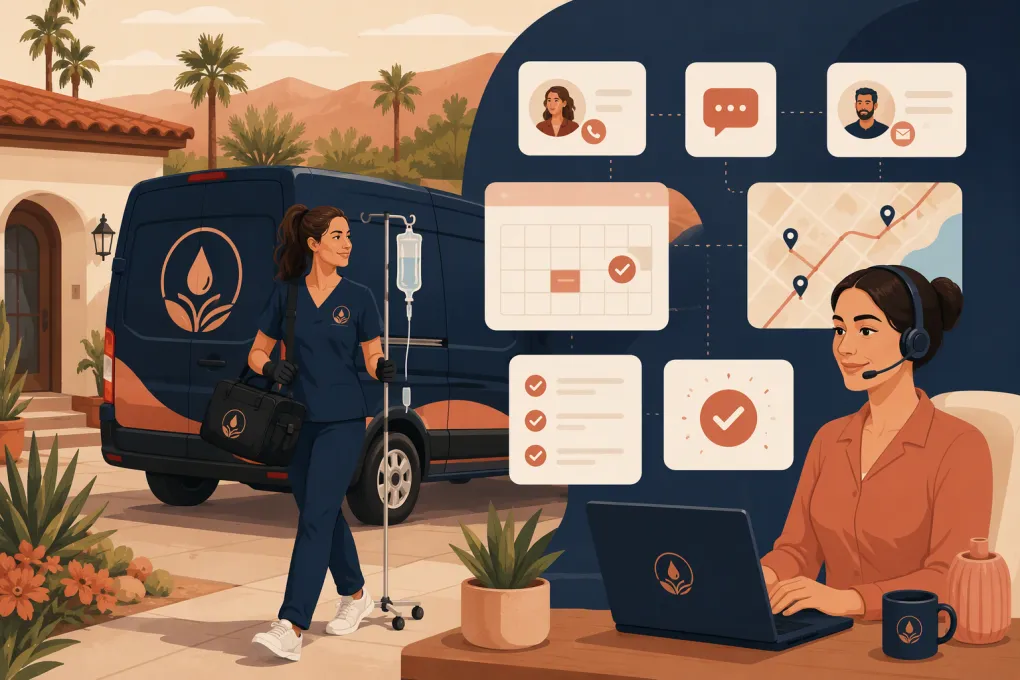
A lead asks about an IV appointment at 8:30 p.m. Your nurse is finishing a visit, your coordinator has gone home, and the prospect is also contacting two competitors. By morning, that booking may be gone.
Mobile IV therapy creates a difficult front-desk problem. Prospects expect quick answers, but each appointment also involves service-area checks, scheduling, travel time, intake requirements, group size, payment and clinical boundaries. A basic voicemail box or website form cannot manage that conversation.
An AI receptionist for mobile IV therapy businesses can handle much of the operational work around the visit. The key is defining what the AI may do, what requires a trained team member and what must go directly to a licensed clinician.
What an AI receptionist should handle
A useful AI receptionist is more than an automated phone tree. It should communicate naturally across the channels your prospects use and move qualified inquiries toward a concrete next step.
For a mobile IV operation, that can include:
- Answering calls and website inquiries after hours
- Explaining approved services, operating hours and service areas
- Checking whether an address falls within a supported zone
- Collecting nonclinical booking details
- Offering available appointment windows
- Accounting for minimum notice and travel buffers
- Sending intake links and preparation instructions approved by your clinical team
- Collecting an approved deposit or booking fee
- Confirming, rescheduling or canceling appointments under your policies
- Following up with leads who did not finish booking
- Escalating clinical, urgent or unusual questions to a person
This matters because mobile visits have more operational variables than appointments at a fixed clinic. If your system books two distant appointments back to back, the calendar may look full while the route is impossible to complete.
See how Fitty can answer and book mobile IV leads after hours →
Where AI must stop
An AI receptionist is not a clinician. It should not diagnose symptoms, decide whether a treatment is medically appropriate, promise outcomes or improvise answers to medical questions.
Create explicit escalation rules for inquiries involving:
- Symptoms, medical conditions or medication interactions
- Pregnancy or age-related eligibility questions
- Requests for treatment recommendations
- Possible adverse reactions
- Emergencies or potentially urgent symptoms
- Exceptions to clinician-approved eligibility criteria
- Questions not covered by your approved response library
Emergency language should be direct. The system should tell callers not to wait for a callback when emergency care may be needed and direct them to the appropriate emergency resource under your organization’s approved protocol.
Do not ask the AI to infer clinical eligibility from a casual conversation. It can collect an intake form or route information securely, but your qualified clinical team should make clinical decisions.
Build the booking workflow around mobile operations
The best automation starts with a clear booking policy. Before switching on an AI receptionist, document the rules a capable coordinator would follow.
1. Define service zones
List the ZIP codes, cities or distance bands you serve. For each zone, specify:
- Available days and hours
- Any travel charge or minimum booking requirement
- Earliest booking notice
- Whether same-day service is available
- Which staff or vehicles can cover the area
Avoid letting the AI invent a travel price. It should quote only the rules configured by your business or escalate the request.
2. Separate service selection from clinical approval
The receptionist can explain your published menu and collect the service the prospect is interested in. That is different from recommending a treatment.
A safe workflow sounds like this:
- Ask what service the client wants to book.
- Share approved, nonclinical service information.
- Collect the location, preferred time and number of clients.
- Send the required intake process.
- Make clear that treatment remains subject to your clinical protocols and any required evaluation.
This keeps the sales conversation moving without allowing scheduling automation to become medical decision-making.
3. Protect travel time
Configure calendars with realistic travel buffers rather than displaying every open minute as bookable. Consider staff starting locations, service duration, setup and cleanup, parking constraints, building access and the distance to the next appointment.
For complex requests, such as hotel events or large group bookings, the AI should collect the basics and create a handoff instead of forcing the request into a standard appointment slot.
4. Capture the right booking details
Keep the initial conversation focused. Useful operational fields may include:
- Client name and contact information
- Service address
- Requested date and time
- Individual or group booking
- Number of participants
- Building, gate or parking instructions
- Preferred communication channel
- Referral source
Collect clinical information only through an approved workflow with appropriate access controls. More data is not automatically better.
Use AI to recover leads, not just answer them
Many mobile IV inquiries are high-intent but incomplete. A prospect may ask about availability, receive an answer and then disappear because they were interrupted or needed to confirm plans.
A structured follow-up sequence can bring that conversation back without requiring staff to monitor every thread. For example:
- Immediately send the requested booking link or available times.
- Follow up if the lead does not choose a slot.
- Answer common operational objections, such as coverage area or group availability.
- Stop the sequence when the person books, opts out or requests a human.
- Create a staff task when the question falls outside approved content.
The messages should reference the actual inquiry. Generic blasts make a premium wellness service feel impersonal. An AI agent is most useful when it can retain the conversation context and continue from the prospect’s last question.
With WTF Go, Fitty can serve as the conversational layer for lead response, booking and follow-up instead of leaving staff to chase every unfinished inquiry manually.
Explore Fitty for mobile wellness lead follow-up and booking →
Reduce no-shows without creating friction
Mobile no-shows are especially expensive operationally because staff may already be traveling when a problem becomes apparent. Your receptionist workflow should reinforce the commitment before dispatch.
Depending on your policies, that may include:
- A deposit or approved booking fee
- Immediate confirmation by text or email
- A clear cancellation and rescheduling policy
- Reminder messages at defined intervals
- A request to confirm the service address
- Arrival instructions and a reachable day-of contact
- A warning that access or parking delays may affect the visit
If you collect payment details, use a suitable payment processor and avoid placing sensitive card information in chat transcripts or staff notes. The AI should direct clients through the configured payment flow rather than asking them to type card numbers into a message.
Fitty can help connect the conversation to booking and payment collection, giving the prospect a next step while intent is still high.
See how WTF Go connects AI conversations to bookings and payments →
Review privacy, consent and access controls
Mobile IV therapy businesses may handle protected or sensitive information. Do not assume that every chatbot, transcription tool or messaging platform is appropriate for that data.
Before implementation, review:
- What information the AI receives and stores
- Whether conversations may contain protected health information
- Which vendors and subprocessors can access the data
- Whether required agreements, including a business associate agreement where applicable, are available
- Data retention and deletion settings
- Staff permissions and audit access
- How call recording or transcription is disclosed
- Consent and opt-out handling for automated texts or calls
- Applicable federal and state privacy, healthcare and communications requirements
HIPAA is not a badge that automatically covers an entire workflow. Compliance depends on the parties, contracts, configuration, data handling and operating practices involved. Have qualified legal and compliance professionals review your intended setup.
Measure operational outcomes that matter
Do not judge the receptionist only by how many messages it sends. Review whether it improves the path from inquiry to completed visit.
Useful measures include:
- Median first-response time by channel
- Calls answered versus abandoned
- Inquiries that reach a booked appointment
- Leads requiring human escalation
- Reasons bookings fail
- Rescheduling and cancellation patterns
- Unfinished payment or intake steps
- Appointments booked outside staffed hours
- Incorrect answers or routing failures found during review
Audit real conversations regularly. Look for outdated service descriptions, awkward handoffs and questions the AI could not answer. Update the approved knowledge base whenever hours, pricing policies, service areas or booking rules change.
A practical rollout plan
Start with one high-value workflow instead of automating every conversation on day one.
A sensible rollout is:
- Document current call and message handling.
- List the questions your team answers repeatedly.
- Mark each question as operational, clinical or emergency-related.
- Build approved responses for operational questions.
- Configure service areas, availability, buffers and deposits.
- Create clear escalation paths for clinical and unusual requests.
- Test routine, edge-case and adversarial conversations.
- Launch during a limited schedule or for one location.
- Review transcripts and booking outcomes frequently.
- Expand only after the handoffs work reliably.
The goal is not to remove people from the client experience. It is to let software handle repetitive coordination while your team focuses on safe care, complex questions and the in-person experience.
Frequently asked questions
Can an AI receptionist determine whether someone qualifies for IV therapy?
It should not make clinical eligibility decisions. It can collect information through an approved intake workflow, but qualified clinical staff should evaluate suitability and answer medical questions.
Can an AI receptionist schedule appointments based on travel distance?
Yes, if the system is configured with service zones, realistic appointment durations and travel buffers. Complex routes or event bookings should be escalated for manual review.
Is an AI receptionist for mobile IV therapy HIPAA compliant?
Compliance depends on the complete workflow, vendors, contracts, configuration and data-handling practices. Ask whether required agreements are available and have qualified compliance counsel review the setup.
Can Fitty collect deposits for mobile IV appointments?
Fitty can help move a lead from conversation to your configured booking and payment process. Deposits, cancellation terms and payment handling should follow your business policies and applicable requirements.
Keep reading

Run your gym on autopilot with WTF Go
Fitty — your AI receptionist — answers calls and DMs, fills classes, follows up with every lead, and collects dues while you coach.