AI & Automation
AI Receptionist for Med Spa Appointment Confirmations Guide
Learn how an AI receptionist for med spa appointment confirmations reduces front-desk work, handles replies, protects consent, and fills busy schedules.
 Watch · 20s
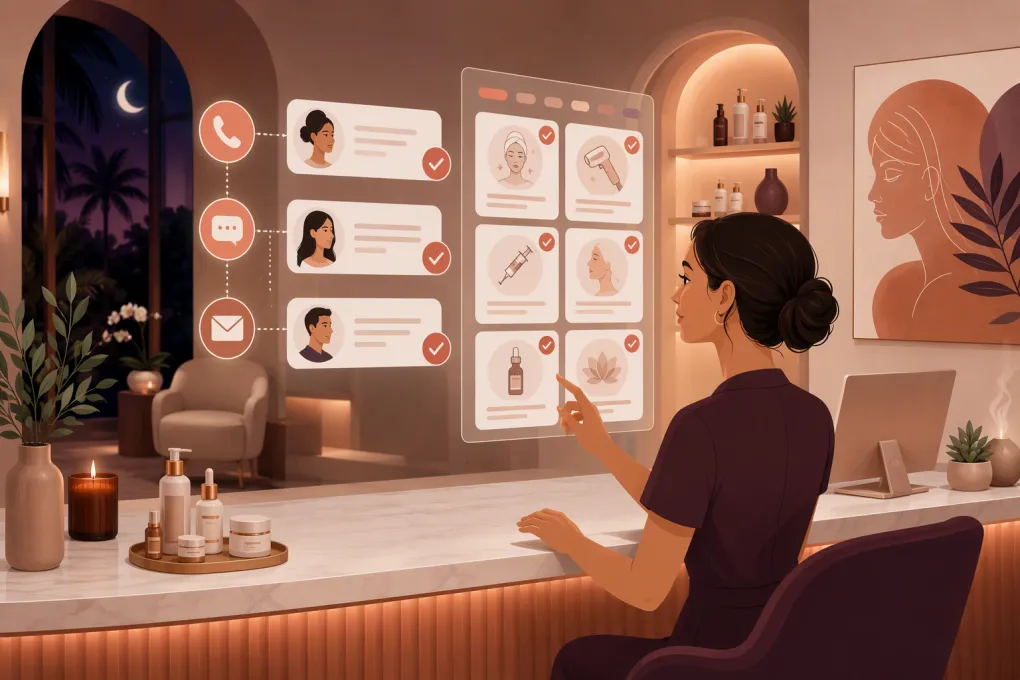
A med spa appointment confirmation should do more than send a generic reminder. It should get a clear response, understand what the client wants, update the schedule, and bring in a human when the conversation touches treatment, payments, or a sensitive concern.
That is where an AI receptionist differs from a basic reminder tool. Instead of broadcasting messages and leaving your front desk to process every reply, it can manage the routine conversation around confirming, canceling, and rescheduling appointments.
The operational payoff is not just fewer calls. Your team gets a cleaner schedule, faster notice of openings, and fewer inbox threads to untangle during check-in.
See how Fitty can handle confirmations, replies, and booking follow-up for your med spa →
What an AI receptionist should handle
A useful confirmation workflow has defined outcomes. Every appointment should move toward one of these statuses:
- Confirmed
- Rescheduled
- Canceled
- Waiting for a staff response
- Unconfirmed after the approved follow-up sequence
An AI receptionist should recognize natural replies rather than requiring a client to use exact commands. For example, “I’ll be there,” “Can we make it later?” and “I need to move this to next week” require different actions.
For routine requests, the system should be able to:
- Confirm the existing date and time
- Offer eligible alternatives from current availability
- Cancel according to your configured policy
- Add the outcome to the client record
- Notify staff when an appointment becomes available
- Escalate questions that require clinical or managerial judgment
It should not improvise treatment recommendations, determine candidacy, interpret symptoms, or promise that a procedure is appropriate. Those conversations belong with qualified staff operating under the med spa’s clinical protocols.
AI receptionist versus basic appointment reminders
Not every automated message is an AI receptionist. The practical difference is what happens after the client responds.
| Capability | Manual front desk | Basic reminder automation | AI receptionist |
|---|---|---|---|
| Sends scheduled reminders | Staff sends each message | Yes | Yes |
| Understands conversational replies | Yes | Usually limited to fixed responses | Can interpret common confirmation and scheduling requests |
| Reschedules appointments | Staff handles manually | Often redirects to a booking link | Can guide the client through eligible openings when connected to scheduling |
| Updates appointment status | Manual | Varies by system | Should write the result back to the operating system |
| Handles after-hours responses | Delayed until staff returns | Message may send, but replies can wait | Can continue routine conversations around the clock |
| Escalates sensitive questions | Based on staff judgment | Usually forwards or stores the reply | Can route based on defined rules, but staff must set and monitor those rules |
| Best fit | Low appointment volume or high-touch workflows | Straightforward reminder needs | Med spas with substantial reply volume, rescheduling, or after-hours demand |
The quality of the integration matters as much as the AI. A polished conversation is not useful if the new appointment time never reaches the calendar.
Build a confirmation cadence around your actual policy
Do not copy a message sequence simply because another med spa uses it. Start with your cancellation window, appointment types, operating hours, and the amount of preparation required.
A practical sequence might include:
1. Immediate booking acknowledgment
Send the date, time, location, provider if appropriate, and a link to your cancellation policy. This message confirms that the booking was received; it does not necessarily confirm attendance.
For multi-location operators, spell out the location instead of relying on a shortened branch name that clients may not recognize.
2. Confirmation request before the cancellation deadline
Send this early enough for the client to respond while there is still time to offer the opening to someone else. Ask for a clear action:
You’re scheduled for your appointment at [location] on [date] at [time]. Would you like to confirm or choose another time?
Keep the first message operational. Mixing a confirmation with an offer, referral promotion, or treatment upsell can create consent and deliverability complications.
3. Final reminder for confirmed appointments
Once a client confirms, the next message should be a concise reminder rather than another confirmation request. Include only the preparation details approved by your clinical team.
4. An exception workflow for no response
Decide what “unconfirmed” means in your business. Does the appointment remain booked? Does a team member call? Can it ever be released, and under what written policy?
The AI should follow that policy, not invent one. A client should never lose a reserved appointment because software made an unsupported assumption.
Write confirmation messages that produce usable replies
Good confirmation copy is specific, brief, and easy to act on. It should identify the business without exposing unnecessary information on a shared lock screen.
Confirmation template
Hi [first name], this is [med spa]. You’re scheduled for [date] at [time] at our [location] office. Reply to confirm, or tell us if you need another time.
Rescheduling response
I can help with that. Are you looking for a different time on the same day, or another date?
The receptionist should then offer only appointments the client is eligible to book. Provider requirements, room constraints, treatment duration, deposits, and consultation prerequisites all need to be represented in the scheduling rules.
Staff escalation response
I’m sending this to the team so they can help. The office will follow up during business hours.
Set expectations honestly. Do not claim that a clinician will respond immediately unless your med spa has an on-call process that supports it.
Explore how WTF Go and Fitty can turn confirmation replies into completed scheduling actions →
Protect consent, privacy, and clinical boundaries
Med spas sit at the intersection of wellness, aesthetics, healthcare, and consumer messaging. The obligations that apply depend on your services, business structure, data, communication channels, and jurisdiction.
Before launching an AI receptionist, review these areas with appropriate legal and compliance advisers:
- Messaging consent: Document how clients agree to receive texts or calls, provide required disclosures, honor opt-outs, and separate operational communication from marketing where necessary.
- HIPAA responsibilities: Determine whether your med spa and vendors are subject to HIPAA. If protected health information is involved, evaluate access controls, data handling, retention, security, and whether a business associate agreement is required.
- Message content: Avoid putting sensitive treatment details into reminders unless your approved workflow permits it and the channel is appropriate.
- Payment policies: Disclose deposits and cancellation fees during booking. A reminder should not introduce a fee the client had no reasonable opportunity to review.
- Clinical escalation: Define which words or questions require immediate human review, including adverse reactions, medication questions, pregnancy-related concerns, or urgent symptoms.
Software cannot make a med spa compliant by itself. The operator remains responsible for policy, configuration, staff access, and oversight.
Connect confirmations to the full schedule workflow
Confirmation automation becomes more valuable when it is connected to the rest of the client journey.
If a client cancels, the system should trigger the next approved action. That could mean notifying staff, contacting clients who asked for an earlier appointment, or opening the slot for online booking. If the client reschedules, outdated reminders must be canceled and replaced with messages for the new appointment.
Your setup should maintain one dependable source of truth for:
- Appointment status
- Current date, time, and location
- Provider and resource availability
- Consent and opt-out status
- Deposit or payment status
- Conversation history
- Staff ownership of escalated requests
Without reliable writeback, staff may call someone who already confirmed, offer a time that is no longer available, or send reminders for a canceled visit.
Test the receptionist before giving it the front desk
Do not test only the happy path. Run realistic scenarios using test records and staff accounts.
Check what happens when a client:
- Confirms with casual wording.
- Asks to come an hour later.
- Requests a different provider or location.
- Cancels inside the policy window.
- Replies after opting out.
- Asks a treatment or medication question.
- Reports a concerning reaction.
- Sends multiple requests in one message.
- Responds after staff has already changed the appointment.
- Uses a language or phrase the system does not confidently understand.
Review the calendar, client record, staff notification, and client-facing response for each test. The safest fallback is not a confident guess; it is a clean handoff with the relevant context attached.
What to look for when choosing an AI receptionist
Evaluate the receptionist as an operating workflow, not as a chatbot demo. Ask vendors to show how the product handles your real booking rules and failure cases.
Prioritize:
- Two-way confirmation conversations
- Real-time scheduling access and reliable writeback
- Configurable cancellation and rescheduling rules
- Human handoff with conversation context
- Role-based staff access
- Consent and opt-out controls
- Multi-location routing if applicable
- Conversation logs and status reporting
- Clear handling of data, retention, and security
- Support for your existing booking and payment process
Also identify who owns setup after launch. Confirmation policies change, providers leave, treatment durations shift, and holiday hours create exceptions. Someone on your team should be accountable for reviewing performance and updating the rules.
Fitty, WTF Go’s AI receptionist, is built to answer leads, book appointments, follow up, and keep routine conversations moving when the front desk is busy or closed. The goal is not to remove your team from client service. It is to keep repetitive scheduling work from controlling the day.
See how Fitty can support your med spa’s appointment confirmation workflow →
Frequently asked questions
Can an AI receptionist confirm med spa appointments by text?
Yes, when connected to an appropriate messaging and scheduling workflow. It should record the response, update the appointment status, honor opt-outs, and escalate requests it cannot safely handle.
Can AI reschedule a med spa appointment automatically?
It can reschedule routine appointments if it has current availability and rules for providers, rooms, duration, deposits, and prerequisites. Exceptions should be routed to staff.
Is an AI receptionist for a med spa automatically HIPAA compliant?
No. Compliance depends on the med spa, the data involved, vendor practices, contracts, configuration, and staff procedures. Determine your obligations with qualified legal and compliance advisers.
Should appointment confirmations include treatment details?
Usually, messages should disclose only what is necessary for the client to identify and manage the appointment. Have your privacy and clinical teams approve any treatment-specific content.
What should happen when the AI cannot understand a client?
It should avoid guessing, preserve the conversation context, and route the request to the correct staff member with a clear expectation for follow-up.
Keep reading



Run your gym on autopilot with WTF Go
Fitty — your AI receptionist — answers calls and DMs, fills classes, follows up with every lead, and collects dues while you coach.