AI & Automation
AI Receptionist for Lymphatic Drainage Massage Clinics: SOP
Set up an AI receptionist for lymphatic drainage massage clinics with safer intake, booking rules, escalation scripts, consent, payments, and follow-up.
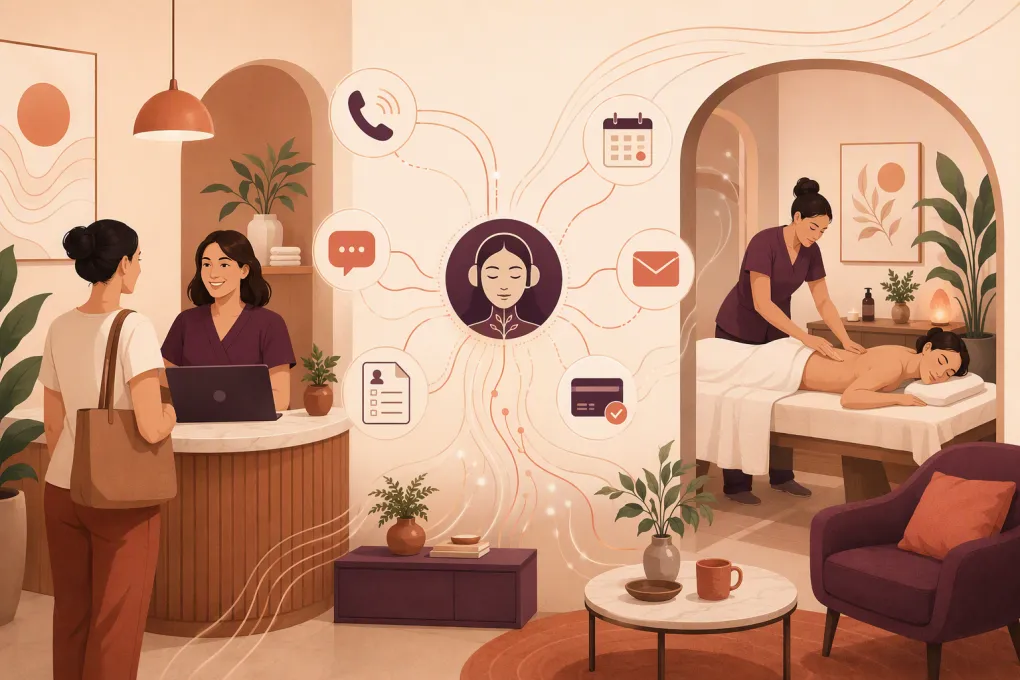 Watch · 20s
A lymphatic drainage inquiry is not always a standard massage booking. One prospect wants a wellness-focused manual lymphatic drainage session. Another recently had a procedure and needs clinical review before scheduling. A returning client may be booking the next visit in an approved series.
Treating all three as the same calendar request creates risk and front-desk cleanup. The job of an AI receptionist is to identify the administrative path, apply your clinic’s rules, and involve a qualified person when judgment is required. It should not diagnose swelling, approve treatment, or interpret a surgeon’s instructions.
The setup below is an operational template, not a claim about one clinic’s results. Every intake question, symptom trigger, consent statement, and escalation script should be reviewed by your licensed practitioners and legal or compliance advisors for your services and jurisdiction.
See how Fitty can structure after-hours lymphatic drainage inquiries →
Start with four lymphatic-drainage-specific booking paths
Do not begin with one generic “Book massage” button. Configure separate paths so the receptionist knows which questions, resources, and approval rules apply.
1. Wellness-focused manual lymphatic drainage
This path may be eligible for direct booking if it fits your clinic’s scope and policies. The AI can collect:
- New or returning client status
- Requested service and location
- Preferred dates and times
- Therapist preference, if offered
- Contact details and communication consent
- Confirmation that required forms will be completed
The receptionist can explain the appointment length, published price, arrival instructions, and cancellation policy. It should not promise detoxification, healing, fluid reduction, or another clinical outcome.
2. Post-procedure or post-operative request
This path usually needs more control. Use a minimum-necessary intake rather than asking the lead to describe their full medical history in chat.
Possible administrative fields include:
- New or existing client
- Procedure-related request: yes or no
- Procedure date, only if operationally necessary
- Procedure category selected from clinic-approved options
- Treating provider’s clearance status: received, pending, or not requested
- Preferred location and appointment window
- Best contact method for staff review
Do not ask for operative reports, photographs, medication lists, or detailed symptoms through an unsecured channel by default. If those records are needed, direct the person to your approved form or secure document process.
A common routing rule is: post-procedure request + new client = pending review, not instant confirmation. The AI can reserve a request, explain the next step, and notify the designated reviewer.
3. Lymphedema-related or medically directed request
If your clinic accepts clients with diagnosed lymphedema or referrals from healthcare professionals, route them according to practitioner qualifications, scope, and clinic policy. Do not assume that every massage therapist or every lymphatic service is appropriate for this path.
The receptionist can ask whether the person is seeking an appointment under an existing clinician-directed plan. It should then route the request to a practitioner approved for that service. Questions about compression, active symptoms, treatment suitability, or changes to a care plan require professional review.
4. Returning client in an approved series
This is often the cleanest automation path. The system can verify the client record, permitted service, assigned practitioner, package or payment status, and scheduling interval configured by the clinic.
Continuity may matter. If your policy requires the same therapist or location, make that a calendar constraint rather than an instruction buried in staff notes.
Build the configuration record before writing responses
Your AI receptionist needs structured operating rules, not a folder of marketing copy. Create one configuration record for every bookable service.
| Configuration field | Example of what the clinic defines |
|---|---|
| Public service name | Manual lymphatic drainage — wellness appointment |
| Internal service code | The matching service in the scheduling system |
| Eligible practitioners | Only team members approved for that service |
| Duration and buffers | Appointment length plus room reset or documentation time |
| Direct-booking status | Direct, provisional, or staff approval required |
| New-client rule | Longer intake slot, consultation, or review requirement |
| Procedure-related rule | Clearance or practitioner approval required before confirmation |
| Location restrictions | Locations with the correct practitioner, room, or equipment |
| Form requirements | Consent, health intake, privacy notice, or post-procedure form |
| Payment rule | Card on file, deposit, package credit, or pay at visit |
| Escalation owner | Practitioner, clinic manager, billing staff, or on-call contact |
Also document terminology the AI may use. If your clinic distinguishes manual lymphatic drainage, post-op massage, lymphatic massage, and complete decongestive therapy, define those terms accurately. Do not let the assistant present them as interchangeable unless your practitioners approve that language.
Connect Fitty to the actual front-desk workflow
Fitty is WTF Go’s AI receptionist and agent for gyms, studios, spas, and wellness businesses. A workable deployment connects the conversation to the systems that complete the job. The exact connection method depends on your current stack and available integrations, so verify supported connectors, APIs, webhooks, and data flows during implementation rather than assuming compatibility.
Phone and SMS
Map the clinic number to the AI answering flow or approved call-routing setup. Define:
- Which calls Fitty answers and when
- What happens if the caller requests a person
- Whether unanswered calls trigger a text, where legally permitted
- Which team or queue receives escalations
- What happens outside staffed escalation hours
- Whether calls are recorded or transcribed
For SMS, separate appointment messages from marketing campaigns. Store the source, timestamp, and wording of consent where required. Support recognized opt-out requests such as STOP, suppress future marketing messages promptly, and provide a HELP path. Do not treat consent to receive an appointment confirmation as unlimited consent for promotional messaging.
Call-recording and transcription consent requirements vary by jurisdiction. Use a professionally reviewed disclosure and configure it to play before recording where required.
Calendar and practitioner availability
Connect or synchronize Fitty with the calendar that holds the authoritative schedule. Test whether it can read availability, apply service-to-practitioner rules, create or request appointments, and handle rescheduling without double-booking.
The calendar must enforce lymphatic-specific constraints such as:
- Only qualified practitioners for the selected path
- Different durations for new and returning clients
- Staff approval before post-procedure confirmation
- Room, equipment, and location availability
- Setup, sanitation, or documentation buffers
- Same-practitioner continuity when required
- Cutoffs for same-day or next-day requests
If the system cannot enforce a rule reliably, route that booking type to human review instead of relying on a note.
Intake forms and document collection
After the booking or provisional request, send the correct form for that path. Pass only the identifiers needed to match the form with the client record. Fitty should be able to remind the client that a form is incomplete without repeating sensitive answers in a text message.
Use approved secure systems for health information and clearance documents. Establish who reviews submissions, how approval is recorded, and whether approval automatically releases the requested appointment.
Deposits, packages, and card handling
The AI can direct clients into an approved payment flow, but payment-card data should be entered into a PCI-compliant processor rather than typed into chat or stored in a conversation transcript. Configure rules for:
- Deposit amount or percentage already established by the clinic
- Package credit validation
- Failed-payment handling
- Refund and cancellation escalation
- Whether a provisional appointment can collect payment before clinical approval
Do not charge a post-procedure request as a confirmed treatment if it is still awaiting practitioner review unless your clearly disclosed policy supports that workflow.
Human handoffs
A useful handoff contains a concise operational summary: client identity, requested path, preferred time, approval status, outstanding form or payment, and reason for escalation. It should not copy unnecessary health details into every staff notification.
Set a response owner and service target for each queue. “Sent to the team” is not a workflow unless someone is accountable for opening it.
Explore how WTF Go and Fitty can connect inquiry, booking, follow-up, and payment workflows →
Use explicit routing logic
A simple ruleset might look like this:
- Routine wellness request + eligible service + available practitioner: offer approved appointment slots.
- New post-procedure request: collect minimum necessary details, label as pending review, and notify the designated practitioner.
- Clearance required but not received: send secure instructions and do not confirm treatment.
- Returning client with active approved series: offer slots with the assigned or eligible practitioner.
- Clinical suitability question: stop administrative advice and route to a qualified professional.
- Refund, complaint, or payment dispute: transfer to the manager or billing queue.
- Urgent or potentially emergency language: display the clinic’s professionally reviewed safety script and halt ordinary booking.
Do not ask the AI to determine whether a symptom is serious. Configure conservative keyword and intent triggers, then use a script approved for your jurisdiction. A US-oriented draft for professional review could be:
“I’m an automated scheduling assistant and cannot assess symptoms or determine whether massage is safe. If you believe you may be experiencing a medical emergency or immediate danger, call 911 now. Otherwise, contact your surgeon or licensed healthcare professional for guidance. I can pause this booking request and notify the clinic, but this inbox is not monitored as an emergency service.”
Your clinical and legal reviewers should decide when that script appears, whether additional local resources belong in it, and what staff notification follows. Never imply that sending a clinic message replaces emergency care.
Apply privacy, consent, and retention controls
Collect only the data needed to route and complete the current request. Restrict staff access by role, and avoid placing sensitive details in general-purpose notifications.
Before launch, document:
- Whether HIPAA applies to the clinic or a particular workflow
- Vendor agreements and Business Associate Agreement availability when required
- Where call audio, transcripts, form data, and summaries are stored
- How long each conversation type is retained
- Who can access, export, correct, or delete records
- SMS and marketing consent records
- Call recording and transcription disclosures
- Opt-out suppression procedures
- PCI-compliant payment processing boundaries
- Incident reporting and vendor-access removal procedures
Retention should follow a written business, legal, and clinical policy—not an indefinite default because storage is available.
Run a launch test before using live traffic
Use test identities and non-sensitive data. Your launch checklist should include:
- Book a wellness-focused new-client appointment
- Submit a post-procedure request and confirm it remains provisional
- Attempt to book with an ineligible practitioner
- Test a location with no appropriate room or provider
- Trigger missing clearance and incomplete-form reminders
- Request a human during and after business hours
- Enter a clinical question and verify that no advice is given
- Trigger the reviewed emergency script
- Test SMS consent, STOP, HELP, and suppression
- Confirm call-recording disclosure behavior
- Attempt to send card details and verify redirection to the payment processor
- Reschedule, cancel, and test package-credit restoration
- Confirm handoff summaries contain necessary—but not excessive—information
- Remove a practitioner from availability and verify that new slots disappear
Review transcripts with a practitioner, operations owner, and privacy or compliance reviewer. Record each failed test, change the rule or source answer, and retest before launch.
Measure the workflow after launch
Track first-response time, completed bookings, provisional requests awaiting review, after-hours bookings, form completion, payment completion, human handoffs, booking exceptions, and incorrect answers. Review a sample of conversations regularly rather than waiting for a complaint.
Fitty should reduce repetitive administrative work without concealing unresolved clinical or operational decisions. The best result is not maximum automation. It is a controlled path in which routine clients can book quickly and higher-risk requests reliably reach the right person.
See how Fitty can support a controlled lymphatic drainage intake and booking SOP →
Frequently asked questions
Can an AI receptionist automatically book post-op lymphatic drainage?
It can, but only for paths your clinic has approved for direct booking. New post-procedure requests often need provisional scheduling, clearance verification, or practitioner review before confirmation.
What information should the AI collect from a post-procedure lead?
Collect only what is necessary to route the request, such as contact details, procedure-related status, relevant date or category if required, clearance status, and availability. Send detailed health information and documents through your approved secure process.
Can Fitty connect with my clinic’s calendar and payment workflow?
Fitty can support connected booking, follow-up, and payment workflows, but the exact setup depends on your current systems and available connectors. Confirm calendar, forms, payment, phone, SMS, API, and webhook requirements during implementation.
Should an AI receptionist answer questions about swelling or treatment safety?
No. It should use a professionally reviewed escalation script and route clinical questions to a qualified practitioner without diagnosing symptoms or approving massage.
What consent controls are needed for calls and texts?
Requirements depend on the jurisdiction and message type. Clinics should document SMS consent, honor marketing opt-outs, review call-recording and transcription disclosures, and distinguish transactional appointment messages from promotions.
Keep reading



Run your gym on autopilot with WTF Go
Fitty — your AI receptionist — answers calls and DMs, fills classes, follows up with every lead, and collects dues while you coach.