AI & Automation
AI Receptionist for Longevity Clinics: Operator Guide
Learn how to deploy an AI receptionist for longevity clinics with safe routing, booking rules, payment controls, scripts, integrations, and compliance checks.
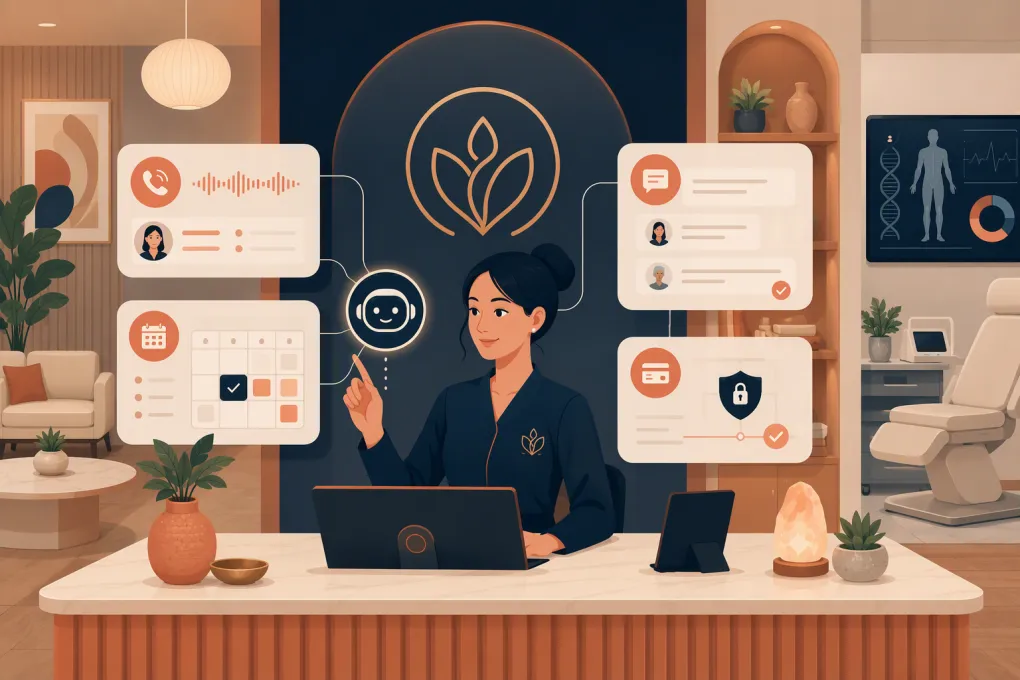 Watch · 20s
A longevity clinic can spend heavily generating interest, then lose the opportunity when nobody answers a call at 7:30 p.m. The next morning, the front desk is already checking in patients, handling forms and rescheduling appointments. That new lead becomes another name in a callback queue.
An AI receptionist can close that gap, but only if it is implemented as a controlled operating workflow—not an unrestricted chatbot. It needs approved answers, precise booking permissions, safe payment handling and clear rules for handing clinical or sensitive conversations to people.
The implementation details matter more than the demo. Before buying, operators should know exactly which channels are supported, which scheduling system controls availability, where conversation data is stored and what the AI does when it cannot complete a request.
Ask WTF Go to map Fitty against your channels, scheduler, CRM or EHR, and payment workflow →
What an AI receptionist should own
For most longevity clinics, the AI receptionist should own administrative coordination around the patient journey—not clinical decision-making.
Appropriate workflows include:
- Responding to new inquiries on enabled channels
- Recovering missed or after-hours inquiries
- Answering approved questions about services, hours and locations
- Explaining the clinic’s consultation process
- Identifying whether someone is a new or existing patient
- Booking eligible consultation types when scheduling access is available
- Sending confirmations and administrative reminders
- Following up when a lead does not finish booking
- Routing clinical, billing and records requests to the right team
- Sending a secure payment link through an approved processor
The AI should not diagnose symptoms, assess treatment eligibility, recommend medication, interpret laboratory results or promise outcomes. It also should not improvise an answer merely because the knowledge base is incomplete.
Start with routing rules, not scripts
A polished greeting cannot rescue a bad routing model. Before writing conversational copy, document what should happen for each inquiry category.
A practical routing sheet might include rules like these:
| Inquiry | AI action | Human handoff |
|---|---|---|
| New lead asking about a service | Answer from approved content and offer the correct consultation | Escalate if suitability or medical history is discussed |
| Existing patient asking about symptoms | Do not troubleshoot or advise | Route to the clinic’s clinical contact process |
| Lead asking for an unavailable time | Offer approved alternatives or collect callback preferences | Route if no valid slot or appointment type is available |
| Request for lab interpretation | State that a clinician must review results | Route to the designated care team queue |
| Cancellation within the penalty window | Explain the published policy without making an exception | Route exception requests to authorized staff |
| Billing question | Provide approved general information | Route disputed charges or account-specific questions |
| Deposit required | Send the processor-hosted payment link | Route payment failures; never request card details in chat |
| Emergency or severe symptoms | Stop the normal workflow and display the clinic’s approved emergency language | Trigger the defined urgent escalation procedure |
Create separate rules for new patients, existing patients and former patients. Otherwise, an existing patient asking about a reaction can accidentally be pushed into a sales-booking flow.
Sample opening script
Thanks for contacting [Clinic]. I’m the clinic’s AI assistant. I can explain our consultation process, help with scheduling and route questions to the team. Are you a new or existing patient?
This is direct and transparent. The AI does not pretend to be a human receptionist or clinician.
Sample clinical boundary
I can help with scheduling and general information, but I can’t determine whether a treatment is appropriate or interpret symptoms. I can route your question to the clinical team. If this may be an emergency, call 911 or seek emergency care now.
Have counsel and clinical leadership approve emergency language rather than copying a generic script without review.
Sample booking recovery message
You asked about a consultation for [service] but did not finish scheduling. Would you like to see the next available appointment options, or would you prefer a call from the clinic?
The message gives the lead a useful choice. It does not manufacture urgency or make an unsupported medical claim.
Configure booking as a permission system
“Can it book appointments?” is not specific enough. The real question is which appointments it can book, for whom and under what conditions.
For every appointment type, define:
- New-patient or existing-patient eligibility
- Provider and location restrictions
- In-person or virtual availability
- Duration and required calendar buffers
- Prerequisites such as forms, prior consultation or outside records
- Deposit requirements
- Rescheduling and cancellation rules
- Questions the AI may ask before presenting times
- Conditions that require staff review
A longevity clinic may allow the AI to book an introductory consultation while prohibiting direct booking for hormone follow-ups, procedures or appointments requiring clinician review. That distinction must exist in the configuration, not only in a staff training document.
Fitty can handle lead response, booking, follow-up and dues or payment workflows when the required systems and rules are connected. That does not mean it should receive unrestricted access to every clinical calendar. Availability should come from the designated scheduling source, and the implementation should define whether Fitty creates the booking directly, hands the person to an existing booking flow or alerts staff when an integration cannot complete the action.
WTF Go is not a substitute for an EHR or clinical triage platform. EHR, CRM, scheduling and payment compatibility should be confirmed during discovery because access varies by vendor, API availability, account configuration and the workflow the clinic wants to automate.
Review your current booking path with WTF Go before replacing it with an AI workflow →
Build the knowledge base from front-desk reality
Do not simply import the public website. Websites often omit exceptions that staff handle every day.
Build the source material from:
- Current service and consultation descriptions
- Published prices and membership terms
- Appointment types and prerequisites
- Cancellation, refund and deposit policies
- Location, parking and telehealth details
- Real questions taken from recent calls and messages
- Existing front-desk scripts
- Clinical and administrative escalation procedures
For each answer, identify an owner and review date. If a program, provider or price changes, someone must update the source of truth.
A useful content rule is: if staff members regularly disagree about the answer, the AI is not ready to answer it. Resolve the policy first.
Handle payments without exposing card data
An AI receptionist may initiate a payment workflow, but it should not ask a patient to type a card number, security code or full payment credentials into a conversation.
Use a PCI-compliant payment processor and send the patient to a processor-hosted or otherwise approved secure checkout page. The AI can explain what the payment is for, provide the secure link and record whether the workflow was completed if the integration supports that status.
Your payment design should specify:
- Which processor handles card data
- Whether the clinic or processor stores payment methods
- Whether the AI can see only status information rather than card details
- Which deposits, dues or balances may be requested
- What happens when payment fails
- Who can issue refunds or waive fees
- How receipts and disputes are handled
Fitty can support payment or dues collection as part of a configured workflow, but the processor—not the AI conversation—should collect sensitive card details. Confirm processor compatibility and the exact handoff before launch.
Treat compliance as four separate reviews
“HIPAA compliant” is not a complete implementation checklist. A longevity clinic should review several distinct obligations with qualified counsel or compliance advisers.
HIPAA and health information
Determine whether the clinic is a covered entity, whether protected health information enters the workflow and which vendors act as business associates. Ask about business associate agreements, access controls, encryption, retention, deletion, audit logs and subprocessors.
Minimize what the AI collects. Initial lead qualification usually does not require a detailed medical history.
Marketing and communication consent
Permission to answer an inbound message is not automatically permission for unlimited promotional texts or calls. Document how consent is obtained, which channels it covers, how opt-outs are processed and how follow-up campaigns are separated from transactional appointment messages.
Call recording and transcription consent
Call-recording and consent requirements differ by jurisdiction. If calls are recorded or transcribed for the AI workflow, determine when disclosure or affirmative consent is required and how recordings are retained.
State privacy requirements
State privacy and consumer-health-data laws may apply beyond HIPAA, including to information from people who never become patients. Review collection notices, data-sharing practices, deletion rights and vendor contracts for the states where the clinic operates and its patients reside.
Common deployment failures
Most failures are operational, not futuristic.
Letting the AI answer from uncontrolled content
The system blends outdated website copy with current policy and gives inconsistent answers. Fix this with approved sources, content ownership and scheduled reviews.
Connecting a calendar before defining eligibility
The AI books the wrong visit type or places a new patient into an established-patient slot. Fix the appointment matrix before enabling direct booking.
Treating every inquiry as a sales lead
Existing patients with clinical or billing needs receive consultation prompts. Identify patient status early and route accordingly.
Automating follow-up without stop conditions
A lead books, opts out or asks for a person but continues receiving messages. Define suppression events and verify that status changes flow between systems.
Hiding integration gaps
A compelling demo may not reflect the clinic’s actual scheduler, EHR or phone setup. Test with the real systems and document any manual handoffs before signing off.
Launching without transcript review
Review early conversations daily. Track unanswered questions, incorrect routing, failed booking attempts, unnecessary escalations and messages that sound misleading.
How to evaluate Fitty for your clinic
Fitty is WTF Go’s AI receptionist and agent for lead response, booking, follow-up and payment-related workflows. Its practical fit depends on your operating stack and the permissions you want to grant.
Bring this checklist to a Fitty evaluation:
- Which of our phone, web, SMS or other inquiry channels are currently supported?
- Does Fitty connect directly to our scheduler, or will it use a booking link or staff handoff?
- Can it read availability and write appointments without creating duplicates?
- How will lead and conversation status sync with our CRM?
- Does our EHR need to exchange data, and is that connection supported?
- Which payment processors can be used for secure links and status updates?
- What information is stored, where is it stored and who can access it?
- What implementation work is included, and what must our team configure?
- Is pricing based on locations, usage, channels, features or another model?
- What happens when a channel, integration or workflow is not supported?
Pricing and integration availability can change and may depend on scope, so the right next step is a fit review based on your current stack—not an assumption that every clinic uses the same setup.
The right AI receptionist makes the clinic easier to reach while staying inside carefully defined boundaries. Start with one workflow, test it against real exceptions and expand only after booking, escalation, consent and payment controls work as intended.
Frequently asked questions
Can an AI receptionist book longevity clinic appointments?
Yes, when it has a supported connection or handoff to the clinic's scheduling system and clear rules for appointment types, eligibility, providers and prerequisites.
Can patients give an AI receptionist their card details?
They should not enter card numbers or security codes directly into an AI conversation. The AI should direct them to a secure payment page handled by a PCI-compliant processor.
Is an AI receptionist automatically HIPAA compliant?
No. Compliance depends on the clinic's status, the data involved, vendor safeguards, contracts and actual workflow. HIPAA review should be separate from consent, call-recording and state privacy reviews.
Does Fitty replace a clinic's EHR or scheduling software?
No. Fitty handles receptionist and follow-up workflows around connected systems; scheduling, CRM, EHR and payment compatibility must be verified for the clinic's specific stack.
What should a longevity clinic automate first?
Start with new inquiries and missed-call recovery. Keep clinical questions, records requests and policy exceptions routed to staff until the clinic has tested more advanced workflows.
Keep reading



Run your gym on autopilot with WTF Go
Fitty — your AI receptionist — answers calls and DMs, fills classes, follows up with every lead, and collects dues while you coach.